Auslogics Anti-Malware: A Second-Opinion Malware Scanner to Run Beside Your Antivirus
Auslogics Anti-Malware is a Windows malware scanner that runs alongside your main antivirus and looks for what it may have missed. The full version is $29.95 a year at checkout before tax and covers 3 PCs, it runs on Windows 7 through 11, and a free trial will scan and clean once.
It suits the moment when your antivirus says everything is fine and the PC still feels wrong. You want a second scanner to look, and you don't want to uninstall what you already have to get one.
Quick facts
- Version: 1.23.0.4, released May 19, 2026
- Developer: Auslogics Labs Pty Ltd, founded in Sydney in 2008
- Platform: Windows 11, 10, 8.1, 8 and 7. There is no Mac or Linux version
- Price: $29.95 per 12 months before tax, renewing automatically
- License: 3 PCs, according to Auslogics' version comparison
- Free trial: yes, with one scan-and-cleanup
- Refund: 30 days from purchase
- What we checked: vendor installer of 16.0 MB and the $29.95 yearly price with auto-renewal on the order page, on November 10, 2026. We did not install or run it, and we did not test what it detects.
Before you buy
- Anti-Malware is a subscription. It renews every 12 months at the same price and charges the payment method on file unless you cancel before the renewal date. Auslogics says it emails a notice about 30 days ahead.
- Cancelling: Auslogics' policy says to contact it by email, and the order page says auto-renewal can also be cancelled through your customer account.
- Refunds run for 30 days from purchase and cover renewals too. They are generally processed in 5 to 7 business days, and the license and subscription are disabled once the refund goes through.
- It does not replace an antivirus. Keep Windows Security or your current product running. Anti-Malware has no real-time protection and only works when a scan runs.
- Run the free trial first. Its scan shows what Anti-Malware flags on your own PC before you pay anything.
Download Free TrialBuy Now
Overview
Anti-Malware opens on a plain Overview screen with a Start Scan button, the time of the last database update and the result of the last scan. It updates its malware database first, then you pick a quick, deep or custom scan and decide what to do with whatever it flags.
The left-hand menu covers everything else: Scanners, Quarantine, Scheduler and Update. It is a small program with a narrow job, and the 16 MB installer reflects that.
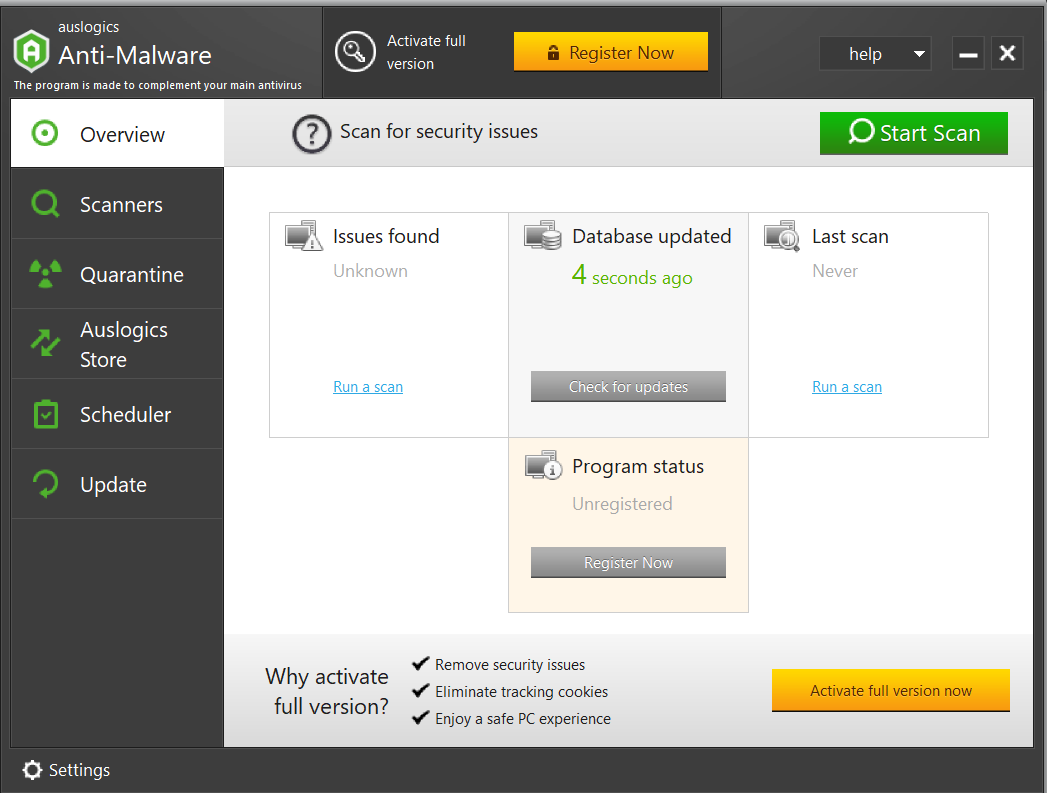
The Overview screen on an unregistered copy, from Auslogics' own article about the program.
Features
Three scan depths
Auslogics Anti-Malware offers a quick scan of the areas where threats usually sit, a deep scan of the whole system, and a custom scan of the folders and files you choose. All three are available in the free trial.
Looks beyond files on disk
Auslogics Anti-Malware checks running processes, programs set to start with Windows, tasks in Task Scheduler, suspicious registry entries, system and temporary folders, and tracking cookies, so a scan covers more than the file system.
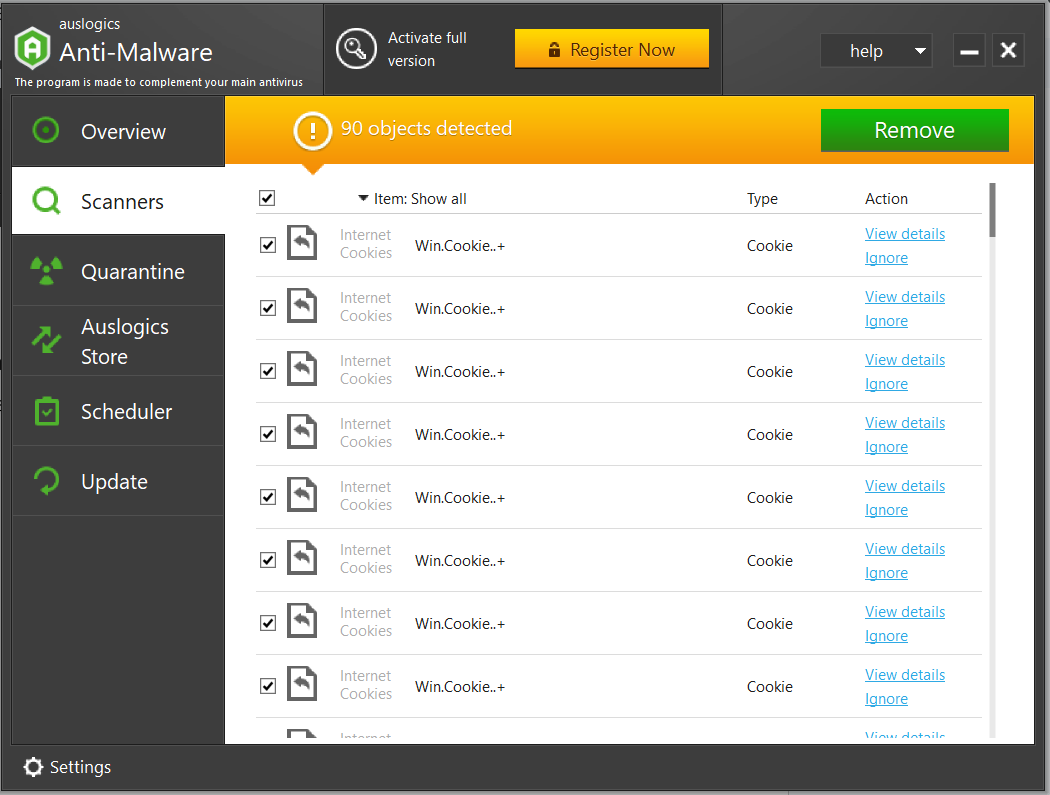
A scan reporting 90 objects. Every row visible here is an internet cookie, and each has View details and Ignore links.
Quarantine instead of delete
Auslogics Anti-Malware can move a flagged item to quarantine, where you can restore it later or delete it for good. That matters for any scanner, since a false alarm on a file you need is easy to undo from there. An ignore list keeps chosen files and folders out of later scans.
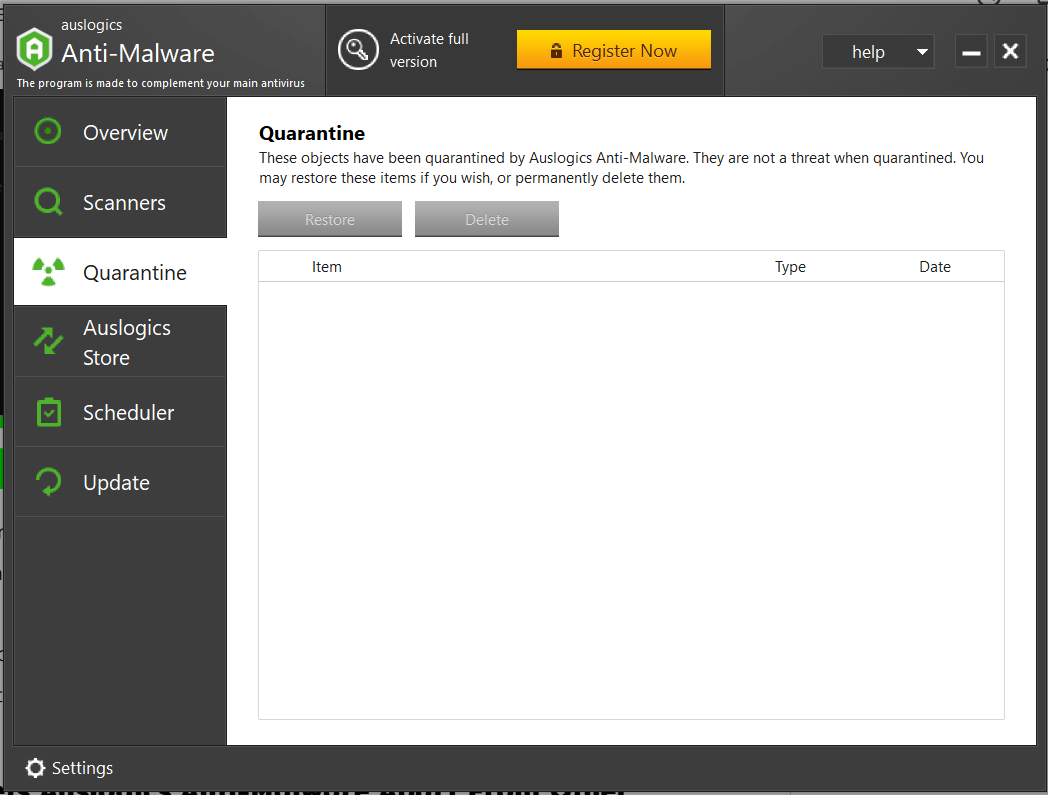
The Quarantine tab, shown empty, with its Restore and Delete buttons.
A heuristic level you set yourself
Auslogics Anti-Malware has four heuristic settings, from Disable through Lazy and Normal to High. The app states the trade-off plainly: a higher level is better at catching newly released threats and makes false positives more likely.
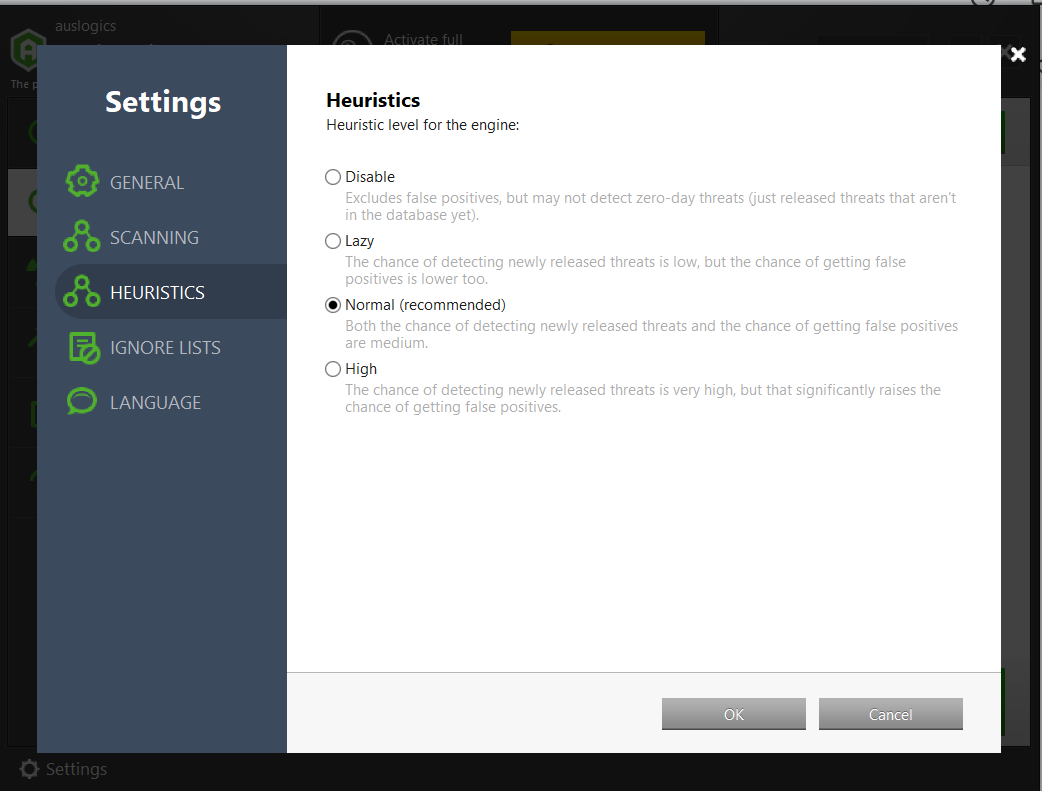
The Heuristics settings, with Normal marked as recommended.
Scheduled scans and cleanups in the full version
Auslogics Anti-Malware's Scheduler runs scans and cleanups on a daily or other timetable and lets you choose the areas covered. It is greyed out and marked "full version only" until you register.
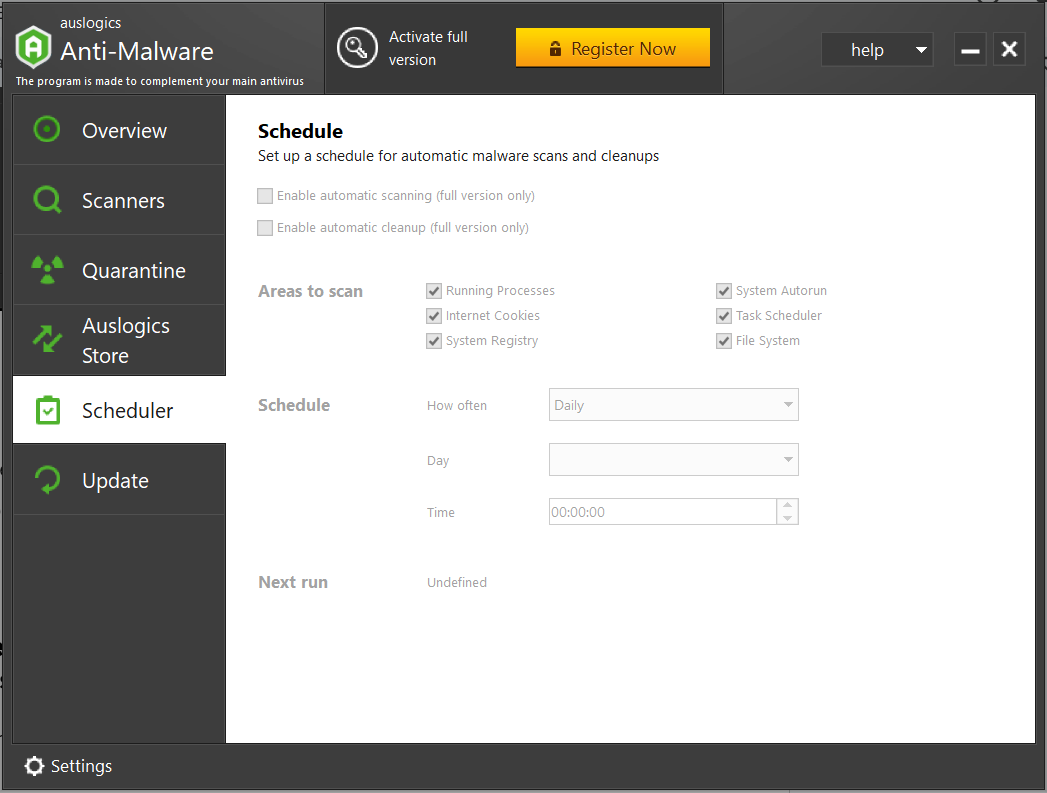
The Scheduler on an unregistered copy, with both automatic options marked full version only.
Benefits
- A second look without a second antivirus. Two real-time antivirus products can fight each other. A scanner that only runs when asked avoids that problem by design.
- A light footprint. The download is about 16 MB, small next to a full security suite.
- Three PCs on one subscription, which covers a household's Windows computers at about $10 each per year.
Real-World Uses
- Your browser has started showing pop-ups and your antivirus finds nothing. A deep scan gives you a second opinion.
- You installed a free program and it brought extras with it. A quick scan checks running processes and startup items.
- You look after a parent's PC and can't visit often. The full version's scheduler runs the scan for you.
- A scan flags a file you recognize from an old utility. You quarantine it, see whether anything breaks, and restore it if something does.
Who It's For, and Who Should Skip It
Anti-Malware fits Windows users who already run an antivirus and want an occasional or scheduled second scan at a low price.
Skip it if it would be your only protection, because nothing watches the PC between scans. Skip the paid version if you only want a one-off check, since the free trial's single cleanup covers that. If you dislike auto-renewing subscriptions for a small utility, or you use a Mac, look elsewhere.
Usage Guide
- Download the installer from Auslogics and run it. If an older version is present, the installer removes it for you.
- Open Anti-Malware and let it update its malware database.
- On the Scanners tab, choose quick, deep or custom, then press Start Scan.
- Read the results. Use View details on anything you don't recognize and Ignore on anything you know is safe.
- Press Remove to deal with the rest, and check the Quarantine tab if something you need goes missing.
- With the full version, open Scheduler and set a timetable. Auslogics suggests a deep scan at least once a week.
Where it falls short
- No real-time protection. Auslogics' own article says so directly: Anti-Malware works through manual and scheduled scans and does not monitor the PC continuously.
- No outside test results that we could find. We found no AV-TEST or AV-Comparatives result for this product, so there is no independent measure of how much it catches or how many false alarms it raises.
- A big number can mislead. Tracking cookies count as detected objects, so a scan total can look alarming when the list is mostly cookies. Open the list before you decide you were infected.
- Other security tools have objected to Auslogics. An Auslogics support page says Malwarebytes has flagged its programs as potentially unwanted, which Auslogics disputes as a false positive.
What Users Say
Trustpilot rated Auslogics as a company 4.3 from 2,010 reviews on November 10, 2026, and most of those reviews are about other Auslogics products. The reviews below that name Anti-Malware are several years old. Trustpilot's text reached us through a summarizing tool, so the quotes are excerpts.
Praise on Trustpilot
Vincent Carr (5 stars, December 2017): "The Anti-Malware has found items that my anti-virus has allowed through."
Mark Smith (5 stars, July 2017): "With the Anti-Malware, I bought the program because I was hit by ransomware, which Kaspersky somehow missed." He also reported no conflicts running it beside Kaspersky.
Tom Wilson (5 stars, April 2021): "their Anti-Malware is superb"
Mark Jacewiesz (5 stars, July 2021): "Auslogics Anti-Malware is great because of it's Avira Signatures, and I got it at a super-cheap price." The Avira detail is his own, and Auslogics doesn't name its engine on the product page.
Gus Hughes (5 stars, March 2018): "I ran Boost speed and anti-malware and was surprised how much rubbish they found and cleaned."
Criticism on Trustpilot
Daniel True (1 star, December 2023), on a billing dispute: "I renewed my subscription for auto-malware on 12/18/23 when you withdrew money from my bank." Auslogics replied that his original subscription had been cancelled, that a new one was bought that day, and that the key had been emailed to him, and it pointed him to a refund request.
Paul Galbraith (1 star, June 2026) titled his review about Auslogics in general "Bait and switch subscription trap." He says a purchase turned into a 12-month auto-renewing license. Auslogics replied that the renewal terms appear at step 2 of its checkout.
Lu k (1 star, November 2025) wrote under the title "Was a big fan." that the company has moved to subscriptions and did not make the renewal terms clear.
The praise for this product comes from people who wanted a backstop for an existing antivirus and say it found things. It is old praise, though, and we found little recent discussion of Anti-Malware specifically. The recurring complaint about the company is the subscription.
Editions and Pricing
| Capability | Free trial | Full version |
|---|
| Price | $0 | $29.95 per 12 months |
| Scans | Quick, deep and custom | Quick, deep and custom |
| Cleanup | Once | Unlimited |
| Quarantine | Yes | Yes |
| Scheduled scans | No | Yes |
| Priority support | No | Yes |
FAQs
Does Auslogics Anti-Malware conflict with other antivirus software?
Auslogics Anti-Malware is designed to run alongside any Windows antivirus without conflicts, according to Auslogics.
Does Auslogics Anti-Malware work on 32-bit Windows?
Auslogics Anti-Malware supports both 32-bit and 64-bit editions of Windows 7, 8, 8.1 and 10, plus Windows 11. It does not support XP, Vista or anything older.
How often should I scan with Auslogics Anti-Malware?
Auslogics recommends a deep scan at least once a week, and twice a week if you often download files, open email attachments or visit risky sites.
Does Auslogics Anti-Malware use a proxy server?
Auslogics Anti-Malware follows the proxy settings configured in Windows and has no proxy settings of its own.
What kinds of threats does Auslogics Anti-Malware look for?
Auslogics lists viruses, spyware, adware, trojans, worms, potentially unwanted applications and internet cookies. Those are the vendor's categories, and we did not test detection of any of them.
What happens to Auslogics Anti-Malware after a refund?
Auslogics disables the license and subscription once a refund is processed.
System Requirements
- Windows 11, or 32-bit or 64-bit Windows 10, 8.1, 8 or 7
- About 16 MB for the installer download
- An internet connection for malware database updates
Conclusion
Auslogics Anti-Malware is worth $29.95 a year if you already run an antivirus and want a scheduled second scan across up to three PCs. The scheduler is the main reason to pay, since the free trial already scans the same areas. The main reason not to buy is that we found no outside measurement of how well it works, and the customer praise is old, so run the free trial, read what it flags, and decide from that. If you do subscribe, note the renewal date.
Download Free TrialBuy Now