Auslogics ChillMate: Cooling a Hot Windows Laptop by Limiting How Hard the CPU Works
Auslogics ChillMate is a Windows utility that watches your laptop's temperatures and tries to lower them by limiting processor power, using profiles for gaming, office work and browsing. The full version is $29.95 a year at checkout before tax and covers 3 PCs. Monitoring is free, and the cooling itself has an 8-hour trial.
It is aimed at the laptop that burns your legs and spins its fans up during an ordinary video call. Know going in that it works on the software side, and it cannot clear dust out of a fan.
Quick facts
- Version: 1.1.0.6, released July 1, 2026
- Developer: Auslogics Labs Pty Ltd, founded in Sydney in 2008
- Platform: Windows 11, 10, 8.1, 8 and 7
- Price: $29.95 per 12 months before tax, renewing automatically
- License: 3 PCs, according to Auslogics' version comparison
- Free trial: 8 hours of running with optimization on. Temperature and load monitoring remain free
- Refund: 30 days from purchase
- What we checked: vendor installer of 27.6 MB and the $29.95 yearly price with auto-renewal on the order page, on November 10, 2026. We did not install it or measure any temperature change.
Before you buy
- ChillMate is a subscription. It renews every 12 months at the same price and charges the payment method on file unless you cancel before the renewal date. Auslogics says it emails a notice about 30 days ahead.
- Cancelling: Auslogics' policy says to contact it by email, and the order page says auto-renewal can also be cancelled through your customer account.
- Refunds run for 30 days from purchase and cover renewals too. They are generally processed in 5 to 7 business days, and the license and subscription are disabled once the refund goes through.
- Use the trial properly. The 8 hours count only while optimization is switched on, so run your hottest workload and compare temperatures and speed before paying.
Download Free TrialBuy Now
Overview
ChillMate opens on a dashboard with a large power button, five profile buttons arranged around it, and a live read-out of CPU temperature with optimization on and off. A strip along the bottom shows CPU, GPU and RAM figures, and tabs lead to Profiles, Statistics, Advanced Tools and Ask a Question.
The method matters. Auslogics says ChillMate lowers heat mainly by reducing CPU power consumption: slowing the processor when it reaches a set temperature, parking idle cores, and cutting visual effects and brightness. That means less heat in exchange for less peak speed.
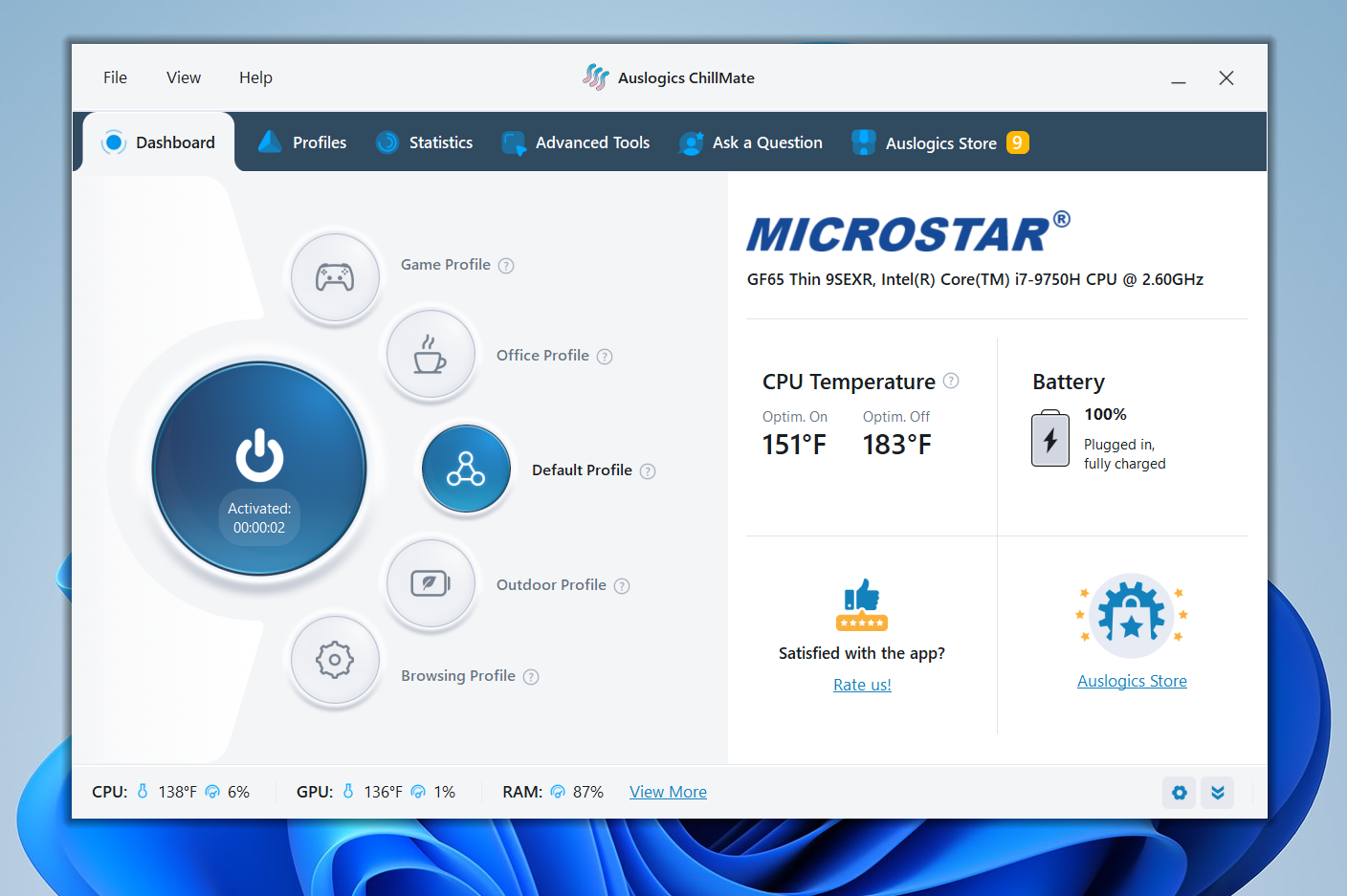
Auslogics' screenshot of the dashboard on an MSI laptop, showing 151°F with optimization on and 183°F with it off. Those are the vendor's figures, and we did not measure them.
Features
Profiles for different kinds of work
Auslogics ChillMate ships with Default, Game, Office, Outdoor and Browsing profiles, and you can edit them or make your own. Outdoor aims for battery life with a brighter screen. Game accepts a list of games and applications, and optimization steps aside when those run.
Fine control inside each profile
Auslogics ChillMate exposes switches for processor power throttling, core parking, animation and shadow effects, and display brightness, plus a setting to raise fan speed before slowing the processor. The defaults are a starting point, and you can restore them from the same screen.
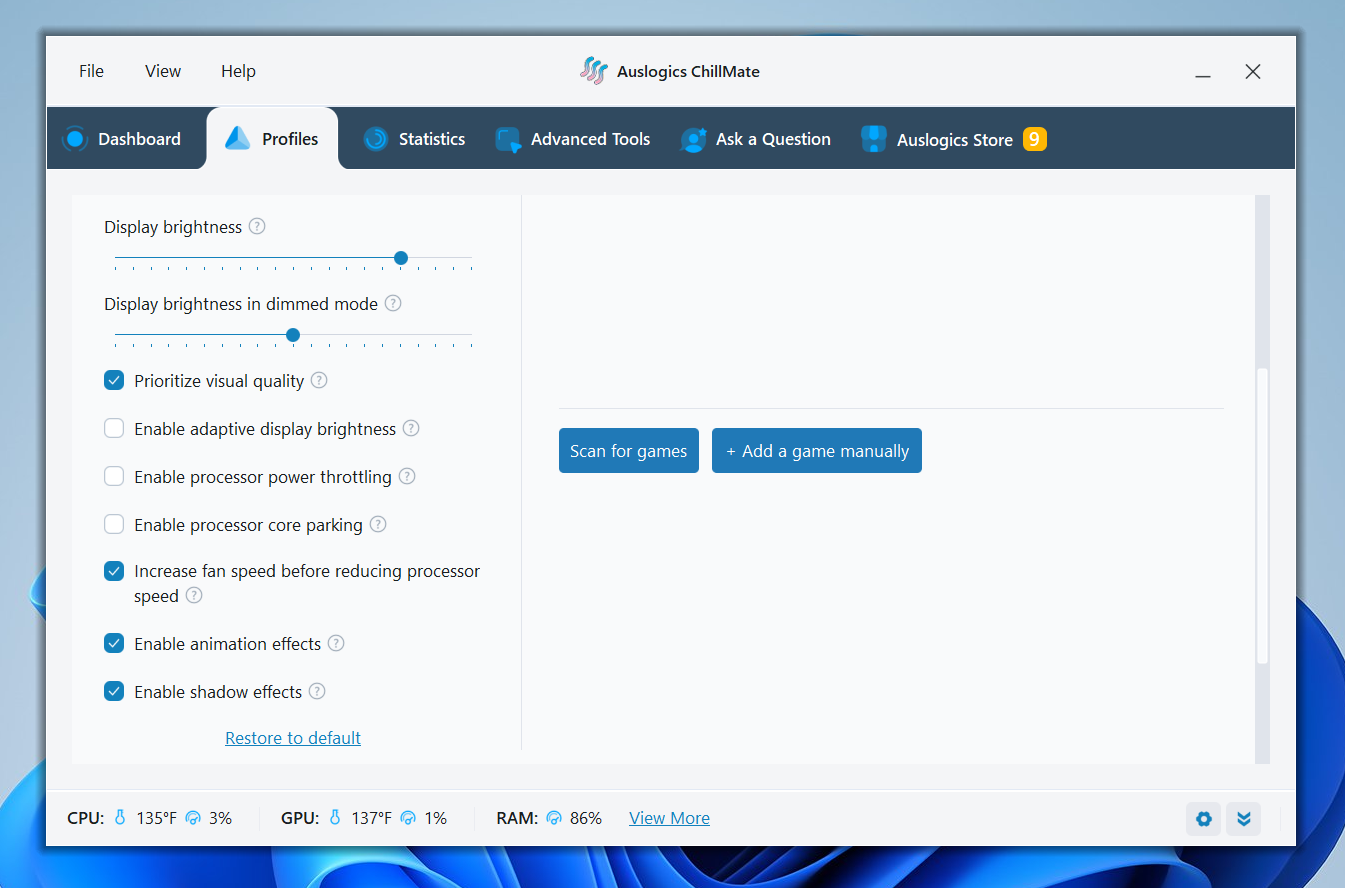
Profile settings, including processor power throttling, core parking and the fan speed option.
Temperature and load history
Auslogics ChillMate charts CPU load, CPU temperature and battery status over periods from 10 minutes to 24 hours, and it shows CPU, GPU, SSD and HDD temperatures live. This part stays free after the trial, which makes ChillMate usable as a plain monitor.
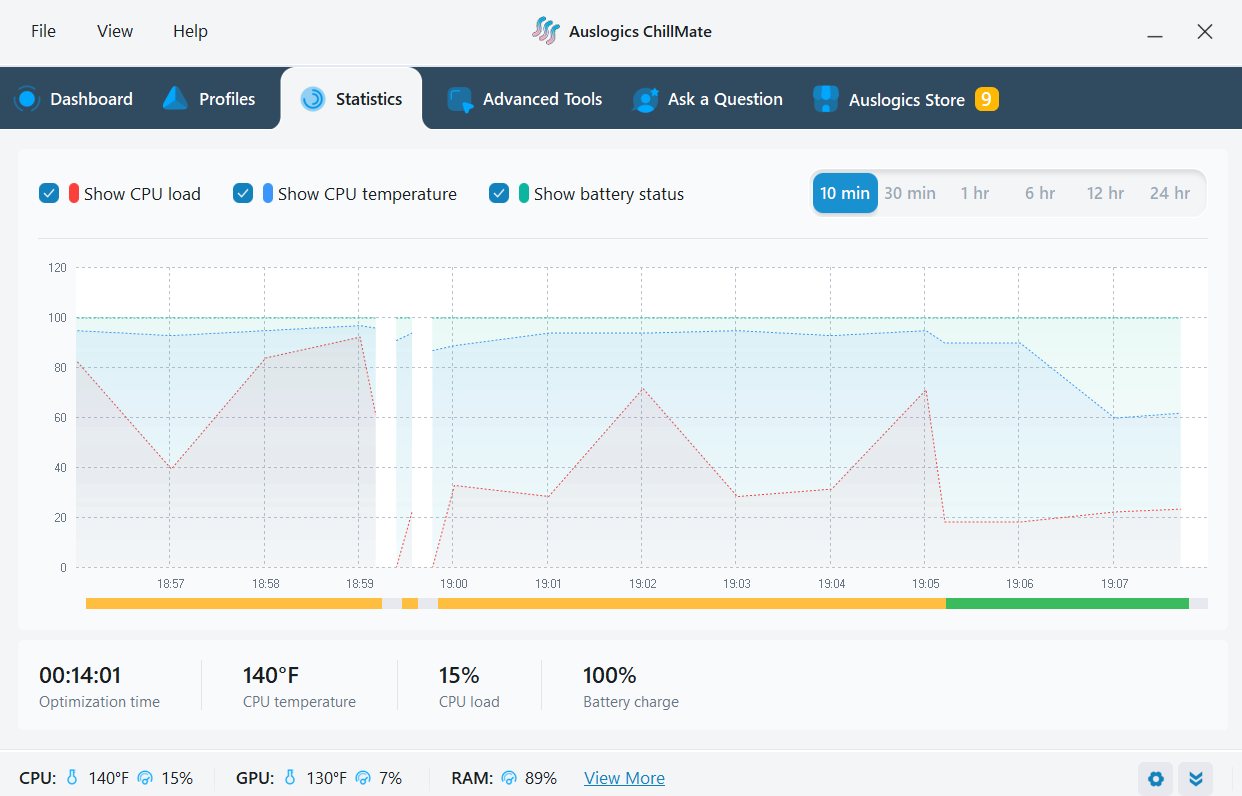
The Statistics tab, charting CPU load, CPU temperature and battery over 10 minutes.
Extra performance tools
Auslogics ChillMate adds four on/off tools: Processor Optimization and Memory Optimization for allocating resources, Disk Priority Manager for favoring the program you are using, and Desktop Protection, which separates File Explorer processes to contain crashes. You can only turn them on or off, without further tuning.
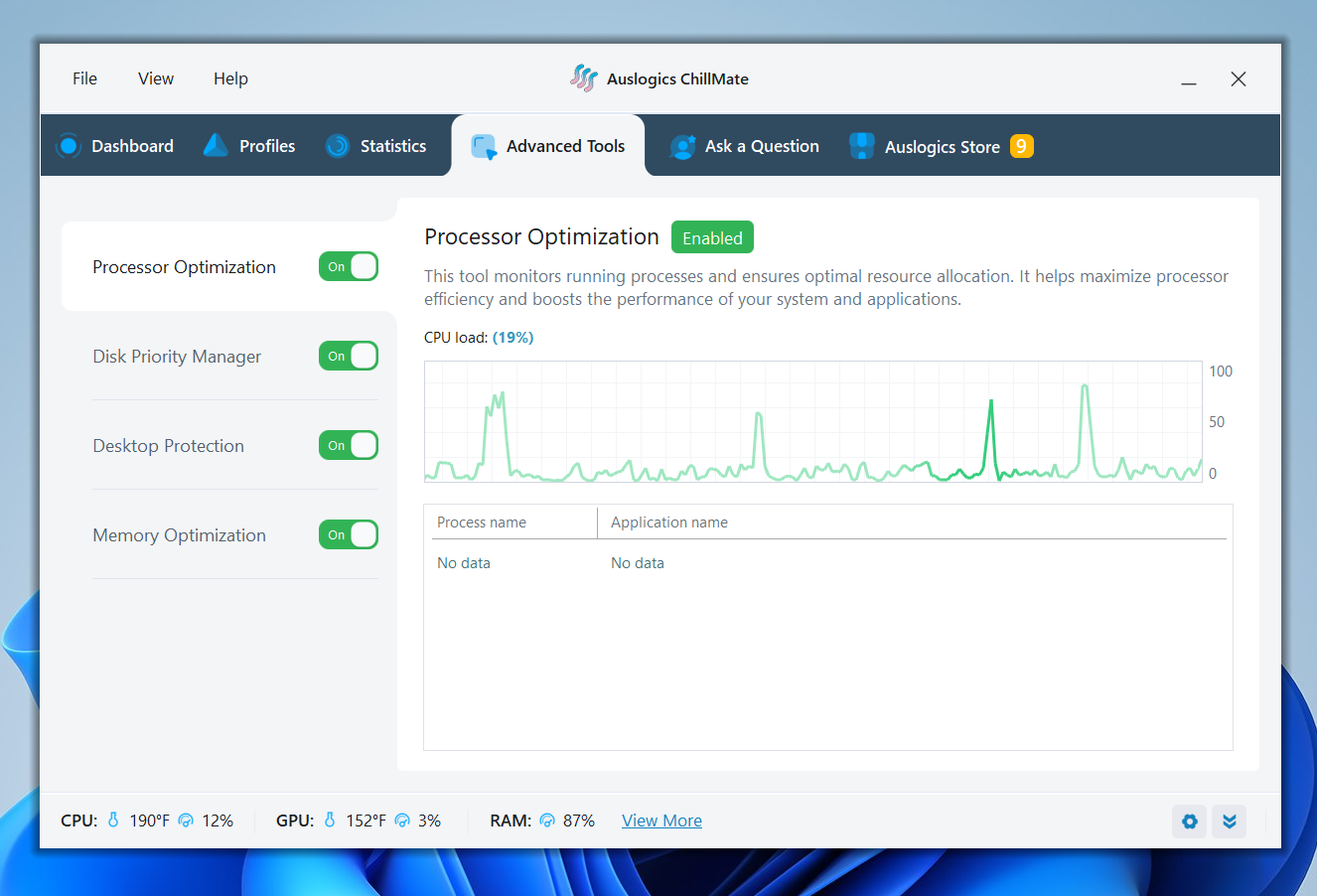
The Advanced Tools tab, with four tools switched on and a CPU load graph.
Benefits
- Less fan noise on light work, if the profile keeps the processor from spiking for tasks that don't need it.
- Longer runs on battery, since drawing less power is the same mechanism that produces less heat.
- Settings in one place. Throttling, core parking and visual effects are otherwise scattered through Windows power options.
Real-World Uses
- Your laptop runs hot during long video calls. Try the Office profile and compare the temperature history before and after.
- You game on a laptop. Add your games to the Game profile so that optimization stands aside while they run.
- You work outdoors and need the battery to last. The Outdoor profile favors battery life and raises brightness.
- You suspect a heat problem but aren't sure. Leave the free monitor running and read the 24-hour chart.
Who It's For, and Who Should Skip It
ChillMate fits laptop owners with a heat or fan noise problem caused by everyday software load, who would rather pick a profile than edit Windows power plans.
Skip it if your fans are clogged, the thermal paste has dried out or a fan has failed, because no software fixes those, and they are worth checking first on any older laptop. Skip it if you want to set fan curves by hand, since ChillMate doesn't offer that, or if you need every bit of processor speed. Windows' own power modes are free and do part of this job.
Usage Guide
- Download ChillMate from Auslogics and install it.
- Open the dashboard and note the CPU temperature under your usual workload.
- Press the power button to activate optimization and choose a profile.
- On the Profiles tab, add the games or programs that need full speed.
- Watch the Statistics tab for a while, then adjust throttling and core parking if the PC feels slow.
- Open Settings if you want ChillMate to start with Windows.
Where it falls short
- No manual fan control. Auslogics' own article says ChillMate does not let you control fan speed, and that it relies on automatic triggers and profile settings.
- Cooling trades away speed. The main method is reducing processor power. If your work needs the full speed of the chip, a lower temperature will come at a cost.
- The evidence is thin. We found no independent test measuring ChillMate's temperature reductions, and G2 and PeerSpot had no reviews for it. The temperature drops that users describe are their own reports.
- It shows battery status, not battery health. Auslogics points you to the Windows battery report for that.
- Autostart may need attention. One Trustpilot reviewer found it hard to make ChillMate start with Windows at first, and it is a setting worth checking.
What Users Say
ChillMate is a newer product with a handful of reviews that name it. Trustpilot rated Auslogics as a company 4.3 from 2,010 reviews on November 10, 2026. Trustpilot's text reached us through a summarizing tool, so the quotes are excerpts.
Praise on Trustpilot
James Denneny (5 stars, July 2026): "It saved my laptop CPU. Without ChillMate, CPU temp would reach 200F". In a second review he says it took some effort to get autostart working.
Marc Dierick (5 stars, September 2025): "With Chillmate this CPU temperature is reduced to +/- 50°C."
Rio (5 stars, October 2025): "recommend Chillmate & BoostSpeed"
Doubts and criticism
Robert Soer (4 stars, July 2026) says ChillMate keeps temperatures down, but: "I do not see how it improves the life of a PC". Auslogics replied that lower heat reduces stress on components such as the CPU, GPU, battery and storage.
Paul Galbraith (1 star, June 2026), about Auslogics in general, under the title "Bait and switch subscription trap." He says a purchase turned into a 12-month auto-renewing license. Auslogics replied that the renewal terms appear at step 2 of its checkout.
The reviewers who name ChillMate mostly report lower temperatures on their own laptops, which is encouraging but anecdotal. Nobody in this small sample measured what those lower temperatures cost in speed.
Comparisons
Against free monitoring tools
Speccy and Core Temp show temperatures, and Core Temp can also shut a PC down at a set limit, according to Auslogics' own comparison. Neither tries to reduce heat day to day. If you only want to see the numbers, ChillMate's free monitoring or those tools are enough, and you only pay for ChillMate if you want the profiles.
Editions and Pricing
| Capability | Free | Full version |
|---|
| Price | $0 | $29.95 per 12 months |
| Temperature and load monitoring | Yes | Yes |
| Advanced statistics | Yes | Yes |
| CPU cooling | 8-hour trial | Yes |
| Profile switching | 8-hour trial | Yes |
| Processor optimization | 8-hour trial | Yes |
| Priority support | No | Yes |
| Ask a Question | 1 question | 3 questions |
FAQs
Does Auslogics ChillMate work on a desktop PC?
Auslogics ChillMate is aimed mainly at laptops, though Auslogics also calls it a solution for any PC. Its battery status and battery-saving profiles only matter on a laptop.
Does Auslogics ChillMate void my CPU warranty?
Auslogics says undervolting and underclocking can void CPU warranties and presents ChillMate as an alternative to them. If that matters to you, check the warranty terms from your laptop maker, and note that the throttling and core parking can be switched off in each profile.
Can Auslogics ChillMate replace a cooling pad?
Auslogics ChillMate does not add any cooling hardware. It reduces how much heat the processor produces, so a pad or a cleaning job can still help when airflow is the real problem.
How much does Auslogics ChillMate slow a laptop down?
Auslogics ChillMate can reduce processor speed when a profile asks for it, and neither Auslogics nor any reviewer we found publishes a figure. Compare your own programs during the 8-hour trial.
What are the minimum specs for Auslogics ChillMate?
Auslogics ChillMate lists 256 MB of RAM and 58 MB of free disk space, on Windows 7 through 11.
System Requirements
- Windows 11, 10, 8.1, 8 or 7
- 256 MB of RAM
- 58 MB of free disk space
Conclusion
Auslogics ChillMate is worth $29.95 a year if a laptop runs hot under everyday software load and the 8-hour trial shows a real drop on your own machine. The reason to buy is the profiles, which bundle power limits you'd otherwise set by hand. The main reason not to is that the same result can partly be had free in Windows power settings, there's no independent proof of the cooling, and the method trades speed for heat. Clean the fans first, run the trial, and only then decide.
Download Free TrialBuy Now