Auslogics Duplicate File Finder: Clear Out Duplicate Files by Comparing What Is Inside Them
Auslogics Duplicate File Finder is a Windows tool that finds duplicate photos, music, videos and other files on your drives so you can delete the copies you don't need. Pro is $29.95 a year at checkout, it runs on Windows 7 through 11, and a free version handles basic searches.
It helps when a drive has filled up with years of phone backups, re-downloaded installers and folders called "New folder (2)", and you can no longer tell which copy matters.
Quick facts
- Version: 11.2.0.6, released April 29, 2026
- Developer: Auslogics, founded in Sydney in 2008
- Platform: Windows 11, 10, 8.1, 8 and 7. There is no Mac or Linux version
- Price: $29.95 per year, renewing automatically
- Pro license: covers 3 PCs
- Free version: yes, with default search settings and manual selection
- Drives: internal SSD and hard drives, external drives, USB sticks and memory cards. Network drives are not supported
- Refund: 30 days from purchase
- What we checked: vendor installer of 21.6 MB and the $29.95 yearly price with auto-renewal on the order page, on November 10, 2026. We did not install it or run a scan.
Before you buy
- Duplicate File Finder Pro is a subscription. It renews every 12 months and charges the payment method on file unless you cancel before the renewal date. Auslogics says it emails a notice about 30 days ahead.
- To cancel, contact Auslogics by email. The order page also says auto-renewal can be cancelled through your customer account.
- Refunds run for 30 days from purchase and cover renewals too. They are generally processed in 5 to 7 business days, and the license and subscription are disabled once refunded.
- A one-off clean-up may not need Pro. The free version finds duplicates and sends the ones you tick to the Recycle Bin, so see what it turns up first.
Download Free VersionBuy Now
Overview
Duplicate File Finder works as a short wizard. You choose the drives or folders, choose the file types, set any filters, and start the scan. Results arrive as groups of identical files, with a preview pane on the right so you can look at a photo or document before you decide.
By default the search is strict: files must share a name and a date and also be identical at the binary level. Ticking Ignore File Names and Ignore File Dates leaves only the checksum and byte-by-byte comparison, which is what catches a photo that was renamed when it was copied.
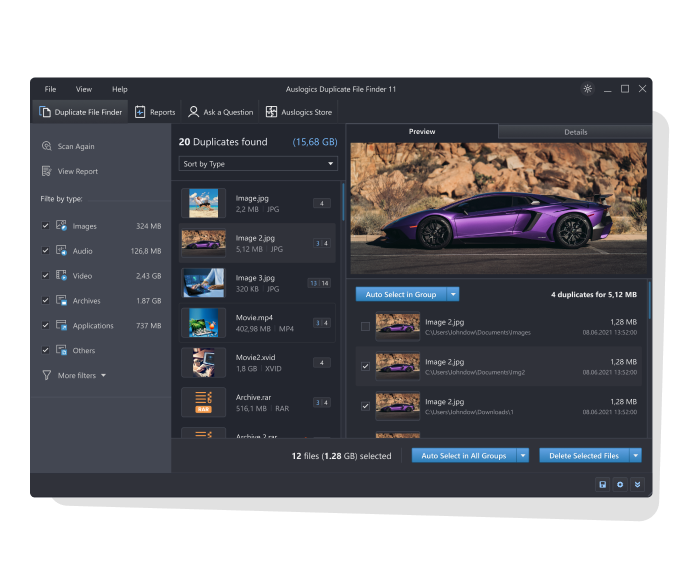
Duplicate File Finder 11 listing 20 groups of duplicates, with a photo preview and tick boxes for each copy. Image from Auslogics.
Features
Search by file type, on any local drive
Duplicate File Finder Pro narrows a search to images, audio, video, archives or applications, and can also match photos by EXIF data and music by ID3 tags. Size limits, file-name parts and attribute filters shorten the list further.
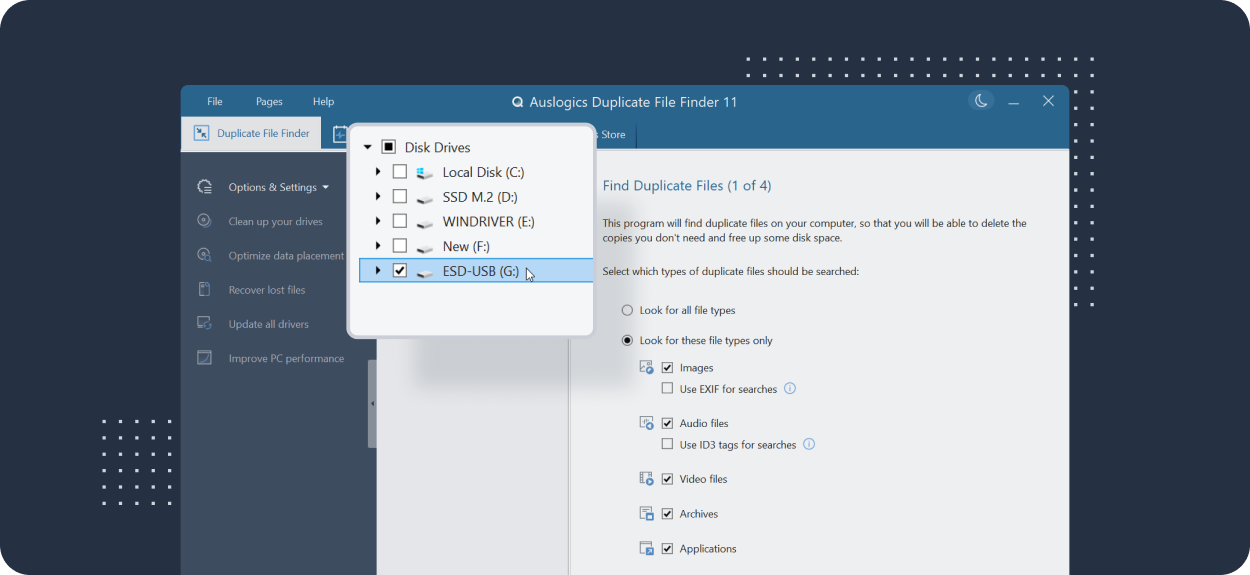
Step 1 of the wizard, with file-type choices and the drive list enlarged over the window in this Auslogics image.
You pick the copies, or let it pick for you
Duplicate File Finder lets you tick unwanted copies by hand in any edition. Pro adds Auto-Select, within one group or across all groups, using rules Auslogics describes as choosing the copies least likely to be needed.
Three ways to delete, two of them reversible
Duplicate File Finder can send files to the Recycle Bin, move them to Rescue Center (Pro), or delete them permanently. Rescue Center keeps a restorable backup of each removal until you delete that backup yourself, which is the safest choice for a large clean-up.
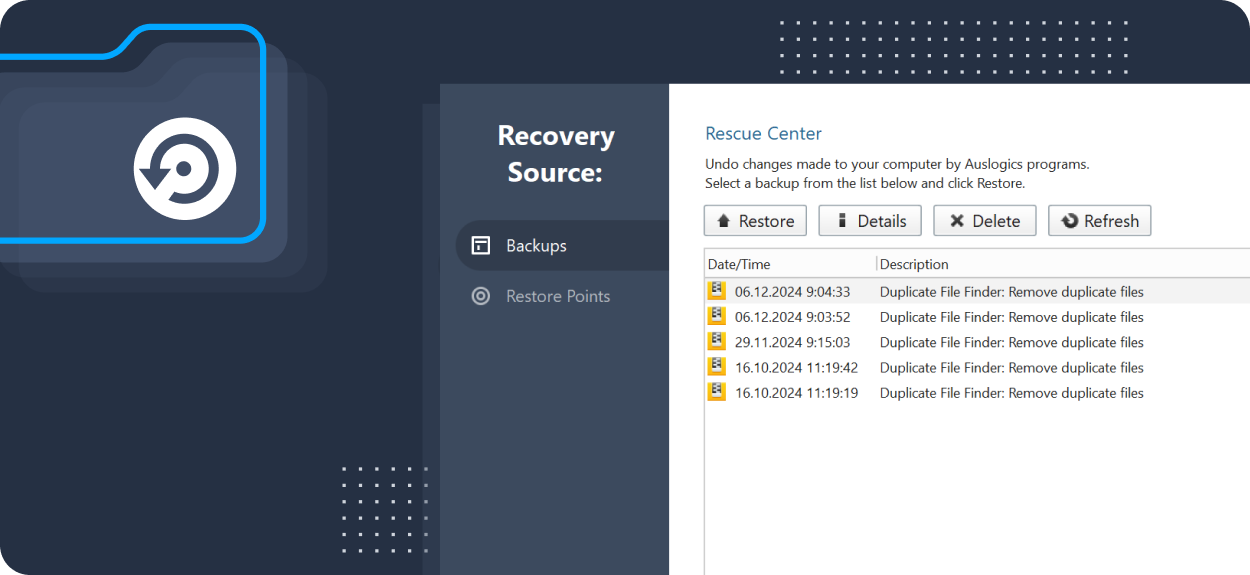
Rescue Center listing earlier duplicate removals with Restore, Details and Delete buttons. Cropped marketing image from Auslogics.
System folders are skipped automatically
Duplicate File Finder adds system folders and other sensitive locations to its Ignore List, because Windows keeps some identical files in several places on purpose. You can add your own folders or masks such as *.ext to that list.
Right-click a folder to scan it
Duplicate File Finder can add an entry to the File Explorer right-click menu, so you can check one folder without opening the program and setting up a full search.
Benefits
- Space back without guesswork. Content comparison means a match is a real copy, not a file that merely has the same name.
- Tidier collections. Removing extra copies makes a photo or music library easier to browse and to back up.
- A safety net. Rescue Center and the Recycle Bin give you a way back if you remove the wrong one.
Real-World Uses
- A photo archive has been copied between PCs several times under different folder names. A scan with Ignore File Names shows which sets repeat.
- A USB backup drive is full. You scan just that drive and remove the extra copies of old video files.
- A small system SSD keeps reporting low space. You check the Downloads and Documents folders for repeated installers and archives.
- A music collection has picked up the same tracks from several rips. Pro's ID3 matching helps group them.
Who It's For, and Who Should Skip It
Duplicate File Finder suits home users with large, disorganized collections of photos, music and downloads on local or USB drives, particularly people who want to review each match in a preview window.
Skip Pro if you only need a single clean-up, because the free version does the core job. Skip the product altogether if your duplicates live on a NAS or network share, since network drives are not supported, or if you use a Mac. BoostSpeed owners should check that suite first, as it includes a Duplicate File Finder tool.
Usage Guide
- Download the installer from Auslogics and run it.
- Choose the drives or folders to search.
- Pick the file types if you have Pro, or look for all file types.
- Tick Ignore File Names and Ignore File Dates if you want renamed copies included, then start the scan.
- Open each group, preview the files and tick the copies you don't want. Check the folder path of each one before you tick it.
- Delete to the Recycle Bin or Rescue Center first, and use the PC for a few days before emptying either.
Where it falls short
- No network drives. Auslogics says this was disabled for security reasons, so NAS boxes and shared folders are out.
- The default search can miss copies. With its strict default settings, a file with a different name or date will not count as a duplicate until you relax them.
- Similar is not the same. It looks for identical files, so a resized photo or a re-encoded song is not treated like a true copy unless tag matching catches it.
- A yearly fee is a lot for occasional use. Duplicate cleaning is usually an occasional chore, and many long-time users of this program knew it as free software.
- Program files deserve caution. Applications sometimes keep identical files in separate folders on purpose, so stick to your own data when you can.
What Users Say
Few detailed reviews of this exact product are available, so this section is short. Trustpilot rated Auslogics as a company 4.3 from 2,010 reviews on November 10, 2026, and that figure covers all its products. Auslogics' own page shows a rating of 4.6 from 8,864 votes.
Quoted on the Auslogics site
These user comments are shown on the product page and marked as Trustpilot reviews. Both describe the free version.
Kevin Jones: "if you use the options (and don't miss them in your hurry as I did!) it's a much more powerful program and it is much more useful."
Jipé (BE): "I've tested other duplicate search programs, but I definitely opt for Auslogic Duplicate Finder, which, best of all, is free!"
The same page quotes press coverage beside magazine logos, including Lifehacker: "Auslogics Duplicate File Finder will help you find dupes even when the file names don't match." The quote is undated.
On SnapFiles
a99stars288 (5 stars, November 2021): "I try all software, but this is best include all qualities. No spyware no ad, work fast, and very accurate."
On Trustpilot, about the company
We found no recent Trustpilot review that names this product. The criticism that does apply is about billing. Trustpilot's text reached us through a summarizing tool and is excerpted.
Paul Galbraith (1 star, June 2026): "auto-renewing without your explicit consent."
The praise is mostly for accuracy and the fact that it cost nothing. There is not enough recent user feedback on the paid subscription to say how Pro buyers feel about it.
Editions and Pricing
| Capability | Free | Pro |
|---|
| Price | $0 | $29.95 per year, 3 PCs |
| Search with default settings | Yes | Yes |
| Search by file type | No | Yes |
| EXIF and ID3 matching | No | Yes |
| Select copies by hand | Yes | Yes |
| Auto-Select in groups | No | Yes |
| Remove to Recycle Bin | Yes | Yes |
| Remove to Rescue Center | No | Yes |
FAQs
Why does Auslogics Duplicate File Finder find fewer duplicates than iTunes?
Auslogics Duplicate File Finder compares file contents, while iTunes treats songs with the same title and artist as duplicates even if their length or tags differ. Those songs are often not true duplicates, though enabling Ignore File Names and Ignore File Dates can reveal more that are.
Does Auslogics Duplicate File Finder work on 32-bit Windows?
Auslogics Duplicate File Finder supports 32-bit and 64-bit editions of Windows 7, 8, 8.1 and 10, along with Windows 11. It does not run on XP or Vista.
Can Duplicate File Finder preview any kind of file?
Duplicate File Finder previews any file type that has a preview handler installed on your system, so what you see depends on the apps you have. Click a file in the results and its content appears on the right.
How does Duplicate File Finder decide two files are the same?
Duplicate File Finder compares checksums such as MD5 and then checks byte by byte. Auslogics notes there is a very small chance of two different files sharing a checksum, which is why the byte comparison matters.
System Requirements
- Windows 11, 10, 8.1, 8 or 7
- About 22 MB for the installer download
Conclusion
Auslogics Duplicate File Finder is a sensible first stop for a cluttered Windows PC, and the free version may be all you need. Pro at $29.95 a year is worth it if you regularly clean large photo or music libraries and want Auto-Select and Rescue Center's restorable backups. The main reason not to pay is that duplicate cleaning is an occasional job and the price recurs every year, so if you do buy, note the renewal date.
Download Free VersionBuy Now