Auslogics Disk Defrag 12: A Windows Defragmenter Built Only for Hard Disk Drives
Auslogics Disk Defrag 12 is a Windows defragmenter for spinning hard disk drives: it finds files that have been split into pieces and writes them back in one place. The Pro edition is $24.95 a year at checkout before tax and covers 3 PCs, it runs on Windows 7 through 11, and a free version handles analysis and basic defragmentation.
It suits a desktop or a backup drive that has grown slow after years of saving and deleting files. If your PC has only an SSD, this is the wrong tool, and the program will not defragment that drive.
Quick facts
- Version: 12.3.0.1, released August 3, 2026
- Developer: Auslogics Labs Pty Ltd, founded in Sydney in 2008
- Platform: Windows 11, 10, 8.1, 8 and 7. There is no Mac or Linux version
- Drives: hard disk drives. SSDs are detected and skipped
- Price: $24.95 per year before tax, renewing automatically
- Pro license: covers 3 PCs
- Free version: yes, for home and commercial use, with disk analysis and basic defrag
- Refund: 30 days from purchase
- What we checked: vendor installer of 25.6 MB and the $24.95 yearly price with auto-renewal on the order page, on November 10, 2026. We did not install it, run it or measure any speed gain.
Before you buy
- Disk Defrag Pro is a subscription. It renews every 12 months and charges the payment method on file unless you cancel before the renewal date. Auslogics says it emails a notice about 30 days ahead.
- Refunds run for 30 days from purchase and cover renewals too. They are generally processed in 5 to 7 business days, and the license and subscription are switched off once the refund goes through.
- To cancel, contact Auslogics by email. The order page also says auto-renewal can be cancelled through your customer account.
- Check what drive you have first. Disk Defrag 12 does nothing for an SSD. The free version marks each drive as HDD or SSD in its disk list, so you can find out before paying.
Download Free VersionBuy Now
Overview
When Windows saves a file and can't find one continuous stretch of free space, it splits the file across the disk. On a hard drive the read head then has to travel between those pieces, and the delay adds up on a badly fragmented disk. Disk Defrag 12 analyzes each drive, shows the result on a cluster map, and rewrites fragmented files so they sit together.
Auslogics now sells two separate programs where it once had one: this one for hard drives and SSD Optimizer for solid-state drives. That keeps SSD settings out of this window, at the cost of needing a second product if you own both kinds of drive.
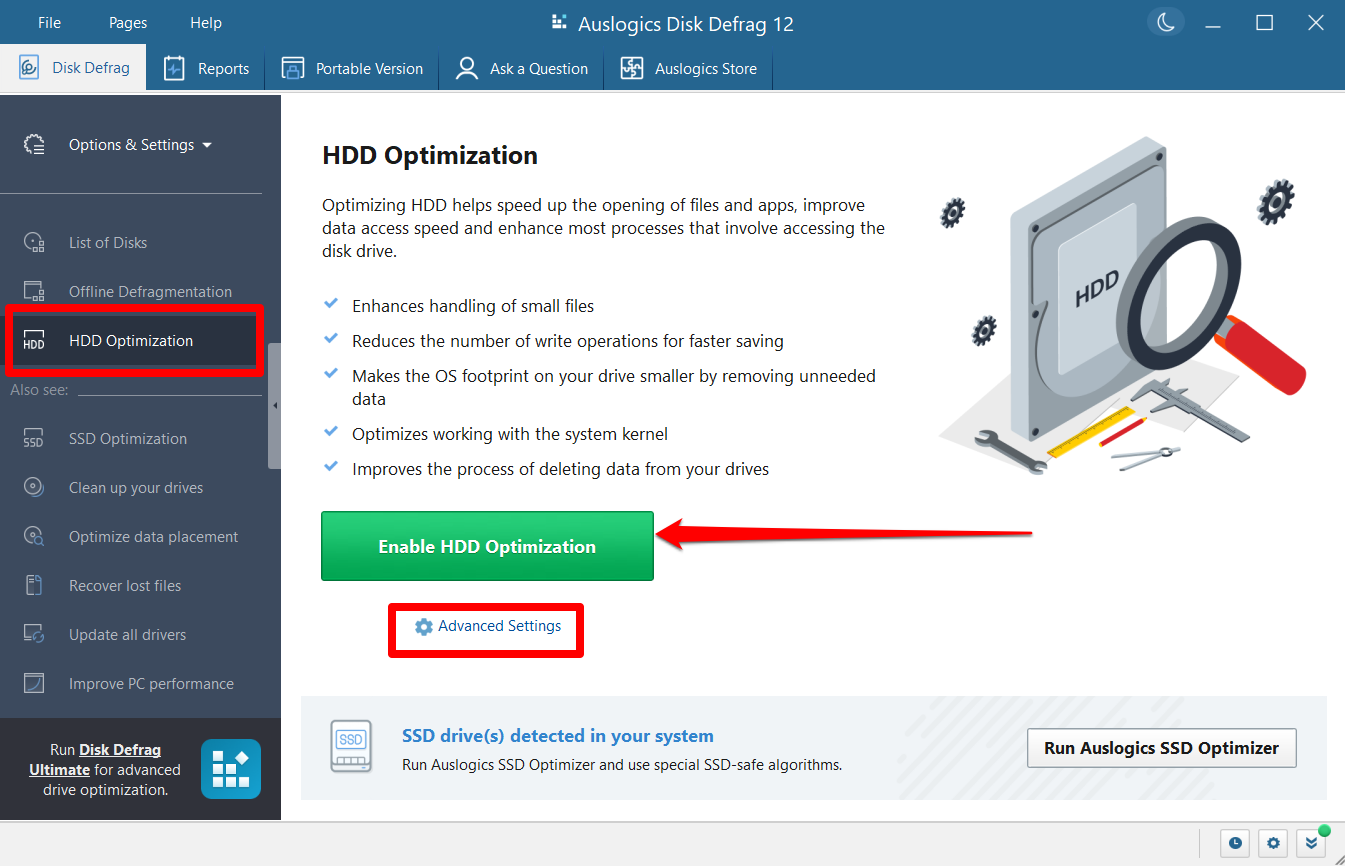
The HDD Optimization page in Disk Defrag 12. The red highlights were added by Auslogics, and the banner notes that SSDs were detected on this PC.
Features
Defragmentation with a visible result
Disk Defrag 12 merges the pieces of fragmented files and shows the work on a cluster map as it runs. A separate list names the fragmented files and where their fragments sit on the disk.
Free space pulled into one block
Disk Defrag consolidates scattered free space into a contiguous block, so new files are less likely to be split the moment they are saved.
One file or folder instead of the whole drive
Disk Defrag can process just the files you pick. That helps when one game or large application is slow to load and a full pass over the drive would take far longer than you need.
HDD optimization settings
Disk Defrag Pro adds special HDD optimization algorithms. The settings cover how the drive handles small files, along with Prefetch and paging behavior.
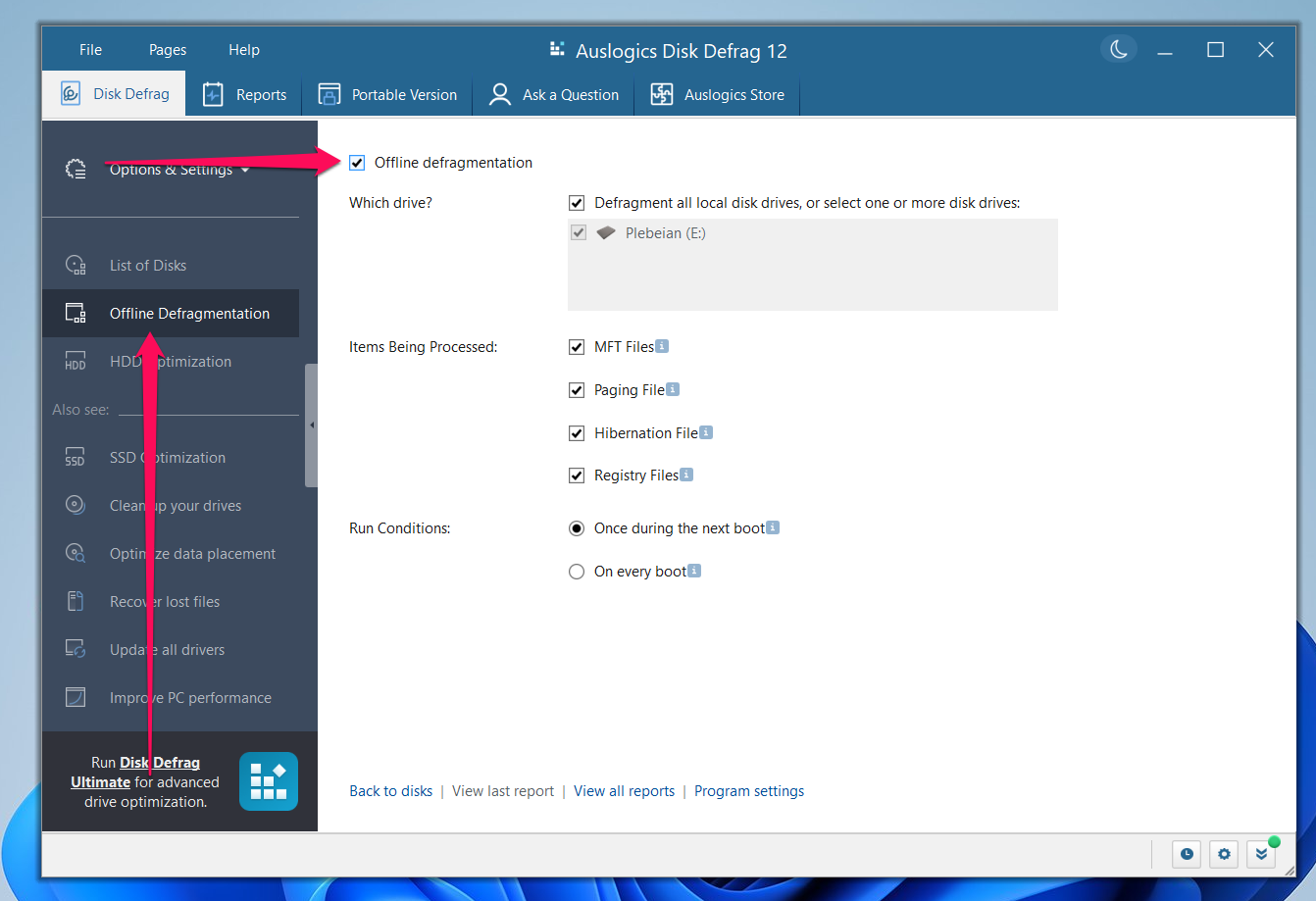
The Offline Defragmentation page, listing MFT, paging, hibernation and registry files with run conditions. The arrows were added by Auslogics.
Scheduled defrags that check first
Disk Defrag Pro can run on a schedule you set. It analyzes the disk first and only defragments if the drive has become fragmented, so a scheduled run on a tidy disk does little.
A portable copy on a USB stick
Disk Defrag can create a portable version that you carry on a USB drive, which is handy for a PC with no internet connection or with no room left on the system drive.
Details for careful users
The Disk Defrag manual lists a VSS-optimized algorithm that limits growth of the Volume Shadow Copy storage area, exclusion lists for files that shouldn't move, simultaneous defragmentation of several drives, and a command-line tool, cdefrag.exe, in the program folder.
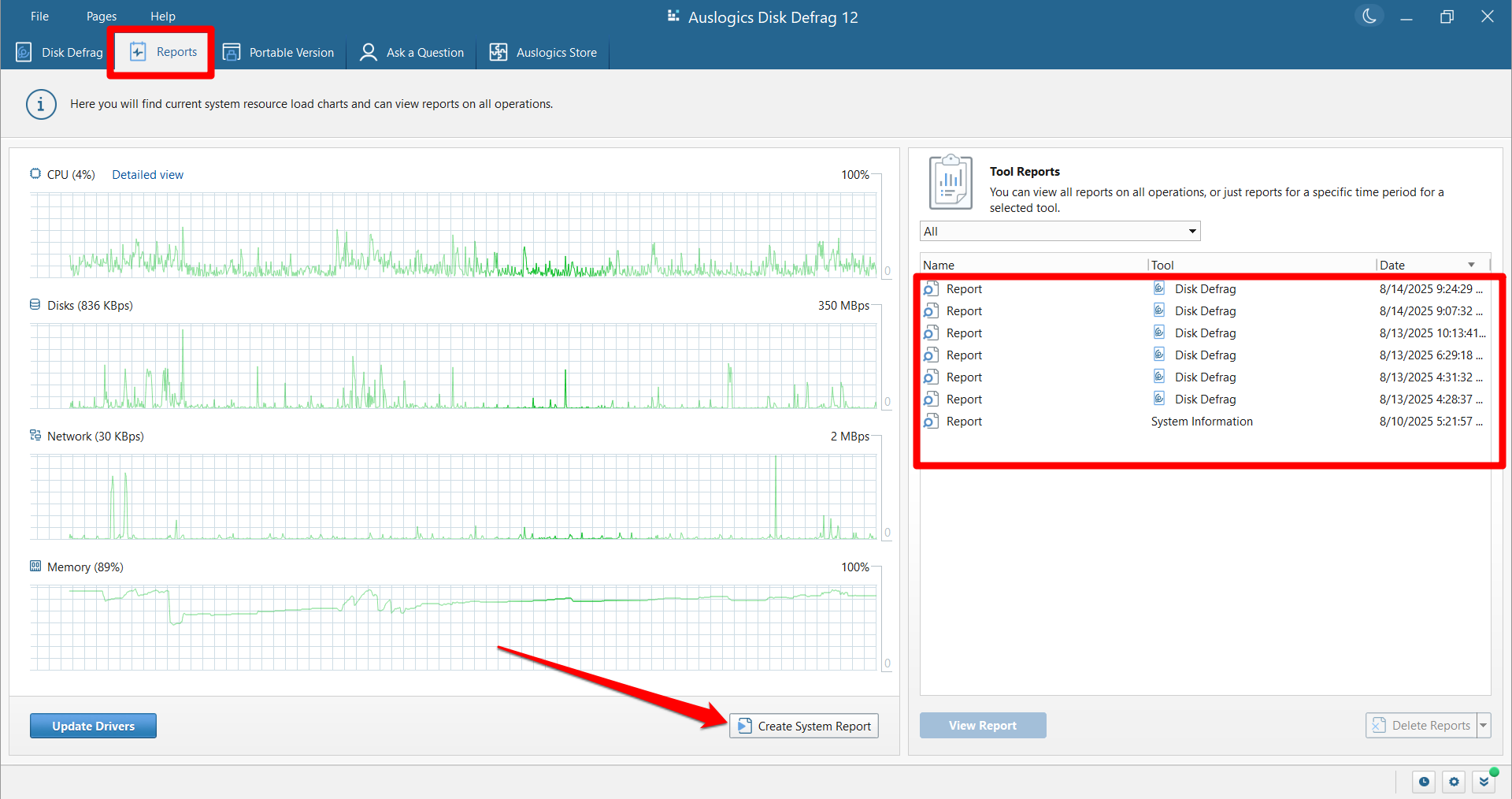
The Reports tab, with resource charts and a list of past tool reports. The red highlights were added by Auslogics.
Benefits
- Less waiting on an old drive. Faster file access matters most on a heavily fragmented hard disk, which is where you should expect to notice a change.
- A free version you can keep using. Auslogics allows the free edition for home and commercial use, so a one-off cleanup costs nothing.
- Three PCs per Pro license, which covers a household with a couple of older machines.
Real-World Uses
- A desktop data drive that has been filled and emptied for years takes a long time to open big folders. An analysis shows how much of that is fragmentation.
- A game installed on a hard drive is slow to load. You defragment that game's folder alone and leave the rest of the disk.
- An external backup drive gets slower every month. Consolidating free space helps new backup files land in one piece.
- You look after a relative's old PC that has no internet connection. A portable copy on a USB stick runs without being installed.
Who It's For, and Who Should Skip It
Disk Defrag 12 fits people who still rely on hard drives, whether as the main disk in an older PC or as large storage beside an SSD. The free version is enough for an occasional manual defrag. Pro makes sense when you want it to run on a schedule without you.
Skip it if your computer has only SSDs. Skip Pro if you only want basic defragmentation, since Windows includes its own Defragment and Optimize Drives tool and the free edition here costs nothing. If you want boot-time defragmentation of locked system files or fine control over file placement, Disk Defrag Ultimate is the one built for that.
Usage Guide
- Download the installer from Auslogics and run it.
- Open Disk Defrag and select the drives you want in the list, which marks each one as HDD or SSD.
- Run an analysis to see the fragmentation percentage and the recommended action.
- Click Defrag and watch the cluster map.
- For one game or folder, use the single file or folder option instead.
- With Pro, set a schedule for a time when the PC is on but not busy. Auslogics suggests about once a week for very active users, once a month for ordinary use, and every two or three months for light use.
Where it falls short
- The speed claims are the vendor's. Auslogics says a pass often takes under 10 minutes on an average-size drive. Defragmenting can't make up for a failing drive or too little memory.
- It only helps hard drives. A PC with an SSD system drive gets no benefit on that drive, and SSD care needs a separate program.
- The useful extras are paid. Scheduling, disk cleanup before defrag, free space wiping and the special HDD algorithms all need Pro.
- Back up first. Auslogics itself recommends regular backups whatever maintenance software you use.
What Users Say
Auslogics' page shows a rating of 4.6 from 8,864 votes. Trustpilot rated the company as a whole 4.3 from 2,010 reviews on November 10, 2026. Trustpilot and SnapFiles text below reached us through a summarizing tool and is excerpted.
Praise on Trustpilot
Barry (5 stars, March 2025): "It is the best and fastest defrag program I have used in my 30+ years using a PC."
Eratas (5 stars, March 2025): "Literally the BEST defrag program I've ever used, I've tried open source and paid ones"
Danton Grube (5 stars, March 2025): "Disk Defrag is great! It performs as promised. It is easy to use."
Steve (5 stars, August 2025): "I have been using the free version of Auslogics Disk Defrag for years."
Larry Montgomery (5 stars, April 2020): "The only thing I use that isn't a pro version is disk-defrag but it does all that I could ask for."
Kymberleigh (5 stars, February 2022): "The one I use most is Disk Defrag, which I just renewed for another year."
Criticism on Trustpilot
Thomas (1 star, July 2022): "For the record, I have to pay for the "optimise" feature of Disk Defrag when it was previously on the free version,"
Joe Barr (3 stars, December 2021): "I purchased the disk defrag awhile back and never received the activation code."
K2rym (1 star, March 2020): "I installed Auslogics Disc Defrag and the notifications were awful!"
Lu k (1 star, November 2025), about the company in general: "They are now reduced to selling software and then stating after purchase that it is a subscription."
Paul Galbraith (1 star, June 2026), about the company in general: "auto-renewing without your explicit consent."
Older user reviews on SnapFiles
SnapFiles lists 27 user reviews dated from 2006 to 2014, so these describe much earlier versions.
alohaworks787 (5 stars, December 2014): "Crazy fast defrag utility, have used it many years & it's the best I've tried; I recommend it."
Klatuu (1 star, February 2011): "if you use this on a 64bit OS like Windows 7, it will destroy all your restore points."
Quoted on the Auslogics site
CNET: "Free, fast, and thorough, it can defrag whole disks or individual files and folders, on schedule or on demand."
Lifewire: "Given the many features and pros listed above, Auslogics Disk Defrag is obviously one of the better defrag programs out there right now"
Dravine Vatoa, on Trustpilot: "Without a single shred of doubt, the cleanest, the most precise and easiest defragger I have ever used"
People who like Disk Defrag tend to mention speed and simplicity, and several have used the free edition for years. The complaints are rarely about defragmenting itself. They are about features moving to the paid edition, activation codes, notifications, and subscriptions that buyers did not expect.
Comparisons
Disk Defrag 12 or Disk Defrag Ultimate?
Disk Defrag 12 Pro focuses on hard drives: defragmentation, HDD optimization, disk error check and repair, and cleanup before a defrag. It has no SSD support. Disk Defrag Ultimate, at $29.95 a year on the order page, handles both HDDs and SSDs and adds four smart file-placement algorithms, boot-time defragmentation of locked system files, and fragmentation prevention.
Choose Disk Defrag 12 for a straightforward hard-drive tool. Choose Ultimate if you want that extra control or need both drive types handled by one program.
Editions and Pricing
| Capability | Free | Pro |
|---|
| Price | $0 | $24.95 per year |
| Ultra-fast defragmentation engine | Yes | Yes |
| Disk error check and repair | Yes | Yes |
| Special HDD optimization algorithms | No | Yes |
| Disk cleanup before defrag | No | Yes |
| Wipe free space on drives | No | Yes |
| Schedule automatic defrags | No | Yes |
| Ask a Question expert answers | 1 question | 3 questions |
FAQs
Can Auslogics Disk Defrag 12 damage my SSD?
Auslogics Disk Defrag 12 detects SSDs and does not run regular defragmentation on them, so an SSD in the same PC is left alone.
Is Auslogics Disk Defrag safe for my files?
Auslogics Disk Defrag rewrites file pieces the same way Windows writes any file, so the company says the risk is no different from normal saving.
Does Disk Defrag 12 work on 32-bit Windows?
Disk Defrag 12 supports 32-bit and 64-bit editions of Windows 7, 8, 8.1 and 10, plus Windows 11. It does not run on XP, Vista or anything older.
Is Disk Defrag included in BoostSpeed?
Disk Defrag comes as part of the Auslogics BoostSpeed suite, so if you already pay for BoostSpeed you may not need this separately.
What happens to Disk Defrag Pro after a refund?
Auslogics disables the Disk Defrag license and subscription once a refund is processed.
System Requirements
- Windows 11, 10, 8.1, 8 or 7
- 256 MB of RAM
- 61 MB of free disk space
- A hard disk drive to defragment
Conclusion
Disk Defrag 12 is a sensible buy only if you own hard drives and want defragmentation to run on a schedule without you, and at $24.95 a year for 3 PCs it is priced for that job. The scheduler is the one reason to pay. The main reason not to is that most people can start with the free edition, and an auto-renewing yearly charge is hard to justify for a job you might run a few times. Try the free version first, and if you do buy, note the renewal date.
Download Free VersionBuy Now