Your PC Feels Slower Than It Should
Every time you save, copy, or delete a file, Windows scatters pieces of it across your drive. Months of everyday use later, a simple task like opening a folder or loading a game takes noticeably longer than it used to. Smart Defrag 12 from IObit is built to fix exactly that: it reorganizes fragmented files so your drive can find and read them in fewer steps, and this PRO edition adds boot-time cleanup and per-game optimization on top of the free version's basic defrag.
Quick Facts
Version: 12.0.0 Developer: IObit Platforms: Windows 11/10/8.1/8/7/Vista/XP
Download size: about 15.7 MB Price: from $29.99/year (3 PCs) Guarantee: 60-day money-back
This listing covers the 1-year, 3-PC PRO subscription. A free edition and a 1-PC plan are also available from IObit.
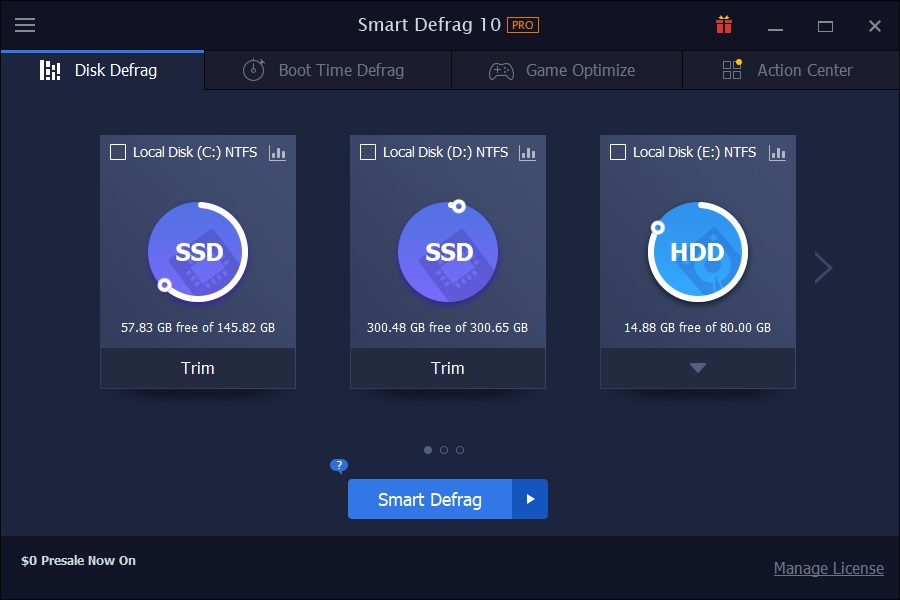
The Disk Defrag tab lists each drive with its free space, ready to analyze and defrag with one click.
Overview
Smart Defrag 12 works from a single window split into four tabs: Disk Defrag, Boot Time Defrag, Game Optimize, and Action Center. The core engine scans your selected drives, maps out where files have been split into fragments, and rewrites them back together so the drive head (or SSD controller) has less work to do on every read. IObit says the result is up to 2x faster file access on a fragmented drive, and the tool can run on a schedule so you don't have to remember to use it.
Up to 2x Faster File Access
The main Disk Defrag tab works in three passes: it scans each drive to see how files are laid out, fixes the layout by moving scattered pieces back together, and then reports the file access speed-up. A color-coded disk map (shown below) lets you watch the process block by block as it runs.
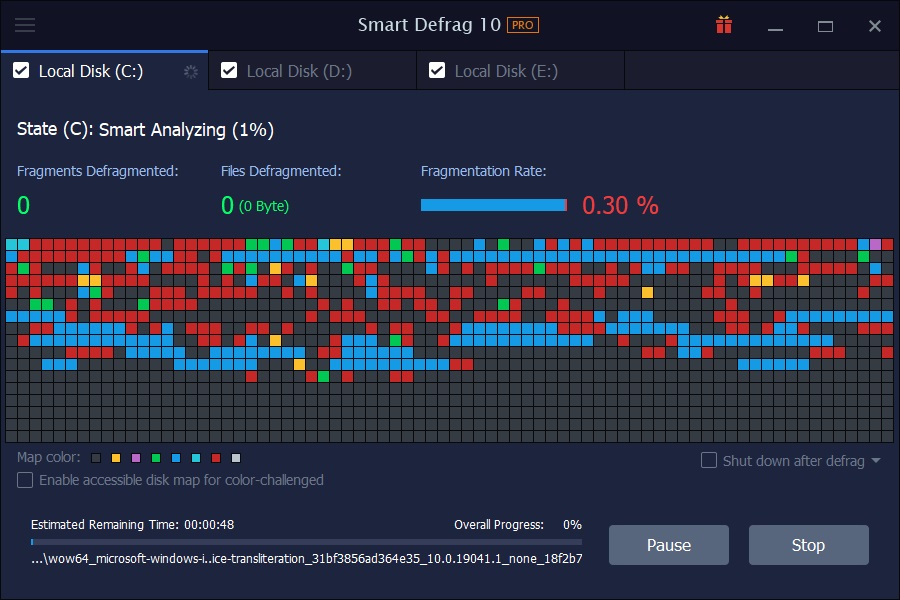
The disk map colors each block by file type while the defrag runs, with fragments-defragmented and files-defragmented counts updating live.
Smarter Defrag for Every Need
Beyond a one-off defrag, you can set Smart Defrag to run automatically during idle time or on a schedule, point it at specific files or folders instead of a whole drive, and let it tidy up free space itself so new files are written into clean, contiguous space rather than fragmenting again right away.
Faster Startup with Boot-Time Defrag
Boot Time Defrag runs before Windows fully loads, when system files normally can't be touched. In the PRO edition it can clean up startup clutter, defragment the Master File Table and core system files, and -- PRO-only -- defragment the registry and any files you specify by hand.
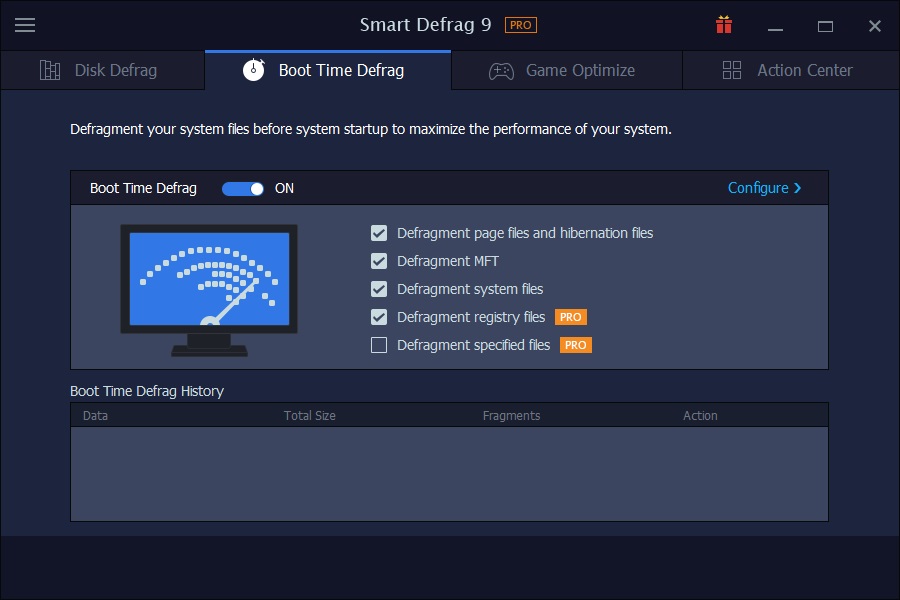
Boot Time Defrag with registry and specified-file defrag enabled -- the two options marked PRO above require the paid edition.
Faster Game Loading
The Game Optimize tab lets you add individual installed games so Smart Defrag's engine can analyze and defrag just those files, aiming load screens and level transitions specifically rather than treating the whole drive the same way.
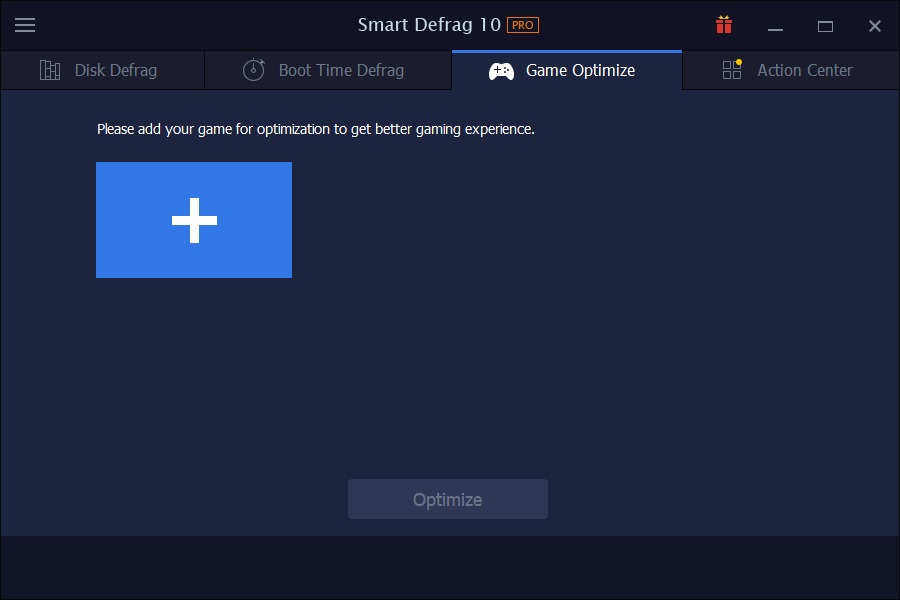
Game Optimize starts empty -- you add each game you want it to target individually.
Benefits
Day to day, the payoff is a PC that stays responsive instead of gradually slowing down between reinstalls. Boot-time defrag chips away at the startup delay that creeps in as your system drive fills up. Letting defrag run on a schedule means you get the benefit without having to remember to do it, and the 3-PC license covers a household's desktop, laptop, and a second machine without buying three separate subscriptions.
Who It's For
- Anyone on an HDD-based Windows PC who's noticed file access or boot getting slower over time
- Gamers who want faster level loads without manually managing individual game files
- Households or small offices with 2-3 Windows PCs that want one subscription covering all of them
- Users who'd rather set a schedule once than remember to run maintenance tools themselves
Usage Guide
- Install and launch: run the downloaded installer, then open Smart Defrag -- it lands on the Disk Defrag tab with your drives listed.
- Pick your drives: check the box on each drive tile you want included, then click the Smart Defrag button to scan and fix in one pass.
- Watch it work: the live disk map shows fragmented blocks being reorganized, with a running fragments/files-defragmented count and an estimated time remaining.
- Turn on Boot Time Defrag: switch to that tab, flip it on, and tick which items to include -- registry and specified-file defrag are PRO-only options here.
- Add games to optimize: on the Game Optimize tab, click the add button and select an installed game's folder.
- Set it and forget it: in Settings, enable automatic/scheduled defrag so the tool keeps your drives organized without manual runs.
Before You Buy
Defragmentation benefits traditional hard drives (HDDs) far more than SSDs, which don't have a physical head seeking across the disk. If your system drive is already an SSD, Smart Defrag's biggest wins -- Boot Time Defrag and file access speed -- will matter most for any secondary HDD you still use for storage. The 1-year subscription renews annually; the free version covers basic single-drive defrag if you want to try the engine before buying.
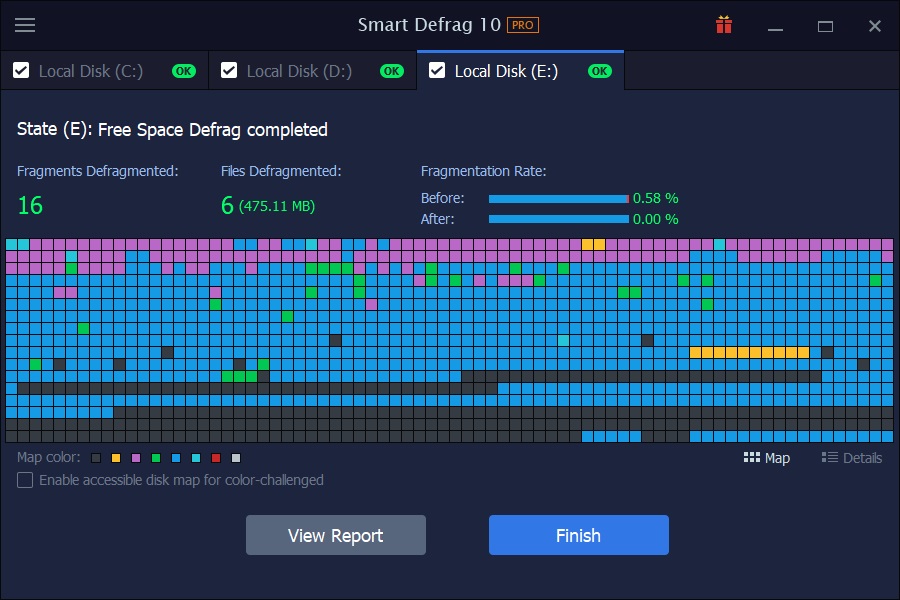
A finished run reports fragmentation rate before and after, plus how many files and fragments were defragmented.
What Users Say
"I have been using Iobit products for a good many years now. Because I am running an older machine with 6 drives, including 2 external, I find that Iobit's Smart Defrag Pro has served me very well. Being an older machine, my computer system tends to become fragmented quite easily. My Smart Defrag Pro set to auto defrag, and running a Defrag and Optimize once a week, keeps my system running smooth and well. iobit defrag is constantly upgrading and striving to make the product even better as time goes by. I am well pleased with this product." — William Howes, 5/5
"I run a combination of RAID 0 SSDs and RAID 0 HDDs and use Smart Defrag Pro to analyse, defrag and keep my drives running at peak performance. As with all IObit software it is easy to install, use and very reliable. Just set it up and forget it. Smart Defrag has a very small memory foot print so it won't slow down your system. Definitely recommended!" — Edward Lee Ah Yen, 5/5
"I use Smart Defrag since its creation on several PCs and from the beginning with the members of my computer club we were able to see the continuous improvements. It was perfect for them, except the English language. So I invested for IObit in the French translation. From now on, the French IT magazines strongly recommend Smart Defrag, including with Windows 10 Optimiser, for a more robust and accurate diagnosis with options to speed up the system startup." — Roland LALIS, 5/5
"I don't know how I could be more satisfied with Smart Defrag. It works like a charm everytime, and all I have to do is run the program and everything is clean and I'm absolutely 100% satisfied, not only with the program, but also with the quick reply when I needed advice on how to manage the problems I might have had. That I appreciate very much." — Jim Parten, 5/5
Editions and Pricing
Free: basic Disk Defrag on one drive, no boot-time or game-specific tools.
PRO -- 1 PC: adds Boot Time Defrag, Game Optimize and large-file defrag for a single PC.
PRO -- 3 PCs (this listing): everything in the 1-PC plan, licensed for up to 3 PCs, with dedicated support and family sharing. Listed at $29.99/year, with a 60-day money-back guarantee on either PRO plan.
FAQs
Does defragmenting delete any files?
No -- it only reorganizes where existing files physically sit on the drive; nothing is removed.
Will this help if my main drive is an SSD?
Traditional defragmentation mainly benefits HDDs. On an SSD, Boot Time Defrag and the file-access improvements still apply, but the gains are smaller than on a fragmented HDD.
Can I keep using my PC while it defrags?
Yes, Disk Defrag runs in the background; Boot Time Defrag specifically runs before Windows loads, so that part happens during restart.
What's the difference between the 1-PC and 3-PC PRO plans?
Both include the same PRO features (Boot Time Defrag, Game Optimize, large-file defrag); the 3-PC plan covers up to three installs under one subscription with dedicated support, instead of one.
Does the subscription renew automatically?
It's a 1-year subscription; check your IObit account or order confirmation for the renewal terms at checkout.
Can I pick specific files or folders to defrag instead of a whole drive?
Yes, the Disk Defrag tab supports targeting specific files/folders in addition to full-drive scans.
Is there a free trial of the PRO features?
IObit offers a free edition with basic Disk Defrag; the PRO-only features (Boot Time registry/specified-file defrag, Game Optimize) require purchasing a PRO plan, backed by the 60-day money-back guarantee.
System Requirements
Windows 11, 10, 8.1, 8, 7, Vista or XP.
Conclusion
Smart Defrag 12 PRO is a straightforward pick if your Windows PC has been feeling slower to boot, load files, or launch games, and you'd rather automate the fix than remember to run a tool manually. The 3-PC plan in particular suits a household or small office that wants one subscription to cover more than one machine, with a 60-day guarantee if it doesn't deliver the improvement you expected.