Driver Booster PRO Valued Pack Review: Automating Driver Updates and System Maintenance

Keeping your computer running smoothly often feels like a full-time job. You have to monitor hardware performance, ensure software compatibility, and constantly check for updates that might fix bugs or improve speed. For many users, the most critical yet overlooked aspect of this maintenance is updating device drivers. Outdated drivers can cause system instability, reduce gaming frame rates, and prevent new hardware from functioning correctly. However, manually hunting down the correct driver for every component in your PC—from the graphics card to the network adapter—is time-consuming and risky if you select the wrong file.
IObit’s Driver Booster PRO Valued Pack aims to solve this problem by automating the entire process. This software scans your system, identifies outdated or missing drivers, and installs the correct updates with minimal user intervention. Beyond just driver management, the "Valued Pack" designation suggests a bundle approach, integrating tools for uninstalling programs and boosting file speeds into a single interface. At a price point of $25.95, it positions itself as an affordable utility for users who want to maintain their Windows PCs without deep technical knowledge.
This review breaks down what Driver Booster PRO Valued Pack actually does, how it performs in real-world scenarios, and whether it lives up to its claims of improving system stability and performance.
On this page
Overview
Driver Booster PRO Valued Pack is a Windows-based utility designed primarily for automated driver updates. The core function of the software is to scan your hardware configuration against a massive database of known drivers. When it finds discrepancies—such as an older version of a display adapter driver or a missing chipset driver—it flags them for update.
The "PRO" version distinguishes itself from the free edition by offering additional features such as automatic updates, backup capabilities, and priority support. The "Valued Pack" aspect implies that this specific SKU includes bundled utilities. According to the product description, these include tools to uninstall programs and boost file speeds. This transforms the software from a simple driver updater into a broader system maintenance suite, though driver management remains the central focus.
The interface is straightforward, prioritizing ease of use over complex customization options. It is targeted at general consumers, gamers, and IT technicians who service multiple machines and need a reliable way to keep systems patched without visiting individual manufacturer websites.
Key Features
Based on the product specifications and user feedback, here are the primary features included in Driver Booster PRO Valued Pack:
Automated Driver Scanning and Updating
The software performs a comprehensive scan of your PC’s hardware. It detects outdated, missing, or faulty drivers across various categories, including audio devices, network adapters, storage controllers, and graphics cards. Once identified, it downloads and installs the latest versions automatically. This eliminates the need for manual searches on vendor sites like NVIDIA, AMD, Intel, or Realtek.
Program Uninstaller
A key component of the Valued Pack is the integrated uninstaller tool. While Windows has its own "Add or Remove Programs" feature, third-party uninstallers often provide deeper cleaning capabilities. This tool allows you to remove unwanted applications and potentially leftover files or registry entries associated with those programs, helping to reclaim disk space and reduce system clutter.
File Speed Boost
The package also includes functionality to optimize file transfer speeds. This feature likely adjusts system settings related to disk caching or network protocols to improve how quickly files are copied, moved, or accessed. For users who frequently handle large media files or backups, this can result in noticeable time savings.
Driver Backup and Restore
One of the risks of updating drivers is encountering incompatibility issues. Driver Booster PRO typically includes a backup feature that creates restore points before installing new drivers. If an update causes problems, you can revert to the previous driver version easily, ensuring system stability is not compromised by a bad patch.
Large Driver Database
The effectiveness of any driver updater depends on the size and accuracy of its database. IObit maintains a vast library of drivers, covering millions of hardware components. This extensive coverage ensures that even older or less common hardware receives appropriate updates, which is particularly useful for legacy systems or specialized peripherals.
Benefits of Using Driver Booster PRO Valued Pack
Why should you consider using this software instead of relying on Windows Update or doing nothing? Here are the tangible benefits:
Improved Gaming Performance
Graphics drivers are frequently updated by manufacturers to optimize performance for new game releases. An outdated GPU driver can significantly bottleneck your system, leading to lower frame rates, stuttering, or graphical glitches. By keeping these drivers current, you ensure that your hardware operates at peak efficiency, providing a smoother gaming experience.
Enhanced System Stability
Blue Screen of Death (BSOD) errors and random crashes are often caused by driver conflicts or corruption. Regularly updating drivers helps resolve known bugs and security vulnerabilities that could destabilize your operating system. Users report fewer crashes after implementing a consistent update routine via Driver Booster.
Time Savings
Manually checking for updates for each piece of hardware is tedious. A full scan and update cycle in Driver Booster takes only a few minutes. For technicians managing multiple computers, this automation translates to significant hours saved per week. The ability to schedule automatic updates further reduces the mental load of system maintenance.
Simplified Cleanup
The inclusion of an uninstaller and file speed booster means you don’t need separate tools for basic housekeeping. Having these functions within one application streamlines the workflow. You can scan for drivers, remove bloatware, and optimize file transfers all from a single dashboard, reducing the number of background processes and potential conflicts between different utilities.
Step-by-Step Usage Guide
Getting started with Driver Booster PRO Valued Pack is simple. Follow these steps to install and run your first scan.
Step 1: Installation and Launch
Begin by installing the software on your Windows PC. Ensure you meet the minimum system requirements (listed below). Once installed, launch the application. You will be greeted by the main interface, which is clean and uncluttered.
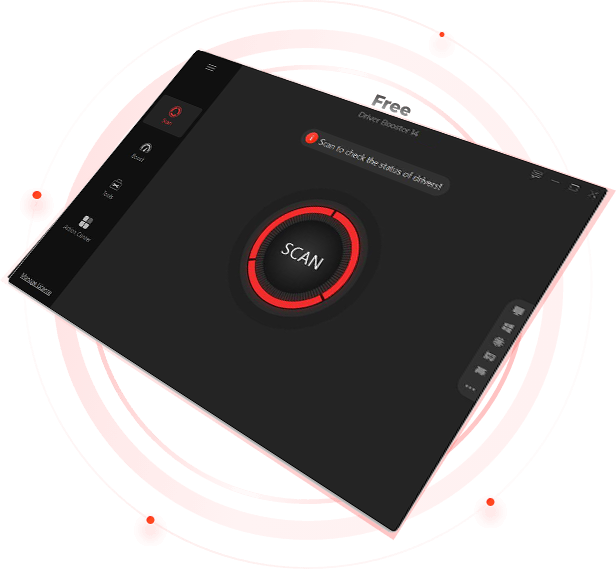
The initial screen presents a prominent call-to-action to begin scanning your system.
Step 2: Scan Your PC
Click the large "Scan Now" button. The software will analyze your hardware configuration. This process usually takes less than a minute, depending on the complexity of your system. During the scan, Driver Booster checks each device against its online database to determine if newer drivers are available.
Step 3: Review Results
Once the scan is complete, a list of outdated or missing drivers will appear. Each entry shows the device name, the current driver version, and the available update version. You can choose to update all drivers at once or select specific ones if you prefer a more cautious approach.
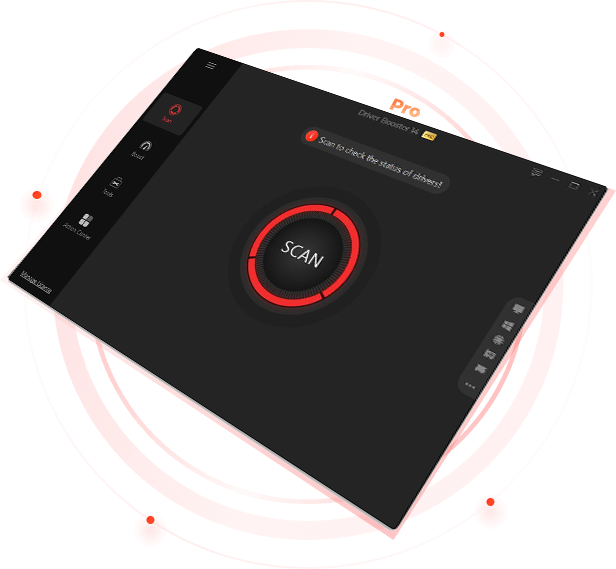
The PRO interface offers similar streamlined controls for initiating updates.
Step 4: Install Updates
Select the drivers you wish to update and click "Update Now." The software will download the necessary files and install them silently in the background. In some cases, particularly with graphics or chipset drivers, you may be prompted to restart your computer to finalize the installation.
Step 5: Utilize Additional Tools
To access the uninstaller or file speed booster, navigate to the respective tabs or menu items within the application. These tools operate independently of the driver scanner but share the same interface, allowing you to manage other aspects of your system health without switching applications.
What Users Say
Real-world experiences provide valuable insight into how software performs outside of marketing materials. Below are verified reviews collected from the vendor’s product page, highlighting both the strengths and reliability of Driver Booster PRO Valued Pack.
"Keeping your graphics drivers up to date is one of the simplest yet most powerful ways to improve your gaming performance. Outdated drivers can bottleneck your system, no matter how powerful your hardware is. Driver Booster provides a reliable, secure, and automated solution to keep your PC drivers optimized, ensuring that you enjoy the smoothest and fastest gaming experience possible."
-- Brian Meyer, 2025-10-23
"If you're looking for an easy-to-use driver updater, Driver Booster is likely your best bet. I use this program all the time, on my computer and other PCs I service, and I have yet to encounter any problems downloading or installing drivers. Unlike reports I've read, it's never caused BSOD errors for me."
-- Tim Fisher, 2024-09-12
"Truly the best driver updater on the market. It's user friendly, has a simple and easy to use interface and does its job better than any application I've used. This program is worth a 5 start rating. Highly recommended."
-- Hishaam Salasa, 2024-09-10
"What a surprise to receive the new Driver Booster from IObit. Once installed and its update began, I hadn't known that half of the programs on my PC were there let alone needed an upgrade. Once upgrading was complete it was as if my PC had a complete makeover. Sensational!"
-- Harold Barr, 2023-10-14
"It helped solve slowliness problems with my laptop gamer without crashing it. Sometimes when I tried updating my drivers the computer crashed and I had to format my computer in order to restore functions and now it doesn’t happen with Driver Booster. Easy to use and fast downloads it is the best tool in the Market until now!"
-- Carlos Alexandre Veríssimo, 2023-06-11
Comparison with Manual Updates
The primary alternative to using Driver Booster PRO Valued Pack is manually updating drivers through Windows Device Manager or visiting individual hardware manufacturer websites. Here is how the two approaches compare:
Efficiency and Time
Manual updates require identifying each device, finding its model number, searching the manufacturer’s site, downloading the correct file, and installing it. This process can take hours for a full system refresh. Driver Booster completes the scan and identification phase in seconds, handling the download and installation automatically. For users with limited technical expertise or time, the software offers a clear advantage.
Risk of Error
Downloading the wrong driver manually can lead to system instability or hardware malfunction. Driver Booster matches drivers based on hardware IDs, significantly reducing the risk of human error. Additionally, its backup feature allows for quick recovery if an issue arises, whereas manual updates often lack built-in rollback mechanisms unless you create a system restore point beforehand.
Cost vs. Value
Manual updates are free, but they cost time and potential frustration. Driver Booster PRO Valued Pack costs $25.95. For casual users, this small investment pays off in convenience and peace of mind. For professionals servicing multiple machines, the time saved justifies the cost immediately.
System Requirements
Before purchasing, ensure your computer meets the following specifications to run Driver Booster PRO Valued Pack effectively:
- Operating System: Windows (All recent versions supported)
- Processor: 1 GHz or faster processor
- Memory (RAM): 4 GB RAM
- Disk Space: 500 MB free disk space
- Internet Connection: Required for downloading drivers and accessing the database
The software is lightweight and should not impact system performance during idle periods. However, active scanning and downloading may temporarily increase CPU and network usage.
Frequently Asked Questions
Is Driver Booster PRO safe to use?
Yes, Driver Booster is developed by IObit, a reputable software company. The drivers it downloads come from official sources or verified repositories. The software includes safety checks to prevent incompatible installations and offers backup options to restore previous states if needed.
Can I use it on multiple computers?
The license terms for the "Valued Pack" typically cover a specific number of devices. Check the purchase details for exact licensing limits. Many users employ it on personal desktops, laptops, and workstations they manage.
Does it update Windows itself?
No, Driver Booster focuses specifically on device drivers (hardware interfaces). It does not replace Windows Update, which handles OS patches, security fixes, and Microsoft-specific software updates. Both tools serve complementary roles in maintaining a healthy system.
What happens if an update fails?
If a driver installation fails or causes issues, you can use the built-in backup feature to roll back to the previous version. The software logs actions taken, making it easier to identify which change caused a problem.
Is there a free version?
IObit offers a free version of Driver Booster with basic scanning and updating capabilities. The PRO version adds features like automatic updates, larger databases, priority support, and the bundled tools mentioned in this review (uninstaller, file speed booster).
Conclusion
Driver Booster PRO Valued Pack delivers on its promise to simplify PC maintenance. By automating the tedious task of driver updates, it helps users avoid common pitfalls like system crashes, poor gaming performance, and hardware incompatibilities. The addition of uninstaller and file speed optimization tools makes it a versatile utility for keeping a Windows machine clean and efficient.
While manual updates remain an option for tech-savvy users, the time savings and reduced risk offered by Driver Booster make it a worthwhile investment for the majority of PC owners. Priced at $25.95, it provides a comprehensive solution that addresses several aspects of system health in one package. Whether you are a gamer seeking maximum frame rates or a professional managing multiple systems, this software offers a practical, user-friendly path to a more stable and responsive computer.