MacBooster 8 Pro: IObit's Mac Cleaner, With an Honest Look at Its Reputation
MacBooster 8 Pro is IObit's all-in-one maintenance app for macOS: it clears junk files, finds duplicates and large old files, trims startup items, frees memory and scans for Mac malware. This plan costs $49.95 a year for 3 Macs and renews automatically. The free download only scans; you need the Pro license to clean or fix anything it finds.
The cleaning tools do real work, but MacBooster also has one of the most criticized reputations in the Mac utility market. Malwarebytes detects it as a potentially unwanted program, and Macworld's 2024 review called its threat warnings "scaremongering". Read the "Before you buy" note below before you spend money on it.
Quick facts
- Product: MacBooster 8 Pro, 12-month subscription for 3 Macs
- Developer: IObit
- Version: 8.3.2
- Platform: macOS 11.5 or later, Universal app (Intel and Apple silicon)
- Download size: 34 MB installer package
- Price: $49.95 per year, renewing automatically each year until you turn renewal off
- Free version: scans and lists issues; cleaning and fixing need Pro
- Refund policy: IObit's 60-day money-back guarantee, which excludes a change of mind (see the FAQs)
- Languages: English and 14 other languages, including French, German, Japanese, Spanish and Chinese
- What we checked: the MacBooster_8.pkg installer (34 MB) from IObit's download server, whose MacBooster 8.app reports version 8.3.2, requires macOS 11.5 and contains both Intel and Apple silicon code, and the order page price of $49.95 with yearly automatic renewal switched on by default, on October 29, 2026. We didn't install or run MacBooster on a Mac, so we haven't tested its scan results ourselves.
Before you buy
- Security vendors flag it. Malwarebytes lists MacBooster under the detection name PUP.MacBooster (potentially unwanted program) in its "system optimizer" category. Macworld's reviewer reported in August 2024 that about 20 security companies identified it as adware.
- The free scan's warnings are alarming by design. In Macworld's test, the free version reported 229 threats and a "Dangerous" status, and counted Google Chrome cookie files as threats that only the paid version could remove. Cookies are not malware. Treat a big red number from the free scan as a sales pitch, not a diagnosis.
- It's a yearly subscription. The order page shows a 12-month plan with automatic renewal on. The "per month" prices on IObit's store page are a yearly charge divided by 12, not a monthly plan you can cancel after a month.
- Don't count on the refund. IObit's refund policy generally refuses a refund when "a customer suddenly changes his mind after purchase". Run the free scan first and decide from that.
Download Free Scan VersionBuy Now ($49.95/year)
Overview
MacBooster started in 2013 as IObit's Mac counterpart to Advanced SystemCare, its long-running Windows optimizer, and two of the testimonials on IObit's own site say exactly that. Version 8 keeps the same layout: a System Status screen on top that runs three checks at once (System Junk, Virus & Malware Scan and Turbo Boost), and a column of seven tools below it for memory, privacy, apps, startup items, large files, duplicates and similar photos.
A small menu-bar helper, MacBooster Mini, stays running in the background. It shows memory and disk use and offers a "Lightning Boost" switch, which creates a RAM disk on your desktop. You can turn the Mini off in Preferences.
Features
Junk cleanup across 20+ file types
MacBooster's System Junk scan finds application junk, system caches and logs, mail attachments, language files, leftovers from deleted apps, broken login items, Xcode derived data, old iOS backups and software updates, iTunes caches and downloaded installers, then shows the total that can be removed. IObit says it covers over 20 types of junk. Developers and iPhone owners gain the most here, since Xcode data and old iOS backups often run to several gigabytes.
Virus and malware scan
MacBooster's Virus & Malware Scan has two parts: Malware Removal, for stubborn apps and files that won't uninstall the normal way, and Virus Scan. IObit's site says MacBooster blocks threats with real-time protection, while macsecurity.net's review of version 8 found that "The utility doesn't deliver real-time protection, though." Either way, it isn't a replacement for a dedicated antivirus, and its threat counts have been criticized for including harmless items such as browser cookies.
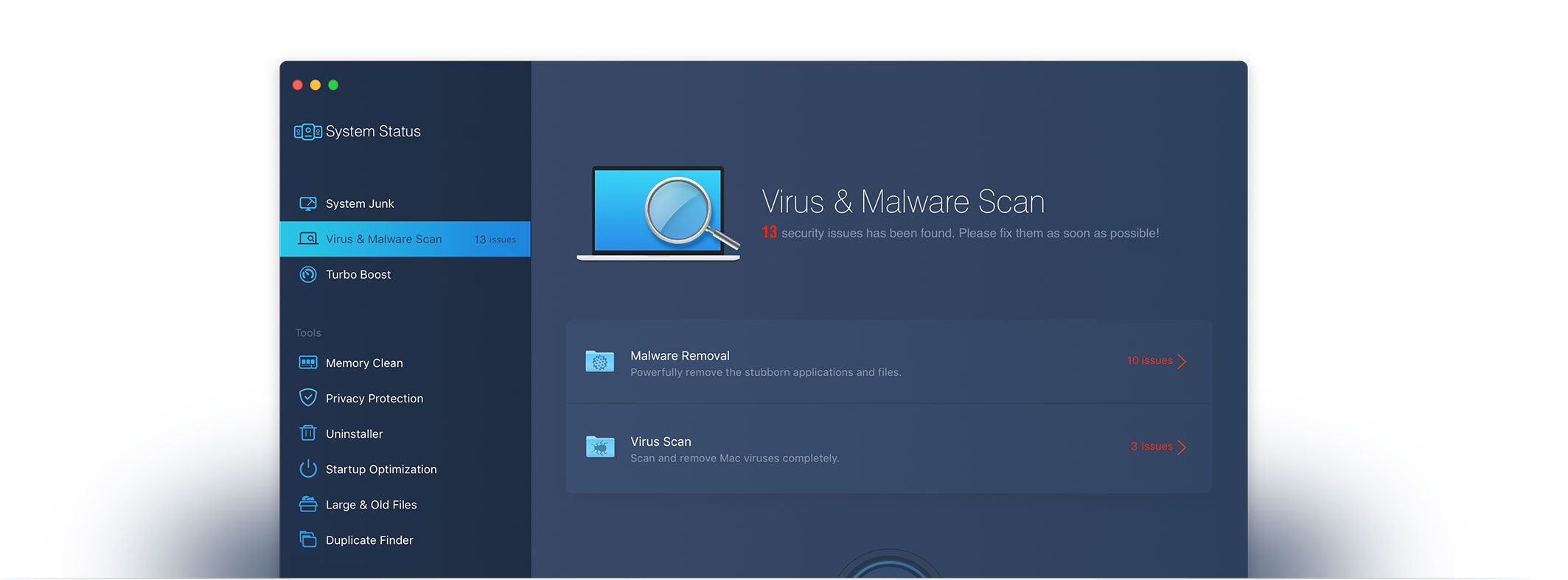
The Virus & Malware Scan screen, reporting 13 issues split between Malware Removal and Virus Scan.
Turbo Boost for disk, permissions and media caches
MacBooster's Turbo Boost runs three fixes in one click: Disk Optimization (cache files), Disk Permission Optimization (permission problems left by third-party apps) and Storage Optimization (media cache settings). Modern macOS protects its system files and handles permissions itself, so expect the gains here to be smaller than the cleanup tools'.
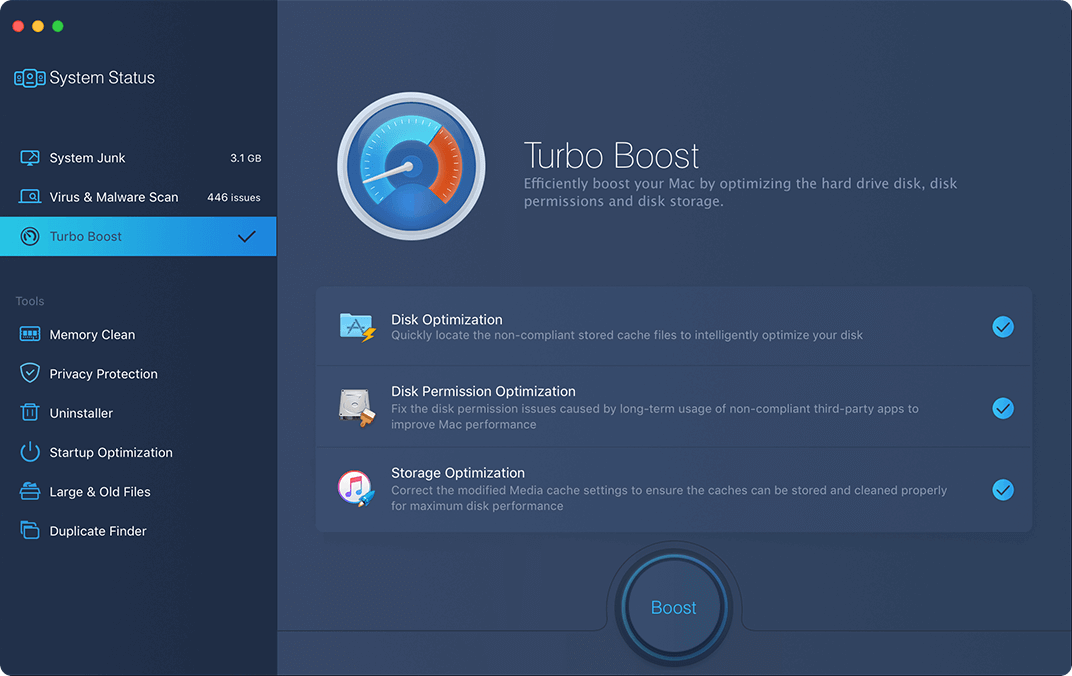
Turbo Boost lists Disk Optimization, Disk Permission Optimization and Storage Optimization, with the full System Status and Tools sidebar on the left.
Startup Optimization with keep-or-remove advice
MacBooster's Startup Optimization lists the services and login items that launch with your Mac, with the company behind each one and a recommendation such as "Keep". Even Macworld's critical review counted this module as a plus for its detailed view of what starts with your Mac. You can disable items or add new ones from the same list.
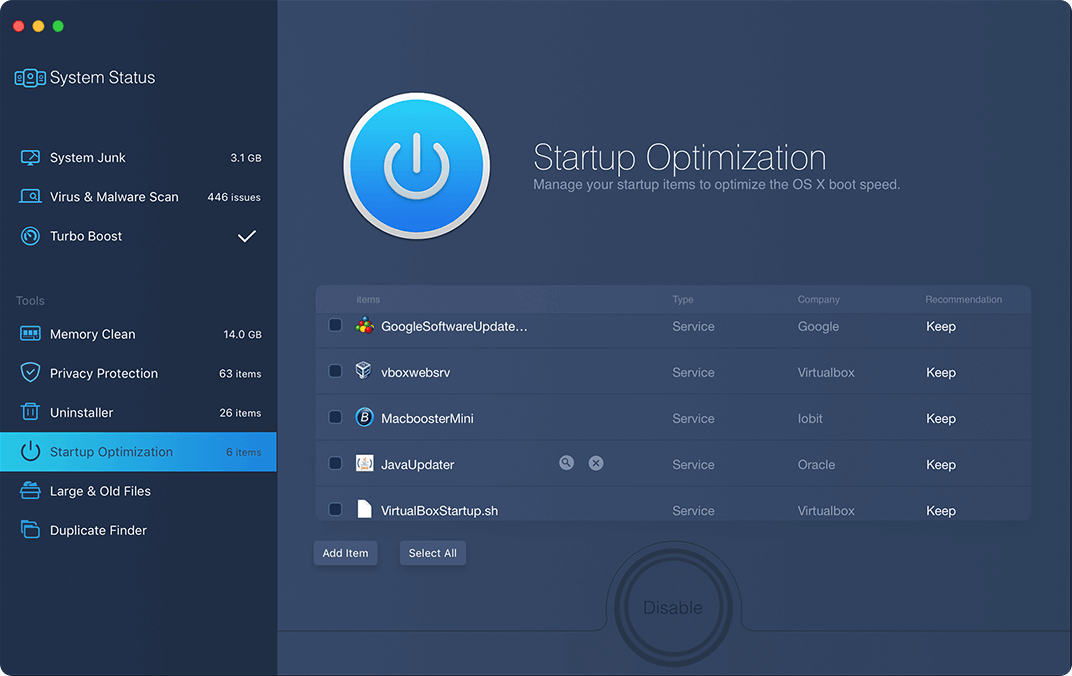
Startup Optimization showing services from Google, VirtualBox, Oracle and IObit, each marked "Keep".
Memory Clean
MacBooster's Memory Clean shows how much RAM is in use and frees inactive memory with one click. A Details button lists the apps using the most memory, so you can close the ones you don't need.
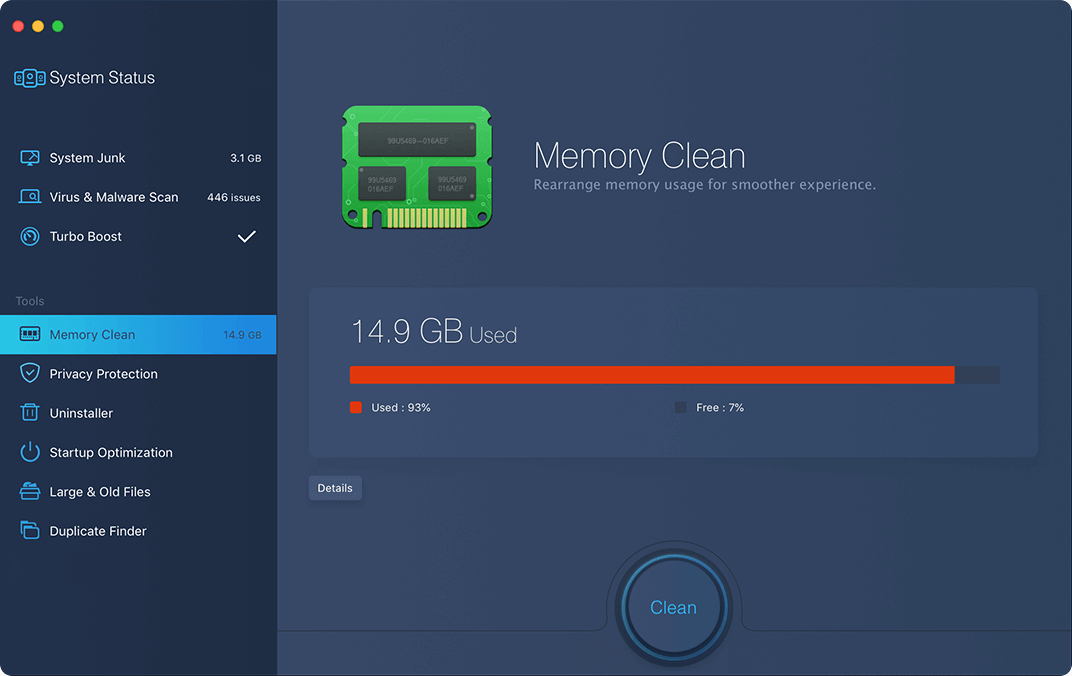
Memory Clean reporting 14.9 GB used (93%), with a Clean button and a Details button.
Large & Old Files, Duplicate Finder and Photo Sweeper
MacBooster's Large & Old Files tool scans your home folder, or any folder you add, for big files you haven't used in a long time. Duplicate Finder finds identical copies and keeps a backup of what it deletes, which you can restore from Preferences. Photo Sweeper groups similar photos so you can keep the best shot. In Macworld's test, Duplicate Finder found 34.4 GB of redundant files and Photo Sweeper found 5,340 duplicates.
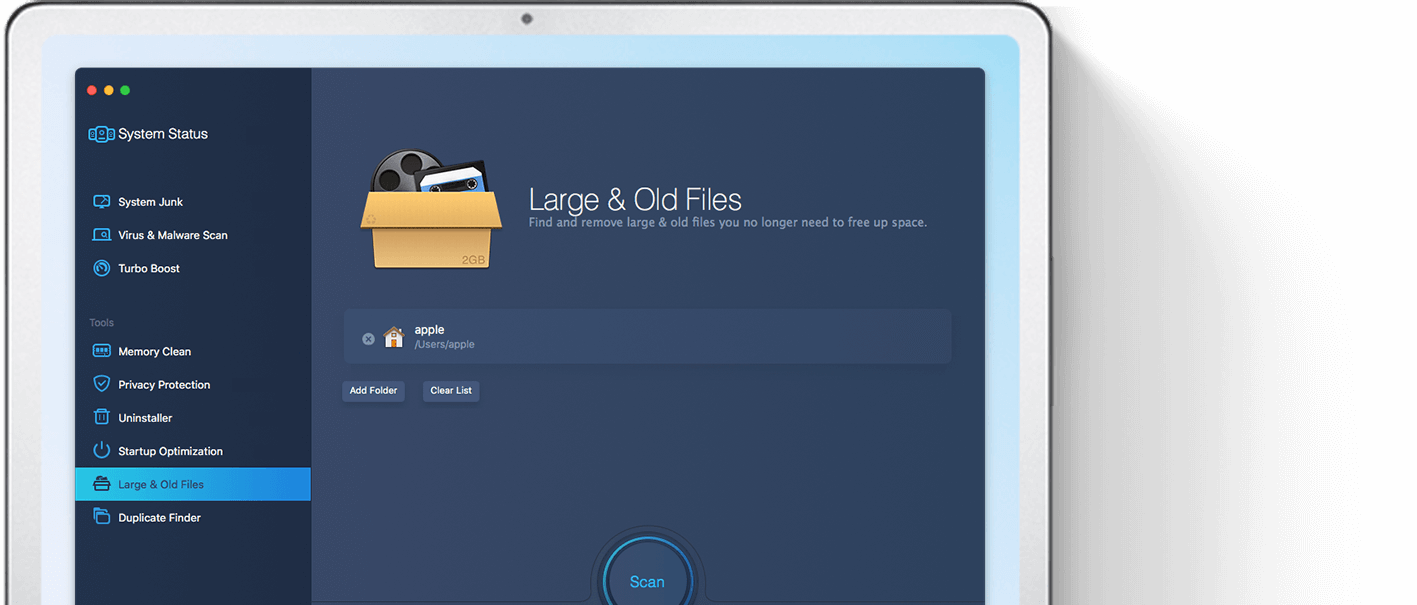
Large & Old Files, set to scan the user's home folder, with Add Folder and Clear List buttons.
Privacy Protection and Uninstaller
MacBooster's Privacy Protection clears cookies, history, last-session tabs and recent-item lists for Safari and Chrome, plus app traces. The Uninstaller removes apps together with their leftover files and can also reset an app to its original state.
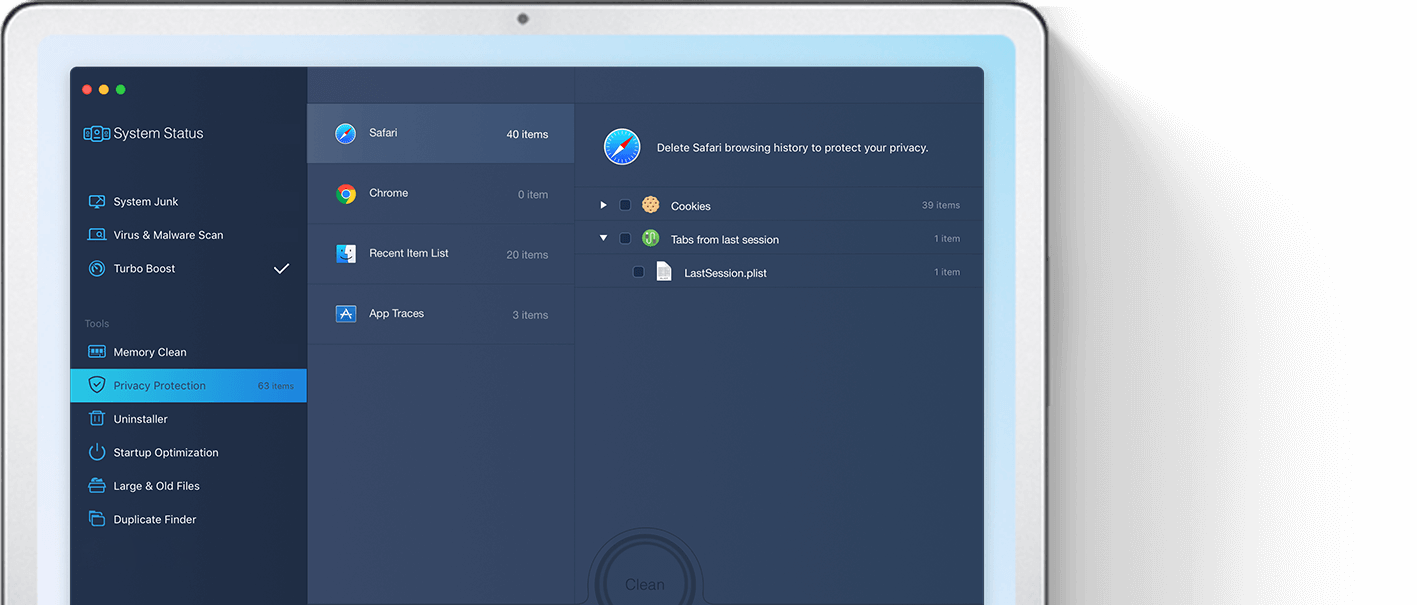
Privacy Protection with 40 Safari items, Chrome, Recent Item List and App Traces in the middle column.
Benefits
The real value of MacBooster is convenience: cleanup jobs that macOS spreads across Finder, System Settings and Activity Monitor sit in one window, and one scan covers them all. Covering 3 Macs for $49.95 a year also makes it cheaper per Mac than the 1-Mac plan if your household has several machines.
Real-World Uses
- A full 256 GB MacBook: System Junk and Large & Old Files show where the space went, including old iOS backups and installers you forgot about.
- A developer's Mac: Xcode derived data and iOS device logs pile up quickly, and System Junk lists them separately.
- A slow login: Startup Optimization shows which background services launch at boot and who makes them.
- A messy photo library: Duplicate Finder and Photo Sweeper find copies and near-identical shots before you buy more iCloud storage.
Who It's For, and Who Should Skip It
It suits Mac owners who want one app for routine cleanup and don't mind a yearly subscription, especially households with up to three Macs, and long-time IObit users coming from Advanced SystemCare on Windows.
Skip it if you want trustworthy security software. A tool that security vendors themselves flag as a potentially unwanted program is the wrong choice for malware protection; a dedicated Mac antivirus fits better. Also skip it if you're comfortable with macOS's built-in Storage settings, Login Items and Activity Monitor, which cover much of the same ground for free, or if you dislike subscriptions that renew automatically.
Usage Guide
- Download the installer package from IObit and open it. Check every installer screen for any extra software offered alongside MacBooster (Macworld's 2024 install came with the iTop VPN client).
- Launch MacBooster 8 and give it Full Disk Access when macOS asks, or it can't scan everything.
- Click Scan on System Status. Before you act on the results, open each category with Details and see what is actually listed.
- If you buy Pro, click "Input license here" at the bottom left, paste your code and click Activate.
- Use the tools one at a time. Add folders you never want touched to Preferences > Ignore list.
- To uninstall later, open MacBooster 8 and choose Help > Uninstall MacBooster 8.
Where it falls short
- Inflated threat counts. Counting browser cookies as threats makes the free scan look worse than your Mac really is, which is the main complaint against MacBooster.
- Interface rough edges. Macworld found no progress timers on longer scans, a scroll bar that blends into the background, and no "Select All" in Photo Sweeper.
- Removal leftovers. Apple Community threads include several users asking how to remove MacBooster and MacBooster Mini completely. Use the built-in Help > Uninstall command rather than dragging the app to the Trash.
- Mixed licensing messages. IObit's FAQ still says a license is valid "for lifetime", while the plan sold here is a 12-month subscription that renews automatically.
What Users Say
Independent opinion of MacBooster is sharply split. IObit's own page carries warm testimonials; independent reviews range from positive (macsecurity.net) to scathing (Macworld); and Mac forum regulars are mostly hostile. There are fewer verifiable user reviews than for most products we cover: MacBooster's Trustpilot page (macbooster.net) has no reviews at all.
Customer testimonials on macbooster.net
"Got this product for my older mac to help speed it up. This product found errors and fixed them quickly and gave me the option to free up memory which greatly helped my aging mac function better." - Michael Kern
"I've used MacBooster on Mac OS X for several years and strongly recommend it. It's my all-in-one maintenance tool, keeping my machines constantly running like new." - Aaron Takizad
"I'm an app junkie, and...I LOVE MacBooster! It actually makes cleaning up your mac FUN. It's EASY to use, It's super-FAST, & has a BEAUTIFUL interface." - Lisa Lockworth
"I've been using ASC for a number of years on my PC - and I missed it when I changed to MAC. But now I'm back on track again using a tool giving the optimal conditions run my MAC." - Mogens Bandholm
These are chosen by the vendor and undated, and one still refers to "Mac OS X".
Macworld (Chris Barylick, August 12, 2024, version 8.2)
Macworld's review, titled "MacBooster Review: it's no surprise people think it's malware", is the most detailed independent test of version 8. It gave credit where it was due: "There was some good: several of the modules came in handy, and modules like Duplicate Finder were able to dig through my hard drives and find 34.4 GB of redundant files and clear them out, and Photo Sweeper located 5,340 duplicates in 1,692 groups and offered a precise way to remove individual photos."
The verdict was still negative: "MacBooster's functionality is limited and competitors offer better options. The scaremongering is unacceptable and the software feels like a cheap copy of other multi-purpose utilities."
On the free scan: "the application declared that I had 229 threats to my operating system, was ranked in the "Dangerous" category, and that the only means of removing these hundreds of threats to my operating system and data was to upgrade from my free version of MacBooster to the licensed version". The review's buying advice: "We really can't recommend it."
macsecurity.net (David Balaban, updated December 9, 2024)
macsecurity.net's review of MacBooster 8 is far kinder: "Its interface is clean and streamlined, and the names of the features are very easy to interpret, even for inexperienced users." It singled out the startup advice: "The things we really like in MacBooster 8 include helpful suggestions displayed by the Startup Optimization module, as well as the handy firewall switch now complementing the old options in the MacBooster Mini app."
Its reservation: "However, this release still lacks real-time security functions, which is what we anticipate seeing in editions to come." Bottom line: "we find it effective and user-friendly."
Malwarebytes and the Apple Community
Malwarebytes' threat page for PUP.MacBooster explains why it flags this category of app: "These so-called "system optimizers" have been known to use intentional false positives to convince users that their systems have problems. Then they try to sell you their software, claiming it will remove these problems." It adds: "PUP.MacBooster is often installed by bundlers."
On Apple's own support forum, threads about MacBooster are mostly removal requests and "is this safe?" questions. Asked "Is MacBooster mini a virus?" in July 2020, Apple Community member Kurt Lang replied: "No, it's a Trojan, which is any type of software YOU install, whether you realize you did it or not."
Recurring themes
- Liked: easy, tidy interface; the duplicate and large-file finders recover real space; Startup Optimization's clear recommendations.
- Disliked: alarming threat counts that include harmless cookies to push the upgrade; being flagged by security vendors; yearly subscription pressure; trouble removing it completely.
- Company-wide: IObit as a whole rates 4.6 out of 5 from 2,554 reviews on Trustpilot (iobit.com), but none of the reviews we read there mentioned MacBooster.
Comparisons
MacBooster vs the tools built into macOS
macOS already lets you review large files, empty the Trash automatically and optimize storage under System Settings > General > Storage, manage startup apps under Login Items, and see memory hogs in Activity Monitor, all for free. MacBooster adds Xcode and iOS-backup cleanup, a duplicate and similar-photo finder, and one-click scans across everything. If those extras matter to you, MacBooster saves time; if not, macOS does the basics without a subscription or a third-party app with this reputation.
MacBooster vs Advanced SystemCare
MacBooster is IObit's Mac counterpart to Advanced SystemCare for Windows, with the same scan-then-fix model. The two are sold separately, and one license doesn't cover the other.
Editions and Pricing
All MacBooster 8 Pro plans include every feature; they differ only in the number of Macs and the license term. Prices below are what each plan cost on the order page on October 29, 2026. IObit's store page shows higher list prices (this plan is listed at $59.95) next to rotating promotions.
| Plan | Macs | Term | Price at checkout |
|---|
| MacBooster 8 Pro, 1 Mac | 1 | 1 year, auto-renews | $29.95 |
| MacBooster 8 Pro, 3 Macs (this listing) | 3 | 1 year, auto-renews | $49.95 |
| MacBooster 8 Pro, 5 Macs | 5 | 1 year, auto-renews | $99.95 |
| MacBooster 8 Pro, 3 Macs Lifetime | 3 | One-time, no renewal | $79.95 |
FAQs
Is MacBooster safe to install?
IObit says MacBooster is notarized by Apple, and it isn't classic malware, but Malwarebytes and other security vendors flag it as a potentially unwanted program, mainly because of how its free scan presents threats to sell the upgrade. Download it only from IObit's own site, watch the installer for extra offers, and check the scan details before cleaning anything.
Does MacBooster 8 run on Apple silicon Macs?
Yes. MacBooster 8.3.2 is a Universal app with native code for both Apple silicon (M-series) and Intel Macs, and it needs macOS 11.5 Big Sur or later.
Does the MacBooster subscription renew automatically?
Yes. The 3-Mac plan is a 12-month subscription with automatic renewal switched on at checkout, at $49.95 a year at the time of our check. The order page says you can disable automatic renewal. IObit refunds an auto-renewal only if you didn't receive the reminder email beforehand and no longer need the product.
Can I get a refund on MacBooster if I don't like it?
Probably not. IObit's 60-day money-back guarantee covers cases such as a wrong or duplicate purchase, a license code that never arrives, or a technical problem support can't fix, but IObit generally refuses refunds when a customer changes their mind after buying. Use the free scan to judge it first.
Can I use one MacBooster license on more than three Macs?
No. The plan on this page activates on 3 Macs. For more, the 5-Mac plan costs $99.95 a year.
Can MacBooster undo a duplicate cleanup?
Yes. MacBooster keeps backups of files removed by Duplicate Finder; restore them under Preferences > Tools > Duplicate Finder.
How do I stop MacBooster Mini from running all the time?
MacBooster Mini can be switched off in MacBooster 8's Preferences > MacBooster Mini by unticking "Always keep MacBooster mini running".
System Requirements
- macOS 11.5 Big Sur or later
- Intel or Apple silicon Mac (Universal app)
- 70 MB or more of free disk space (34 MB download)
Conclusion
MacBooster 8 Pro is hard to recommend. The cleanup tools work, and the duplicate finder, large-file scanner and startup manager can recover real space and time on a cluttered Mac. At $49.95 a year for three Macs, the price is fair for that kind of convenience.
The reason to buy it: you want one simple app that cleans several Macs and you'll judge its scan results yourself. The reason not to: its free scan has been caught counting harmless cookies as threats to push the upgrade, security vendors including Malwarebytes flag it as unwanted software, and the license renews automatically every year. If you want security, buy a real antivirus; if you only want space back, try macOS's own Storage tools first. If you still want MacBooster, run the free scan, read the details, and only then decide.
Download Free Scan VersionBuy Now ($49.95/year)