DoYourData Super Eraser for Mac: Shred Files and Wipe Drives Before a Mac Changes Hands
DoYourData Super Eraser for Mac is a $49 per year macOS program that permanently destroys chosen files, whole drives or the free space on a drive, with overwrite standards from one pass up to 35. It is for anyone selling, donating or recycling a Mac or an external disk who wants the old data out of reach.
Emptying the Trash removes the pointer to a file and leaves the contents on the disk until something overwrites them. Recovery software depends on exactly that gap, so a buyer of your old external drive could read what you thought you had deleted.
Quick facts
- Version: 8.6
- Developer: DoYourData
- Platforms: macOS 27 down to 10.12, OS X 10.11 and Mac OS Server
- Chips: Intel, Apple T2 and Apple silicon
- Erasure methods: eight, from 1-pass NIST 800-88 to 35-pass Gutmann
- Price: $49.00 for the 1 Year License, which covers 2 Macs
- Trial: free download
- Guarantee: 30 days, money back
- What we checked: trial disk image (6.4 MB) available from the vendor and checkout price $49.00, both on November 9, 2026. We did not run the program or test whether erased data can be recovered.
Before you buy
- Erasure cannot be undone. Back up anything you might want first, and read the disk name twice before you press Wipe Now.
- Overwriting an SSD is less certain than overwriting a hard disk. SSDs move data around internally, and this program overwrites rather than issuing the drive's own sanitize command.
- Buy the version on the vendor's site, not the Mac App Store one. App Store reviewers report that the store build only shreds files and cannot wipe drives or free space.
- Resetting a recent Mac for sale? Apple's own Erase All Content and Settings handles the startup disk. This tool earns its price on external drives and on free space.
Download Free TrialBuy Now
Overview
Super Eraser has a plain dark window with three erasure modes at the top of the left-hand menu and three extras below them: Disk Manager, Uninstaller and Internet Cleanup. You choose a mode, pick the target and press one button. A clock icon sits at the top right of the window, next to the help button.
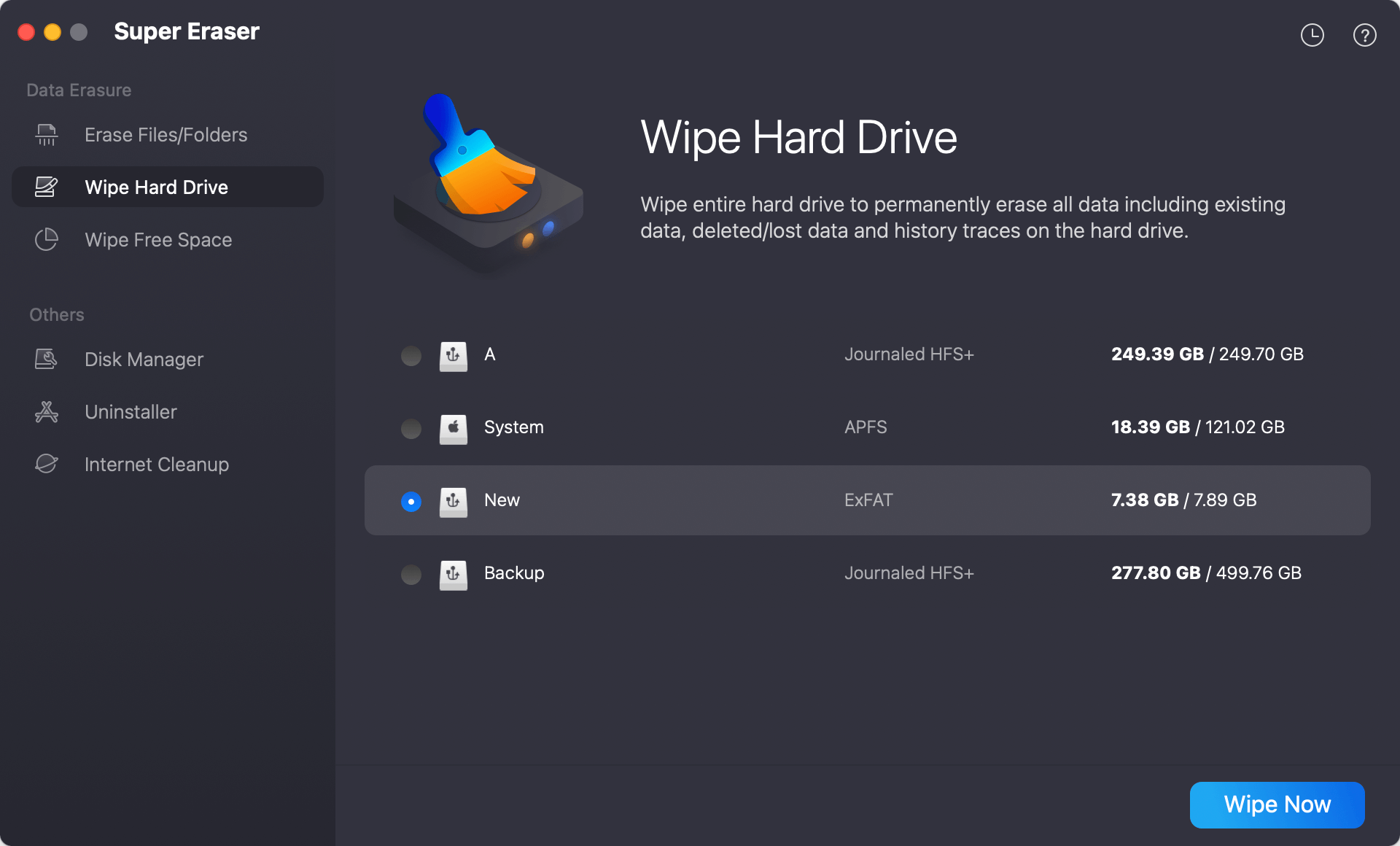
Wipe Hard Drive mode, with an ExFAT volume selected and the Wipe Now button at the bottom right.
Features
Erase Files/Folders for targeted shredding
DoYourData Super Eraser for Mac overwrites only the files and folders you add to its list, by drag and drop or the Add button. It suits a few sensitive documents on a Mac you are keeping.
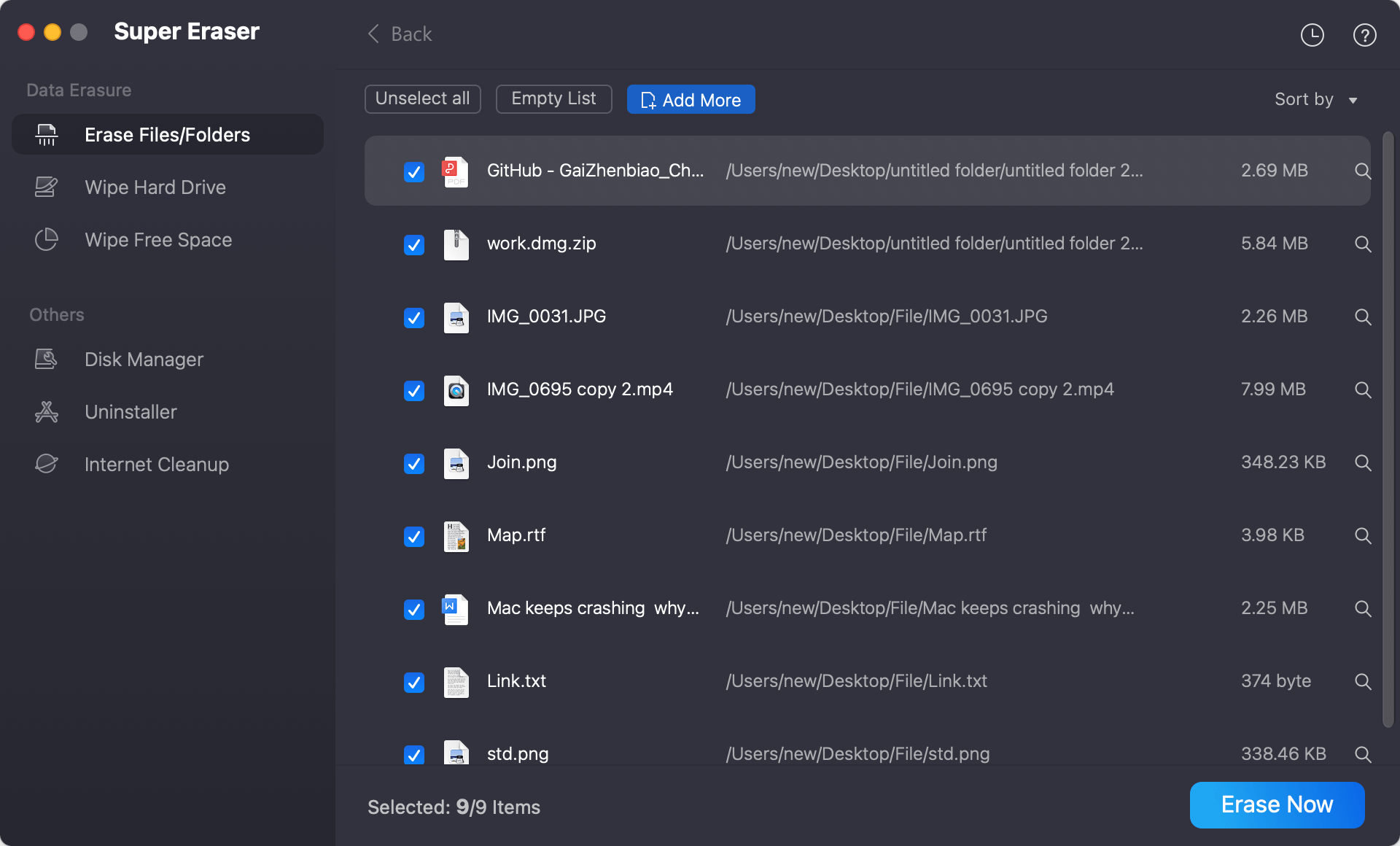
Erase Files/Folders mode, with documents, photos and a video queued for shredding.
Wipe Hard Drive for whole volumes and devices
DoYourData Super Eraser for Mac removes everything on a selected volume or external device, including data deleted earlier. The vendor also pitches it for damaged or encrypted drives, such as a RAW disk or a FileVault or BitLocker volume you no longer need.
Wipe Free Space for files you already deleted
DoYourData Super Eraser for Mac overwrites only the unused space on a disk. That is the mode to use after emptying the Trash, because your current files stay where they are.
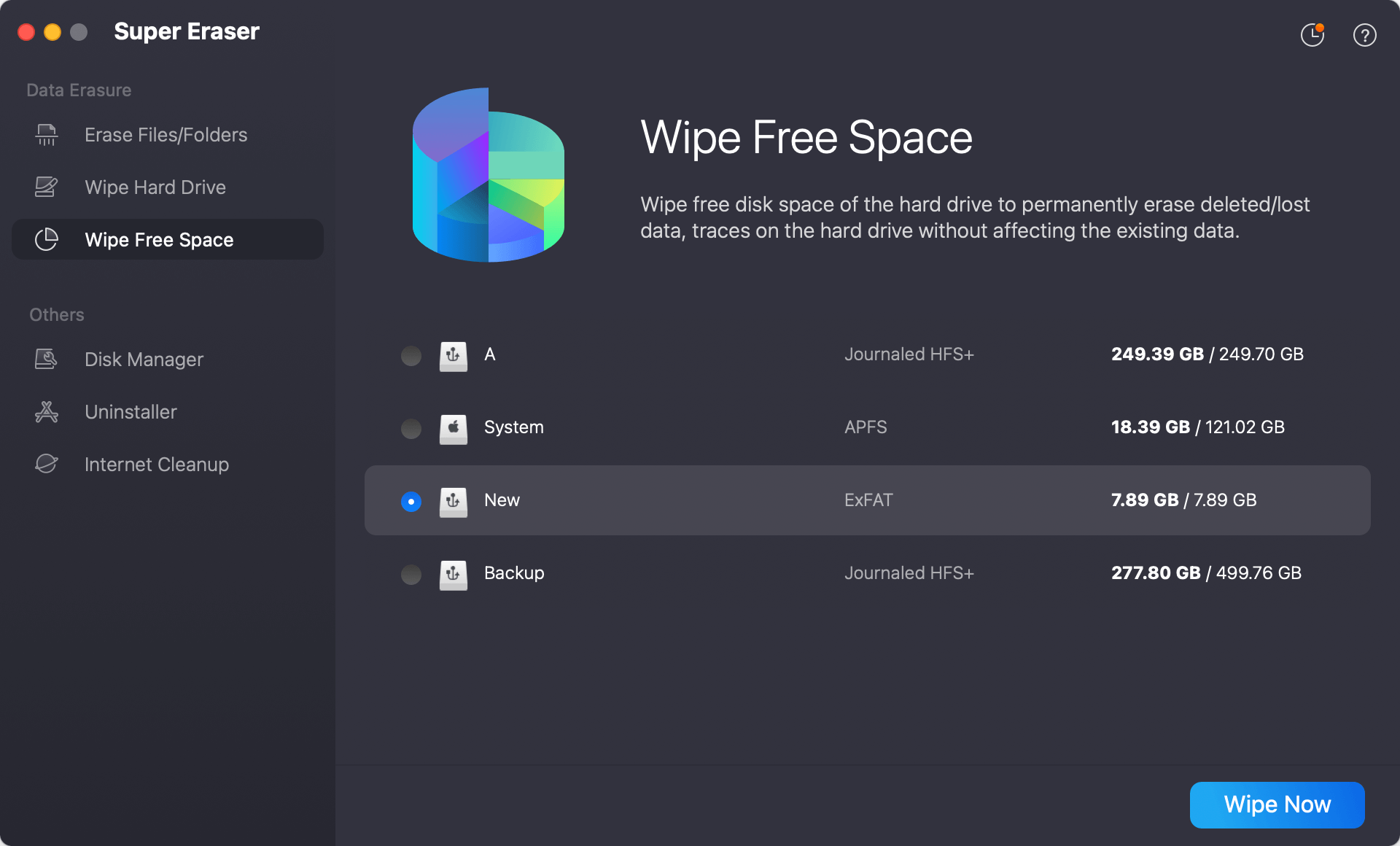
Wipe Free Space mode, which leaves existing files alone.
Eight overwrite standards
DoYourData Super Eraser for Mac offers HMG Infosec Standard 5, NIST 800-88 and its own DYD Secure Erase at one pass, Gutmann at 2 passes, DoD 5220.22-M and U.S. Army AR380-19 at 3, DoD 5220.22-M ECE at 7, and Gutmann at 35. More passes take longer, and on a modern disk one or three are enough for ordinary privacy.
Erasure reports you can export
DoYourData Super Eraser for Mac records what it erased and can export that report as proof. It is a record generated by the program, not a third-party certificate.
Disk, uninstall and browser tools in the same window
DoYourData Super Eraser for Mac adds a Disk Manager for formatting, renaming and safely ejecting drives, an Uninstaller that removes apps with their leftovers, and an Internet Cleanup tool for history, cookies and caches.
Benefits
You get one program for the three situations that come up on a Mac: a handful of private files, a whole external disk before it leaves the house, and old deletions still sitting in free space. The license can also follow you to your next Mac once the old one is gone, so a Lifetime plan keeps its value through a hardware change.
Real-World Uses
- Clearing an external backup disk before giving it to a friend.
- Overwriting free space on a work MacBook after removing a client's files.
- Wiping a USB stick or a camera card that is about to be lent or thrown away.
- Shredding a folder of scanned IDs while keeping the rest of the disk intact.
Who It's For, and Who Should Skip It
Good fit: Mac owners and small offices that hand on drives now and then and want a graphical tool with named standards and a report at the end.
Skip it if you only need to reset one modern Mac, because macOS can already erase itself. Anyone with formal compliance duties should look at a certified erasure product. Windows users need the separate Windows version, since the licenses are sold apart.
Usage Guide
- Download the trial disk image, install the program and open it.
- Pick a mode: Erase Files/Folders, Wipe Hard Drive or Wipe Free Space.
- Add the files, or select the volume or device.
- Choose an erasure standard.
- Press Erase Now or Wipe Now and let it finish.
Where it falls short
- There are no confirmed SSD firmware commands such as ATA Secure Erase or NVMe Sanitize, so SSD erasure relies on overwriting alone, as Drivewipe's review points out.
- The reports come from the program itself and carry no outside certification.
- The vendor's claim that its overwriting will not shorten an SSD's life is disputed: a MacUpdate user warned that multi-pass overwrites do wear SSDs, so stay with a single pass there.
- Multi-pass methods get slow on large disks, and the 35-pass option adds time without a practical gain.
What Users Say
Most of the public feedback is old, and the harshest of it is about the separate Mac App Store build, so read it with that in mind.
Drivewipe, last updated February 2026
“a solid mid-tier choice for home users and small offices that need cross-platform data erasure with basic documentation.”
“It is not a professional tool — no SSD firmware commands, no third-party certifications, no bootable media”
HowToiSolve
“Might require a little bit of knowledge to use” is among the drawbacks listed by Karly Wood in January 2024, in a review that otherwise recommends the program.
Mac App Store: 1.7 out of 5 from 3 ratings, for the App Store build
“This app will not wipe drives, or free space.” Nekhitem, November 2017
“It does not wipe anything that is said in the descriptions, just regular files. that is it.” TheReviewerGuyPlus, August 2016
“each time I get a not delivered message saying that my email is rejected as spam.” Aythia1020, August 2019, on trying to reach support
MacUpdate: 5.0 from 8 ratings
“Unlike Mac disk utility, it erase every trace of the data on my SSD, very useful and safe.” laurenlowman, May 2017
“If this app does a traditional multi-pass overwrite it will shorten your SSD's life.” artie505, April 2017
“You don't need to "wipe data."” ShotBlocker, September 2020
Quoted on the vendor's page
“I deleted some sample files using the DoYourData Super Eraser and then tried recovering them using a few different data recovery tools. It was impossible to get back the deleted files.” iGeeksBlog
“I have reset my old M1 MacBook Air to factory settings and erase everything, reinstall macOS. However, I open it and download a data recovery app, scan the startup disk, the previously erase data is still there and can be recovered. So, I download Super Eraser and wipe free disk space of my Mac, now, the data is gone forever.” Paul
“A great data erasure tool, test in my new MacBook Pro with a M2 chip.” Morry Chen
People who bought from the vendor describe a simple tool that does what it says. The complaints cluster around the limited App Store build, support email problems and the debate over whether overwriting an SSD is needed at all.
Editions and Pricing
| Edition | Price | Term | Macs |
|---|
| Standard 1 Month | $29.00 | 1 month | 2 |
| Standard 1 Year | $49.00 | 1 year | 2 |
| Standard Lifetime | $69.00 | Lifetime | 2 |
| Business 1 Year | $199.00 | 1 year | For company use |
| Business Lifetime | $299.00 | Lifetime | 100 on the store listing |
FAQs
Does DoYourData Super Eraser for Mac work on Apple silicon?
DoYourData Super Eraser for Mac runs on Apple silicon Macs, including the M-series chips, as well as Intel and T2 models.
Can I move a DoYourData Super Eraser for Mac license to a new Mac?
DoYourData Super Eraser for Mac lets you use the license code on a new Mac after you sell or donate the old one. Uninstall it from the old Mac first.
Which DoYourData Super Eraser method should I use on an SSD?
DoYourData Super Eraser users with an SSD are best served by a single pass such as NIST 800-88, because extra passes add wear without adding privacy.
Does one DoYourData Super Eraser license cover both Mac and Windows?
DoYourData Super Eraser is licensed per platform, so a Mac license does not activate the Windows program.
Which file systems can DoYourData Super Eraser for Mac handle?
DoYourData Super Eraser for Mac handles APFS, HFS and HFS+, NTFS, exFAT, FAT12/16/32, ReFS and EXT2/3/4.
What is the refund period for DoYourData Super Eraser for Mac?
DoYourData Super Eraser for Mac carries a 30-day money-back guarantee. Support is by email at support@doyourdata.com.
System Requirements
- macOS 27 down to macOS 10.12, OS X 10.11, or Mac OS Server
- Intel, Apple T2 or Apple silicon Mac
- APFS, HFS/HFS+, NTFS, exFAT, FAT12/16/32, ReFS and EXT2/3/4 volumes
Conclusion
Worth $49 if you regularly pass on external drives. DoYourData Super Eraser for Mac puts three useful modes and an exportable report behind a simple window. The reason to buy is having file shredding, full-disk wiping and free-space wiping in one place. The reason not to is that independent testing is thin and SSD erasure is overwrite-only, so people with compliance duties should buy something certified.
Download Free TrialBuy Now