Do Your Data Recovery Pro for Mac: Find Deleted and Erased Files on macOS
Do Your Data Recovery Pro for Mac is a $69 per year macOS tool that recovers files lost to deletion, formatting or an erase in Disk Utility, on Intel, T2 and Apple silicon Macs and on external drives. It suits Mac users without a usable Time Machine backup, who want to see what can be saved before paying.
You erased the wrong volume in Disk Utility, or an external drive stopped mounting after an update. Until something overwrites them, those files are often still readable, and a scan will tell you which ones.
Quick facts
- Version: 9.3
- Developer: DoYourData
- Platforms: macOS 27 back to 10.9, on Intel, T2 and Apple silicon Macs
- File systems: APFS, HFS/HFS+, exFAT, FAT32, EXT, NTFS
- Price: $69.00 for the 1 Year License, which covers 2 Macs
- Trial: scanning and preview are free, saving files needs a license
- Guarantee: 30 days, money back
- What we checked: trial disk image (42 MB) on the vendor's server, dated December 31, 2025, and checkout price $69.00 on November 9, 2026. We did not run a recovery on a failed drive.
Before you buy
- Keep the lost data safe. Stop saving to the affected volume, and recover files to a different drive so nothing gets overwritten.
- Scan before you pay. The free preview shows whether your photos and documents are actually intact.
- Disconnect any VPN while activating. Activation needs a network connection, and a VPN can interfere with it.
Download Free TrialBuy Now
Overview
After you choose a drive, the program lists what it finds in two views: by Type, with counts for images, documents, audio, video, email and archives, and by Path, which keeps recovered folders where possible. Files whose names were lost appear in separate groups.
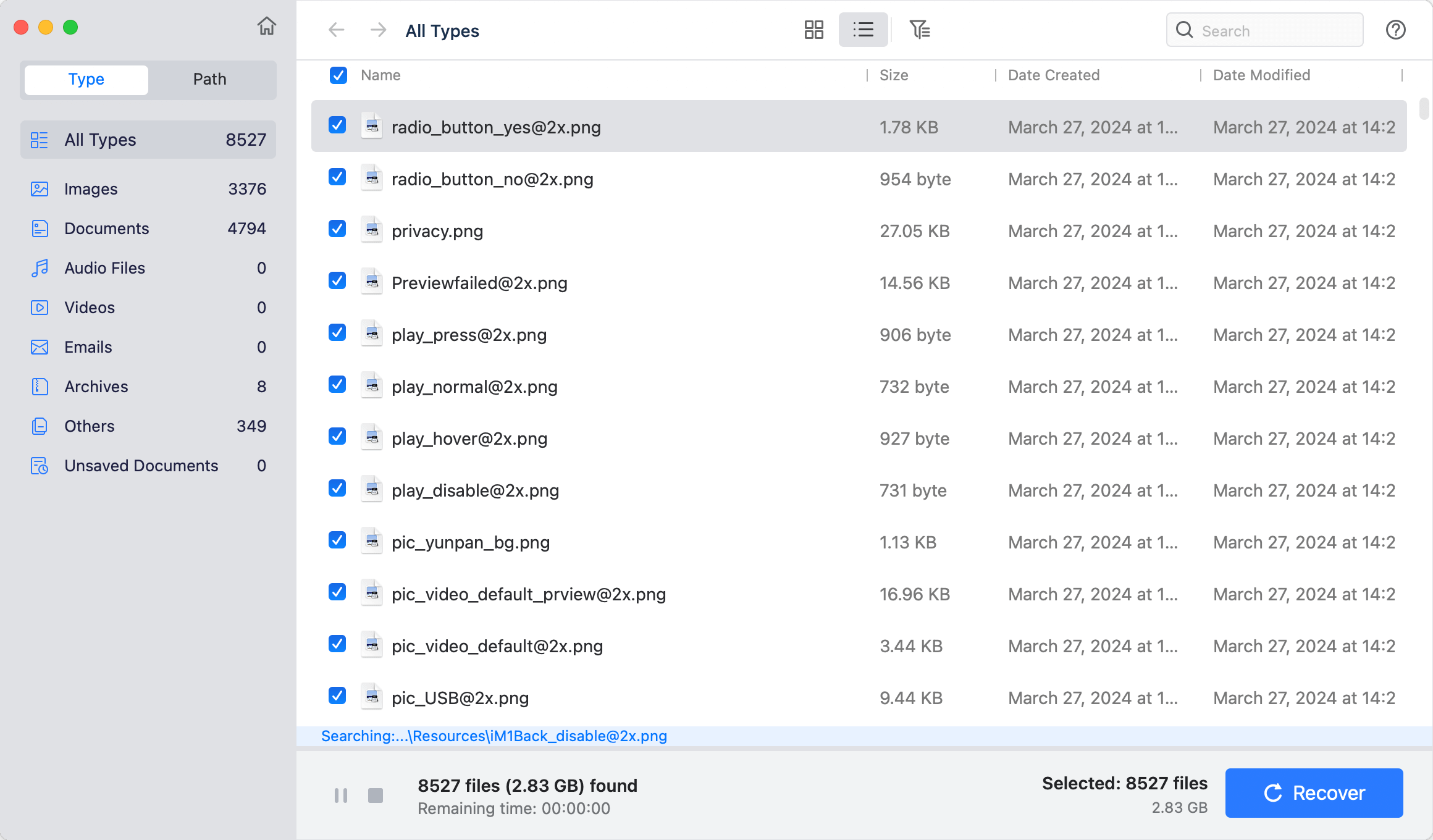
Scan results in the Type view, with counts per file type and the total found at the bottom.
Features
Recovers from deletion, formatting and erased disks
Do Your Data Recovery Pro for Mac can find files after the Trash is emptied, after an erase in Disk Utility, and after a format. It also covers data lost to an OS update, a power failure or a software crash.
Built for current Macs
Do Your Data Recovery Pro for Mac runs on Intel Macs, T2 Security Macs and Apple silicon Macs through the M-series chips, and on macOS 27 back to 10.9.
Reads encrypted and non-Mac volumes
Do Your Data Recovery Pro for Mac lists FileVault-locked and BitLocker-encrypted drives among its sources, and supports APFS, HFS+, exFAT, FAT32, EXT and NTFS, so a Windows-formatted USB drive can be scanned on your Mac.
Preview and selective recovery
Do Your Data Recovery Pro for Mac opens images and documents in a preview window from the results, and you tick only what you want. You can pause or stop a large scan and work with what it has found so far.
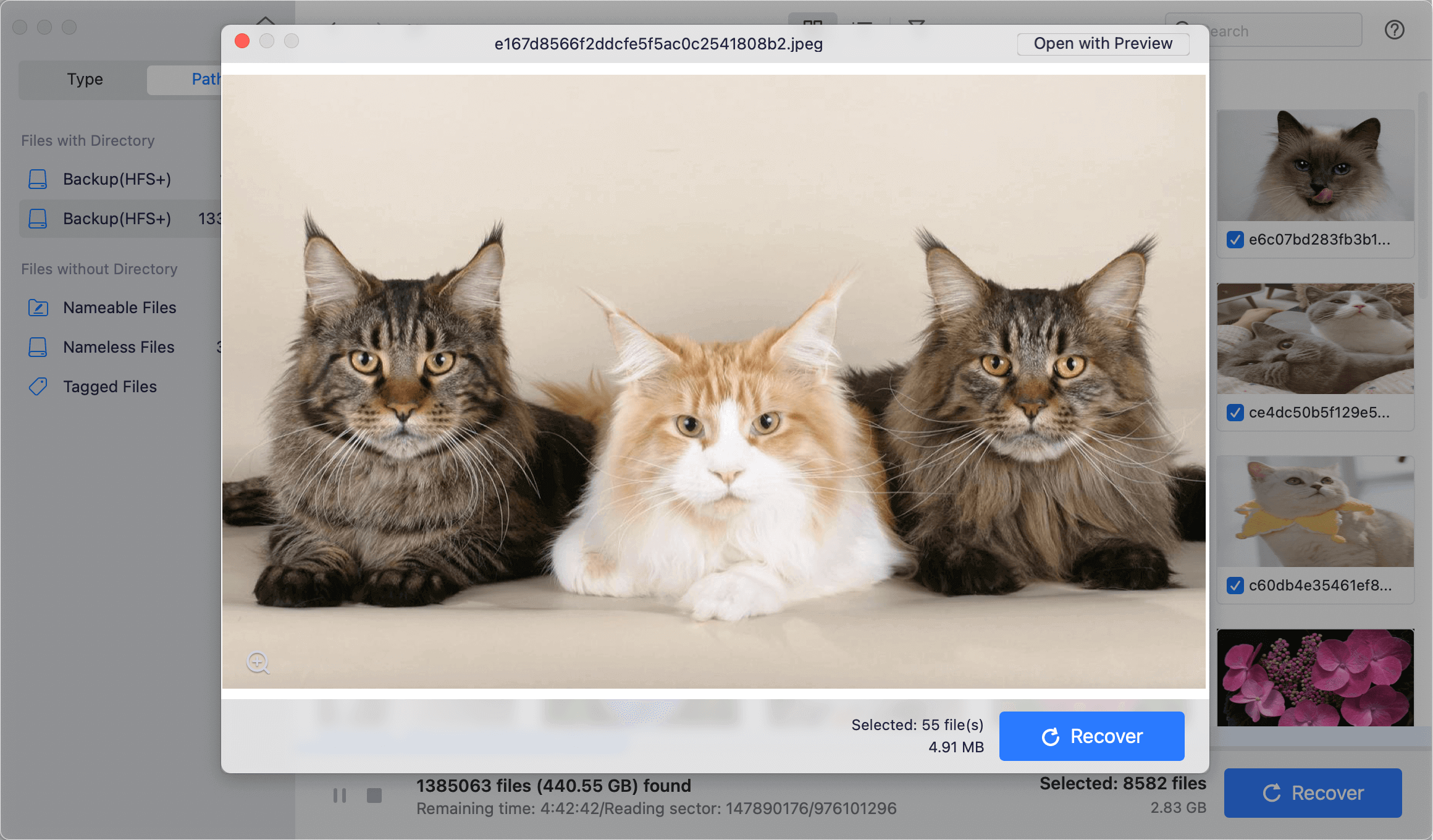
The preview window showing a found image, with the file name and a Recover button.
Disk format tool
Do Your Data Recovery Pro for Mac also includes a format tool for HDDs, SSDs, USB drives, memory cards and RAW drives, using APFS, Mac OS Extended, FAT32, exFAT or NTFS.
Benefits
You find out what is recoverable before you spend money, and you can keep working from a partial scan on a big disk instead of waiting hours for it to finish. Apple silicon support also means a newer Mac does not leave you without an option.
Real-World Uses
- Recovering a project folder after emptying the Trash.
- Retrieving photos from an SD card you reformatted in the camera.
- Pulling files off an external drive that no longer mounts after a macOS update.
- Scanning an NTFS USB drive from a Windows PC on your Mac.
Who It's For, and Who Should Skip It
Good fit: Mac users with logically lost files on a disk that still appears on the system, who want a simple guided recovery.
Skip it if you have a recent Time Machine backup, since restoring from it is free and complete, or if the drive has physical damage, which calls for a recovery lab. If you do recovery work for clients, the Technician license is the one meant for that.
Usage Guide
- Download the trial disk image and install it, ideally not on the affected volume.
- Open the program, choose the disk or external device, and start the scan.
- Browse results by Type or Path, and preview the files you need.
- Click Activate, enter your license code, and confirm you have a network connection.
- Select the files and click Recover, saving them to a different drive.
Where it falls short
- At $69 for one year against $89 for lifetime, the yearly plan only makes sense if you are sure you will not need it again.
- Very little independent testing exists, so the success rates advertised on the vendor's pages are unconfirmed.
- A large disk takes hours: a healthy 1 TB drive runs around 6 hours.
What Users Say
Public reviews of this product are scarce, so treat the sample below as a small one.
Trustpilot: 3.2 out of 5 from 7 reviews, for DoYourData as a company
“I love your application and the results.” Hans & Kathryn, 5 stars, May 2025, on the Mac recovery software
“Now every time my virus program scans, it picks up every file in Do Your Data Recovery, as infected.” John Ozga, 1 star, May 2026
“they make it very very complicated for you to cancel your subscription.” Don Rottman, 1 star, May 2023, product not named
Quoted on the vendor's page
“DoYourData is amazing software to get your deleted data back on Mac. That's because it can scan from a damaged or corrupted file system as well and help you recover your files with just a few clicks” iGeeksBlog
The vendor chooses which reviews to show, so expect the favorable ones here.
Satisfied customers mention getting files back with little effort. The complaints concern antivirus alerts and how hard it is to cancel, so check the renewal terms on the order page.
Editions and Pricing
| Edition | Price | Term | Macs | Notes |
|---|
| Free | $0 | No time limit stated | Not stated | Recovers up to 1 GB |
| Pro 1 Month | $49.00 | 1 month | 2 | Unlimited recovery |
| Pro 1 Year | $69.00 | 1 year | 2 | Unlimited recovery |
| Pro Lifetime | $89.00 | Lifetime | 2 | Unlimited recovery |
| Technician Lifetime | $499.00 | Lifetime | 100+ | Business use |
FAQs
Does Do Your Data Recovery for Mac work on M-series Macs?
Do Your Data Recovery for Mac supports Apple silicon Macs along with Intel and T2 models, on macOS 27 back to 10.9.
Can Do Your Data Recovery for Mac restore a disk erased in Disk Utility?
Do Your Data Recovery for Mac can scan a disk erased in Disk Utility and list files that have not been overwritten. Run the free scan to see what is left before you pay.
How much can the free version of Do Your Data Recovery for Mac recover?
The free version of Do Your Data Recovery for Mac recovers at most 1 GB. Anything beyond that needs a Pro license.
Can I use one Do Your Data Recovery for Mac license on two Macs?
The Do Your Data Recovery Pro for Mac 1 Year License covers 2 Macs, so a laptop and a desktop are both included.
Can Do Your Data Recovery for Mac read a Windows NTFS drive?
Do Your Data Recovery for Mac lists NTFS among its supported file systems, along with exFAT, FAT32 and EXT, so it can scan drives formatted on a PC.
Does Do Your Data Recovery for Mac come with a guarantee?
Do Your Data Recovery Pro for Mac is sold with a 30-day money-back guarantee, and support is at support@doyourdata.com.
System Requirements
- macOS 27, 26, 15, 14, 13, 12 or 11, macOS 10.15 to 10.9, or macOS Server
- Intel, T2 or Apple silicon Mac
- CPU of at least 1 GHz
- At least 60 MB of free disk space
- Network connection for activation
Conclusion
A sensible buy once the preview shows your files. Do Your Data Recovery Pro for Mac covers current hardware, reads Windows and encrypted volumes, and lets you judge the outcome for free. The reason to buy is that it works on the Macs and macOS versions people actually own. The reason to hesitate is how little outside testing exists. If you can spare the extra $20, lifetime at $89 beats a single year at $69.
Download Free TrialBuy Now