DoYourClone for Mac: Bootable Clones, Disk Copies and DMG Images
DoYourClone for Mac is a $49 per year macOS program that copies one drive to another, clones the startup disk to an external drive so you can boot from it, and builds compressed DMG or ZIP images. It is for Mac owners upgrading a disk, moving to another Mac, or wanting a full backup they can start up from.
Time Machine is good at bringing files back, but it does not give you a drive you can plug in and work from the same afternoon. That is the gap a cloning tool fills.
Quick facts
- Version: 4.2
- Developer: DoYourData
- Platforms: macOS 27 down to 10.12, OS X 10.11 to 10.9 and Mac OS Server
- Chips: Intel, Apple T2 and Apple silicon
- Modes: Copy Disk, Clone OS, Create Disk Image, plus a Disk Tool
- Price: $49.00 for the 1 Year License, which covers 2 Macs
- Trial: free download
- Guarantee: 30 days, money back
- What we checked: trial disk image (6.3 MB) available from the vendor and checkout price $49.00, both on November 9, 2026. We did not make a clone or boot from one.
Before you buy
- Clone OS formats the destination first. Anything already on that external disk is erased before the copy starts.
- The trial may not cover the feature you came for. A customer review on the vendor's site says the trial cannot run Clone OS without a license, so a bootable clone is something you will likely only test after paying. The 30-day guarantee is your safety net.
- Turn off any VPN while you activate. Activation needs a network connection.
- Check the destination's free space. Copy Disk needs room for everything you select, though you can choose only some files if it is short.
Download Free TrialBuy Now
Overview
DoYourClone has a blue sidebar with four entries: Copy Disk, Clone OS, Create Disk Image and Disk Tool. Each cloning mode works the same way. You set a source on the left, a destination on the right, and press the button at the bottom.
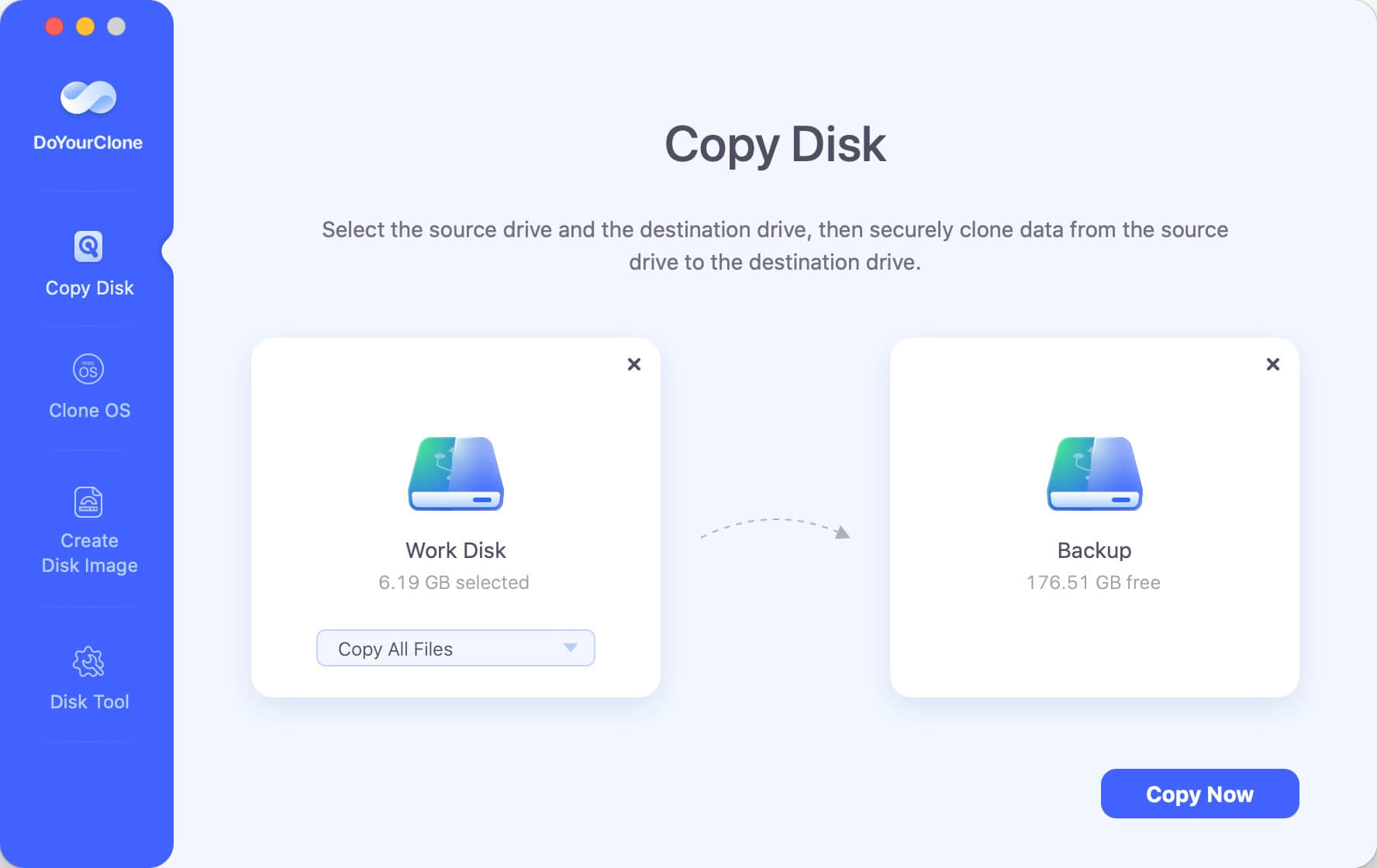
Copy Disk mode, with Work Disk as the source, Backup as the destination and Copy All Files selected.
Features
Copy Disk for drive upgrades and migrations
DoYourClone for Mac copies data from one drive to another, including HDD to SSD and SSD to HDD on SATA, NVMe and M.2 drives. If the destination is smaller, choose Copy Some Files and pick what goes across.

The selective copy list, where you tick the files and folders to bring across.
Clone OS for a bootable backup
DoYourClone for Mac copies the startup disk, with macOS, apps, settings and files, to an external HDD or SSD and makes it bootable. You can then start another Mac from that drive or restore from it in macOS Recovery.
Create Disk Image for compressed archives
DoYourClone for Mac saves a drive as a DMG or ZIP file on another disk, which takes less room than a full clone and keeps several backups on one large drive.
Disk Tool for basic housekeeping
DoYourClone for Mac includes a tool to rename and format drives and to eject external devices safely, so preparing a new disk does not mean opening another app.
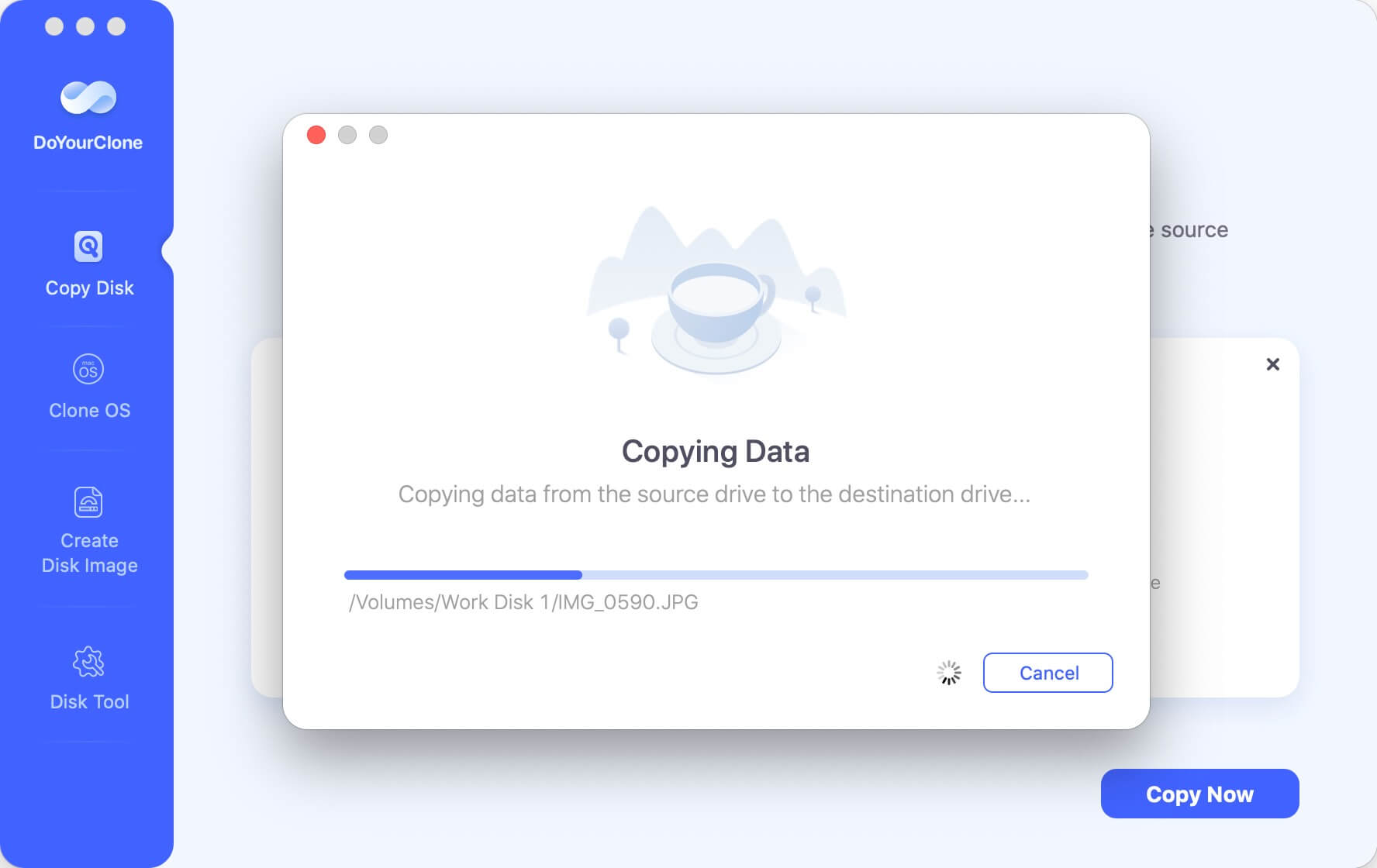
The progress dialog during a copy, with the current file path and a Cancel button.
Benefits
The practical gain is time. A bootable clone means a dead internal drive costs you a restart rather than a day of reinstalling. Selective copying also means a nearly full 1 TB disk can move to a smaller SSD without any manual juggling of folders.
Real-World Uses
- Making a bootable copy on an external SSD before a major macOS upgrade.
- Moving the contents of an older MacBook onto a new Mac from a cloned drive.
- Replacing a hard disk with an SSD in a Mac that still allows it.
- Keeping dated DMG images of a project drive on one archive disk.
Who It's For, and Who Should Skip It
Good fit: home and small-office Mac users who want a plain, three-step cloning tool that also runs on current Apple silicon models.
Skip it if you want scheduled, incremental clones, because this is a tool for one-off copy jobs. If you only need file history, Time Machine is free and already on your Mac.
Usage Guide
- Download the trial disk image, install the program and open it.
- Pick Copy Disk, Clone OS or Create Disk Image in the sidebar.
- Connect the destination drive and set the source and destination.
- Press Copy Now or the mode's start button and wait for the progress bar.
- Check the copied data on the destination. For a bootable clone, try starting up from it.
Where it falls short
- A Trustpilot reviewer of the Enterprise for Mac edition reports that it failed to copy his system disk, so test a bootable clone by actually starting up from it, before you rely on it.
- Independent testing is scarce. TechGYD's 2019 review, the only outside write-up, contains no criticism and links repeatedly to the product page.
- One MacUpdate commenter argued that DoYourClone and another app, AWEClone, are the same product under different names.
- There is no scheduled or incremental backup in the feature list, so each clone is a job you start yourself.
What Users Say
Most feedback comes from the vendor's own review board, where it is uniformly positive, so the mixed outside ratings matter despite their small numbers.
Trustpilot: 3.2 out of 5 from 7 reviews, for DoYourData as a company
“the software failed to make a copy of my system disk.” Theodore Ivanov, 1 star, August 2025, on DoYourClone Enterprise for Mac
“The clone software works like a charm.” Frank Jones, 4 stars, October 2026, platform not named
MacUpdate: 3.3 from 4 ratings
“I need it to clone my 1TB WD disk to another Seagate disk drive, works fine.” 1022710019, 5 stars, December 2021
“Very easy to use, works well” davis-millera, 5 stars, August 2019
“This product and the product 'AWEClone' are the SAME product, in my opinion, just rebranded.” Mcr, 1 star, May 2020
TechGYD
“DoYourClone for Mac is an excellent Mac Clone Software which is designed for all types of users.” Christine Ross, August 2019
Reviews on the vendor's site
“It is said free trial, but it can not perform OS Clone otherwise get the full version.” Mirana, August 2023
“The only one can create a bootable clone for my macOS Sonoma, M2 MacBook Pro.” Minina, January 2024
“I cloned the Mac in case issues while upgrading the system to Sequoia. It cloned the drive fully with all data.” Lisa, September 2024
“It is easy to make a clone for my M3 MacBook Pro with this software, it also works well on my Mac Studio.” Soru, May 2024
“The cloned drive boot up successfully !!” Donald, February 2025
Customers mostly praise bootable clones on Apple silicon Macs. The doubts are about the trial, the product's origins and one report of a system disk that would not copy.
Editions and Pricing
| Edition | Price | Term | Macs |
|---|
| Standard 1 Month | $29.00 | 1 month | 2 |
| Standard 1 Year | $49.00 | 1 year | 2 |
| Standard Lifetime | $59.00 | Lifetime | 2 |
| Enterprise Lifetime | $199.00 | Lifetime | Unlimited, within one company |
FAQs
Can DoYourClone for Mac clone an Apple silicon startup disk?
DoYourClone for Mac supports Apple silicon, Intel and T2 Macs, and customers report bootable clones from M2 and M3 machines.
Is DoYourClone for Mac a one-time purchase?
DoYourClone for Mac is sold on three terms: 1 month, 1 year or lifetime. The Lifetime License costs only $10 more than a single year.
Can I use DoYourClone for Mac on a new Mac after selling the old one?
DoYourClone for Mac lets you move the license code to a new Mac after you sell or donate the old one.
Can DoYourClone for Mac copy to a smaller drive?
DoYourClone for Mac can use a smaller destination if you select fewer files or create a compressed disk image, as long as the data fits.
Does DoYourClone for Mac work on external and RAID drives?
DoYourClone for Mac works with HDDs, SSDs, USB drives, memory cards, RAID volumes and servers.
Which file systems does DoYourClone for Mac support?
DoYourClone for Mac handles APFS, HFS and HFS+, FAT12/16/32 and exFAT, among others.
System Requirements
- macOS 27 down to macOS 10.12, OS X 10.11 to 10.9, or Mac OS Server
- Intel, Apple T2 or Apple silicon Mac
- At least 1 GHz CPU and 60 MB of free disk space
Conclusion
Worth it if a bootable clone is what you need, and take the Lifetime License if you do. DoYourClone for Mac keeps cloning to three clear steps and covers current Apple silicon Macs, which is the one reason to buy it. The main reason not to is how little outside testing exists, along with the likelihood that the trial will not let you prove a bootable clone before paying.
Download Free TrialBuy Now