DoYourData MacClean360: Nine Mac Cleanup Tools in One App
DoYourData MacClean360 is a $39 per year macOS utility that combines a junk cleaner, uninstaller, duplicate finder, large-file finder, file shredder and more in one window. It is for Mac owners short on disk space who would rather use one app than several small ones, on macOS 10.9 through macOS 26 Tahoe.
The warning that your startup disk is almost full tends to arrive at the worst moment. Most of the space is usually taken by a handful of things: caches, old downloads, duplicates and apps you forgot about.
Quick facts
- Version: 6.2
- Developer: DoYourData
- Platforms: macOS 10.9 to macOS 26 Tahoe, on Intel and Apple silicon Macs
- Tools: nine, plus menu bar switches
- Price: $39.00 for the 1 Year License, which covers 2 Macs
- Trial: free download
- Guarantee: 30 days, money back
- What we checked: trial disk image (8 MB) on the vendor's server, dated January 8, 2026, and checkout price $39.00 on November 9, 2026. We did not run a cleanup on a Mac.
Before you buy
- Look before you delete. Review each list before you remove anything, especially duplicates that an app may rely on.
- Keep a backup. The File Shredder and duplicate removal are not something you can casually undo.
- Expect modest speed gains. Freeing disk space helps a nearly full Mac. On a Mac with plenty of room, cleanup alone will not transform performance.
Download Free TrialBuy Now
Overview
The sidebar groups the tools into Cleanup, Optimization and Privacy, with a System Status page on top showing disk, memory, CPU and battery use. Each tool scans, shows you a list, and waits for you to choose what to remove.
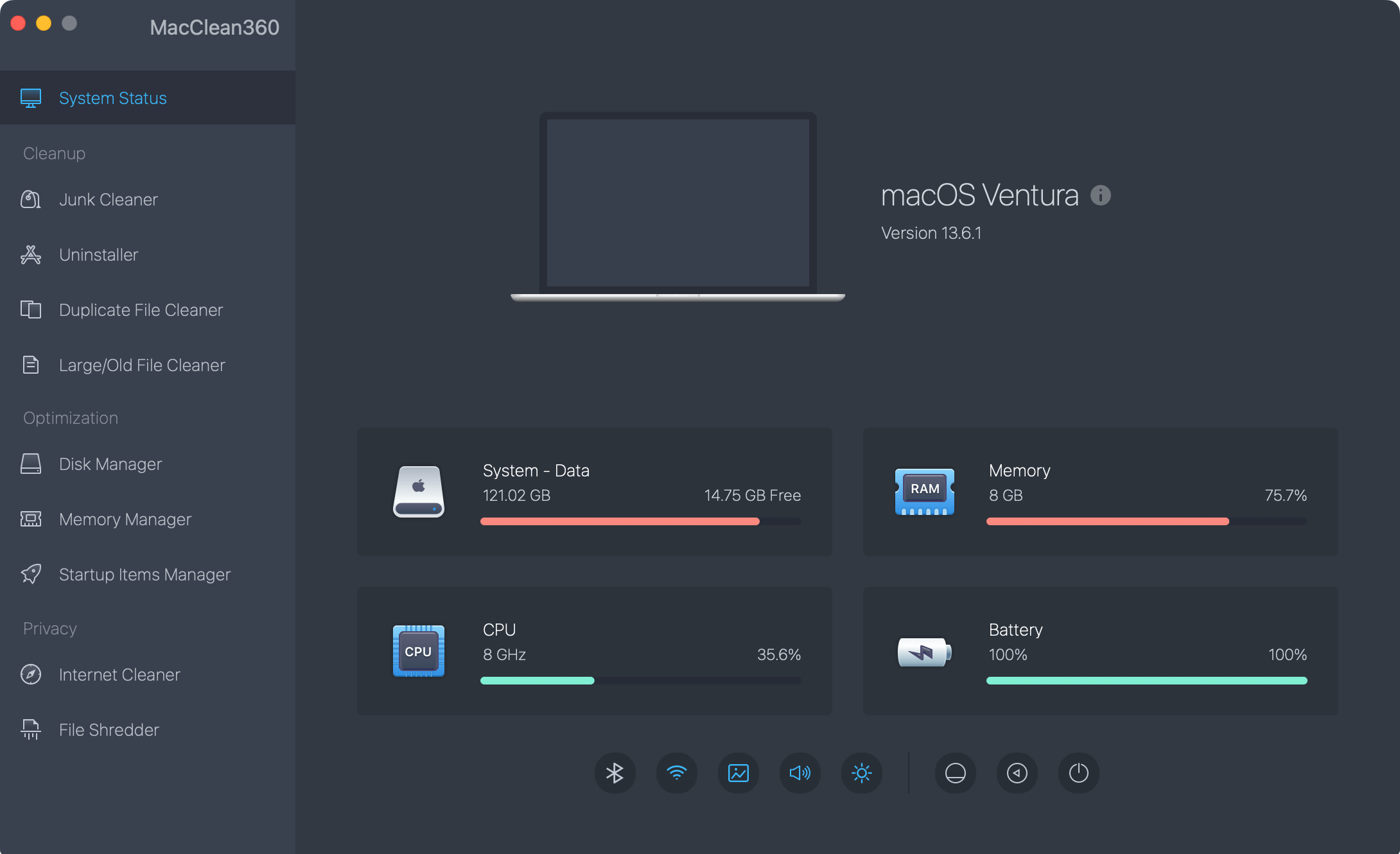
The System Status page, with the tool list down the left side.
Features
Junk Cleaner for system and app clutter
DoYourData MacClean360 finds system junk, app junk, iTunes junk, email junk and Trash contents, then lets you preview and clean them in one pass.
Uninstaller that removes leftovers
DoYourData MacClean360 removes an application along with its associated files, which is more thorough than dragging the app to the Trash.
Duplicate and Large/Old File Cleaners
DoYourData MacClean360 searches for duplicate photos, documents, videos and archives, and separately finds large or old files you may no longer need. These two tools usually recover the most space.
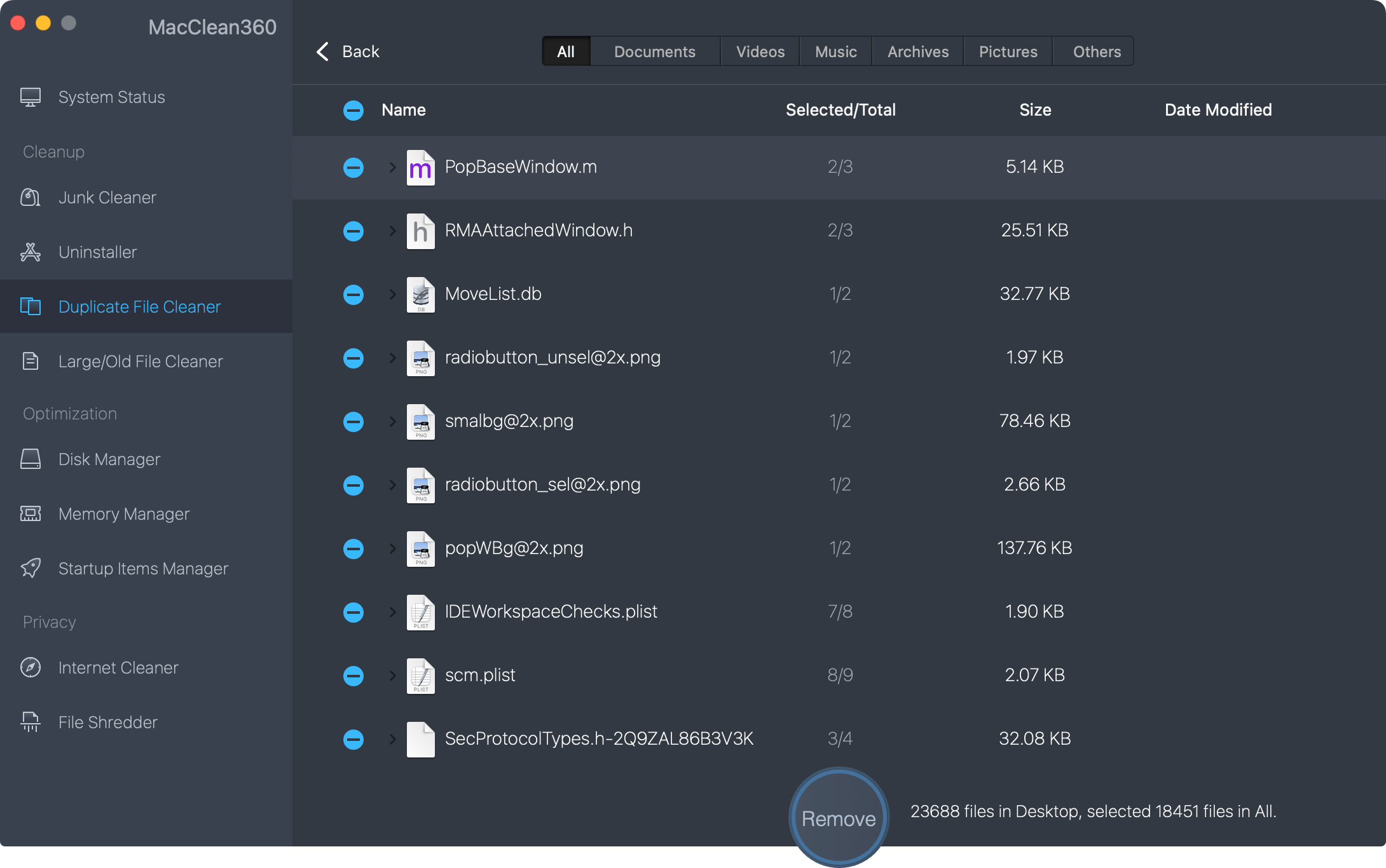
Duplicate File Cleaner results, sorted by name with selected and total counts for each file.
Disk, Memory and Startup Managers
DoYourData MacClean360 shows disk information and can format, rename or eject a disk. It also frees memory with one click and lets you add or remove startup items.
Internet Cleaner and File Shredder
DoYourData MacClean360 clears browser cookies, caches, logs and passwords, and shreds files and folders so they cannot be brought back with recovery software.
Menu bar switches
DoYourData MacClean360 adds a menu bar utility with quick toggles for Hide Desktop Icons, Hide Dock, Dark Mode, Display Hidden Files, Keep Awake, Do Not Disturb and Night Shift.
Benefits
The convenience is the main selling point: one license replaces a separate uninstaller, duplicate finder and shredder. That also means one interface to learn, and the System Status page tells you at a glance whether space is the real problem.
Real-World Uses
- Reclaiming space on a MacBook whose small SSD is almost full.
- Removing an old app along with its support files.
- Finding duplicate photos left behind by several imports.
- Trimming startup items on a Mac that takes a long time to get going.
Who It's For, and Who Should Skip It
Good fit: non-technical Mac owners with limited storage who want a single, guided cleanup app.
Skip it if you are comfortable using the storage recommendations built into macOS and Finder, which handle a lot of this for free, or if your Mac is slow for reasons cleanup cannot fix, such as too little memory for what you run.
Usage Guide
- Download the trial disk image and drag MacClean360 to Applications.
- Run it from Launchpad, then enter your license code and click Activate, with any VPN turned off. The app name changes from MacClean360 Trial to MacClean360.
- Open a tool from the sidebar and run its scan.
- Review the results and clear anything you want to keep.
- Click the clean or remove button.
Where it falls short
- The vendor's promise that your Mac will run many times faster is marketing. Expect benefits mainly on Macs that are short of disk space.
- One-click memory freeing rarely helps for long, because macOS manages memory well by itself.
- There is no independent test of how accurately it identifies junk.
- macOS 27 is not listed yet, so check compatibility if you run the newest system.
What Users Say
Outside reviews of MacClean360 are hard to find, so the comments below come mainly from the vendor's page and describe best cases.
Customers quoted on the vendor's page
“Run MacClean360 to scan my MacBook Air, it finds about 6GB junk! Amazing. Just delete the junk data and my MacBook Air now run very fast.” Monaly
“I have been using this cleaner for 5 years, it is very easy-to-use and offers many useful tools, such as uninstaller, internet cleaner, shredder, etc.” Rick
“Great application, file shredder, cleaner, memory manager, duplicate file finder, junk remover.... all tools in this software are great and smart.” Chen Hao
Descriptions quoted on the vendor's page
“MacClean360 is a Mac utility that provides users the means to remove unnecessary documents, files, duplicates, applications or junk data. It also secures deleted content and leaves no traces behind.” Mac.informer
“MacClean360 is an all in one tool for cleaning up unwanted files from the Mac device.” TricksMode
Trustpilot: 3.2 out of 5 from 7 reviews, for DoYourData as a company
None of the seven reviews mention MacClean360. Complaints elsewhere on the page concern other products and cancelling a subscription.
The people quoted like having many tools in one place. With no independent testing to weigh against them, the free trial is the best way to judge it.
Editions and Pricing
| License | Price | Term | Macs |
|---|
| 1 Month | $19.00 | 1 month | 2 |
| 1 Year | $39.00 | 1 year | 2 |
| Lifetime | $59.00 | Lifetime | 2 |
FAQs
Does DoYourData MacClean360 run on Apple silicon Macs?
DoYourData MacClean360 supports M-series Apple silicon Macs as well as Intel Macs, on macOS Tahoe 26 back to 10.9.
Can MacClean360 uninstall apps completely?
DoYourData MacClean360 removes the app and its associated leftover files in one action from its Uninstaller tool.
Does a MacClean360 license work on two Macs?
The DoYourData MacClean360 1 Year License covers 2 Macs, so one license can serve a laptop and a desktop.
Will MacClean360 delete anything without asking?
DoYourData MacClean360 shows its findings before you clean, and you choose what to remove, so review each list carefully.
Does MacClean360 have a money-back guarantee?
DoYourData MacClean360 is sold with a 30-day money-back guarantee, and support is at support@doyourdata.com.
System Requirements
- macOS Tahoe 26, 15, 14, 13, 12 or 11, or macOS 10.15 to 10.9
- Intel or Apple silicon Mac
- Network connection for activation
Conclusion
A reasonable all-in-one if your Mac is short on space. DoYourData MacClean360 bundles the cleanup tools most people look for, at a modest price. The reason to buy is having uninstalling, duplicate finding and shredding in one app. The main reason to skip it is that macOS already covers the basics for free, and performance gains are likely to be small unless your disk is nearly full.
Download Free TrialBuy Now