Advanced Uninstaller PRO: A Free Windows Toolkit With a Paid Daily Check
Advanced Uninstaller PRO is a free Windows uninstaller and maintenance toolkit from Innovative Solutions, and its only paid part is the Daily Health Check add-on, which costs $39 for two years ($15.60 with code SITE60OFF2Y on the order page). The add-on suits people who want those checks to run by themselves. Most readers can stop at the free download.
That makes this an unusual page to read before buying: the name says PRO, but nothing here needs a license key to uninstall a program. What you pay for is automation, a startup virus check and priority support.
Quick facts
- Version: 13.28, file dated October 23, 2025
- Developer: Innovative Solutions, Bucharest, Romania
- Platform: Windows 11, 10, 8.1, 8, 7, Vista and XP, 32-bit and 64-bit
- Price of the program: free
- Price of Daily Health Check: $14 for 30 days, $29 for 1 year, $39 for 2 years, all recurring
- Download size: 11.75 MB
What we checked: installer version 13.28.0.69 (11.75 MB, digitally signed by Innovative Solutions Grup SRL), and the order page, which showed $39 for the two-year plan renewing every 24 months, dropping to $15.60 with code SITE60OFF2Y, on November 6, 2026. We didn't run the program, so we can't say how much it finds or how it affects a PC.
Download Free TrialBuy Now
Overview
Innovative Solutions was founded in 1997, and Advanced Uninstaller PRO is the program most people know it for. The vendor counts 80 million downloads. Four menus hold everything: General Tools, File and Registry Tools, Internet Browser Tools and Daily Health Check.
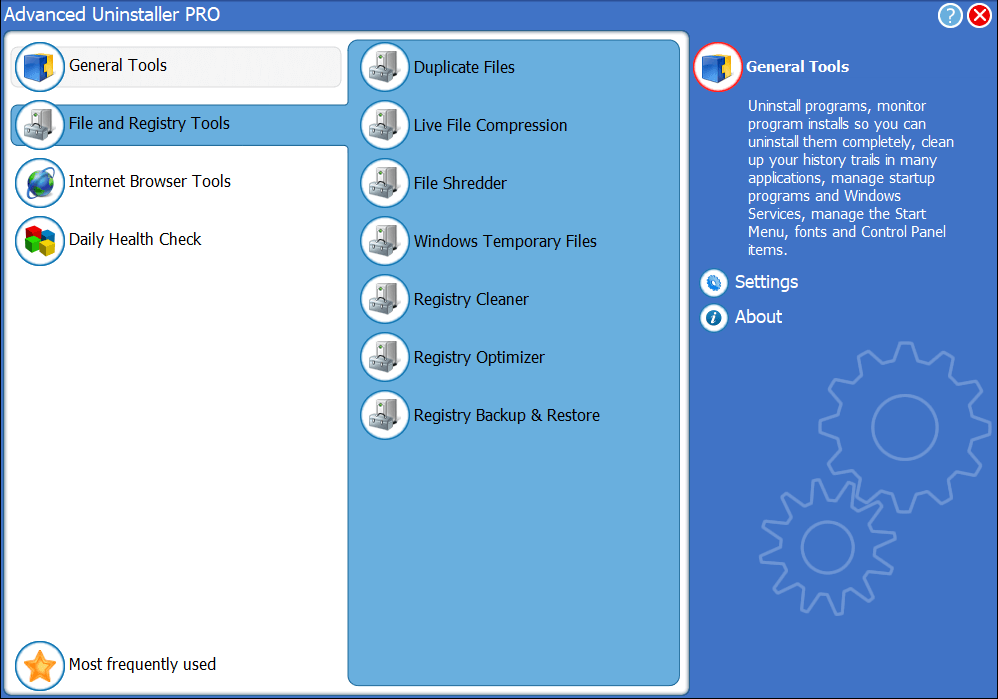
The main window: four tool groups on the left, with File and Registry Tools expanded.
Features
Uninstall programs and clean up what they leave
Advanced Uninstaller PRO runs a program's own uninstaller, then offers a scan for stray files and Registry entries. You can queue several removals in a row, and each entry shows the publisher, install date, size and a community rating.
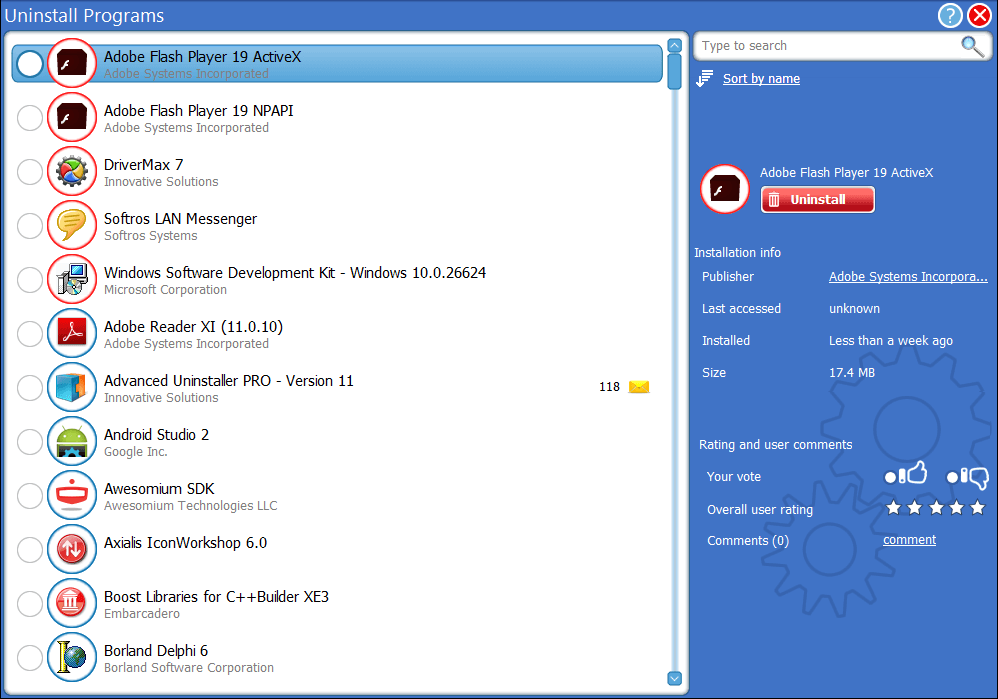
The Uninstall Programs list. The vendor's picture is an older one, showing version 11 in the list.
Watch an install so it can be undone completely
Advanced Uninstaller PRO can monitor a program as it installs and keep a log of what changed. That log is then used for a full removal later, which is more reliable than guessing at leftovers afterwards.
Control what starts with Windows
The Startup Manager in Advanced Uninstaller PRO lists every program that launches at boot, with a tick to switch each one off. General Tools also covers Windows services, Start Menu entries, fonts and Control Panel items.
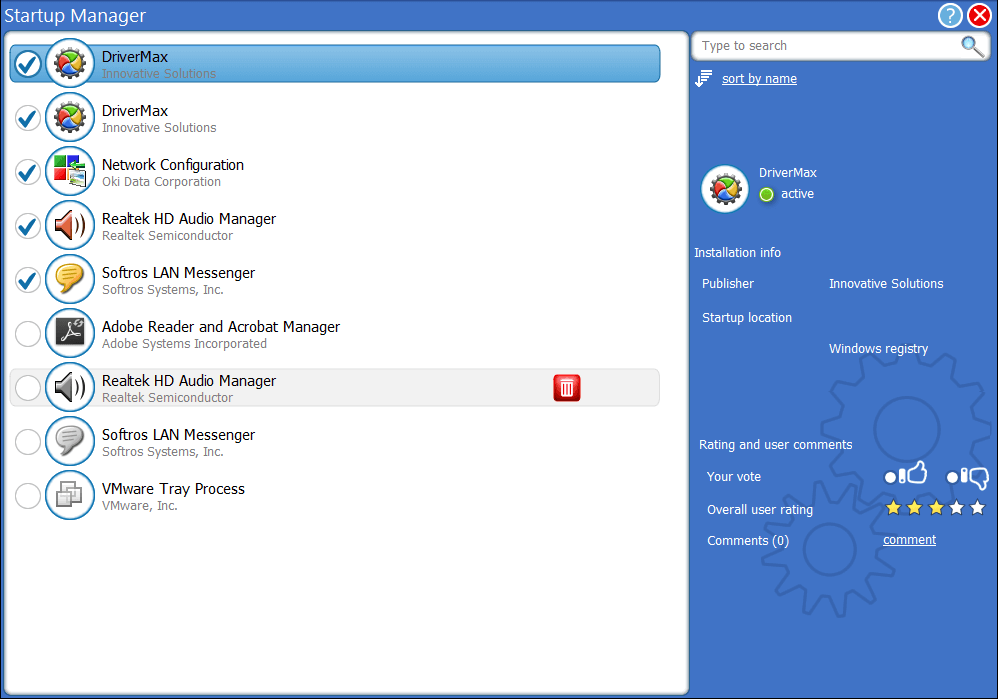
The Startup Manager, with ticks to enable or disable each entry.
File and Registry tools in one place
Advanced Uninstaller PRO includes a duplicate file finder, live file compression, a file shredder and a temporary files cleaner, plus a Registry cleaner, optimizer, and backup and restore tool. Browser tools delete history and show installed add-ons.
Daily Health Check: the paid part
Daily Health Check runs on a schedule and adds startup virus detection through a cloud scan, leftover cleanup, Windows log and memory dump removal, and priority support. It also watches Chrome, Firefox and Internet Explorer add-ons, and flags new startup items.
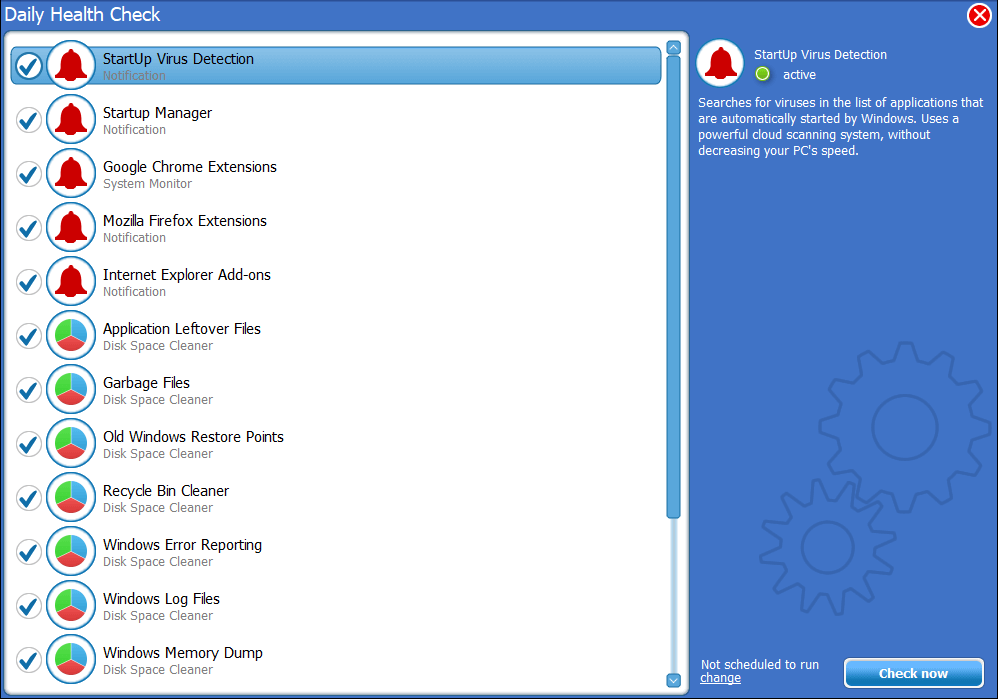
Daily Health Check: notifications at the top, disk space cleaners below, and a Check now button.
Benefits
- A lot for nothing. One free download replaces several small utilities.
- Less forgotten upkeep. With the add-on, the checks you would never remember to run happen anyway.
- Cheap with the code. $15.60 for two years is a low price for a scheduler, far less than the $39 list price.
Real-World Uses
- Clearing out a dozen trial programs from a new laptop in one sitting, using the queue.
- Spotting why a PC takes minutes to boot, then switching off the startup items you don't need.
- Finding duplicate photos before a backup.
- Keeping a relative's PC tidy without visiting, by leaving Daily Health Check on a schedule.
Who It's For, and Who Should Skip It
The free program fits anyone who wants more than the Windows uninstaller. Daily Health Check fits people who want maintenance to happen without thinking about it, and who are happy to get notifications.
Skip the paid add-on if you can run the tools by hand once a month, since that is most of what you are buying. Skip the whole program if you want to remove Windows' pre-installed apps, because it doesn't do that. If a modern interface matters more to you, look at a newer uninstaller instead.
Usage Guide
- Download the installer and run it. Read each setup screen.
- Open General Tools, then Uninstall Programs.
- Tick the programs to remove and follow each uninstaller, then let the leftover scan run.
- Open Startup Manager and untick what you don't need.
- Back up the Registry before using the cleaner or optimizer.
- If you buy Daily Health Check, open it, pick what runs, and set the schedule.
Before you buy
- The plans renew automatically at the end of the term, so note the date if you only want one term.
- The code SITE60OFF2Y is for the two-year plan.
- The whole program works without paying, so try it first.
Where it falls short
- It looks old. The bright blue interface hasn't changed in years, and the vendor's pictures still show version 11.
- No fallback when an uninstaller fails. TechRadar found it assumes each removal worked and gives no alternative if one doesn't.
- A background service can slow a PC. TechRadar saw constant disk checking from the default leftover monitor, which you can turn off in Settings.
- Thin support. Help is a web form, with an answer expected within two business days.
What Users Say
TechRadar: worth considering, with weak support
Christian Cawley's review (last updated April 18, 2024) says: "Advanced Uninstaller PRO impresses and is worth considering. While it won't remove Windows's pre-installed apps, it can handle everything else."
On the add-on, it says: "Note that the paid option is essentially a scheduler that automates the app's main features to run on a daily basis."
On the look: "Advanced Uninstaller has a big, bright interface right out of the Windows 98 era."
The final verdict opens with: "Poor support options let this software suite down, and the user interface is friendlier to those fond of Windows XP." TechRadar still found it useful, uninstalling 29 programs in a row with only an occasional click.
Snapfiles: 4 out of 5 from 6 user reviews
Snapfiles gives the program a 4-star editor rating, and its 6 user reviews (2013 to 2015) average 4 out of 5.
- geekbeak, 5 stars: "This one finds stuff that Revo doesn't."
- nuiparishi26, 5 stars: "Even though it's free it will remove most of the traces left in the registry"
- BrianAdams, 4 stars, liked what it found but noted that the setup offered other software, which could be declined.
- realbull2009250, 4 stars, praised the scan after uninstalling but disliked the dated interface and a PC health check that started even when disabled.
- raptozilla, 2 stars, titled "Settings don't work", kept getting a startup scan popup after unticking the setting, and ended with: "so I just uninstalled the uninstaller."
On the vendor's site
- Jack, Canada: "This program is very easy to use and has actually helped me get a quicker startup."
- Soft121kra, CNET user: "Terrific uninstall facility and program tracking."
- Ram, U.K.: "I personally think it's a very well thought out piece of software"
The pattern: people like how much the free program finds and how much it includes. The complaints are the old interface, support, and Daily Health Check nagging or starting up when it was meant to be off. Older reviews make up much of the sample, so treat them as history rather than a report on version 13.
Comparisons
Advanced Uninstaller PRO vs Revo Uninstaller Pro
Advanced Uninstaller PRO is free with a toolkit around the uninstaller, while Revo Uninstaller Pro is a paid product focused on removal. Choose Advanced for the free extras, Revo if uninstalling is the whole job.
Advanced Uninstaller PRO vs IObit Uninstaller and Geek Uninstaller
TechRadar names these among the competition. IObit Uninstaller has a paid PRO tier, and Geek Uninstaller doesn't need a subscription. Advanced Uninstaller PRO bundles more extra utilities, in an older interface.
Editions and Pricing
| Edition | Price | Term | What it adds |
|---|
| Advanced Uninstaller PRO | Free | No limit | All uninstall, file, Registry and browser tools |
| Daily Health Check, 30 days | $14 | Recurring | Scheduled checks, startup virus detection, leftover cleanup, log and memory dump removal, priority support |
| Daily Health Check, 1 year | $29 | Recurring | The same |
| Daily Health Check, 2 years | $39, or $15.60 with code SITE60OFF2Y | Renews every 24 months | The same |
FAQs
Is Advanced Uninstaller PRO really free?
Advanced Uninstaller PRO is free, and the vendor says it will always remain free, despite the name. Only the Daily Health Check add-on costs money.
Does Advanced Uninstaller PRO work on Windows 11?
Advanced Uninstaller PRO lists Windows 11 as supported, along with every Windows version back to XP, in both 32-bit and 64-bit. TechRadar's review discusses it on Windows 11.
Can Advanced Uninstaller PRO remove built-in Windows apps?
No. Advanced Uninstaller PRO doesn't remove software that comes pre-installed with Windows 11, as TechRadar found in testing.
Can I turn off Daily Health Check?
Daily Health Check has an on/off setting: double-click its tray icon, open Settings and untick Enable Daily Health Check. Some users have reported it still starting, so check after a reboot.
Is there a Mac version of Advanced Uninstaller PRO?
No. Advanced Uninstaller PRO is Windows-only.
Which payment methods does Daily Health Check accept?
TechRadar lists credit card, PayPal, wire transfer and Webmoney for Daily Health Check. The options you see depend on the order page for your country.
System Requirements
- Windows 11, 10, 8.1, 8, 7, Vista or XP
- 32-bit or 64-bit
- 11.75 MB download; the vendor doesn't publish minimum hardware
Conclusion
Verdict: download the free program, and buy Daily Health Check only if you know you won't run the tools yourself. At $15.60 for two years it is a fair price for hands-off upkeep and a startup virus check. At $39 it's harder to justify, since TechRadar's description of it as a scheduler is accurate.
The one reason to get it is convenience. The main reason not to is that the free program already does nearly everything, in an interface and with support that won't impress anyone.
Download Free TrialBuy Now