Stellar File Eraser: Wipe Files So Recovery Tools Can't Bring Them Back
Stellar File Eraser is a $29.99-a-year Windows tool that permanently overwrites files, free space and the traces your browsers and apps leave behind. It's for people selling a PC, handing a laptop back to an employer or clearing out private documents, and it was sold as BitRaser File Eraser until Stellar renamed it.
Pressing Delete only removes a file's entry, and even a free recovery tool can often pull the file back. This program writes over the data instead. It's simple to use, but free tools do the same basic job, so the money buys convenience and scheduling rather than stronger erasure.
Quick facts
- Developer: Stellar Data Recovery (Stellar Information Technology), in the data care business since 1993
- Version: 6.0.0.0, September 2026
- Former names: BitRaser File Eraser, BitRaser for File
- Platform: 64-bit Windows 11, 10, 8.1 and 8, and Windows Server 2019, 2016 and 2012. A separate Mac version exists
- Erasure methods: Zeroes (1 pass), Pseudo-random (1 pass), DoD 5220.22-M (3 passes)
- Price: $29.99 for one year on one PC at checkout
- Renewal: off unless you tick it. The renewal price shown on the order page is $39.99 a year
- Guarantee: 30-day refund window on annual licenses, under the conditions in Stellar's refund policy
- What we checked: the 65 MB installer's file version is 6.0.0.0, and the one-year license was $29.99 on the order page with a $39.99 optional renewal, on November 6, 2026. We didn't run the program, so we haven't tested the erasure or the trial ourselves. The feature details come from Stellar's manual and support articles.
Before you buy
It's a yearly license for one PC. Stellar sells this as an annual subscription tied to one system. If you only need to wipe a few files once before selling a laptop, a free tool or the full Windows reset may be all you need.
There's no erasure certificate. Stellar's buy page says plainly that this program doesn't create one, whatever older reviews of the BitRaser version say. A business that has to prove erasure to an auditor needs a different product.
Try it before you pay. Stellar's refund policy rules out a refund if you bought without trying the evaluation version, so install it first and keep the emails.
Download Free TrialBuy Now
Overview
The window has four jobs down the left side: Erase Files & Folders, Erase Deleted Data, Erase Traces and Schedule Erasure. Each opens one panel with an Erase Now button at the bottom, so there isn't much to learn. The program also protects Windows itself. You can erase your own files, folders and volumes, but it won't wipe operating system files, which removes the worst mistake a tool like this can make.
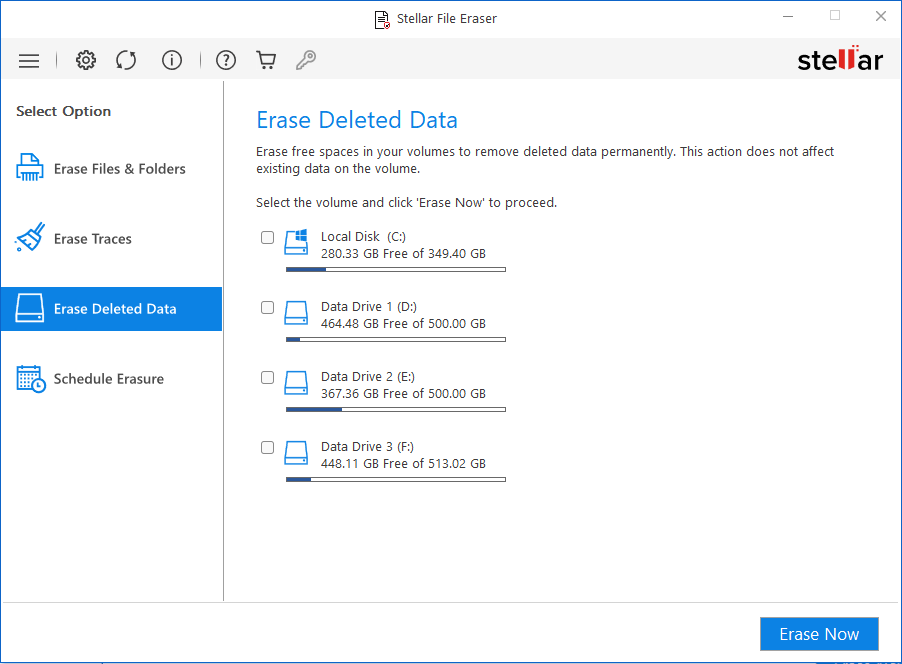
The Erase Traces panel, with tabs for application, browsing and system traces.
Features
Stellar File Eraser wipes chosen files and folders
Stellar File Eraser lets you add files and folders to a list and erase them in one go, or right-click an item to erase it. The Search & Erase option finds files by name or extension, which helps when you know what you want gone but not where it is. You can save an erasure list and load it again later, and add files to an ignore list so that they're skipped.
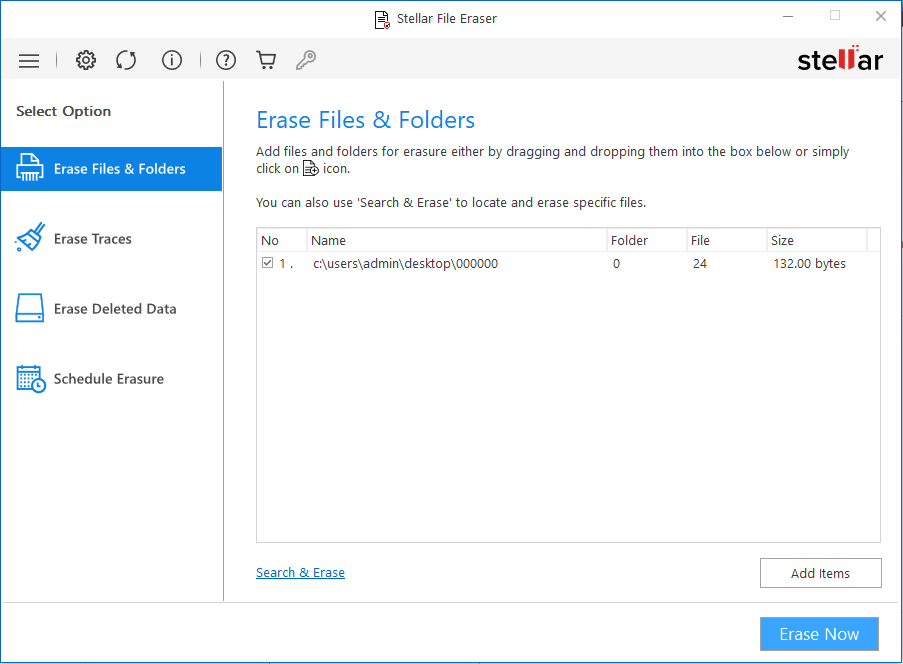
The Erase Files & Folders panel, with Search & Erase at the bottom left.
Stellar File Eraser clears the free space where deleted files still sit
Stellar File Eraser's Erase Deleted Data option overwrites the unused space on a drive, which covers files you already deleted with Shift+Delete or the Recycle Bin. Your existing files stay untouched. It works on FAT, exFAT and NTFS volumes, and it's the feature you'll want if the damage was done before you installed the program.
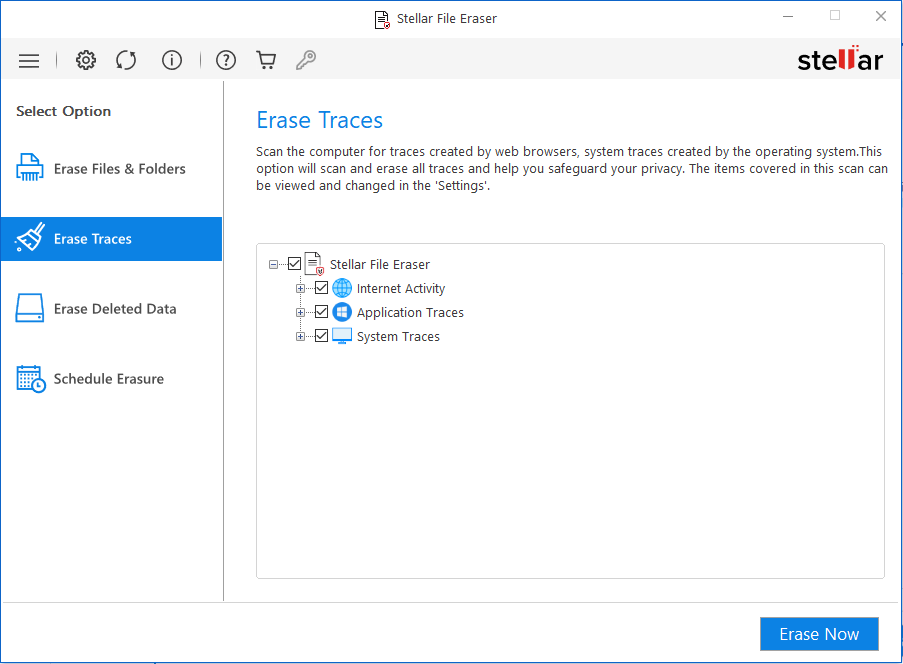
Erase Deleted Data, with each drive and its free space shown.
Stellar File Eraser removes browser, app and system traces
Stellar File Eraser clears browsing history, cookies, temporary files, favorites and saved form and password data from Chrome, Firefox, Edge, Safari, Opera, Internet Explorer and SeaMonkey. It also removes the logs and activity left by email, chat, news and peer-to-peer apps, plus the temporary files Windows builds up.
Stellar File Eraser gives you three erasure methods
Stellar File Eraser offers Zeroes and Pseudo-random, both single-pass, and DoD 5220.22-M, which makes three passes of zeros, ones and random data. Stellar's own support article notes that NIST considers a single pass enough, so three passes mostly cost you time. You can add Random or Total Verification to check the result.
Stellar File Eraser runs erasure on a schedule
Stellar File Eraser can run a saved task once, daily, weekly, monthly or at system boot, and shows each task's status, algorithm and frequency. This is the main thing you're paying for over a free shredder if you want your browser traces gone every Friday without thinking about it.
Benefits
- Less room for error. Protected system files mean a beginner can't wipe Windows by accident.
- One place for several chores. Files, free space and traces are handled in one window instead of three separate tools.
- It keeps working in the background. Scheduled tasks stop traces from building up again.
Real-World Uses
- Selling a laptop: erase your documents and photos, then wipe the free space so older deletions go too.
- Returning a work PC: clear personal files, saved browser passwords and chat traces before handing it in.
- A shared family computer: schedule a weekly clean of browsing traces on your account.
- Scanned IDs and tax papers: keep a saved erasure list for the folder you use, and wipe it after each job.
- A USB stick you lend out: erase the files and then the free space before it leaves your desk.
Who it's for, and who should skip it
Buy it if you want a plain, guided eraser with scheduling on one Windows PC. Skip it if you only need a one-off wipe: the free, open-source Eraser does that job. Skip it too if you're retiring a whole drive, since it's a file tool that won't touch the system files. For that you want the drive maker's secure erase, Windows reset, or a bootable wipe tool such as Stellar's own BitRaser Drive Eraser. Companies that need signed certificates should also look at BitRaser Drive Eraser.
Usage Guide
- Download and install Stellar File Eraser, then launch it.
- Open Settings and choose the erasure algorithm. The manual's verification options are set here too.
- To wipe specific items, click Erase Files & Folders, add them or use Search & Erase, then click Erase Now.
- To clear old deletions, click Erase Deleted Data, select a drive and click Erase Now.
- To clear activity, click Erase Traces, tick what you want removed on the three tabs and click Erase Now.
- To automate any of this, open Schedule Erasure and set the frequency.
Where it falls short
- File names can survive. Stellar's support site explains that a recovery scan can still list the names of erased files. FAT and exFAT keep them in the File Allocation Table, and NTFS keeps them in its journal. The content is overwritten, but if a file's name is itself sensitive, this matters.
- SSDs are harder to wipe. DriveWipe's guide to file erasers warns that "Overwriting a file through the file system does not guarantee the original data blocks are actually erased," because an SSD decides where data physically lands. That applies to every file-level tool, this one included, so use the drive's own secure erase on an SSD you're getting rid of.
- It's still a subscription. Free rivals don't expire, and this license lasts one year on one system.
- Thin independent testing. We found no lab test of this program. The NIST and Common Criteria results Stellar mentions are for BitRaser Drive Eraser, a different product.
What Users Say
Stellar File Eraser has few real reviews of its own. Most of what follows is from reviewers who tried it under the BitRaser name, so it describes an older version, and Stellar's large Trustpilot score is mostly about its recovery products.
Ryadel (hands-on review of BitRaser File Eraser)
Published in February 2021 by the author Alice, this walkthrough ended: "all in all, we definitely recommend Bitraser File Eraser because it does what it says in a very simple and effective way." The article also described a 30-day period: "The full version is free for 30 days, meaning that we'll have a decent amount of time to try it before buying it."
Tech Baked (review of BitRaser File Eraser v3.0)
Sajid Shaik, in a review updated in April 2021, used it for several weeks and called it "definitely worth a shot," saying it "makes it easy to use for everyday users." He listed no drawbacks. He also said "they also provide you with a certificate," which Stellar's current buy page contradicts for this program.
Press quotes on Stellar's page
Stellar shows short quotes from tech sites. Windows Report: "Unlike similar tools, Stellar File Eraser is 100% safe for the system, as it never makes the mistake of erasing operating system files." Security Gladiators: "Stellar for file application comes at a reasonable price, great solution if you want to keep all of your data safe and sound even when they are deleted." The vendor chose these, so read them as the good side of the story.
SourceForge and Slashdot (user ratings for BitRaser)
The BitRaser listing there scored 1.3 out of 5 from three users on November 6, 2026. Two of the three write about making a boot drive with RUFUS, which points to BitRaser Drive Eraser rather than this program, so the score says little about it. One buyer's title was "Links Broken and Requires IT Degree." Another wrote: "I have paid for a software that didn't work and they actually refused to refund." Support complaints are worth noting, even so: "The phone support is virtually non-existent, except by email."
Trustpilot (Stellar as a company)
On November 6, 2026 Stellar scored 4.8 out of 5 from 5,601 reviews, with 89% five-star and 4% one-star. The recent ones we read praise named support agents and data recovery, and none of them mentioned this eraser. Stellar's product page separately shows a 4.9 rating from 462 reviews in its own data, with no way to read them.
The themes: people who tried it found it simple and it did what it said. Nobody has published a proper forensic test of it, and the strongest complaints about the BitRaser brand concern support and refunds rather than this program's erasing.
Comparisons
Stellar File Eraser vs Eraser
Eraser is the free, open-source Windows shredder and it also schedules tasks. DriveWipe calls BitRaser File Eraser its "most direct commercial alternative." Eraser costs nothing and doesn't expire. Stellar File Eraser is more polished and adds trace cleaning for browsers and apps with active support behind it. If you're comfortable with a plainer tool, Eraser is the better value.
Stellar File Eraser vs BitRaser Drive Eraser
This program wipes what you pick while Windows keeps running. BitRaser Drive Eraser boots from a USB drive, wipes the whole disk and is built for IT teams that need reports. Don't confuse the two: the old BitRaser name now belongs to the drive product.
Editions and Pricing
| Plan | Price at checkout | Term |
|---|
| One PC (this listing) | $29.99 | 1 year, optional renewal at $39.99 |
| 3 devices | $59.99 | 1 year, renews yearly |
| 5 devices | $89.99 | 1 year, renews yearly |
FAQs
Is Stellar File Eraser the same as BitRaser File Eraser?
Yes, Stellar File Eraser is the current name of BitRaser File Eraser, earlier sold as BitRaser for File. The BitRaser brand now covers Stellar's drive erasure product for businesses.
Is Stellar File Eraser a one-time purchase?
No, Stellar File Eraser is sold as an annual subscription tied to one system, with unlimited erasures during the year. The order page doesn't switch on renewal for this plan, so you choose whether to continue.
Does Stellar File Eraser work on Windows 11?
Yes, Stellar File Eraser 6 supports Windows 11, 10, 8.1 and 8, but only in 64-bit form. A Windows 7 or 32-bit PC needs another tool.
Can Stellar File Eraser wipe an external drive or USB stick?
Yes, Stellar File Eraser can erase files from external hard drives, USB drives and SD cards connected to your PC, and it can wipe their free space too.
Will a data recovery program find files wiped by Stellar File Eraser?
A recovery program won't get the contents back after Stellar File Eraser overwrites them, according to Stellar, though it may still list the old file names. Stellar says previewing or restoring those entries fails because the data has been replaced with pseudo-random values.
Is Stellar File Eraser available for Mac?
Yes, Stellar File Eraser has a separate Mac version with its own license. This listing is for Windows.
Can Stellar File Eraser wipe my whole Windows drive?
No, Stellar File Eraser won't erase operating system files. To wipe a system drive, use a bootable tool or the drive maker's secure erase.
System Requirements
- Windows 11, 10, 8.1 or 8, 64-bit only, or Windows Server 2019, 2016 or 2012
- Intel-compatible x64 processor
- 4 GB of memory, 8 GB recommended
- 250 MB of disk space for installation
- FAT, exFAT or NTFS volumes for free-space erasure
Conclusion
Worth $29.99 if you'll use the schedule and the trace cleaning, and not for a one-off wipe. Stellar File Eraser is a tidy, hard-to-misuse way to overwrite files, free space and browser leftovers on one Windows PC. The one reason to buy it is that it turns regular privacy clean-ups into a set-and-forget task. The main reason not to is that the free Eraser does the core job without a yearly fee. Try it on some unimportant files first.
Download Free TrialBuy Now