Easy Email Parser: Turn Recurring Order and Form Emails into Spreadsheet Rows
Easy Email Parser is a Windows program, $19.95 for personal use and $49.95 for business use, that reads saved email messages and copies the fields you care about into Excel, CSV, Access or text files. It's made for people who receive the same kind of machine-generated email over and over, such as order notifications.
If you've ever retyped order numbers and customer details out of notification emails into a spreadsheet, you know the job this replaces.
Quick facts
- Version: 1.24.10.16, released October 16, 2024
- Developer: GraphicRegion.com
- Platform: Windows
- Ready-made templates: Avangate (2Checkout), Shareit, PayPro, AllSoft, SoftKey
- Export: XLSX, CSV, MDB (Access), TXT
- Price: $19.95 personal, $49.95 business, one payment
- Trial: 30 days
- What we checked: installer version 1.24.10.16 (5.1 MB) downloaded from the vendor and both order page prices on November 10, 2026. We read the installer's file details and did not install it or parse a message.
Download Free Trial
Buy Now ($19.95)
Overview
The program walks you through four tabs: Files, Templates, Parsing and Export. You add the messages, pick a template that matches them, press Start to fill a table, and write the table out.
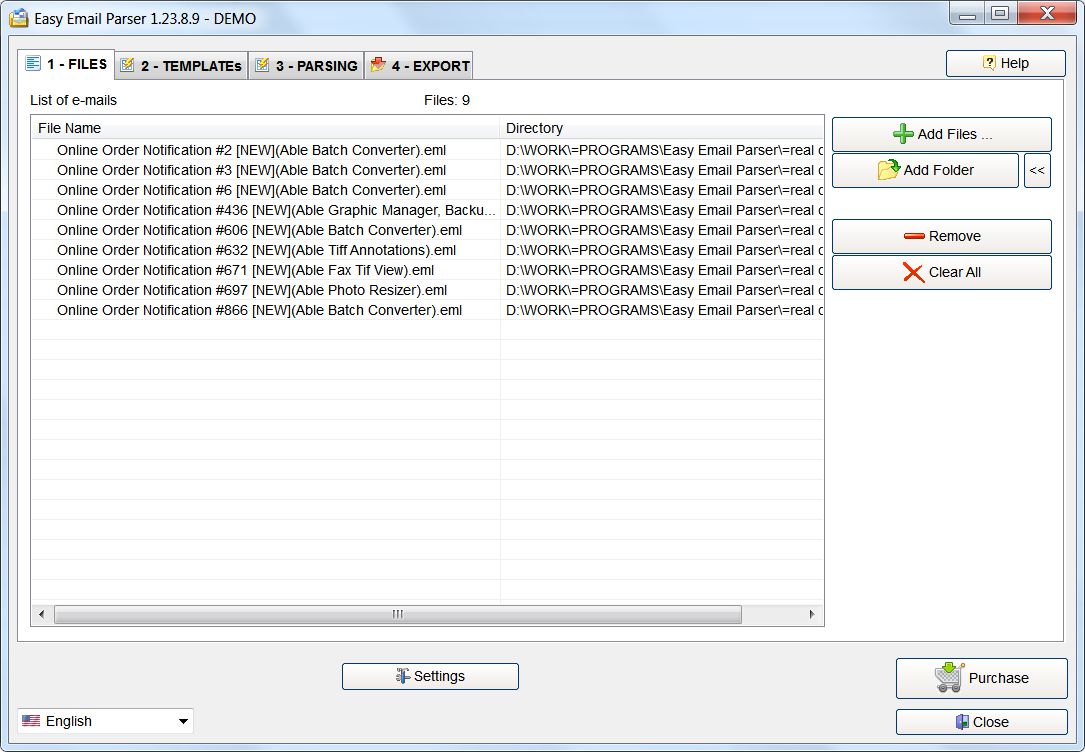
The Files tab, with nine saved .eml order notifications added.
Features
Template-based extraction
Easy Email Parser uses a template made from a sample of your message. You mark each value with a named placeholder, such as {{OrderNumber}} or {{Total}}, and the program fills a column with that field for every message that follows the same layout.
Templates included for software sellers
Easy Email Parser comes with templates for order emails from Avangate (2Checkout), Shareit (DigitalRiver, MyCommerce), PayPro Global, AllSoft (SoftLine) and SoftKey, so a software publisher selling through those services has little to set up.
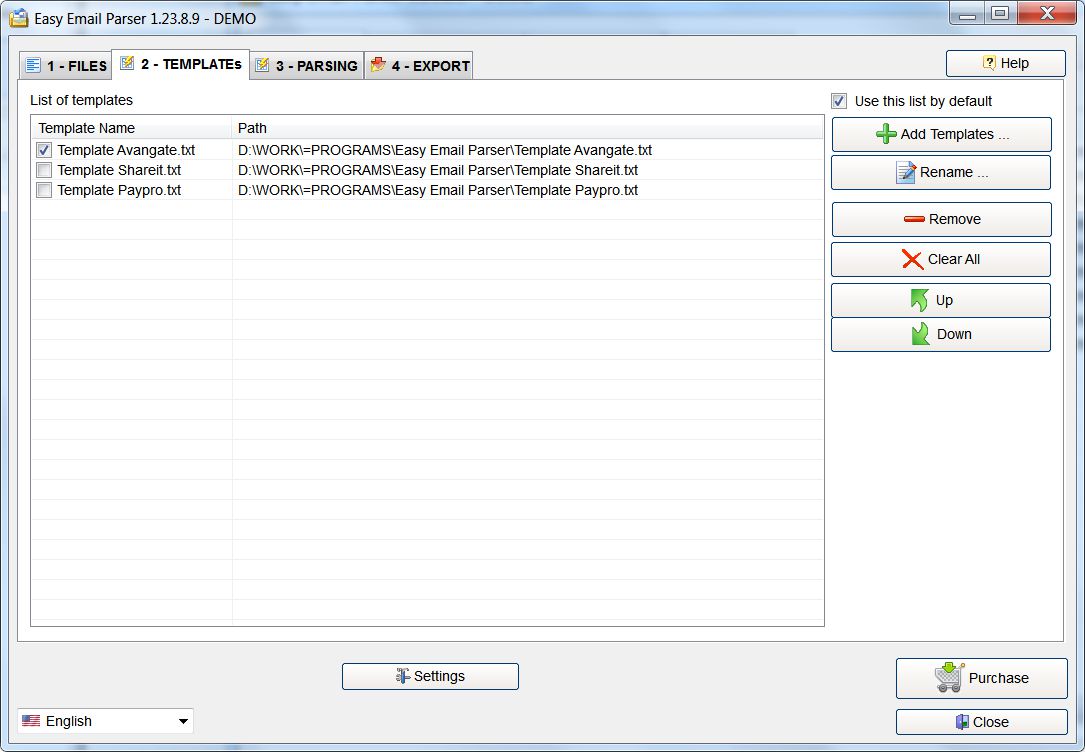
The Templates tab, where you add, order and select templates.
A results table you can check first
Easy Email Parser shows its output in a table with one row per message, so you can scan the columns for mistakes before anything is exported.
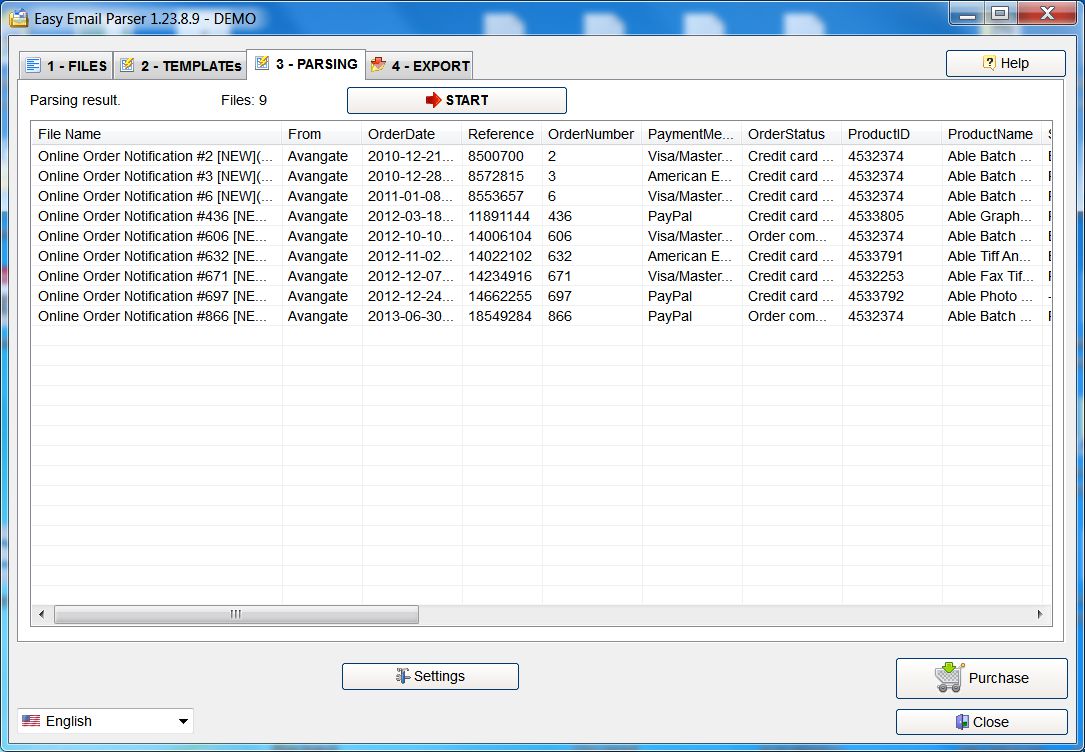
The Parsing tab after a run, with one row for each order email.
Export to the formats offices use
Easy Email Parser exports to Excel XLSX, CSV, Microsoft Access MDB or plain text. You pick the output folder, format and file name on the last tab.
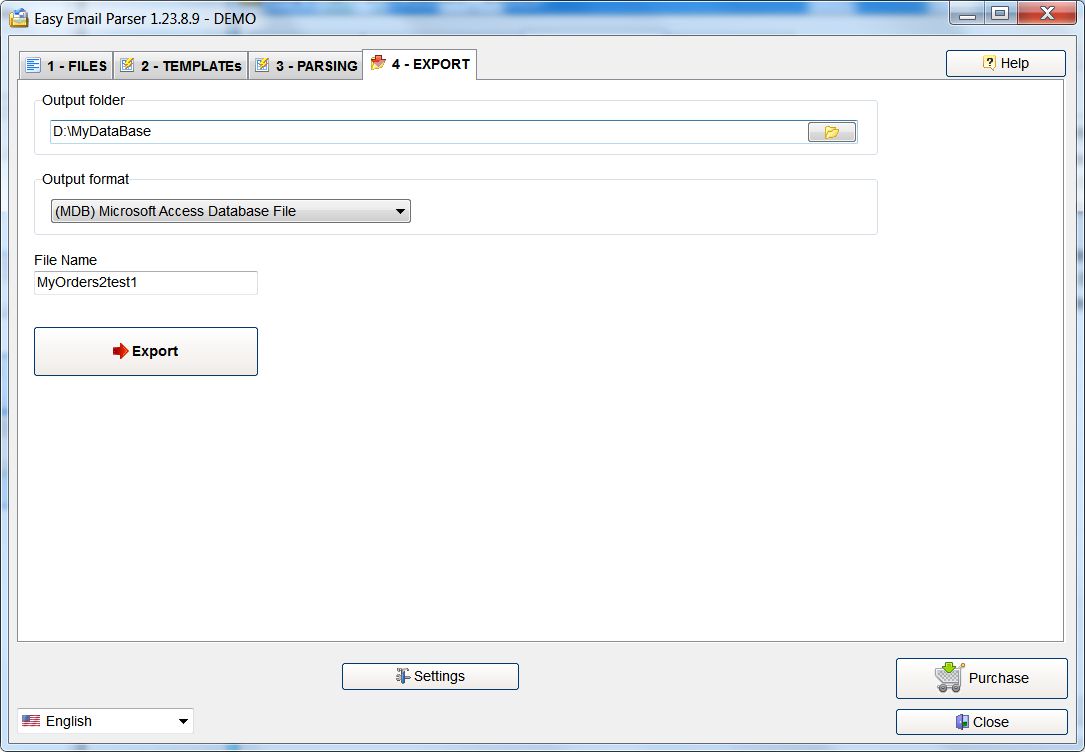
The Export tab, set here to write a Microsoft Access database file.
Handles multipart messages
Easy Email Parser improved its handling of messages made of several parts in a later update, and it adds files either one by one or by the folder.
Real-World Uses
- A software publisher building a sales spreadsheet from years of order notifications.
- Logging purchase orders that arrive by email in a fixed format.
- Moving contact form submissions from your own website into a table.
- Reporting on any recurring automated email without retyping it.
Who It's For, and Who Should Skip It
It fits small businesses and publishers who get consistent, machine-written messages and want a one-time purchase instead of a monthly service.
Skip it if your emails are written by people, because a template needs a fixed layout. Skip it too if you want messages processed as they arrive from a live mailbox, which is what hosted parsing services do. And it isn't a tool for gathering addresses for mailing lists: it works on messages sent to you, in formats you define.
Usage Guide
- Save the emails to a folder as files from your mail program.
- Install Easy Email Parser and, on Files, click Add Files or Add Folder.
- On Templates, add the template you need, or create one from a sample message.
- On Parsing, click Start and check the table.
- On Export, choose the folder, format and file name, then click Export.
Before you buy
The $19.95 personal license is for private use, and almost any working use of a parser is commercial, so most buyers will want the $49.95 business license. Activation uses a serial number sent by email. GraphicRegion also offers help if you can't get a template working on your own.
Where it falls short
- The workflow starts from saved email files, so you have to export messages out of your mail program first.
- A template is tied to a layout. When the sender changes its email format, you need to change the template.
- The ready-made templates are for software sales services, so everyone else starts by writing their own.
Editions and Pricing
| License | Price | Use |
|---|
| Personal license | $19.95 (one payment) | Private use |
| Business license | $49.95 (one payment) | Commercial use |
Buy Personal License ($19.95)
Buy Business License ($49.95)
FAQs
Can Easy Email Parser connect directly to Gmail or Outlook?
Easy Email Parser adds messages from files and folders on your PC, so save or export them from your mail program first.
Can Easy Email Parser export to Excel?
Easy Email Parser exports to Excel XLSX, as well as CSV, Microsoft Access MDB and plain text.
Do I have to learn a scripting language to use Easy Email Parser?
Easy Email Parser templates are based on a sample of your email with named placeholders where the data goes, so no scripting is involved.
Is Easy Email Parser a subscription?
Easy Email Parser is a one-time purchase, at $19.95 for the personal license or $49.95 for the business license.
Can I use Easy Email Parser on more than one computer?
Easy Email Parser is licensed by the number of users on your invoice, and a license can't be shared by alternating use between different people.
What languages does Easy Email Parser support?
Easy Email Parser's interface is available in English, Arabic, Chinese Simplified, Chinese Traditional, Danish, Dutch, French, German, Italian, Portuguese, Russian and Spanish.
System Requirements
- Windows 10, 8, 7, Vista, XP or 2000, or Windows Server 2003 through 2012
- Pentium-600 or better
- 512 MB of RAM
- About 5.1 MB for the installer
Conclusion
Worth buying if you're drowning in identically formatted emails and would rather not pay monthly. Software publishers on the five included sales services get the most from it right away. The main reason not to buy is that it needs saved message files and a fixed layout, so it won't suit live inboxes or free-form mail.
Download Free Trial
Buy Now ($19.95)