Kernel for Outlook Duplicates: Clear Repeated Emails Out of Outlook
Kernel for Outlook Duplicates is a $29 Windows tool from KernelApps that finds duplicate emails, contacts and other items in Outlook mailboxes and PST files, then deletes, flags or moves them. It's for Outlook users whose mailbox filled up with copies after a sync problem, an import or a merged account.
Duplicates pile up quietly. One botched PST import can double a folder, and Outlook's built-in cleanup only covers part of the problem.
Quick facts
- Version: 23.1
- Developer: KernelApps Pvt. Ltd. (Kernel Data Recovery)
- Platform: Windows 11, 10, 8.1, 8, 7 and older, Windows Server 2022, 2019 and older
- Works with: Outlook 2021, 2019, 2016, 2013 (32 and 64-bit), Office 365 and older, ANSI and Unicode PST
- Price: $29 for the Single User license on the order page
- Trial: removes up to 10 duplicate items per folder, for 30 days
- Guarantee: 30 days money back
What we checked: installer size 12.7 MB, dated March 29, 2023 on the vendor's download server, and the order page, which showed $29 for Kernel for Outlook Duplicates - Single User License, on November 10, 2026. We didn't run it on a mailbox ourselves.
Download Free TrialBuy Now
Overview
Kernel for Outlook Duplicates works as a saved task. A wizard asks which folders to look in, what counts as a duplicate, and what to do with the matches. The task then runs from a list and can be re-run later, which suits a mailbox that keeps collecting copies.
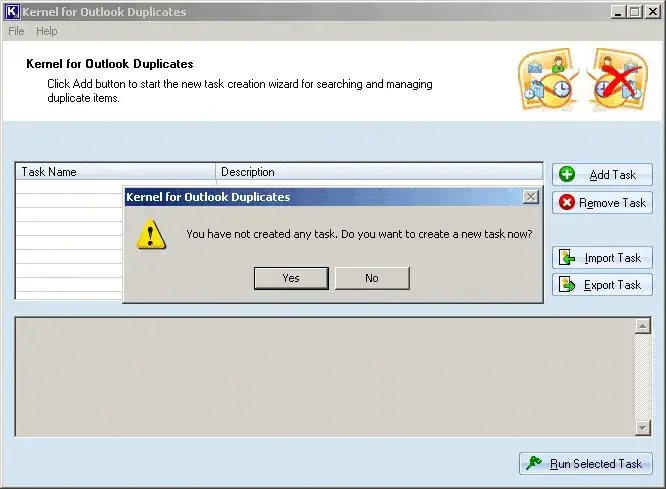
The task list, where a new search starts.
The screens look dated, because the interface hasn't changed much over the years. It's plain, but each step explains itself.
Features
Two search modes
Kernel for Outlook Duplicates has a Standard mode that compares items inside each folder and an Advanced mode that compares items across the folders you select.
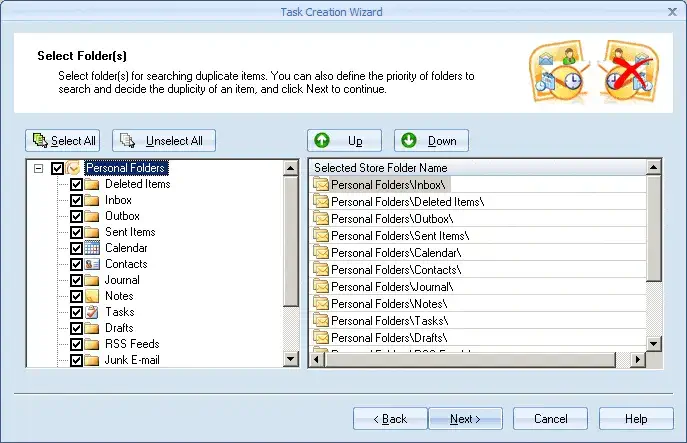
Picking the folders to search, and their priority.
You define what a duplicate is
Kernel for Outlook Duplicates compares on subject, text, sender email, sender name, receiver names, internet header, date and time of sending, and attachments.
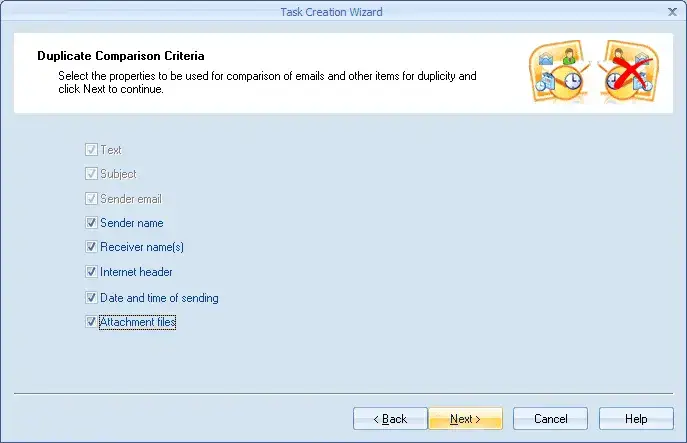
Comparison criteria, the setting that matters most.
Six ways to handle what it finds
Kernel for Outlook Duplicates can delete permanently, mark as expired, move to Deleted Items, flag, copy to a folder or move to a folder. Flagging or moving first lets you check matches before anything is gone.
Date range and reports
Kernel for Outlook Duplicates can limit a search to a time span, and saves an HTML report listing From, Subject, To, Created, Received and Size for each duplicate.
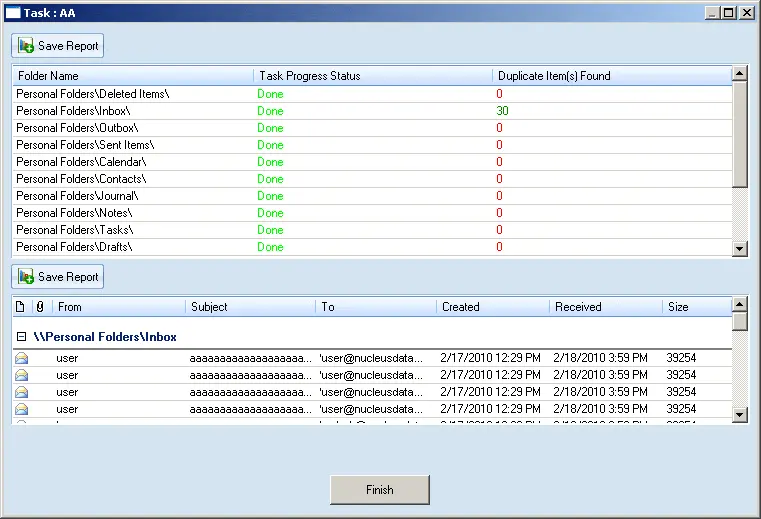
The results, with 30 duplicates found in the Inbox.
Reusable tasks
Kernel for Outlook Duplicates can export a task to a .NUTX file and import it again, so one setup can be repeated on another PC.
Benefits
- Smaller mailbox, faster Outlook. Fewer repeated items mean less for Outlook to index.
- Nothing has to be deleted blind. Flag or move duplicates first, then review.
- Works on PST files of any size, in ANSI or Unicode format.
Real-World Uses
- After importing a PST twice, when every message appears two times.
- After a Microsoft 365 or Gmail account sync that doubled folders.
- Merging two old archives and removing the overlap.
- An IT helper running the same saved task across several staff PCs (that needs a larger license).
Who It's For, and Who Should Skip It
Buy it if you have thousands of repeated items and want control over how they're matched. Skip it if you only have a handful of copies, which Outlook's Clean Up command can handle for free in a conversation or folder, or if you don't have desktop Outlook, since the program requires it. There's no Mac version.
Usage Guide
- Back up your PST file, or make sure the mailbox is safely synced.
- Install the trial and open Kernel for Outlook Duplicates.
- Click Add Task, and give it a name and description.
- Select the folders and the search mode.
- Choose an action, starting with a flag or move rather than delete.
- Set the comparison criteria, save the report, and click Run Selected Task.
Before you buy
The checkout price here is the $29 Single User license. The vendor's own store now sells a Home license at $49, so don't be surprised to see both prices. Outlook has to be installed on the same PC.
Where it falls short
- The interface is old-fashioned and wizard-driven.
- It needs desktop Outlook, so it can't process a PST on a PC without Outlook.
- Too few comparison fields can produce false matches. Use the defaults and test on a copy.
- Windows only.
What Users Say
On the vendor's page
Kernel's page shows 4.9 out of 5 from 478 reviews, gathered on its own site.
"I have trusted this Outlook Duplicates Remover for years, and it never lets me down. Its detection system catches every duplicate email, ensuring a thorough cleanup. I highly recommend it to anyone looking to streamline their Outlook inbox." Janet Fisher
Independent sites
Independent reviews of this program are scarce. Trustpilot rates the company 4.9 out of 5 from 166 reviews, across its email and migration products rather than this tool.
Editions and Pricing
| License | Price | Notes |
|---|
| Single User (this listing) | $29 at checkout | One user |
| Home (vendor store) | $49 | Personal use on one computer |
| Corporate (vendor store) | $99 | One organization |
| Technician (vendor store) | $349 | Service providers, multiple organizations |
FAQs
Do I need Outlook installed to use Kernel for Outlook Duplicates?
Kernel for Outlook Duplicates needs Microsoft Outlook installed on the same computer.
Does Kernel for Outlook Duplicates change the rest of my PST file?
Kernel for Outlook Duplicates works only on the items you target, and the vendor says it leaves the data and structure of everything else intact.
What is the difference between Standard and Advanced mode in Kernel for Outlook Duplicates?
Kernel for Outlook Duplicates Standard mode looks for duplicates within a folder, and Advanced mode looks across the folders you select.
Can Kernel for Outlook Duplicates undo a deletion?
Kernel for Outlook Duplicates has no undo for a permanent delete, so choose Move or Flag for your first run.
Is there a refund for Kernel for Outlook Duplicates?
Kernel's store advertises a 30-day money-back guarantee.
System Requirements
- Windows 11, 10, 8.1, 8, 7 and older; Windows Server 2022, 2019 and older
- Microsoft Outlook (Office 365, 2021, 2019, 2016, 2013, 2010 and older)
- Pentium-compatible processor
- 256 MB RAM minimum
- 50 MB of disk space
Conclusion
At $29, Kernel for Outlook Duplicates is a fair buy if a sync or import has left you with a mailbox full of copies, and the detailed matching and move-first option make it safe to use. The reason to pass is the dated interface and the Outlook requirement. For a few stray copies, Outlook's own tools are enough.
Download Free TrialBuy Now