Kernel Email to PDF Converter: Turn Mailboxes into PDF Records
Kernel Email to PDF Converter is a Windows tool from KernelApps, $49 for a lifetime Personal License, that converts emails from PST, OST, MBOX, MSG, EML and EMLX files into PDF documents in bulk, with the headers, body, signature and attachments kept. It's for anyone who needs emails as files to archive, print, hand to a lawyer or share with someone who has no email client.
Printing emails to PDF one at a time with Ctrl+P works for a handful of messages, but it loses the attachments and most of the header details, and it's hopeless for a whole mailbox or an old Thunderbird MBOX file.
Quick facts
- Version: 26.1 (installer dated July 31, 2026)
- Developer: KernelApps Pvt. Ltd. (Kernel Data Recovery), Noida, India
- Platform: Windows 11, 10, 8.1, 8, 7, Windows Server 2022, 2019 and older; a separate Mac version is offered
- Input: PST, OST, MBOX, MSG, EML and EMLX files
- Output: PDF, plus EML, MSG, DOC, DOCX, HTML, MHT and other formats
- Price: $49 for the Personal Lifetime License (2 systems, 50 files, 250 GB) on the order page
- Trial: converts 25 items per folder
- Guarantee: 30 days money back
What we checked: installer file version 26.1 and size 81 MB, downloaded from the vendor's site, and the order page, which showed $49 for Kernel Email to PDF Converter (Personal License) - Lifetime License, on November 11, 2026. We didn't convert a mailbox ourselves, so output quality here is the vendor's and its users' claim.
Download Free TrialBuy Now
Overview
Kernel Email to PDF Converter works like a mail viewer with an export button. Add Source lets you pick the file type (PST, OST, MBOX, MSG, EML or EMLX) and browse to the file, or search your PC for email files. The mailbox appears as a folder tree with a message list and a full preview. Tick the folders you want, click Export, choose PDF and the options, and it writes one PDF per email.
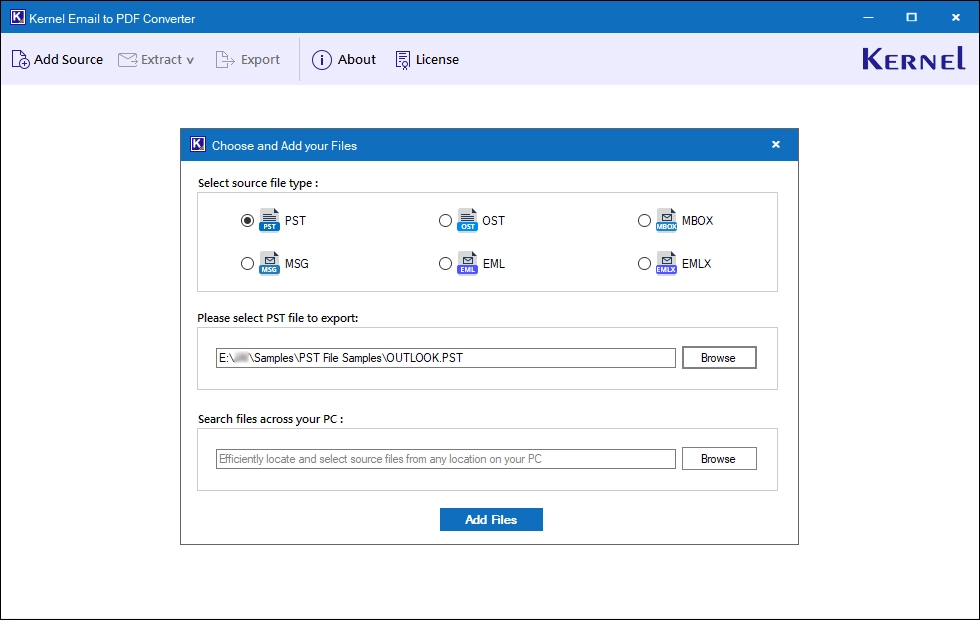
Adding a source: choose the file type, browse to it, or search the PC for email files.
Features
Six source formats, one workflow
Kernel Email to PDF Converter reads Outlook PST and OST files from any Outlook version, MBOX files from Thunderbird and other clients, and individual MSG, EML and EMLX messages, and converts several files in one run.
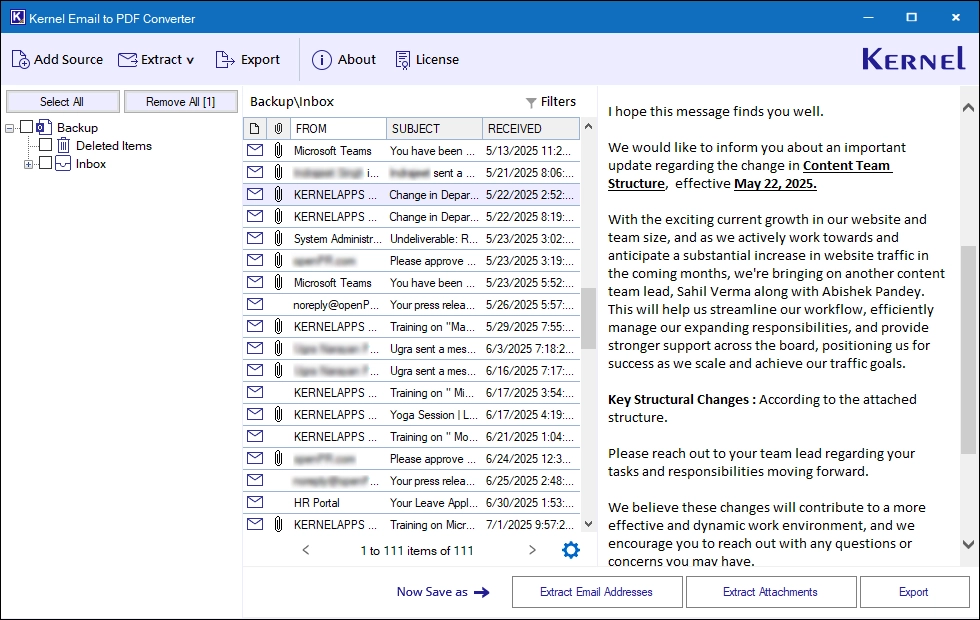
Previewing a loaded mailbox before export, with Extract Email Addresses, Extract Attachments and Export at the bottom.
Three ways to handle attachments
Kernel Email to PDF Converter can add attachments into the PDF, save them in their original format to a separate folder, or save each attachment as its own PDF. A separate module extracts attachments alone, with include and exclude filters by file extension.
Filters and file naming
Kernel Email to PDF Converter filters by mail, contact, calendar and task items and by date, so you can export just one year's correspondence. PDF files are named by subject, date, sender or a combination, which keeps a folder of thousands of PDFs sortable.
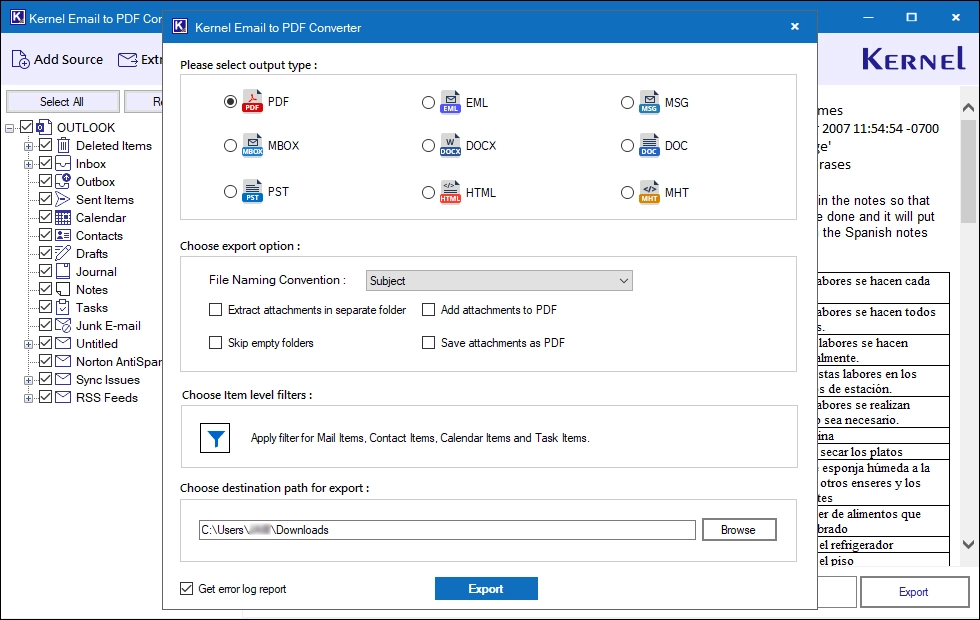
The export dialog: PDF chosen as output, naming by Subject, attachment options, item-level filters and the destination folder.
Email address extraction
Kernel Email to PDF Converter extracts email addresses from emails, contacts, calendars, tasks and journals and saves them as XLSX, CSV or Outlook-format CSV.
Other export formats and an error log
Kernel Email to PDF Converter also exports to EML, MSG, DOC, DOCX, HTML and MHT, and writes a log of any email that failed to convert.
Benefits
A PDF opens anywhere, can't be edited by accident, and prints the way it looks on screen, which is why lawyers, auditors and accountants ask for emails in that form. Doing it in bulk, offline, with attachments handled the way you choose, is the point of this tool. Unlike online converters, nothing is uploaded, which matters for confidential mail.
Real-World Uses
- Legal request: export all emails with a client from one date range as PDFs with their attachments for a solicitor.
- Leaving a job: turn your personal folders in an OST or PST file into PDFs you can keep without Outlook.
- Thunderbird archive: convert an old MBOX file into searchable PDFs before retiring the PC.
- Accounts: save a year of invoice emails as PDFs named by date and sender for the bookkeeper.
Who It's For, and Who Should Skip It
Kernel Email to PDF Converter suits small businesses, legal and finance staff and individuals who need many emails as PDF files, especially from Outlook data files or MBOX archives.
Skip it if you only need a few emails: Outlook, Gmail and Thunderbird can all print a message to PDF for free. Look at the higher licenses if you have a lot of mailboxes, because the Personal Lifetime License is capped at 50 files and 250 GB of data. Mac users should take the vendor's separate Mac version.
Usage Guide
- Download the trial and install it on Windows.
- Click Add Source, choose the file type and browse to the file, or search the PC for email files.
- Select the folders or emails and check them in the preview.
- Click Export and choose PDF.
- Set file naming, attachment handling, item filters and the destination folder.
- Click Export and check the error log if any item failed.
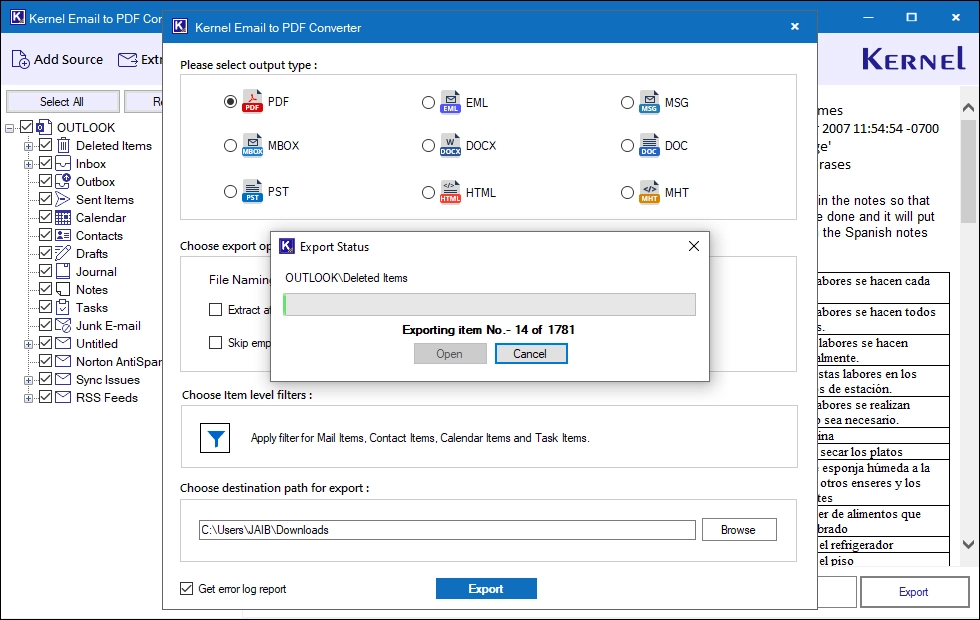
The export running, item by item.
Before you buy
Each license comes as a 1-year or a lifetime version. The Personal License is $29 for 1 year (2 systems, 25 files, 50 GB) or $49 lifetime (2 systems, 50 files, 250 GB). The Corporate License is $99 for 1 year or $199 lifetime for up to 100 systems in one organization, and the Technician License $299 or $599 for unlimited systems. Test your own file with the trial first: it converts 25 items per folder.
Where it falls short
- The Personal licenses limit how many files and gigabytes you can convert, not just the number of PCs.
- It needs 4 GB of RAM, more than you'd expect for a converter.
- The Windows license and the Mac version are separate products.
What Users Say
On the vendor's page
Kernel's page shows 4.9 out of 5 from 426 reviews, collected on its own site, so read that as the vendor's tally. A reviewer named Steve wrote: "We had thousands of PST and OST email files of our clients, and we needed to share them as PDF files. The Kernel Email to PDF Converter easily converted all email files into PDF files with the original layout."
The vendor also prints short testimonials. Raphael Koeche: "Our legal team only needed emails from a specific period, not the entire mailbox. The Item-Level and Date filter options of Kernel Email to PDF helped us to convert specific emails as per our requirement." Jeremiah Abel described converting a client's MBOX attachments to PDF "with all the emails intact."
Independent sites
We found no independent review of this tool. On Trustpilot, KernelApps as a whole holds 4.9 out of 5 from 166 reviews. One reviewer there, R Duncan, wrote that the company's PST Converter Pro "makes converting Outlook emails to PDF very easy", a related product rather than this one.
Comparisons
Trial or full version
Both offer every feature, including filters, multiple files, the error log and attachment saving. The trial converts 25 items per folder; the license converts the rest, up to its file and size limits.
Kernel Email to PDF Converter or print to PDF
Every email client can print one message to PDF. Kernel Email to PDF Converter does whole folders and files at once, keeps the full headers, handles attachments, names files consistently and reads PST, OST and MBOX files without the original client.
Editions and Pricing
| License | 1 year | Lifetime | Systems | Lifetime capacity |
|---|
| Personal | $29 | $49 | 2 | 50 files, 250 GB |
| Corporate | $99 | $199 | 100, one organization | 250 files, 1 TB |
| Technician | $299 | $599 | Unlimited | Unlimited |
FAQs
Can Kernel Email to PDF Converter include attachments in the PDF?
Yes. Kernel Email to PDF Converter can embed attachments in the PDF, save them separately in their original format, or save each attachment as its own PDF.
Does Kernel Email to PDF Converter upload my emails anywhere?
No. Kernel Email to PDF Converter runs on your PC, keeps the data local and works without an internet connection once installed.
Can Kernel Email to PDF Converter convert only certain emails?
Yes. Kernel Email to PDF Converter filters by item type and date range, and you can tick only the folders you want.
What's the difference between the 1-year and lifetime licenses of Kernel Email to PDF Converter?
The Kernel Email to PDF Converter 1-year Personal License ($29) converts up to 25 files and 50 GB, while the lifetime Personal License ($49) never expires and converts up to 50 files and 250 GB.
Is there a Mac version of Kernel Email to PDF Converter?
Yes, KernelApps offers Kernel Email to PDF Converter for Mac as a separate download. This listing covers the Windows version.
Can Kernel Email to PDF Converter save to a network drive?
Yes. Kernel Email to PDF Converter saves PDFs to local, network, external or USB drives.
System Requirements
- Windows 11, 10, 8.1, 8 or 7, or Windows Server 2022, 2019 and older
- Intel Pentium-compatible processor (x86 or x64)
- 4 GB RAM minimum
- 500 MB of free disk space
Conclusion
Kernel Email to PDF Converter is worth $49 for the lifetime Personal License if you need to turn a mailbox or archive into PDF records with attachments and proper headers, without uploading anything. Watch the license caps: 50 files and 250 GB for Personal, so bigger jobs need the Corporate License. For a few emails, your mail client's print-to-PDF is enough.
Download Free TrialBuy Now