Auslogics Driver Updater 2: A Windows Driver Scanner That Backs Up Before It Changes Anything
Auslogics Driver Updater 2 scans a Windows PC for outdated, corrupted or missing device drivers and installs the updates you pick. Pro is $39.95 a year at checkout before tax, it runs on Windows 7 through 11, and a free version updates one driver at a time.
It is aimed at the moment a printer vanishes, Wi-Fi keeps dropping or sound starts crackling, and you would rather not visit a dozen manufacturer sites to work out which driver is to blame.
Quick facts
- Version: 2.1.0.0, released December 8, 2025
- Developer: Auslogics, founded in Sydney in 2008
- Platform: Windows 11, 10, 8.1, 8 and 7. There is no Mac or Linux version, and XP and Vista are not supported
- Price: $39.95 per year before tax, renewing automatically
- Pro license: covers 3 PCs
- Free version: yes, one driver at a time
- Refund: 30 days from purchase
- What we checked: vendor installer of 22.6 MB and the $39.95 yearly price with auto-renewal on the order page, on November 10, 2026. We did not install it or run it, so we have not seen whether its updates fix a problem or cause one.
Before you buy
- Driver Updater Pro is a subscription. It renews every 12 months and charges the payment method on file unless you cancel before the renewal date. Auslogics says it emails a notice about 30 days ahead.
- To cancel, contact Auslogics by email. The order page also says auto-renewal can be cancelled through your customer account.
- Refunds run for 30 days from purchase and cover renewals too. They are generally processed in 5 to 7 business days, and the license and subscription are disabled once refunded.
- Try the free version on one problem first. It runs the same scan and updates a single driver, which is often all a broken device needs.
Download Free VersionBuy Now
Overview
Driver Updater opens on an Overview tab with a large Scan button and a running count of up-to-date, old or missing, and ignored drivers. The scan checks your hardware against a database Auslogics puts at more than 60 million drivers from over 20,880 vendors, then lists each device with the date of the installed driver and the date of the one on offer.
From that list you update one driver, a selection, or everything. Further tabs handle real-time optimization, hardware monitoring, security checkups, and backup and restore.
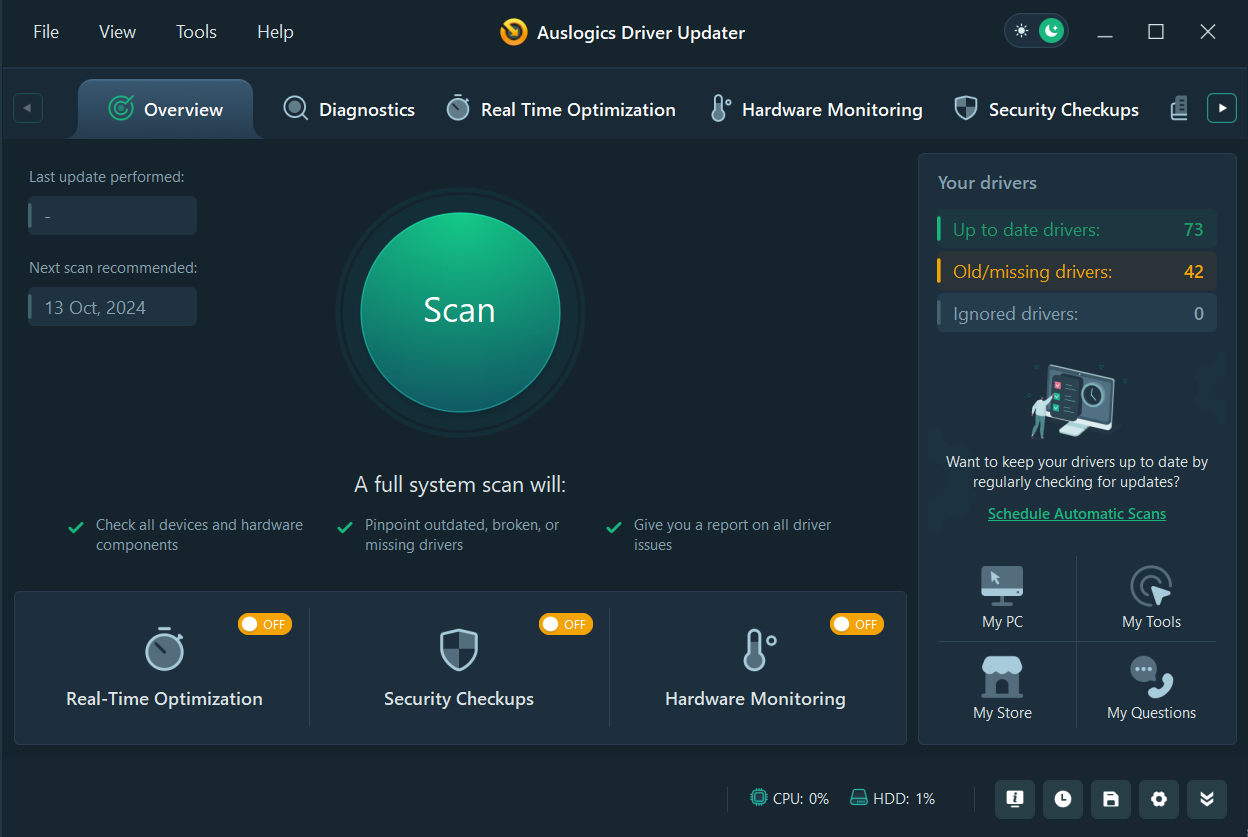
The Overview tab in the dark theme, with the Scan button and counts of up-to-date, old or missing, and ignored drivers. Image from Auslogics.
Features
A list of what is out of date, with dates you can compare
Driver Updater reports outdated, corrupted and missing drivers per device and shows the current and available release dates side by side. Tick boxes let you choose which ones to install, and Pro adds a button that updates the whole selection at once.

The Diagnostics tab with 42 outdated drivers found and 39 selected. The red outlines were added by Auslogics to mark the controls.
Backups so a bad update can be reversed
Driver Updater backs up drivers so you can roll back if a new one misbehaves, and restoring is included in the free version. Auslogics says it installs only official manufacturer versions and keeps a record of faulty updates so they stop being recommended.
An ignore list for drivers you want left alone
Driver Updater lets you mark any driver as ignored, after which it stops offering an update for it. That matters for a device that only works properly on one specific older driver. You can review the list under Settings, Ignore List.
Temperature alerts for CPU, GPU and disk
Driver Updater 2's Hardware Monitoring tab tracks CPU, GPU and disk temperature in real time and alerts you when a limit you set is reached, by popup or sound.
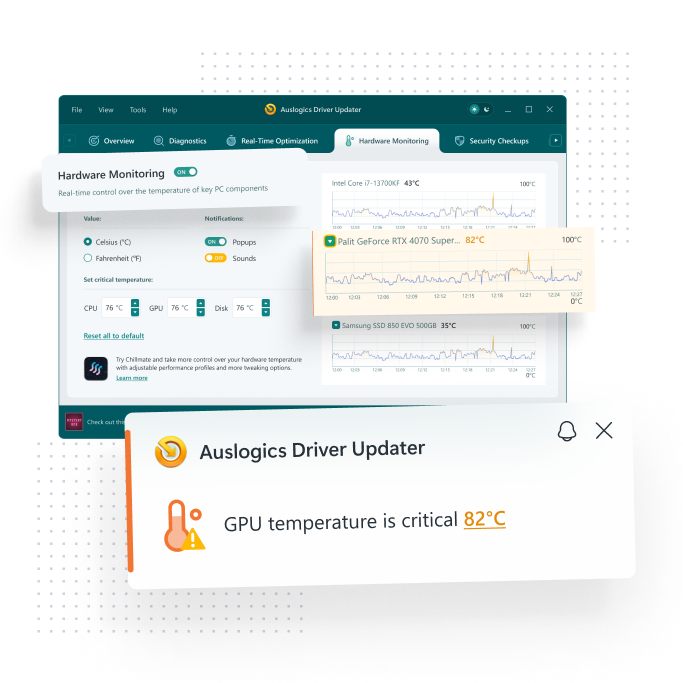
Hardware Monitoring with temperature graphs and limit settings. This is a marketing image from Auslogics, with the enlarged graph and alert laid over the window.
Antivirus checks on driver files
Driver Updater 2's Security Checkups tool can have driver files scanned for viruses, using either a third-party antivirus program or Auslogics' own tool, and this applies whether or not the driver was installed through the program.
A tool that defragments driver files
Driver Updater's Real-Time Optimization tab checks driver files for fragmentation and defragments them when needed. Auslogics presents this as a performance feature. We have seen no independent measurement of it, so treat it as a small extra and not a reason to buy.
Benefits
- Less hunting. One list replaces separate trips to the sites of your motherboard, printer, Wi-Fi and sound-chip makers.
- A way back. Backups and the ignore list give you a recovery route, which a manually downloaded driver does not.
- Three PCs per license, useful if you look after the computers at home.
Real-World Uses
- A USB scanner stops being recognized after a Windows upgrade. A scan shows whether its driver is missing and offers one.
- You inherit an older desktop with several devices marked unknown, and you want to see what is missing before reinstalling anything.
- A laptop gets hot under load. Hardware Monitoring shows which component is climbing and warns you at the limit you chose.
- A new graphics driver makes a game unstable. You restore the backup and add that driver to the ignore list.
Who It's For, and Who Should Skip It
Driver Updater fits Windows users with a specific device problem, or an older PC whose manufacturer support page has gone quiet, who are willing to read a list before accepting it.
Skip it if your PC is stable, because replacing working drivers can introduce problems that were not there. Windows Update already delivers many drivers at no cost, and NVIDIA and AMD offer their own graphics driver tools, so a gamer who only cares about the GPU does not need this. If you dislike yearly billing, stay on the free version and update one driver at a time.
Usage Guide
- Download the installer from Auslogics and run it.
- Create a Windows restore point before making any changes, as an extra safety net.
- Open Driver Updater and press Scan.
- On the Diagnostics tab, compare the current and available dates and tick only the drivers linked to your problem.
- Update them, restart if asked, and test the device before updating anything else.
- If something breaks, restore from the backup and add that driver to the Ignore List.
Where it falls short
- Bad updates are the most serious complaint. Several 1-star Trustpilot reviews say the program's driver updates broke devices or Windows, and one says the restore did not undo it. The reviews are individual reports and we have not reproduced them.
- A long list does not mean a sick PC. A driver can be years old and still work perfectly. Updating everything at once also makes it hard to tell which driver caused a new problem.
- Vendor claims are unverified here. Faster performance and smoother gaming are Auslogics' claims. We found no independent test that measures them for this product.
- Renewal surprises come up in reviews, as they do for other Auslogics subscriptions.
What Users Say
Auslogics' page shows a rating of 4.6 from 8,864 votes. Trustpilot rated the company as a whole 4.3 from 2,010 reviews on November 10, 2026, and that figure covers all its products. Trustpilot's text below reached us through a summarizing tool and is excerpted.
Praise on Trustpilot
Eric Carter (5 stars, October 2026): "I have tried several driver updater programs in the past, but none have worked as well as Auslogics Driver Updater."
Robert Soer (4 stars, July 2026): "Chillmate and the(improved ) Driver Update keep it well in order."
Criticism on Trustpilot
The reviews from 2023 and 2024 may describe version 1 of the program.
Milena D (1 star, September 2024): "The Driver Updater screwed up all existing drivers on my PC."
José Carlos "JC" da Silva (1 star, September 2024): "the Auslogic Drive Updater rarely updates anything"
David Howard (1 star, August 2024): "I purchased Driver Updater which proved a TOTAL disaster"
Mikael (1 star, August 2023): "If you want your system to break do use their Driver Updater."
Nicolo "Nic" Legaspi (1 star, February 2023): "Driver Updater always recommends new driver updates but they don't work with the hardware"
Paul Galbraith (1 star, June 2026), on Auslogics billing in general: "auto-renewing without your explicit consent."
TechRadar
TechRadar's review was published in February 2022 and last updated in September 2024, so it predates the current release.
"Auslogics Driver Updater represents good bang for your buck. It has a clean interface, good support, and decent functionality. Download speeds could be better"
Quoted on the Auslogics site
Holly Dawson: "The ones that I tried - Driver Updater, Boost Speed and Registry Cleaner - worked perfectly on both my computers"
Tom: "I purchased BoostSpeed 12, Anti-Malware, and Driver Updater. I am very satisfied with all three products."
Opinion on this product splits sharply. People it worked for say so plainly, while the unhappy ones describe damage rather than disappointment, which is why the backup and one-driver-at-a-time habits above matter more here than for most utilities.
Editions and Pricing
| Capability | Free | Pro |
|---|
| Price | $0 | $39.95 per year, 3 PCs |
| Update one driver at a time | Yes | Yes |
| Update several or all at once | No | Yes |
| Restore from backups | Yes | Yes |
| Scheduled scans | No | Yes |
| Priority support | No | Yes |
| Ask a Question tool | 1 question | 3 questions |
FAQs
Does Auslogics Driver Updater work on 32-bit Windows?
Auslogics Driver Updater supports both 32-bit and 64-bit editions of Windows 7, 8, 8.1 and 10, along with Windows 11. It does not run on Windows XP, Vista or earlier.
Is Auslogics Driver Updater version 1 still supported?
Auslogics ended support for Driver Updater version 1 on March 1, 2025, so owners of the old version need to move to version 2 to keep receiving support.
Can Auslogics Driver Updater fix a printer or USB device that stopped working?
Auslogics Driver Updater can detect and replace missing or outdated drivers for printers, scanners, sound cards, network adapters and USB devices, but it only helps when the driver is the cause. Check Device Manager first to see whether Windows reports an error for that device.
Do I need Driver Updater if I also buy BoostSpeed?
Auslogics sells Driver Updater separately from BoostSpeed and describes them as doing different jobs: Driver Updater handles device drivers, while BoostSpeed handles junk files, registry problems and system settings.
System Requirements
- Windows 11, 10, 8.1, 8 or 7
- About 23 MB for the installer download
- An internet connection to reach the driver database
Conclusion
Driver Updater 2 is worth trying when you have a real device problem and no easy way to find the right driver, and the free version may be all you need for that. Pro earns its $39.95 a year only if you regularly maintain several PCs and want scheduled scans and bulk updates. The main reason not to buy is risk: the worst reviews describe updates that made things worse, so leave a PC that is working fine alone, and keep a backup ready before you change anything on one that is not.
Download Free VersionBuy Now