Your iPhone 4 is full of photos, voice memos, texts and contacts, and you'd like a copy on your PC before something goes wrong. iTunes won't hand over everything, and it doesn't let you browse your files the way you'd like. Tipard iPhone 4 to PC Transfer Ultimate is built for exactly this job: copying files off the phone and backing up messages and contacts.
Quick facts
- Platform: Windows 7, Windows 8, Windows 10, Windows 11
- CPU and RAM: 800MHz Intel or AMD CPU or above, 512MB RAM or more
- Interface languages: English, French, German, Japanese
- Devices: iPhone, iPhone 3G, 3GS, 4 and 4S, plus iPad and iPod models
Key features
Copy many file types from your iPhone 4 to PC or iTunes
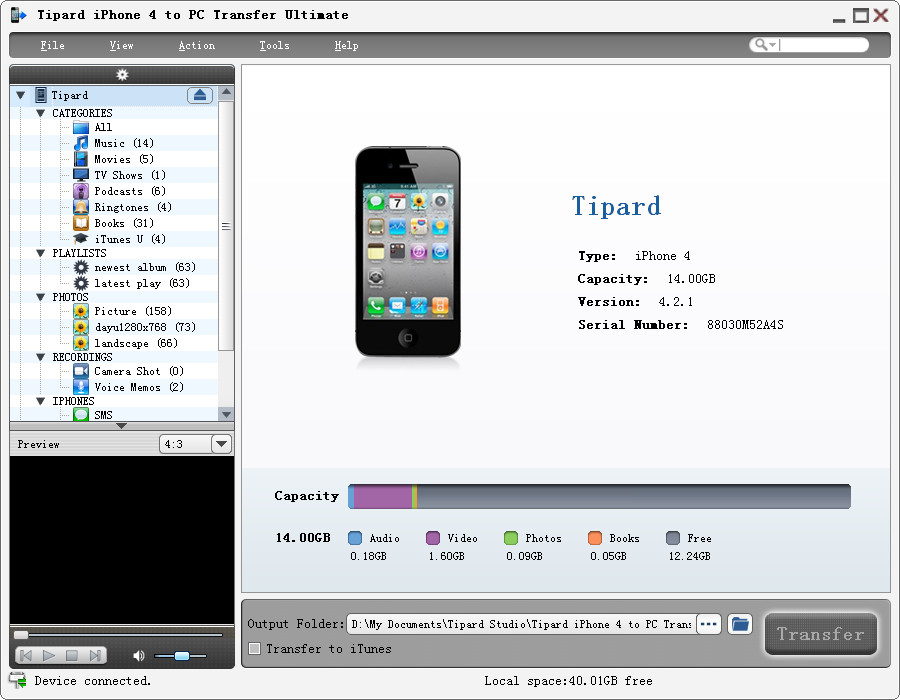
The program handles music, movies, pictures, TV shows, podcasts, iTunes U, eBooks, Camera Roll, ringtones, SMS, contacts, voice memos and camera shots. You can send them to your PC or to iTunes.
See your phone's details at a glance
When you connect the phone, the software recognizes it and shows its type, capacity, version and serial number.
Back up SMS and contacts as database files
Your SMS and contacts are saved to your PC as database files, so a lost or damaged phone doesn't mean lost messages. The earlier listing text also says you can delete unwanted SMS inside the backup.
Works beyond the iPhone 4
Compatibility covers the iPhone 4S, other iPhones, and all iPad and iPod models. Copies are described as lossless, so files arrive on your PC at their original quality.
Who it's for
It suits you if you own an older iPhone, especially an iPhone 4 or 4S, and want a straightforward way to pull media and messages onto a Windows PC. It also suits you if you want to keep a separate backup of your contacts and texts.
Pros and cons
- Pro: covers a wide range of file types in one tool.
- Pro: SMS and contacts backup to your PC.
- Pro: light hardware requirements.
- Con: Windows only.
- Con: it's a paid program, shareware with a demo.
- Con: it is aimed at older devices, and a reviewer at Softpedia rated it 2.4 out of 5.
FAQs
Can it back up my text messages?
Yes. SMS messages are saved to your PC as database files.
Does it work with the iPhone 4S?
Yes. The vendor lists the iPhone 4S among supported devices, along with the iPhone 3G, 3GS and 4.
Can I send files to iTunes instead of the PC?
Yes. You can copy iPhone 4 files to iTunes as well.
What languages does it offer?
English, French, German and Japanese.
System requirements
- OS: Windows 7, Windows 8, Windows 10, Windows 11
- CPU: 800MHz Intel or AMD CPU, or above
- RAM: 512MB or more