Windows To Go Upgrader Professional: Move a Portable Windows Drive to a Newer Version
Windows To Go Upgrader Professional is a $29.95 one-time Windows tool from Hasleo Software that upgrades an existing Windows To Go USB drive to a newer Windows version, such as Windows 10 to Windows 11, keeping your apps and files. It suits people who built a portable Windows, set it up the way they like, and don't want to start again.
Windows Setup refuses to upgrade Windows running from a USB drive, so this tool works around that with a VirtualBox virtual machine. The free download only checks whether your drive can be upgraded, and the upgrade itself takes the paid license.
Quick facts
- Version: 4.2, installer dated September 29, 2025
- Developer: Hasleo Software
- Upgrades: Windows 8, 10 and 11 To Go drives, including BitLocker-encrypted and VHD/VHDX-based ones
- Needs: a second Windows PC, VirtualBox 7.2, VT-x/AMD-V, 4 GB of RAM (8 GB for Windows 11) and 16 GB free
- Price: $29.95 once for 1 PC, with lifetime free upgrades
- Free version: checks a drive only
- Refunds: up to 30 days, for technical problems that support can't solve
- What we checked: installer file version 4.2 (4.6 MB) downloaded from the vendor and checkout price $29.95 on November 6, 2026. We read the version from the file's properties and didn't upgrade a drive
Download Free EditionBuy Now
Before you buy
- Rebuilding may be simpler. If your drive holds nothing you can't reinstall, making a fresh one with WinToUSB avoids all of this.
- Run the free check first. Hasleo recommends it, and it costs nothing.
- You need a second Windows PC. Hasleo warns not to run the tool on the drive you're upgrading.
- Windows 7 To Go drives aren't supported. Hasleo says that upgrade will come in a future release.
- Back up the drive. Hasleo strongly recommends it, and calls the process "complicated and cumbersome" in its own guide.
- It doesn't create Windows To Go. It only upgrades an existing drive. To make one, you need WinToUSB.
Overview
Microsoft stopped developing Windows To Go years ago, but tools like WinToUSB keep the idea alive. The catch comes when a new Windows version arrives. Run Setup on the portable system and it refuses, with messages saying you can't install Windows on a USB flash drive.
Windows To Go Upgrader gets past that by running the upgrade inside a VirtualBox virtual machine. It has two buttons: one checks the drive, and one upgrades it. You pick the USB drive, it marks the system and boot partitions, and it builds and starts the virtual machine that does the work.
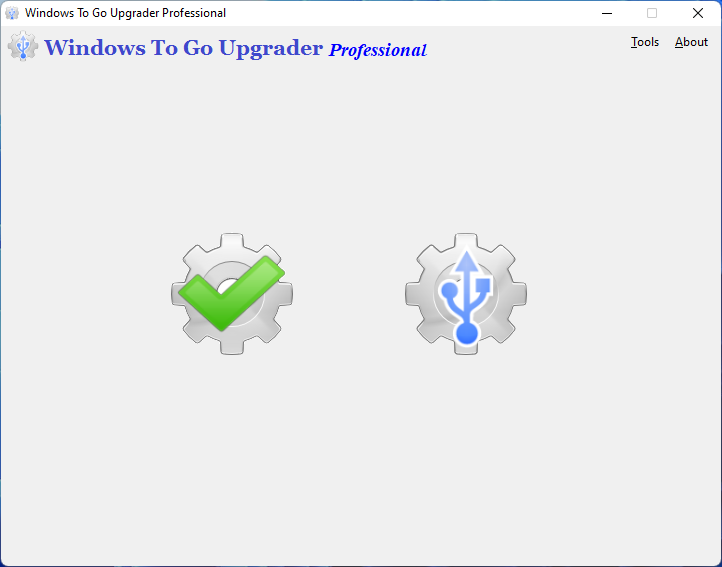
The main window: one button checks a drive, the other upgrades it.
Features
Upgrade across Windows versions and builds
Windows To Go Upgrader Professional upgrades a portable Windows from Windows 8 or 10 to Windows 11, or between builds, and keeps your programs and files in place.
Windows 11 without the hardware checks
Windows To Go Upgrader Professional bypasses the Windows 11 requirements that block a USB upgrade, including TPM 2.0 and Secure Boot. Microsoft doesn't support Windows 11 on hardware below those requirements.
BitLocker-encrypted drives
Windows To Go Upgrader Professional handles BitLocker-protected drives. It asks for the password during the upgrade.
VHD and VHDX workspaces
Windows To Go Upgrader Professional upgrades workspaces stored as VHD or VHDX files, as well as legacy ones. Hasleo describes a registry-edit method for legacy drives, but VHD and VHDX drives need this tool.
Eligibility check
Windows To Go Upgrader checks whether a drive can be upgraded. This part is free, and it's the sensible first step.
Benefits
- You keep your setup. Apps, settings and files stay on the drive, rather than being rebuilt from scratch.
- You stay on a supported Windows. With Windows 10 past its end of support, an old portable drive can move on.
- You pay once, so a drive can follow Windows' yearly versions.
Real-World Uses
- A technician's toolkit drive. It has years of tools installed, and you move it from Windows 10 to 11.
- An encrypted travel drive. You upgrade it while keeping BitLocker in place.
- A drive stuck on an old build. You move between Windows 11 versions, such as to 24H2.
Who It's For, and Who Should Skip It
Buy it if you have a Windows To Go drive with software you can't easily reinstall, the free check passes, and you have a second PC with virtualization turned on.
Skip it if you can simply rebuild the drive with WinToUSB, or your drive runs Windows 7. Skip it if you don't want to install VirtualBox on your PC, or you don't have 16 GB free on the boot drive.
Usage Guide
- On a PC other than the portable drive, enable VT-x or AMD-V in the BIOS and install VirtualBox 7.2. Other versions must be replaced.
- Install Windows To Go Upgrader, connect the drive, and run the free check.
- Buy and activate the license, then run the tool as administrator and click the upgrade button.
- Select the USB drive. The tool marks the system and boot partitions.
- Follow the prompts, entering the BitLocker password if there is one, and let the virtual machine run the upgrade.
Where it falls short
- It isn't simple. A forum user who succeeded twice in 2018 said he had to unpack the ISO and start Setup by hand.
- Upgrades can fail midway. Another forum user's drive would only boot in safe mode after the process hung, also in 2018.
- It rests on an old Microsoft feature. Hasleo said in 2019 that Microsoft ending Windows To Go "may affect future releases".
- No change log or independent review. We found no published version history and no independent test, and the forum posts are old, so treat them as a rough guide.
What Users Say
Windows To Go Upgrader has almost no public reviews. These posts from Hasleo's forum are the only first-hand reports we found, and they cover older versions.
Hasleo forum
"I have used the Windows to Go Upgrader so far twice and succeeded in the end. But the Installation process is not self-explanatory" Skylinebasser, May 2018
"I used Windows Upgrader to let windows run an update on my Windows 10 ext USB. However somewhere in the middle of the process it hung and seemed to fail. I can no only boot into safe mode." littlemart, April 2018
"Yes, it may affect future releases. Anyway, we will try our best to develop the new version of WinToUSB and Windows To Go Upgrader" Hasleo support, July 2019, on Microsoft dropping Windows To Go
Comparisons
Windows To Go Upgrader vs WinToUSB
WinToUSB creates a portable Windows from scratch. Windows To Go Upgrader upgrades one you already have. If you're starting fresh, you only need WinToUSB.
Windows To Go Upgrader vs the registry method
Hasleo documents a free registry-edit method that works only for legacy-mode drives. It's worth trying on those. VHD and VHDX drives still need the tool.
Editions and Pricing
| Edition | Price | PCs | Upgrades drives | Notes |
|---|
| Free | $0 | Not stated | No | Checks whether a drive can be upgraded |
| Professional (this listing) | $29.95 at checkout | 1 PC | Yes | Your own workspace, business use allowed |
| Enterprise | $199.95 on the vendor's store | 100 PCs, same site | Yes | Site license |
FAQs
Can Windows To Go Upgrader upgrade a drive for free?
Windows To Go Upgrader's free version only checks whether a drive can be upgraded. The upgrade needs a Professional or Enterprise license.
Why does Windows To Go Upgrader need VirtualBox?
Windows To Go Upgrader runs the upgrade inside a VirtualBox virtual machine, because Windows Setup won't upgrade Windows on a USB drive directly. Hasleo's guide calls for version 7.2.
Can I run Windows To Go Upgrader on the drive I'm upgrading?
Windows To Go Upgrader must run on a different Windows installation. Hasleo warns against running it on the USB drive being upgraded.
Will Windows To Go Upgrader keep my programs and files?
Windows To Go Upgrader is designed to keep apps, settings and files, but Hasleo strongly recommends a backup before you start.
Does Windows To Go Upgrader work with Hyper-V?
Windows To Go Upgrader needs the Hyper-V role disabled inside the Windows To Go workspace before the upgrade, according to Hasleo's guide.
Can I get a refund on Windows To Go Upgrader?
Windows To Go Upgrader falls under Hasleo's policy of up to 30 days, which covers technical faults support can't fix. A change of mind isn't covered, so run the free check first.
System Requirements
- Windows 7 or later (Windows 8 or later for VHDX drives and Windows 11 upgrades)
- CPU with VT-x or AMD-V enabled in the BIOS
- VirtualBox 7.2
- 4 GB of available RAM, 8 GB for an upgrade to Windows 11
- 16 GB of free space on the Windows boot drive
- 1024x768 display or higher
Conclusion
Windows To Go Upgrader Professional is a niche tool, worth $29.95 only if your portable drive holds a setup you can't easily rebuild. The one reason to buy it is keeping that setup through a Windows upgrade that Microsoft blocks. The main reason not to is that rebuilding with WinToUSB is simpler, and the upgrade route is fiddly, as even Hasleo admits. Run the free check before you decide.
Download Free EditionBuy Now