Cisdem VideoPaw for Windows: Converter, Downloader, Disc Ripper and Recorder in One App
Cisdem VideoPaw for Windows is a $69.99 one-time-purchase media toolkit for a single PC that converts video and audio in batches, saves video from websites, rips DVDs and Blu-ray discs, records your screen and compresses large files. It suits people who would otherwise juggle a converter, a downloader and a ripper, and who would rather not pay a subscription.
If you've ever had a client's odd MXF file that won't open, a shelf of DVDs you'd like on a hard drive and a lecture you need offline, those are three separate jobs that usually mean three separate tools. VideoPaw puts them behind one home screen. It was called Cisdem Video Converter until version 5.0.0 in December 2025, so older reviews and guides use that name.
Quick facts
- Version: 6.1.0, released September 3, 2026
- Developer: Cisdem
- Platform: Windows 10 or later (64-bit); a separate Mac edition exists
- Installer size: 106 MB
- Price: $69.99 one-time for 1 PC
- License: doesn't expire
- Trial: free download, with limits in each module (listed below)
- Guarantee: 30-day money-back
What we checked: installer file version 6.1.0.6100 and size (106.2 MB), read from the vendor's download file, and the price of $69.99 with a one-time, non-renewing term on the order page, all on November 5, 2026. We didn't run the program, so nothing here is our own measurement of conversion speed or quality.
Before you buy
- Know the trial limits. Converting, ripping, editing and merging stop at the first 5 minutes of each file (half the file if it's shorter than 5 minutes). You get 3 video downloads, 1-minute screen recordings, 3 compressions with a watermark, and 20 seconds of AI enhancement.
- This listing is the Windows edition. The Mac edition is sold separately.
- Copying discs and downloading video has legal limits. Cisdem says VideoPaw rips protected discs. Whether you may do that, or save a given video, depends on your country's law and the site's terms. Stick to content you own or have permission to use.
Download Free TrialBuy Now
Overview
VideoPaw opens to a home screen of separate modules, and each one looks like its own small app with the same layout: drop in files or links, choose an output, press the button at the bottom right. That consistency is the main appeal. Once you've used the converter, the ripper and compressor need almost no learning.
The modules have grown quickly. Windows version 6.0.0 in May 2026 added screen, audio and webcam recording plus editing, watermarking and merging modules. Version 6.1.0 updated the download plugin and fixed crashes. A downloader's plugin matters more than it sounds, because video sites change often and a stale plugin is a common reason a link stops working.
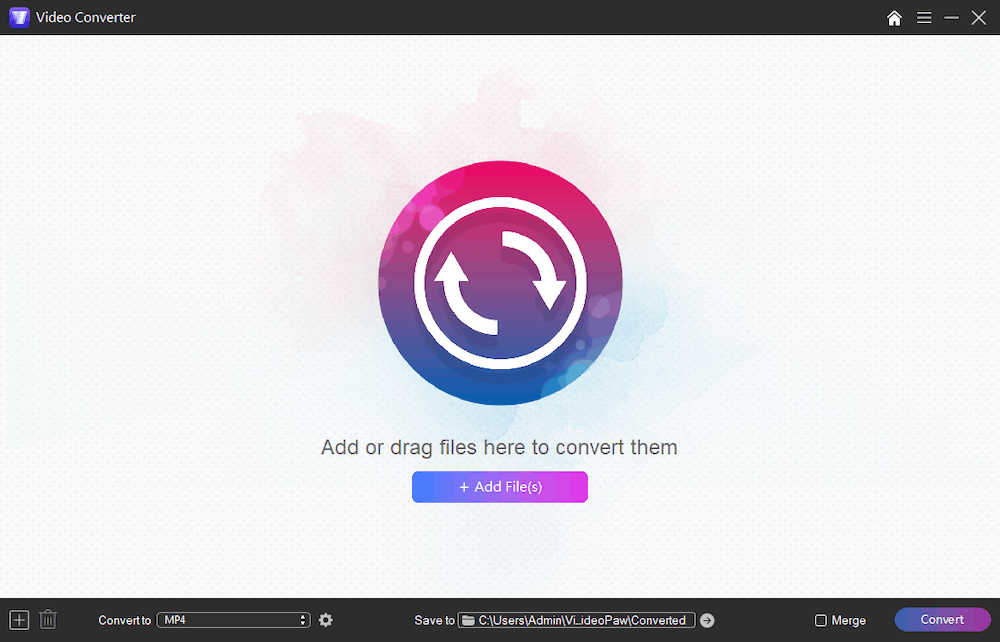
The Video Converter module before any files are added, with the output format, save folder and Merge option along the bottom.
Features
Convert batches between 1,000+ formats
Cisdem VideoPaw converts whole folders of video and audio between MP4, MOV, MKV, AVI and many other formats, including H.264, H.265, VP9, AV1 and Apple ProRes, at resolutions up to 8K. Output presets are grouped by video, audio, device and web use, and the Same as source option keeps the original resolution.
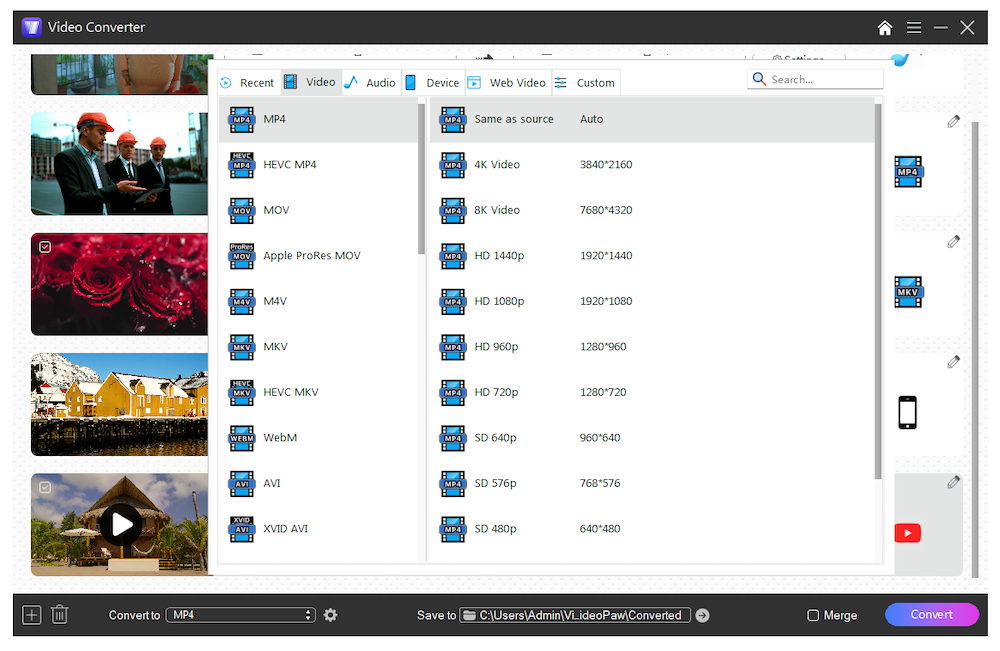
The format picker, with tabs for video, audio, device and web presets and resolutions from 480p to 8K.
Save video and audio from websites
Cisdem VideoPaw's downloader takes links from 10,000+ sites, Cisdem says, including YouTube, Facebook and TikTok. It handles single videos, batches, whole playlists and channels, and lets you pick the stream, the audio track and the subtitle language. Audio-only MP3 or M4A and SRT or VTT subtitles are available where the source offers them.
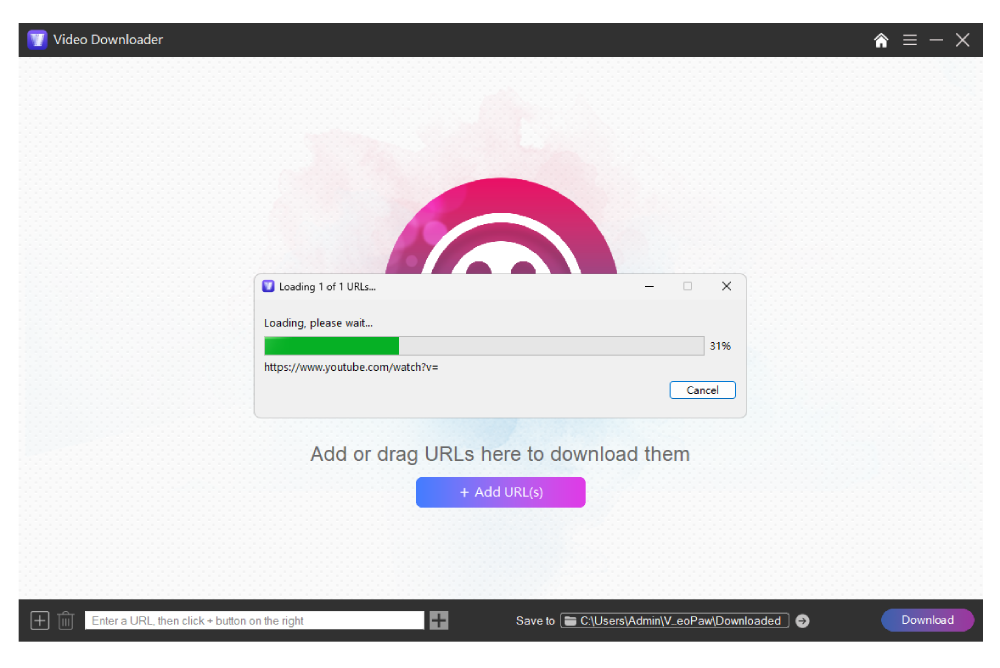
The Video Downloader analysing a pasted link.
Rip DVDs and Blu-ray discs
Cisdem VideoPaw rips DVD and Blu-ray to MP4, MKV, WebM and other formats, with a preview player and basic trimming before you start. You choose one audio track and one subtitle track per rip, and subtitles default to none, so set that before you press Convert.
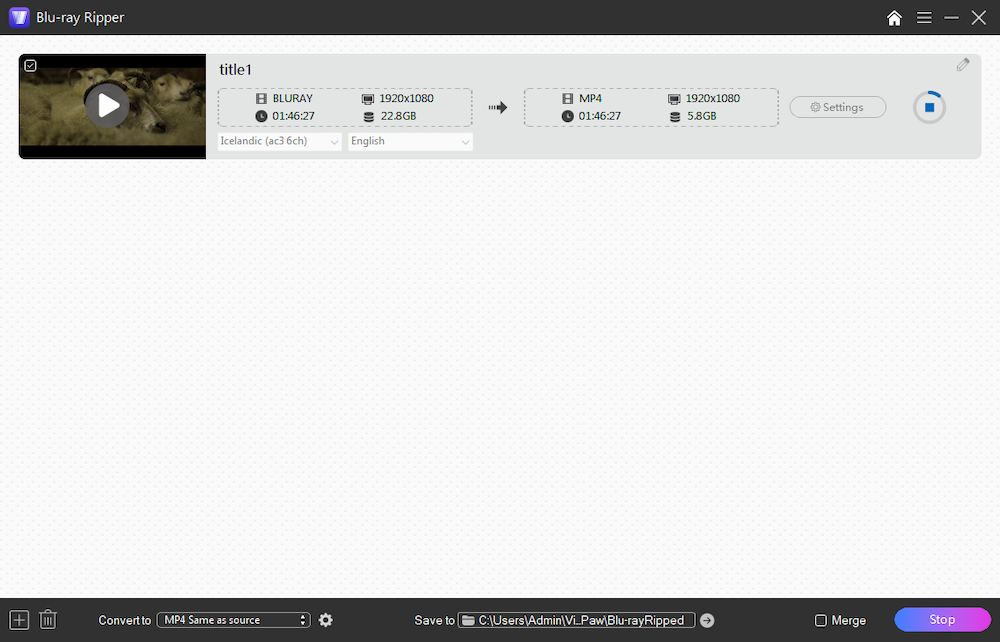
The Blu-ray Ripper mid-job: a 22.8 GB title going to a 5.8 GB same-resolution MP4, with audio and subtitle pickers under the title.
Record the screen, webcam or audio
Cisdem VideoPaw's recorder captures the full screen, a custom or preset region, a webcam, audio, or a mix of them. You can draw shapes, arrows and pen marks while recording, and set a timer or schedule for a capture.
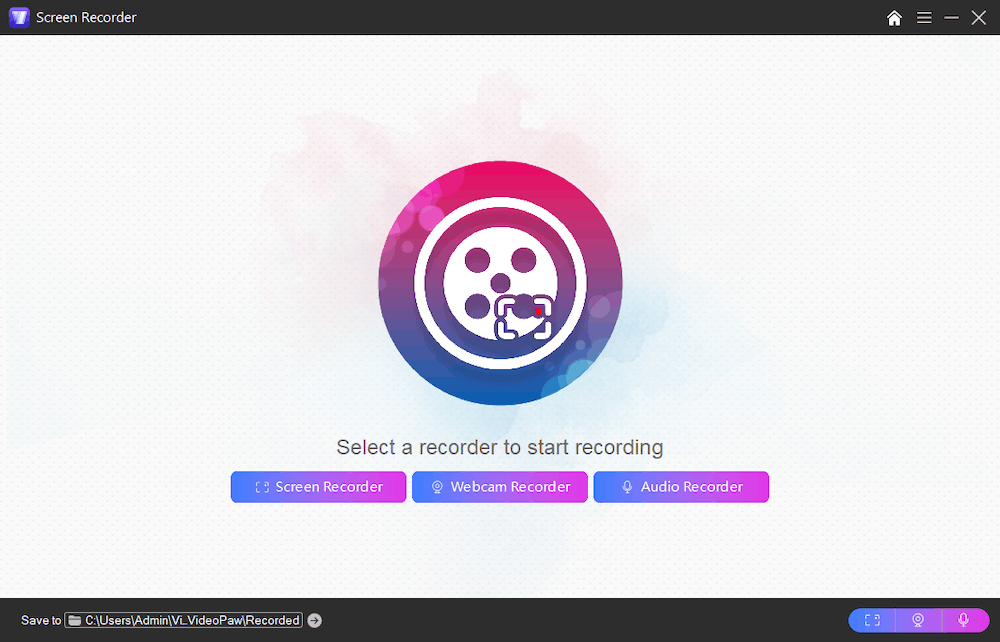
The recorder's three modes: screen, webcam and audio.
Compress video and enhance old footage
Cisdem VideoPaw's compressor shrinks files by percentage or by your own format, resolution, codec and frame-rate settings, in bulk, with a preview first. The separate AI enhancer upscales low-resolution clips to HD or 4K and reduces noise and grain, then saves to MP4, MOV or WebM.
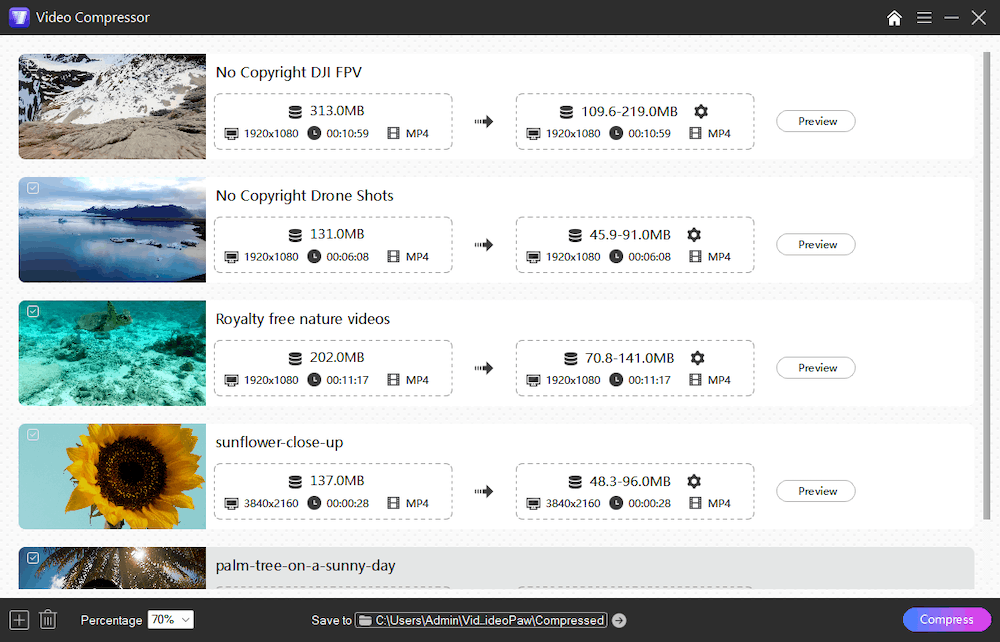
The Video Compressor set to 70%, showing an estimated output size range for each clip.
Benefits
- One purchase covers several jobs. You learn one interface and pay one price, instead of keeping separate tools up to date.
- No renewal to remember. The one-time plan doesn't expire, which matters for software you may use only a few times a year.
- Batch work runs unattended. Queue a folder and leave it, instead of feeding files in one at a time.
Real-World Uses
- A video editor gets HEVC footage that a client's system can't read and converts it to H.264 in one batch.
- A student saves a lecture playlist to watch on a train with no signal.
- A collector moves a DVD shelf to a media server as MP4 files, with the right subtitle track picked for each film.
- A marketer compresses a product video to fit under a 25 MB email limit.
- A family archivist upscales old low-resolution home videos and removes some of the grain.
Who It's For, and Who Should Skip It
VideoPaw fits Windows users with mixed, occasional media chores who want everything in one place and dislike subscriptions.
Skip it if you only need to change a format now and then, because a free converter such as HandBrake covers that. Skip it too if you need real timeline editing: the tools here are for trimming, merging and watermarks, so a proper video editor is the better buy. And if you work on both Mac and Windows, note that each platform is sold separately.
Usage Guide
- Download the installer, run it and open VideoPaw.
- Pick a module from the home screen, such as Video Converter or Video Downloader.
- Drag in files, paste links or load a disc.
- Choose the output format from the Convert to list, and the save folder.
- For discs, choose your audio and subtitle tracks. For better quality, open the settings and raise video and audio quality to High or Highest.
- Press Convert or Download.
Where it falls short
- The downloader doesn't always give you the format you want. A customer quoted on Cisdem's own page says some videos can't be downloaded directly as MP4, so they have to be converted afterwards.
- Downloads can fail. Cisdem's FAQ advises updating to the latest version first and sending support the link if the problem persists.
- One audio and one subtitle track per rip. A disc with several languages comes out with only the ones you selected.
- Requirements are stated two ways. The tech specs list Windows 7 through 11, while the product page says Windows 10 or later. On older Windows, test the trial before paying.
- Independent testing is thin. Big claims such as 10,000+ sites are the vendor's, and we found few detailed third-party tests of the recording and AI modules.
What Users Say
Trustpilot: 4.9 out of 5 from 304 reviews of Cisdem
These reviews cover all Cisdem products, and most praise support.
- "Downloading/converting videos is a breeze. Supports are prompt and easy to work with." Alex, July 20, 2026
- "I had a problem with my licence, and they solved it in under 5 minutes." Simon, August 27, 2026
- "Support service is great. Support responds within one day if any issues arise, such as licensing" Dale Yachimec, July 1, 2026
AlternativeTo: 8 likes
- "VideoPaw read both discs without any errors." ThomasCole, May 7, 2026
- "The most easy-to-use video converter I could find for my PC." Kleinto, July 1, 2025
- "The software offers a wide range of output formats as well as the fast conversion with good quality." nancyzeng92, October 17, 2019
Download sites and G2
MajorGeeks lists version 6.1.0 at 5 out of 5 from just 4 votes. Softpedia's review, as quoted by Cisdem, notes: "if you judge the app by its name, you'll believe that video conversion is all that it does, but that is not the case."
G2 has only two reviews. One likes the high-quality playlist downloads and format conversion. The other complains that the default download is the highest-quality video, so getting audio alone takes a manual format change, and that there's no one-click way to save a playlist as audio.
Customers quoted on Cisdem's own site
Cisdem's page shows 4.9 out of 5 from 55 reviews. The vendor chooses what appears there, so give these less weight, though one is openly critical.
- "I bought it mainly for ripping my old DVDs to MP4. It decrypted and converted them quickly and the quality is surprisingly good. No complicated steps." Sandra
- "The download works well most of the time, however, some videos cannot be downloaded as MP4 formats. And I have to convert them to MP4 after downloading" Alan
The pattern: people like the simple interface, the range of formats and fast support replies. The complaints are about downloader details. Very few independent reviewers have tested it in depth, so treat the high scores as a sign of happy customers, not as proof of speed or quality.
Comparisons
VideoPaw vs HandBrake
HandBrake is free and very good at converting video files, but it doesn't download from websites or record the screen. VideoPaw is what you pay for when you want those jobs in one app.
Editions and Pricing
Prices are the vendor's store prices for Windows on November 5, 2026. The $69.99 plan is the one sold through the buttons on this page.
| Plan | 1 PC | 2 PCs | 5 PCs | Term |
|---|
| One-Year Subscription | $49.99 | $69.99 | $124.99 | Yearly |
| One-Time Purchase | $69.99 | $97.99 | $174.99 | Doesn't expire |
| Business License | $89.99 | $125.99 | $224.99 | Business |
FAQs
Is Cisdem VideoPaw the same as Cisdem Video Converter?
Yes. Cisdem VideoPaw is the new name of Cisdem Video Converter, changed in version 5.0.0 in December 2025.
Does the Cisdem VideoPaw one-time license expire?
No. Cisdem describes the One-Time Purchase as "Purchase and use it forever, the license does not expire." The order page shows no renewal.
Can I use one Cisdem VideoPaw license on two computers?
No, the $69.99 plan covers 1 PC. Cisdem sells 2-PC and 5-PC licenses for $97.99 and $174.99.
Can Cisdem VideoPaw download only the audio from YouTube?
Yes. After the link is analysed you can choose an audio-only format such as MP3, M4A or WebM audio when the source offers one.
Why is my ripped MP4 from Cisdem VideoPaw missing subtitles?
Cisdem VideoPaw sets subtitles to No Subtitles by default. Load the disc, choose a language, and rip again.
Does Cisdem VideoPaw have a refund policy?
Yes. The store page shows a 30-day money-back guarantee on all three Windows plans.
System Requirements
- Windows 10 or later, 64-bit (the tech specs also list Windows 7 and 8)
- 1 GHz or faster Intel or AMD processor
- 512 MB RAM or more
- 400 MB or more of free disk space
- A DVD drive for disc work
Conclusion
Cisdem VideoPaw for Windows is worth $69.99 if you'll really use at least two of its jobs, such as converting and ripping, or downloading and compressing. The one reason to buy it is having all those tools under one license that doesn't expire. The main reason not to is that format conversion alone is free elsewhere. Try your hardest file and your most-used site in the trial first, since the downloader is where users report the most friction.
Download Free TrialBuy Now