Auslogics BoostSpeed 14: A Windows Tune-Up Suite With One Scan Button and 20+ Tools
Auslogics BoostSpeed 14 is a Windows maintenance suite that finds junk files, registry problems and wasteful startup items, then fixes the ones you approve. The Pro edition is $59.95 a year at checkout before tax, it runs on Windows 7 through 11, and a free version covers the basics.
It suits the PC that has become slow and cluttered over a few years, when you would rather press one button than hunt through a dozen Windows settings screens.
Quick facts
- Version: 14.2.0.6, released April 29, 2026
- Developer: Auslogics Labs Pty Ltd, founded in Sydney in 2008
- Platform: Windows 11, 10, 8.1, 8 and 7. There is no Mac version
- Price: $59.95 per year before tax, renewing automatically
- Pro license: covers 3 PCs
- Free version: yes, with basic cleanup and registry repair
- Refund: 30 days from purchase
- What we checked: vendor installer of 48.2 MB and the $59.95 yearly price with auto-renewal on the order page, on November 10, 2026. We did not install it or measure any speed gain.
Before you buy
- BoostSpeed Pro is a subscription. It renews every 12 months and charges the payment method on file unless you cancel before the renewal date. Auslogics says it emails a notice about 30 days ahead.
- Refunds run for 30 days from purchase and cover renewals too. Once a refund goes through, the license and subscription are switched off.
- Start with the free version. Its scan shows what BoostSpeed would change on your own PC before you spend anything.
Download Free VersionBuy Now
Overview
BoostSpeed opens on a dashboard with a large Scan button. The scan sorts what it finds into areas such as disk space, stability, performance, internet speed and Windows tweaks, and you can open a report for each area and untick anything you want left alone. Resolve All then applies the rest.
Behind that button sit separate tools for jobs you may want to do by hand: an uninstaller, a startup manager, a disk defragmenter, an SSD optimizer and privacy cleaners. A status bar along the bottom shows live CPU, GPU, RAM, network and drive readings.
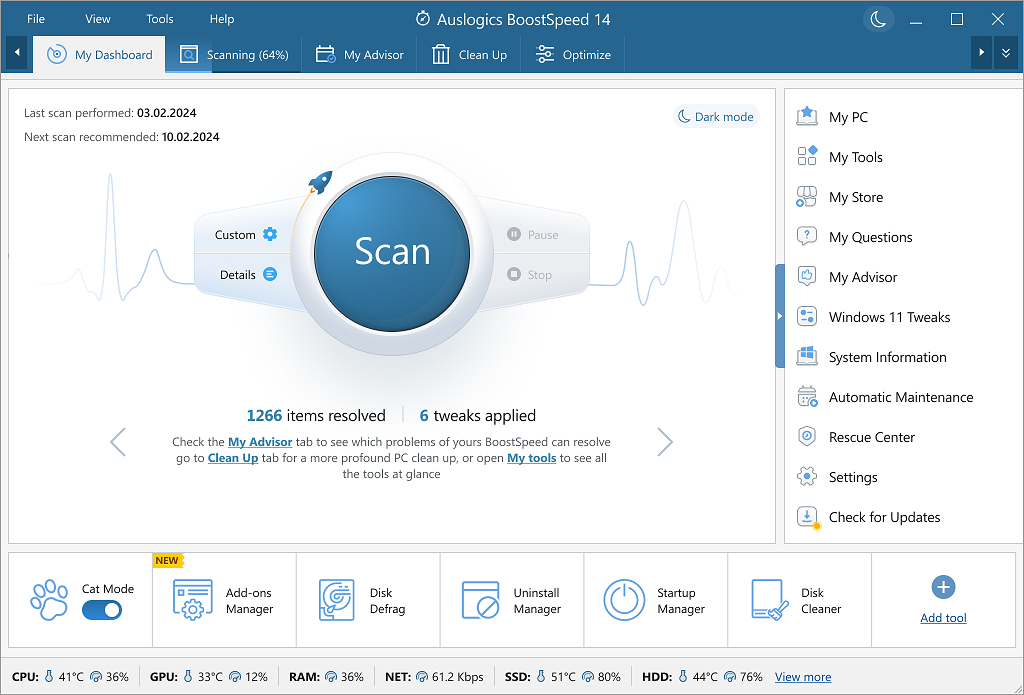
The BoostSpeed 14 dashboard, with the Scan button, a tools menu and hardware readings along the bottom.
Features
A health check you can review before it changes anything
BoostSpeed's scanner groups its findings by area and shows a count for each, so you can include or skip a whole category. Each area also has a report where you can exclude individual items.
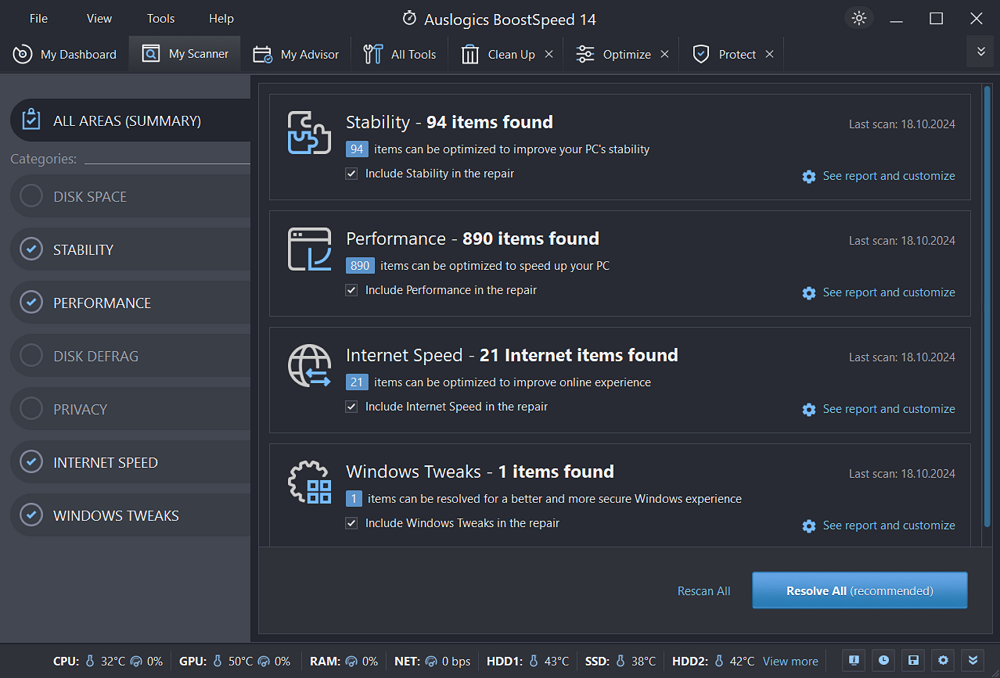
Scan results grouped into stability, performance, internet speed and Windows tweaks, in the dark theme.
Removes programs and their leftovers
BoostSpeed's Uninstall Manager lists installed applications with size, last-used date and a trust rating, and it removes the traces a normal uninstall leaves behind. Force Uninstall, for programs that refuse to go, is marked as a Pro feature.
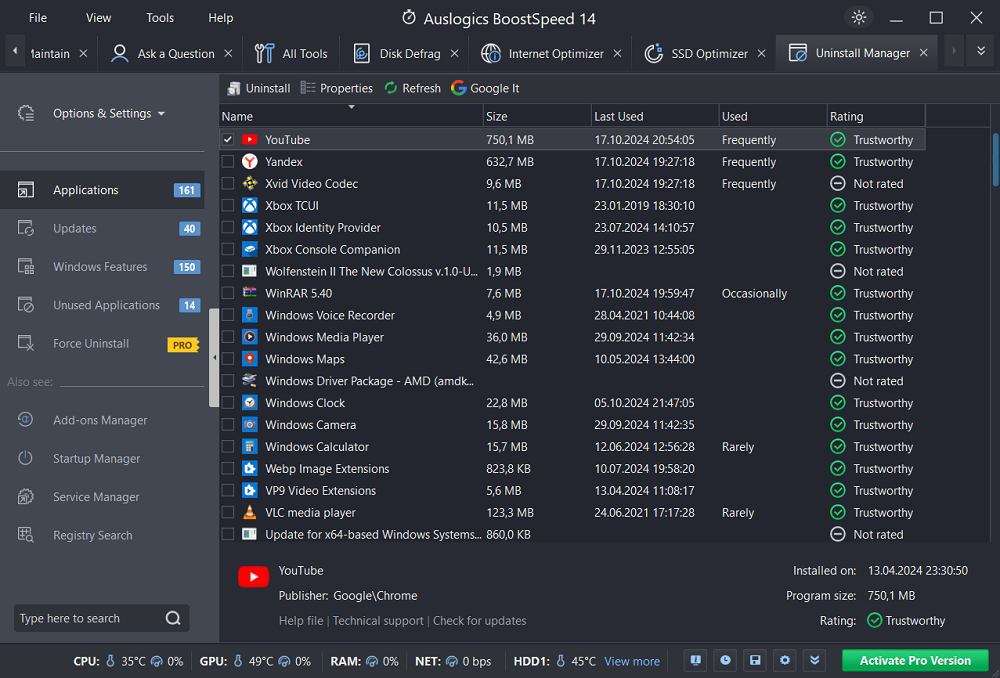
Uninstall Manager listing applications with size, last-used date and trust rating.
Shorter startup list
BoostSpeed's Startup Manager shows what launches with Windows, who published it and how it is rated, with a switch beside each entry. Turning one off stops it loading at boot, and you can still open the program yourself later.
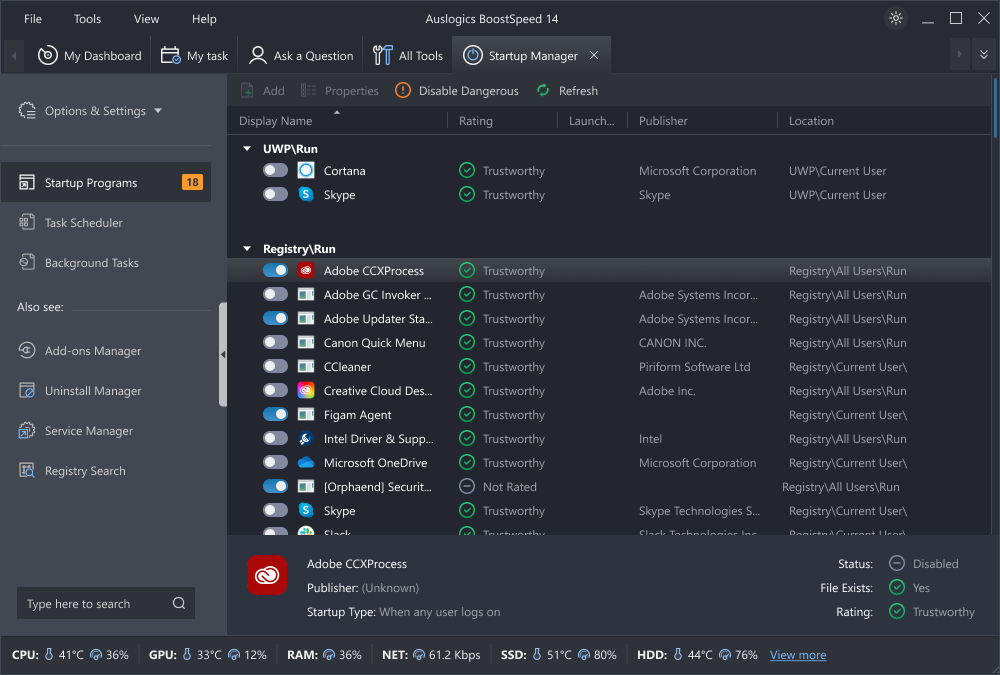
Startup Manager with on/off switches, publisher names and trust ratings.
Privacy cleanup for browsers, apps and system files
BoostSpeed's Protect tab counts activity traces in web browsers, applications and system files and clears them together. It also offers browser protection against unwanted changes and a file shredder for documents you want gone for good.
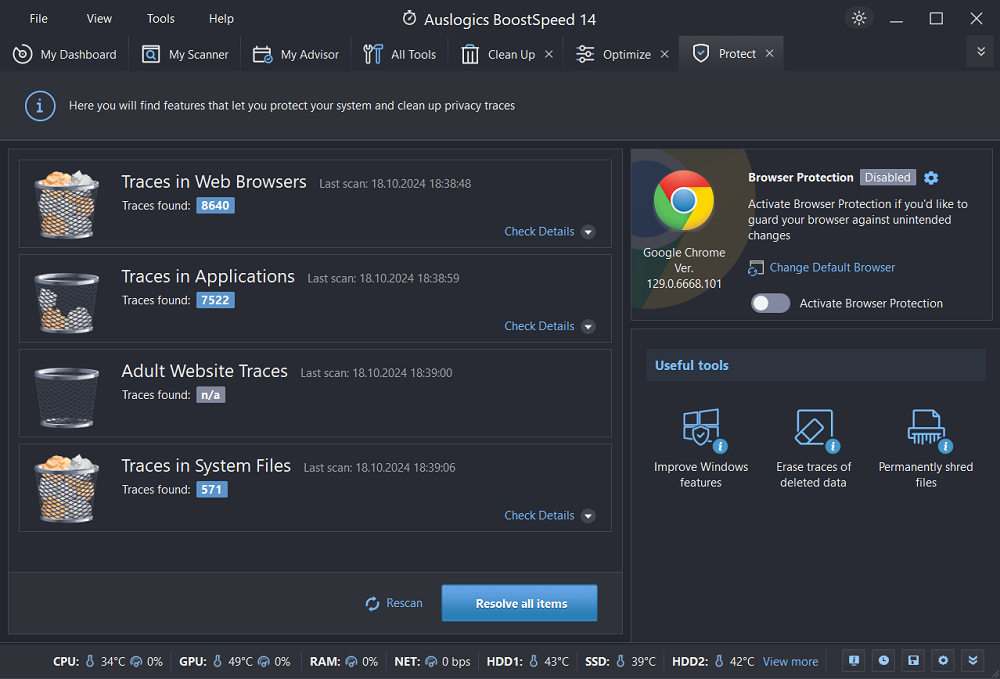
The Protect tab, counting traces in browsers, applications and system files.
Drive care that matches the drive
BoostSpeed detects whether a drive is an SSD or a hard disk and offers the matching tool: defragmentation for hard disks, SSD optimization for solid-state drives. Scheduled defragmentation and full SSD optimization are Pro features.
A temperature warning, new in version 14
BoostSpeed 14's Hardware Monitoring tool warns you when the CPU reaches a critical temperature, which can point to a clogged fan or an overworked laptop.
Benefits
- One program replaces several. Cleaner, uninstaller, startup manager and defragmenter share one window and one license.
- Maintenance you don't have to remember. The Pro scheduler runs scans and cleanups on its own.
- Three PCs per license, which helps if you look after a family's computers.
Real-World Uses
- A laptop with a small system drive keeps running out of space. Deep Disk Cleaner and Duplicate File Finder show what can go.
- A family desktop takes minutes to reach a usable desktop. Startup Manager shows the updaters and tray apps that load with it.
- You are clearing out a new PC. The uninstaller removes the trial software it shipped with.
- You are selling or passing on a computer. The privacy tools and file shredder clear browsing traces and sensitive documents.
Who It's For, and Who Should Skip It
BoostSpeed fits Windows users who want cleanup and tuning in one place and are happy to review a list before pressing a button. It makes the most sense if you have several older PCs to keep tidy.
Skip it if your PC is new and running well, since there is little for it to fix. Skip the Pro edition if you dislike software subscriptions, or if you already use Windows' built-in Storage settings and Task Manager without trouble. If you're on a Mac there is no version for you.
Usage Guide
- Download the installer from Auslogics and run it.
- Open BoostSpeed and press Scan on the dashboard.
- Open each area's report and untick anything you want to keep.
- Press Resolve All.
- Open the tools you need, such as Startup Manager or Uninstall Manager, for changes the scan doesn't make.
- With Pro, turn on scheduled maintenance so the scan repeats by itself.
Where it falls short
- Renewal complaints are the most common criticism. Several low Trustpilot ratings come from buyers who did not realize they had bought a subscription.
- Results depend on the PC. A scan count of hundreds of items says little about how much faster a computer will feel, and a tune-up cannot make up for too little memory or a failing drive.
- The many tools take some care. Review what a scan proposes before you apply it, especially registry and Windows tweaks.
- Support is by email and contact form, plus the in-app Ask a Question tool, which allows 1 question on the free version and 3 on Pro.
What Users Say
Auslogics' page shows a rating of 4.6 from 8,864 votes. Trustpilot rated the company 4.3 from 2,010 reviews on November 10, 2026. Trustpilot's text below reached us through a summarizing tool and is excerpted.
Praise on Trustpilot
Ken McCain (5 stars, July 2026): "I've used Boostpeed 8,9,10 and 11 and it just works very well"
Robert Soer (4 stars, July 2026): "Auslogics has many products that keep your PC in good order."
Criticism on Trustpilot
Paul Galbraith (1 star, June 2026): "auto-renewing without your explicit consent."
Lu k (1 star, November 2025): "They are now reduced to selling software and then stating after purchase that it is a subscription."
Al Krulick (3 stars, September 2026): "the app simply turned off for no known reason and with no warning."
jc (2 stars, March 2026): "Product no matter what state I.E. configuration doesn't start on reboot."
Merle Yockey (5 stars, August 2026), on a smaller annoyance: "The only negative I have encountered is with a warning saying that the processor is hot"
Quoted on the Auslogics site
Michael Martin Pender: "This program makes it possible to run your Windows PC in the most optimum way. Have been using BoostSpeed for many years and would not run any PC without it."
Elisac Cabral: "Auslogics has been my partner for years. Wherever I need PC improvement, it's just one click, and the trouble is gone."
Mark Oakley, Micro Mart (issue 1035): "This system optimization tool suite takes an everything-plus-the-kitchen-approach to cleaning, optimizing, and potentially speeding up your PC."
Long-time users tend to like how much the suite covers and keep renewing across versions. The complaints center less on the cleaning itself and more on billing: people who expected a one-time purchase.
Editions and Pricing
| Capability | Free | Pro |
|---|
| Price | $0 | $59.95 per year |
| Junk and registry cleanup | Basic | Full, with advanced disk cleanup |
| Internet optimization | Manual | Automatic |
| Privacy | Basic | Advanced, with Browser Anti-Tracker |
| Scheduler | No | Yes |
| Ask a Question | 1 question | 3 questions |
FAQs
How do I stop Auslogics BoostSpeed from renewing?
Auslogics BoostSpeed renews unless you cancel before the renewal date. The vendor's policy says to contact it by email, and the order page says auto-renewal can also be cancelled through your customer account.
How many computers does a BoostSpeed Pro license cover?
A BoostSpeed 14 Pro license covers 3 PCs, according to Auslogics' version comparison.
Does BoostSpeed 14 still work on Windows 7?
BoostSpeed 14 lists Windows 7, 8, 8.1, 10 and 11 as compatible, so an older PC can run the current version.
What happens to BoostSpeed after a refund?
Auslogics disables the license and subscription once a refund is processed, which the company says generally takes 5 to 7 business days.
System Requirements
- Windows 11, 10, 8.1, 8 or 7
- About 48 MB for the installer download
Conclusion
BoostSpeed 14 is worth paying for if you maintain up to three aging Windows PCs and want cleanup, startup control and scheduling under one roof. The scheduler is the best reason to go Pro, since it keeps the maintenance happening after you've stopped thinking about it. The main reason not to is the yearly auto-renewal: if you'll only run it once or twice, the free version is enough, and if you do buy, note the renewal date.
Download Free VersionBuy Now