Hetman Data Recovery Pack: Five Recovery Tools in One Bundle
Hetman Data Recovery Pack is a $103.95 one-time bundle for Windows, macOS and Linux containing Partition Recovery, Uneraser, Photo Recovery, Office Recovery and Internet Spy, all licensed for life, with a free scan and preview first. It suits someone who expects repeat recovery jobs on several PCs. For a single accident, one program is usually enough, and RAID Recovery isn't included.
Bought separately, the four recovery programs alone come to $211.80 at Home edition prices, so the bundle is a real saving if you'll use them. Whether you will is the question.
Quick facts
- Version: 5.3, released October 9, 2026
- Includes: Partition Recovery 5.5, Uneraser 7.5, Photo Recovery 7.3, Office Recovery 5.3, Internet Spy 4.4
- Developer: Hetman Software, Ukraine
- Platforms: Windows, macOS, Linux
- Price: $103.95 Home, one-time lifetime license
- Licensing: each application for one computer, so up to five computers in total
- Trial: scan and preview for free, saving files needs a registration key
- What we checked: Windows installer 315.5 MB, dated October 9, 2026, the five programs named on the order page, and all three edition prices on November 6, 2026. We didn't run a recovery ourselves.
Before you buy
- Is one tool enough? Partition Recovery alone costs $67.95 and overlaps most of what Uneraser, Photo Recovery and Office Recovery do. Those three are narrower views, so most one-off users don't need them.
- Home has the same limits as Partition Recovery. Virtual machine disks, Apple and forensic images and encrypted storage require Office or Business.
- Updates may not be included. Hetman's bundle page advertises one year of updates and priority support, but the order page lists only the five programs and its license page calls that plan optional. If updates matter to you, ask Hetman before paying.
- Refunds are conditional. Hetman usually declines them if the trial showed files missing, if you skipped the trial, or once the key has saved files.
Download Free TrialBuy Now
Overview
The installer sets up five separate programs, and you open whichever suits the job. They share one family of recovery technology, so the bundle isn't a set of five different engines. It's one strong general tool, three focused versions of it for particular jobs, and a browser history viewer that works differently from the rest.
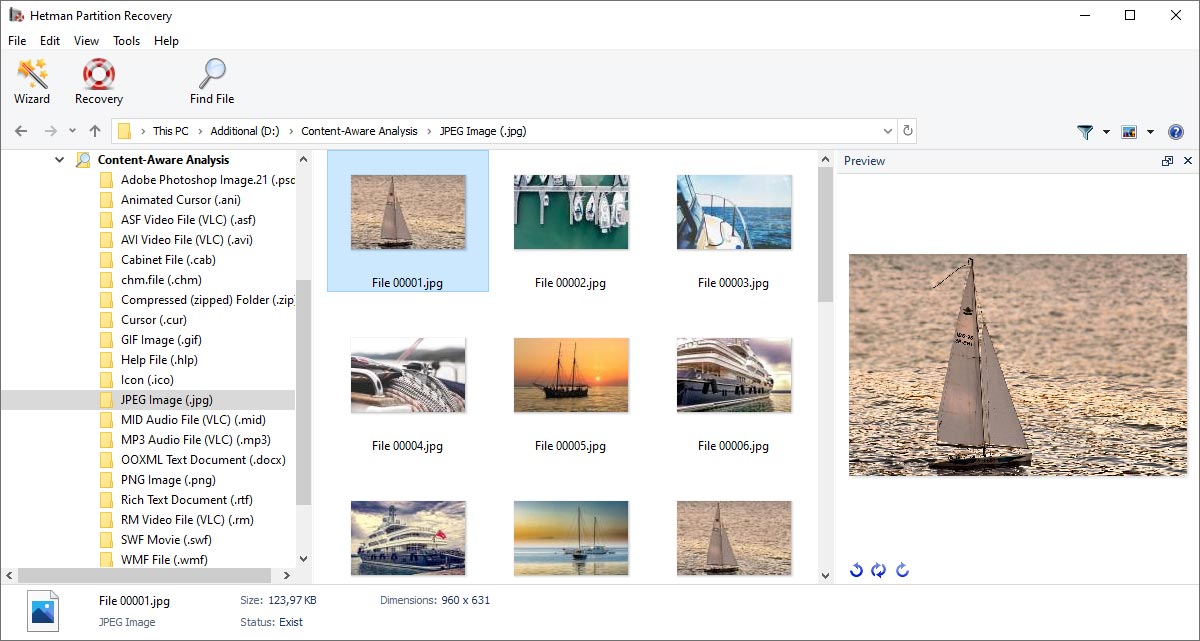
Partition Recovery, the main tool in the bundle, showing content-aware results by file type with thumbnails and a preview.
What's in the Bundle
Hetman Partition Recovery handles the hard cases
This is the reason to buy the Pack. It deals with formatted, RAW, lost and damaged partitions on all common file systems, makes disk images and saves scans. The Office and Business editions add virtual and encrypted storage.
Hetman Uneraser covers quick undeletes
Use it after Shift+Delete or an emptied Recycle Bin when the disk is healthy. Its Fast Scan is the shortest route to a plain deleted file.
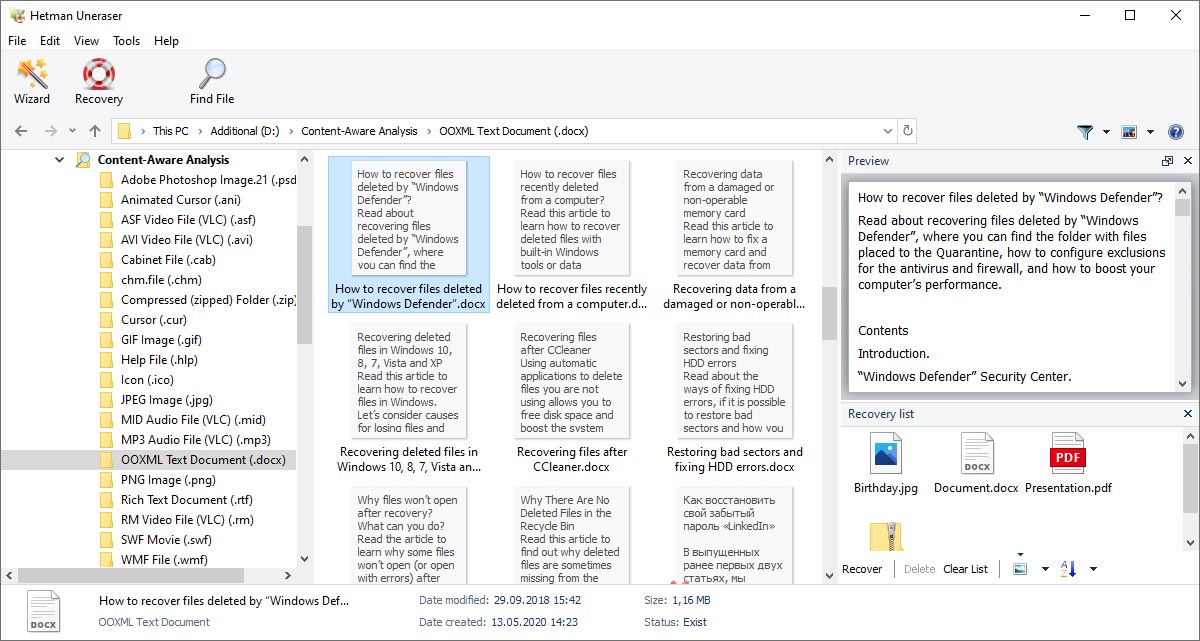
Uneraser results with document thumbnails, a text preview and a recovery list.
Hetman Photo Recovery focuses on images
It filters results to photos and camera RAW files through a wizard, which is friendlier for family members than a full disk view.
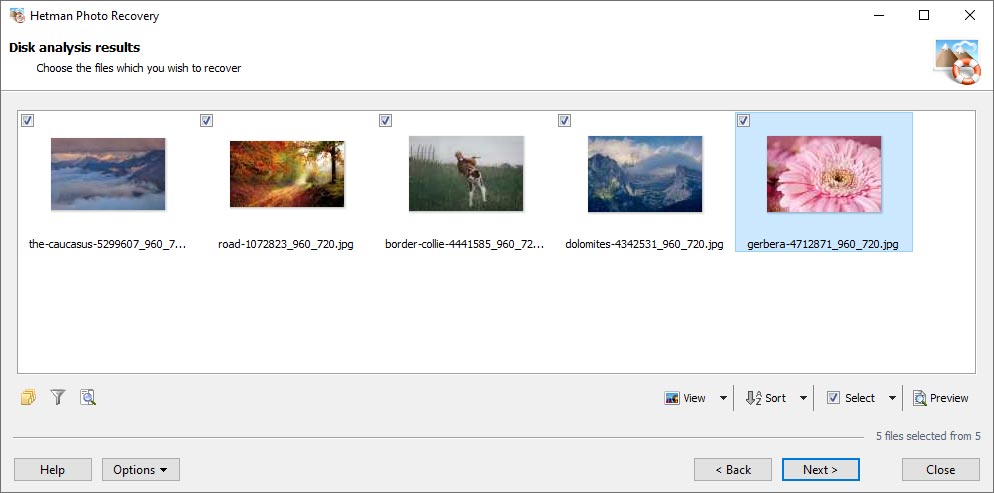
Photo Recovery shows only images, ready to tick and save.
Hetman Office Recovery focuses on documents
It searches for Word, Excel, OpenDocument and PDF files, including AutoRecover copies, and lists only files that pass an integrity check.
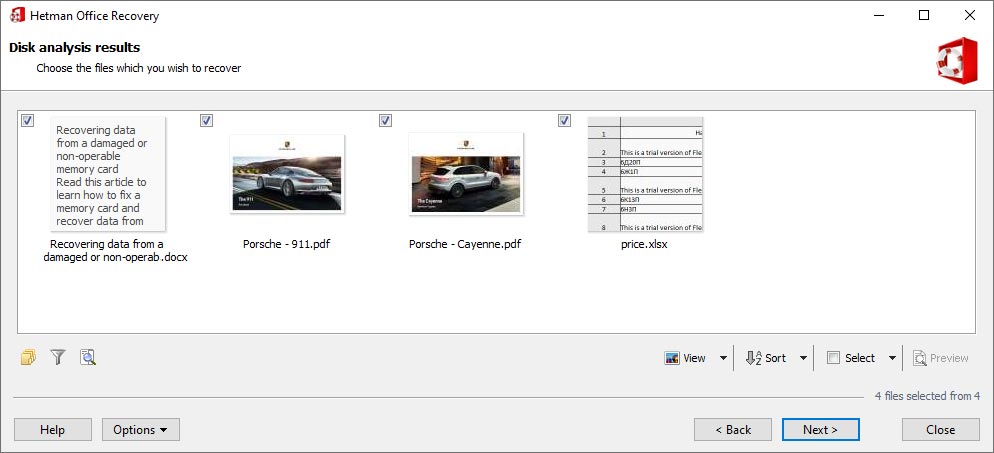
Office Recovery results limited to documents.
Hetman Internet Spy reads browser data
This one isn't a file recovery tool. It analyzes browser profiles to show visited sites, searches, downloads, bookmarks and saved accounts, then exports reports to Excel, HTML or PDF. Use it only on computers and accounts you're entitled to examine.
Benefits
- Lower cost than buying separately. Partition Recovery, Uneraser, Photo Recovery and Office Recovery add up to $211.80 on their own, against $103.95 with Internet Spy thrown in.
- Up to five computers. You can spread the five applications across different PCs, which is a useful perk for a family.
- One update for all. Hetman says an update of the Pack covers all five programs, about a fifth of the cost of updating each separately.
Real-World Uses
- A household keeps Photo Recovery on one PC for a parent, Office Recovery on a student's laptop and Partition Recovery on the family desktop.
- A home-repair enthusiast fixes friends' computers. Note the license: recovery services for other people fall under Business.
- You need a record of what a browser profile stored on your own PC. Internet Spy lists history, downloads and bookmarks, and exports them as a report.
Who It's For, and Who Should Skip It
Buy it if you want a toolkit on hand for repeated use or several computers. The saving is genuine as long as you'd use more than Partition Recovery.
Skip it if you have one lost drive now. Partition Recovery is $36 cheaper and handles every file type. Skip it also for failed RAID or NAS arrays, where you need RAID Recovery instead, and if the installer size matters: at about 315 MB, it's over three times the size of Partition Recovery alone.
Usage Guide
- Install on a drive other than the one with lost data. The Pack's installer sets up all five programs at once.
- Choose the tool: Uneraser for a plain deletion, Photo or Office Recovery for those file types, Partition Recovery for anything else.
- Scan and preview your files for free.
- Buy a Pack license and register the applications. Each one can go on a separate computer if you prefer.
- Save recovered files to a different disk, a ZIP archive or FTP.
Where it falls short
- Heavy overlap. Three of the five programs are subsets of Partition Recovery in what they recover, so you aren't really getting five times the capability.
- No RAID. Multi-disk arrays and NAS rebuilds need the separate RAID Recovery.
- Same results as the single tools. Buyers' complaints about corrupted files and refunds apply here too.
- File Repair isn't included, if you need damaged images or archives fixed rather than found.
What Users Say
Hetman Software as a company scores 3.8 out of 5 on Trustpilot from 88 reviews on November 6, 2026, split between 74% five-star and 24% one-star. Trustpilot blocks direct access, so excerpts reached us through a page summarizer.
Trustpilot
"The company does not reply to our inquiry regarding a redundant license purchase" Heine, 1 star, December 2023, about the Hetman Data Recovery package
"Thank you, Hetman Software, for the fast and efficient recovery of lost data on my hard drive!" Fred Brown, March 2025
"does what it says on the box great service" customer, Germany, May 2025
On Hetman's own review page
The vendor shows 24 Data Recovery Pack reviews averaging 4.88. The page is moderated, and many entries are old.
"Great program, recovered an entire hard drive in 15 minutes. Acceptable price (incomparable with the cost of specialized data recovery services)." Maxim Rudnev, May 2008
"My wife accidentally erased all data from our camera’s memory card. I thought it would be impossible to recover the photos after formatting. Hetman Photo Recovery did the trick in 20 minutes." Nikolai Kostrov, July 2010
"Well, i felt it would be good if i was allowed a minimum number of MB or recovery even before i purchase. Even if its JUST 2." Samuel, April 2020, on the trial saving nothing
The pattern: few reviews focus on the bundle itself. Users credit whichever single tool did the job. The trial's no-saving rule draws a mild complaint.
Comparisons
Data Recovery Pack vs Partition Recovery alone
Partition Recovery at $67.95 is the better deal for a single incident. For another $36, the Pack adds the simpler tools, browser analysis and spreading the programs across computers. Choose it for the convenience rather than extra recovery power.
Data Recovery Pack vs an all-in-one recovery program
Programs such as Stellar Data Recovery Professional for Windows, listed at $79.99 on this site, put everything in one window. Hetman's approach separates the jobs, which can be easier to hand to a non-technical relative.
Editions and Pricing
| Edition | Price | Allowed use | Adds |
|---|
| Home | $103.95 | Personal, non-commercial | Physical drives and memory cards |
| Office | $357.95 | Internal company use | Virtual machine disks, Apple and forensic images, encrypted storage |
| Business | $597.95 | Data recovery services for clients | Same as Office, with client work allowed |
Choose the edition from the Licenses menu on the order page. You can move up later by paying the difference.
FAQs
Does Hetman Data Recovery Pack include RAID Recovery?
No. Hetman Data Recovery Pack contains Partition Recovery, Uneraser, Photo Recovery, Office Recovery and Internet Spy. RAID Recovery is sold separately for $197.95 and up.
Can I install Hetman Data Recovery Pack on several computers?
Partly. Each of the five applications in Hetman Data Recovery Pack is licensed for one computer, so you can place them on up to five different PCs, or all on one.
Can Hetman Data Recovery Pack recover from BitLocker or virtual machine disks?
Yes, through its Partition Recovery tool, but only in the Office or Business edition of Hetman Data Recovery Pack, and you need the correct password or recovery key.
Do I have to download each Hetman program separately?
No. Hetman Data Recovery Pack comes as a single download that installs all five applications.
Is Hetman Data Recovery Pack a subscription?
No. Hetman Data Recovery Pack is a one-time purchase, and the versions you buy keep working indefinitely.
Does Hetman Data Recovery Pack work on a Mac?
Yes. Hetman offers macOS and Linux downloads of the Pack as well as the Windows installer.
System Requirements
- Windows, macOS or Linux (the vendor doesn't publish minimum versions)
- Administrator or root rights for low-level disk access
- About 316 MB for the Windows installer
- A separate drive or location for the recovered files
Conclusion
Hetman Data Recovery Pack is worth $103.95 if you want a recovery toolkit for several computers or repeat use. The one reason to buy it is the price of five tools against one. The main reason not to is that its value rests almost entirely on Partition Recovery, which is $36 cheaper alone and enough for a single lost drive. Try the free scan either way, and pay only when the preview shows your files.
Download Free TrialBuy Now