Hetman Office Recovery: Recover Deleted Word, Excel and PDF Documents
Hetman Office Recovery is a $57.95 one-time program for Windows, macOS and Linux that finds deleted or lost Word, Excel, OpenDocument, PDF and other document files, including some temporary and AutoRecover copies, and lets you preview them for free before paying. It's for people who lost work files after a deletion, crash, reinstall or format. It recovers intact documents and doesn't repair damaged ones.
Hetman's older Word Recovery and Excel Recovery download pages now lead to this program, which covers both. Lost accounts or a thesis draft get a single tool, with results limited to documents.
Quick facts
- Version: 5.3, released October 20, 2026
- Developer: Hetman Software, Ukraine
- Platforms: Windows, macOS, Linux (installer or portable version on Windows)
- Formats: DOC, DOCX, DOT, XLS, XLSX, XLSM, CSV, ODT, ODS, ODP, PDF, RTF, TXT, WPD, WRI and more
- Price: $57.95 Home, one-time lifetime license for 1 computer
- Trial: scan and preview for free, saving files needs a registration key
- Guarantee: 30-day conditional money-back guarantee
- What we checked: Windows installer 34.7 MB, dated October 20, 2026, and the three edition prices on the order page on November 6, 2026. We didn't run a recovery ourselves.
Before you buy
The $57.95 Home edition is for personal, non-commercial use. A document lost at work needs the Office edition at $197.95, and that gap surprises people who assumed "Office" meant Microsoft Office. Scan and preview first as well: Hetman usually declines refunds if the trial showed the file missing or damaged, if you skipped the trial, or once the key has saved files.
Download Free TrialBuy Now
Overview
Office Recovery runs the same file system analysis as Hetman's Partition Recovery but searches only for documents, then opens each candidate to test it. A document that fails the integrity check doesn't appear in the results. So what you see is short and usable, though a half-damaged file you might have salvaged is hidden from you.
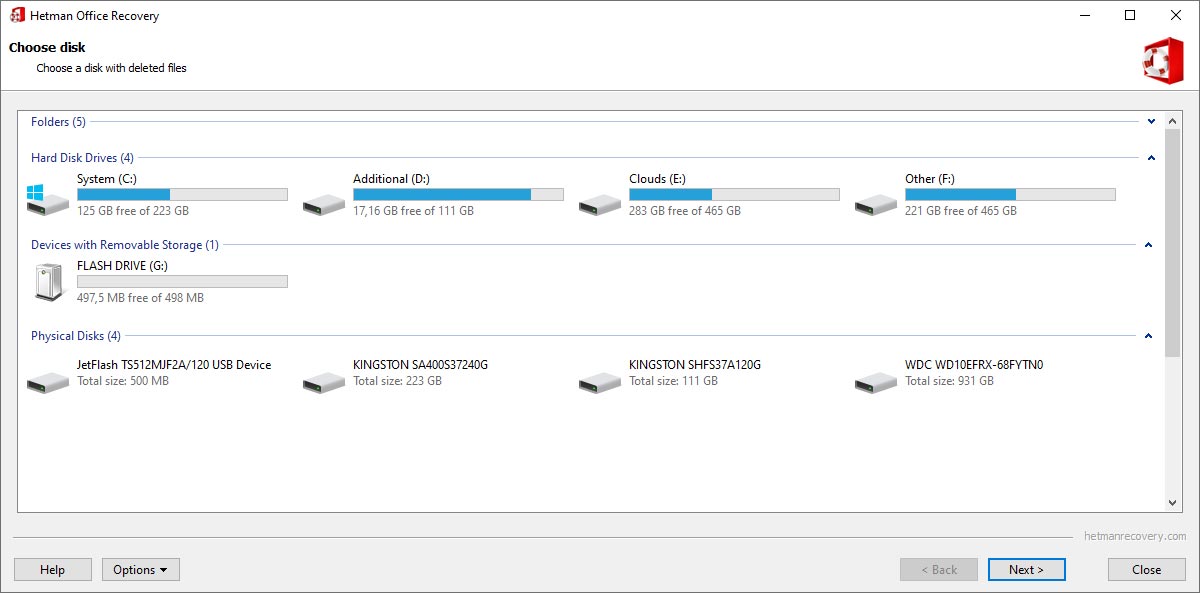
The wizard starts by asking which disk held the documents.
Features
Hetman Office Recovery finds deleted Word, Excel and OpenDocument files
It covers Microsoft Word and Excel in modern and legacy formats, macro-enabled workbooks and templates, LibreOffice and OpenOffice files, PDF, RTF, plain text and older formats such as WordPerfect.
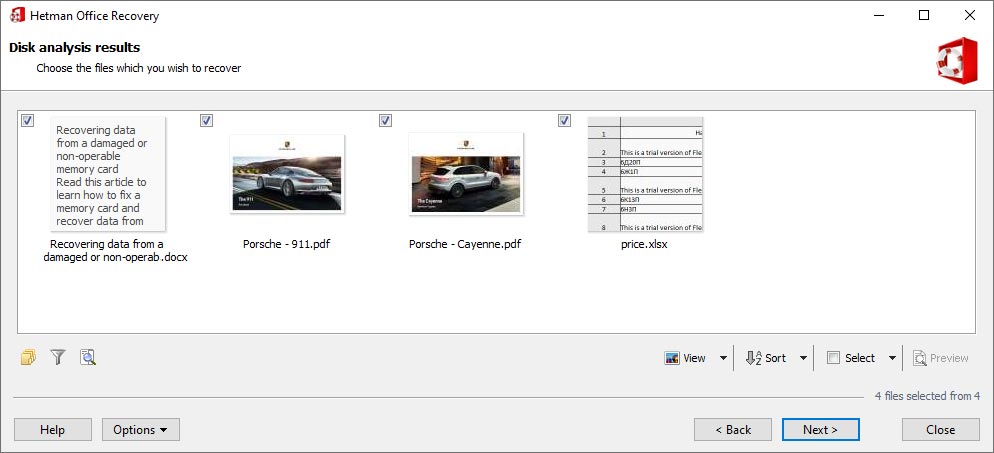
Analysis results: a DOCX, two PDFs and an XLSX shown as page thumbnails with checkboxes.
Hetman Office Recovery looks for unsaved and AutoRecover copies
Word, Excel, LibreOffice and OpenOffice write temporary files while you edit. If those were created and later deleted, Office Recovery may find a recent version of a document you never saved. If no copy reached the disk, there's nothing to find.
Hetman Office Recovery tests each document's integrity
The program checks a document's structure before listing it, and only files that can be opened and previewed appear. That saves you from buying a key for a list of unreadable files.
Hetman Office Recovery reads disks your computer can't
It accesses APFS, HFS+ and Linux Ext file systems directly, so a Windows PC can get documents from a Mac or Linux disk that it couldn't otherwise open.
Hetman Office Recovery previews documents in place
The built-in viewer shows document pages before you pay, which matters when you need to confirm it's the latest version and not an older copy.
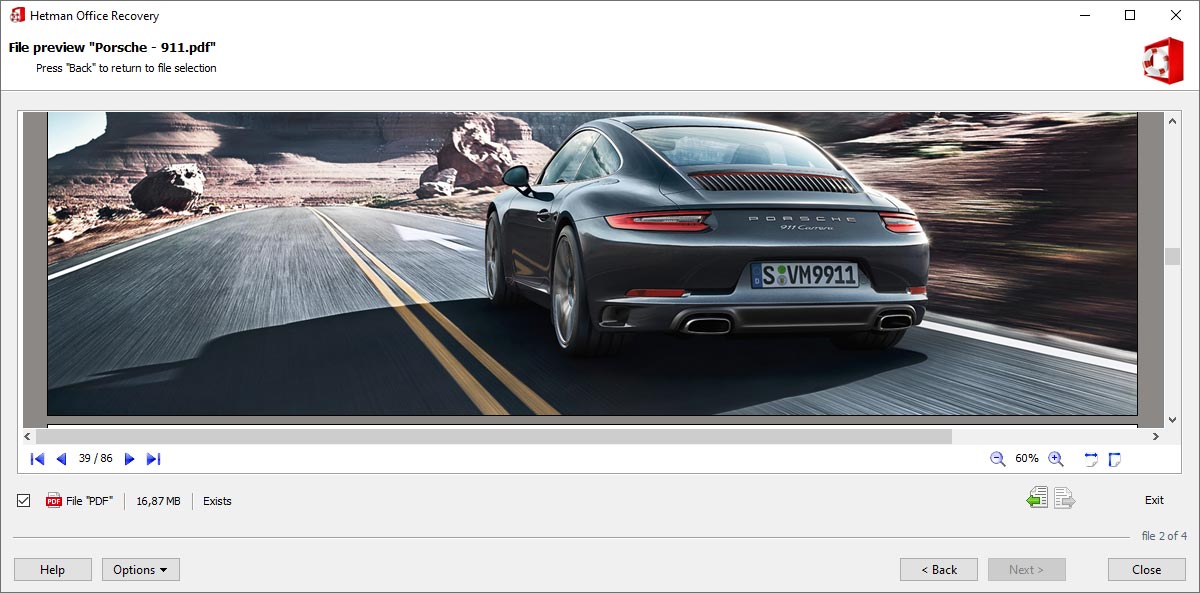
The file preview opens a recovered 86-page PDF at page 39, with page navigation and zoom controls.
Hetman Office Recovery can work from a disk image
You can image a failing drive first and scan the copy, and save scan results to pick up later.
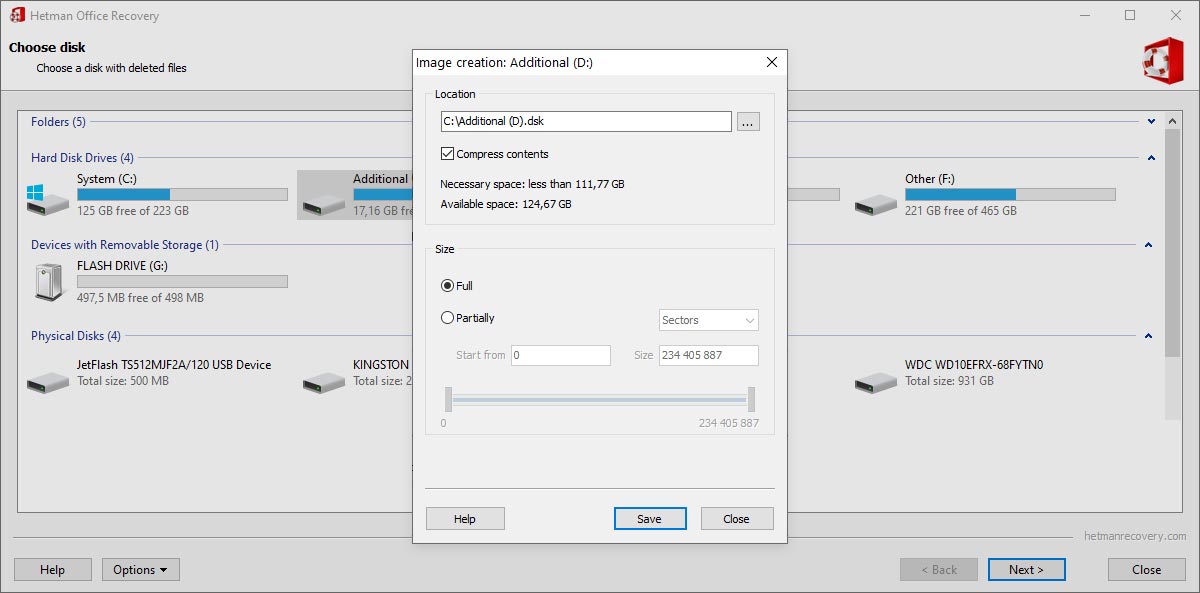
The image creation dialog: choose the location, whether to compress, and a full or partial image.
Benefits
- No hunting through system files. Results are limited to documents, which suits users who aren't technical.
- You can pick the right version. The preview shows the content, so you can tell a final draft from an old copy.
- Cheaper than the full tool. It costs $10 less than Partition Recovery if documents are all you lost.
Real-World Uses
- A folder of contracts was deleted during a clean-up and the Recycle Bin emptied. A scan of that volume finds them by file system record and by signature.
- Word crashed and you never saved. The scan looks for deleted temporary and AutoRecover files.
- A reinstall of Windows wiped the old Documents folder. Full Analysis searches for traces of the earlier partition.
- A USB stick of coursework was formatted by accident. Connect it and search for DOCX and PDF only.
- A helpdesk technician restores users' files, which needs the Office edition. A long-time admin describes this routine below.
Who It's For, and Who Should Skip It
Buy it if only documents are missing and you want a guided process, for example a student or a home user. A company buying the Office edition gets a tool that staff can run themselves.
Skip it if your Word or Excel file exists but won't open, as that's repair, which this doesn't do; look for a repair tool instead. It also isn't for photos, video, archives, presentations in other formats or encrypted volumes: Hetman points you to Partition Recovery there. And check Word's and Excel's own AutoRecover folders and Windows Previous Versions first, since they're free.
Usage Guide
- Stop writing to the affected drive, and install the program on another one.
- Start the wizard and pick the disk or volume.
- Choose Fast Scan after a deletion, or Full Analysis after formatting. Select the document types you want to narrow the search.
- Check the thumbnails and open full previews to confirm the content.
- Enter a key if you're satisfied. Your scan results stay available.
- Save to a different disk, a ZIP archive or FTP.
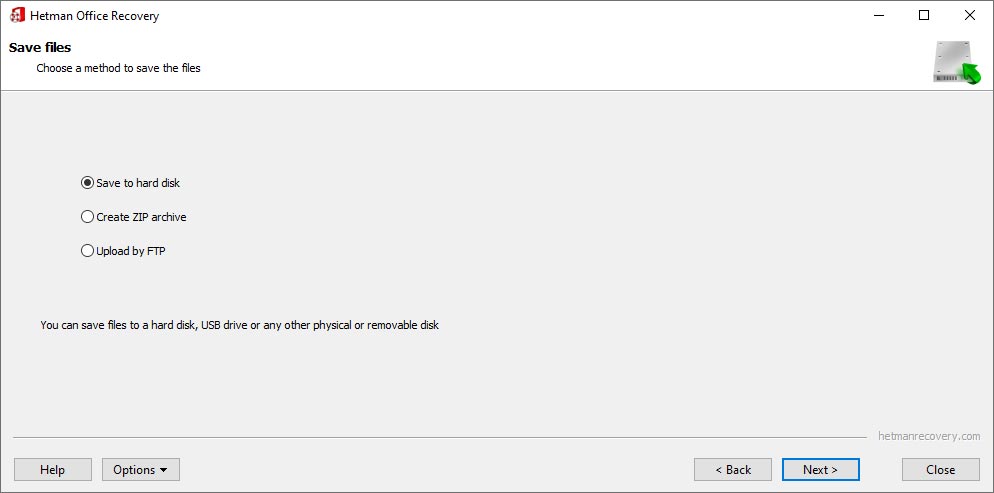
The last step lets you save to a hard disk, create a ZIP archive or upload by FTP.
Where it falls short
- No repair. Partially damaged documents are left out of the results. To examine those you need Partition Recovery, which can list partly recoverable files.
- Unsaved work is hit or miss. If the application never wrote a copy to disk, no software can recover it.
- Virtual disks and encrypted volumes aren't covered in any edition, according to Hetman's comparison table.
- The reviews are dated. Most product-specific reviews we found are from 2014, so they describe far older versions.
What Users Say
Hetman Software as a company scores 3.8 out of 5 on Trustpilot from 88 reviews on November 6, 2026, split between 74% five-star and 24% one-star. Trustpilot blocks direct access, so excerpts reached us through a page summarizer.
Trustpilot
"I restored an office document with three months of work." Tracy Wood, April 2025
"I successfully recovered important documents—sincere thanks!" Rasham Singh, May 2025
"This software couldn't help me retrieving my data." Prashanth Mula, 1 star, April 2022, product not named
On Hetman's own review page
The vendor shows 17 Office Recovery reviews averaging 4.53. The page is moderated, so this is a friendly sample, and these date from 2014.
"Users ask me to restore their files every week, and now I do it remotely. I install the program via RAdmin, start scanning – and the users choose their files on their own, preview and save them to their hard drives." System Admin, February 2014
"The program isn’t free, but after it recovered an entire archive of documents from a 2 TB hard drive with serious problems, I was ready to buy it again." Artiom Kuzmenko, March 2014
"Well, it does take a while to analyze the disk, but you can view all recoverable documents after it has finished." Alexandra Malysheva, June 2014
"I should’ve started with file recovery a lot earlier. By that time, the program was unable to find any files." Julia Shtol, August 2014, who says support then found them on the system disk
The pattern: reviewers value the document-only view and preview. The caution from the same reviews is timing: the sooner you scan, the better. Company-wide complaints focus on corrupted results and refunds.
Comparisons
Office Recovery vs Hetman Partition Recovery
At $67.95 Partition Recovery costs $10 more and recovers every file type, including partly damaged documents. Office Recovery gives a cleaner, validated list of documents only. With the prices this close, Partition Recovery is the better buy unless you specifically want that simple filtered view.
Office Recovery vs document repair tools
A repair tool fixes a file you still have. Office Recovery finds a file you no longer have. If the file is there but Word refuses to open it, this is the wrong kind of product.
Editions and Pricing
| Edition | Price | Allowed use |
|---|
| Home | $57.95 | Personal, non-commercial |
| Office | $197.95 | Internal company use |
| Business | $297.95 | Data recovery services for clients |
Each is a lifetime license for one computer, picked from the Licenses menu on the order page. The editions differ in permitted use, and you can upgrade by paying the difference.
FAQs
Why is a deleted Word file missing from Hetman Office Recovery's results?
Hetman Office Recovery leaves out files that were overwritten, erased by TRIM on an SSD, or only partly preserved. Partition Recovery can show partly recoverable files.
Can Hetman Office Recovery recover a document I never saved?
Sometimes. Hetman Office Recovery finds temporary or AutoRecover copies if the application wrote any to disk. If none were written, nothing can be recovered.
Does Hetman Office Recovery recover PowerPoint files?
The vendor lists ODP presentations in the OpenDocument group, but Hetman's FAQ sends you to Partition Recovery for presentations in general. If PowerPoint files matter to you, confirm them in the free scan or choose Partition Recovery.
Does Hetman Office Recovery work on a Mac?
Yes. Hetman Office Recovery has a macOS download of its own, along with Windows and Linux versions, and it reads APFS and HFS+ disks.
Can Hetman Office Recovery fix a corrupted Excel file?
No. Hetman Office Recovery is designed to recover intact documents and doesn't repair corrupted ones.
Is Hetman Office Recovery a subscription?
No. Hetman Office Recovery is a one-time purchase, and your version keeps working. A one-year updates and priority support plan is optional at $19.95.
System Requirements
- Windows, macOS or Linux (the vendor doesn't publish minimum versions)
- Administrator or root rights for direct disk access
- About 35 MB for the Windows installer
- A separate drive or location for the recovered documents
Conclusion
Hetman Office Recovery is worth $57.95 for a home user who wants lost documents back with as little fuss as possible, because the integrity check keeps the list short and the preview confirms the content before you pay. The main reason not to buy it is that Partition Recovery does more for only $10 extra, including showing partly damaged files. Business users should note the real price is $197.95. Run the free scan first either way.
Download Free TrialBuy Now