Kernel for PDF Repair: Fix Corrupt PDFs on Your Own PC
Kernel for PDF Repair is a $49 Windows tool from KernelApps that repairs corrupt or damaged PDF files, one or a whole batch at a time, and saves new copies in a folder you pick. It's for anyone holding a PDF that Acrobat or a browser refuses to open.
PDFs usually break during an interrupted download, a bad transfer between devices or a failing drive. The result is the familiar "file is damaged and could not be repaired" message, and no way into a contract or invoice you need today.
Quick facts
- Version: 25.0, released June 16, 2025
- Developer: KernelApps Pvt. Ltd. (Kernel Data Recovery)
- Platform: Windows 11, 10, 8.1, 8, 7 and older, Windows Server 2022, 2019 and older
- Works with: all PDF versions, including password-protected files
- Price: $49 for the Home License on the order page
- Trial: runs the repair, but opening the repaired files takes a license
- Guarantee: 30 days money back
What we checked: installer size 12.3 MB and file date June 16, 2025 on the vendor's download server, and the order page, which showed $49 for Kernel for PDF Repair, on November 10, 2026. We didn't repair a damaged PDF ourselves, so results here are the vendor's and its users' claims.
Download Free TrialBuy Now
Overview
Kernel for PDF Repair does one job through one screen. You list the PDFs, press Repair, name a destination, and read a status line for each file. It never touches your originals and doesn't need Adobe Acrobat or Reader installed.
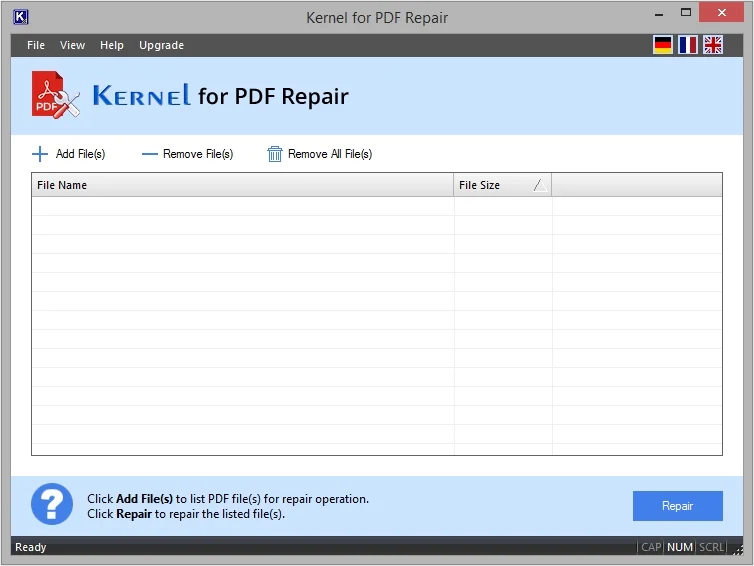
The main window, before any files are added.
Features
Batch repair in one run
Kernel for PDF Repair takes a full list of PDFs at once, with no size limit per file. You can also let it find PDFs on your drive automatically, and the Remove File(s) button trims anything you added by mistake.
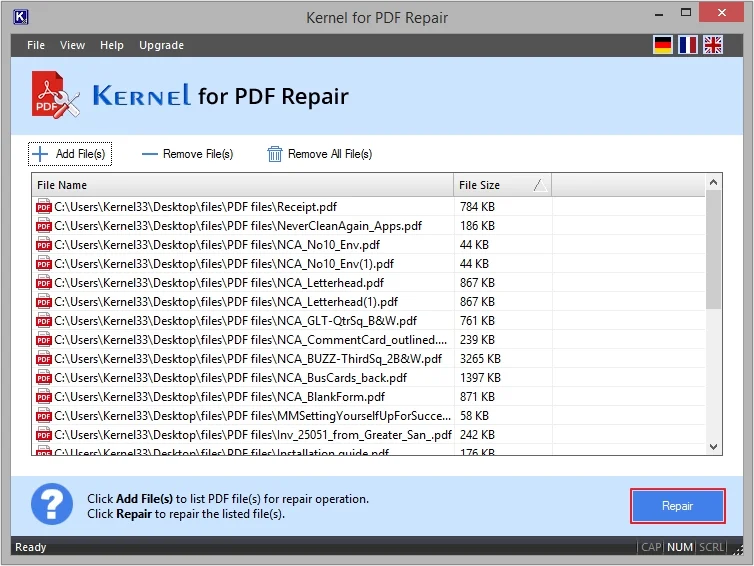
A batch of PDFs queued for repair.
Rebuilds content in a new file
Kernel for PDF Repair restores text, images, tables, charts, hyperlinks, watermarks and digital signatures from a damaged PDF, then writes them to a new document. The damaged source stays as it was.
Handles password-protected PDFs
Kernel for PDF Repair accepts corrupt files that are password protected, as long as you can supply the password when asked.
Covers the common error messages
Kernel for PDF Repair targets errors such as "There was a problem reading this document (109)", "The root object is missing or invalid", "File does not begin with %PDF" and Chrome's failure to load a PDF.
Progress you can follow
Kernel for PDF Repair shows Done or Pending against each file, and a link to the output folder at the end. Keyboard shortcuts cover Add (Ctrl+N), Remove (Ctrl+O) and Repair (Ctrl+S).
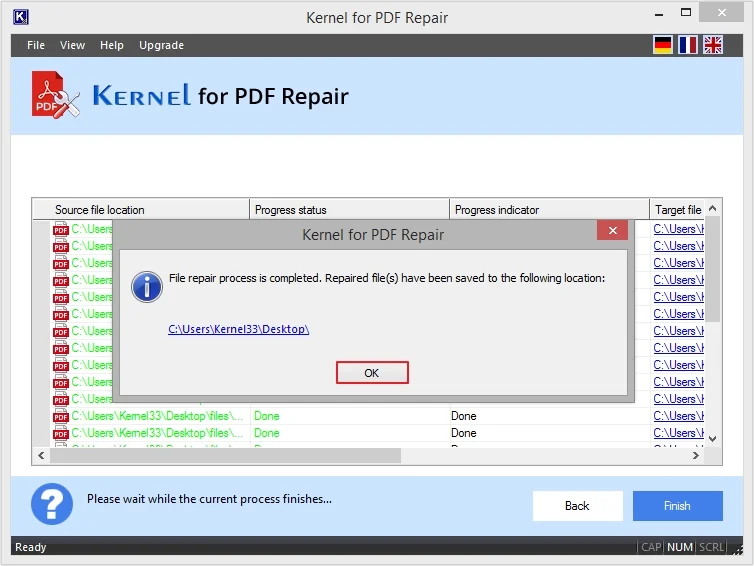
The finished batch, with a link to where the repaired files went.
Benefits
- Your documents stay private. It's a desktop program, so a confidential PDF never goes to an upload site.
- Originals are safe. Output goes to new files.
- Quick to learn. Three controls do nearly everything.
Real-World Uses
- A scanned contract that froze halfway through a download and now throws a read error.
- A folder of invoices copied off a failing USB drive.
- An old manual that opens blank in Chrome.
- A locked PDF that became unreadable, for which you still know the password.
Who It's For, and Who Should Skip It
Buy it if you have a PDF you can't re-download and the free repair sites have failed or can't be trusted with it. Skip it if you can simply get a fresh copy from the sender, or if you only need to remove a password from a healthy PDF, which is a job for a restriction remover. There's no Mac version, so Mac users need a different tool.
Usage Guide
- Copy the damaged PDF somewhere safe.
- Download and install the trial, then open Kernel for PDF Repair.
- Click Add File(s) and pick one or more PDFs.
- Click Repair and choose a destination.
- Wait for each row to show Done, then follow the link to the output folder.
- Buy a license if the trial shows your files can be repaired.
Before you buy
The vendor's pages describe the trial two ways: one line says repaired files can be saved with a watermark, while the feature table and FAQ say you can't access them without a license. Plan on the trial telling you whether a file can be processed, and no more than that.
Where it falls short
- A file with no usable data left, such as one that is all zeros after a bad download, can't be rebuilt by any tool.
- Repair is the whole job here. It doesn't edit, convert or compress PDFs.
- Windows only.
What Users Say
On the vendor's page
Kernel's page shows 4.9 out of 5 from 453 reviews, collected on its own site, so read that as the vendor's tally.
"I was in a panic after knowing my PDF file become inaccessible. It contains all my crucial information, which I cannot afford to lose. Then I came across Kernel for PDF Repair tool. This software helped me a lot and recovered all my data from an inaccessible PDF file." James Jane
Independent sites
Independent feedback on this specific program is scarce. AlternativeTo lists it as a paid, Windows-only product with no user comments yet. On Trustpilot, the company as a whole holds 4.9 out of 5 from 166 reviews, though those cover its email and migration tools rather than PDF Repair. One reviewer there singled out support: "The issue was not easy to resolve, but Vikram remained responsive, patient, and helpful throughout the entire session." (Marco Cecchelani)
Comparisons
Trial or full version
Both add single or multiple PDFs and run the repair on any PDF version. Only the full version lets you open the repaired files, with no restrictions and no file size limits.
Editions and Pricing
| Edition | Price | Who it covers |
|---|
| Home | $49 | Personal use on a single computer |
| Corporate | $99 | One organization, multiple computers |
| Technician | $299 | Consultants serving multiple organizations |
Each license comes with a 30-day money-back guarantee, and the vendor lists free feature updates for one year.
FAQs
Does Kernel for PDF Repair need Adobe Acrobat?
Kernel for PDF Repair runs on its own, so you don't need Acrobat or Reader on the PC.
Can Kernel for PDF Repair open a password-protected PDF that is corrupt?
Kernel for PDF Repair supports repairing password-protected PDFs, and the vendor says the data comes back along with the file.
Will Kernel for PDF Repair change my original PDF?
Kernel for PDF Repair saves its result as a new PDF in the folder you choose, leaving the source file in place.
Is there a Mac version of Kernel for PDF Repair?
There isn't a Mac version. Kernel for PDF Repair runs on Windows desktop and Server editions only.
Is there a refund for Kernel for PDF Repair?
The vendor advertises a 30-day money-back guarantee on its order page. Use the trial first to confirm the program can process your file.
System Requirements
- Windows 11, 10, 8.1, 8, 7 and older; Windows Server 2022, 2019 and older
- Pentium-compatible processor (x86 or x64)
- 1 GB RAM
- 500 MB of disk space
Conclusion
At $49, Kernel for PDF Repair is worth buying when a PDF you can't replace is locked behind a read error and you'd rather not upload it to a stranger's website. The main reason to hold off is that the trial leaves you unable to confirm the output until you pay, though the 30-day guarantee softens that. If you can get a fresh copy of the file, do that first and save your money.
Download Free TrialBuy Now