CleverGet All-in-One: every CleverGet module on one lifetime license
CleverGet All-in-One is a $269.95 lifetime license for one Windows PC that turns on every CleverGet module at once: the Video Downloader for YouTube and 1000+ other sites, the separate downloaders for Netflix, Amazon, Disney+, Max, Hulu and dozens more services, and the Streaming Video Recorder. The free trial lets you test it on 3 videos first.
CleverGet normally sells each service as its own module. If you only want one, this is too much. If you keep finding that the show you want is on a different service, a single license stops you paying again each time.
Quick facts
- Version: 27
- Developer: Leawo Software
- Platform: Windows 7 to 11, 64-bit (the Mac version is a separate license)
- Includes: all CleverGet modules, 60-plus in the current catalogue
- Price: $269.95 lifetime at checkout, list price $539.90
- License: one computer, with free updates for the life of the license
- Trial: up to 3 video downloads
- Guarantee: 14 days money back
What we checked: the Windows installer on CleverGet's download server is 503 MB (the same file for every module). CleverGet's purchase page sells All-in-One as a lifetime license only, and that order showed $539.90 less a $269.95 offer, so $269.95, with no auto-renewal option in the cart. A 1-year option for the same product exists in the cart at $189.95, but the purchase page doesn't offer it. We read these on the order page on November 6, 2026 and didn't test the downloads ourselves.
Before you buy
CleverGet's own fair use policy limits the program to personal, educational and non-commercial copies of content you've legally accessed, and forbids sharing downloads. Many services' terms also forbid downloading, so check yours first. You sign in with your own account, so a subscription is still needed: this doesn't give you access to anything you can't already watch.
Download Free TrialBuy Now
Overview
CleverGet is one program with a built-in browser. You open a video site inside it, sign in if the site needs it, play the title, and the matching module offers the available qualities, audio tracks and subtitles. The modules aren't separate downloads: the 503 MB installer carries them all, and a license just switches them on. All-in-One switches on the lot.
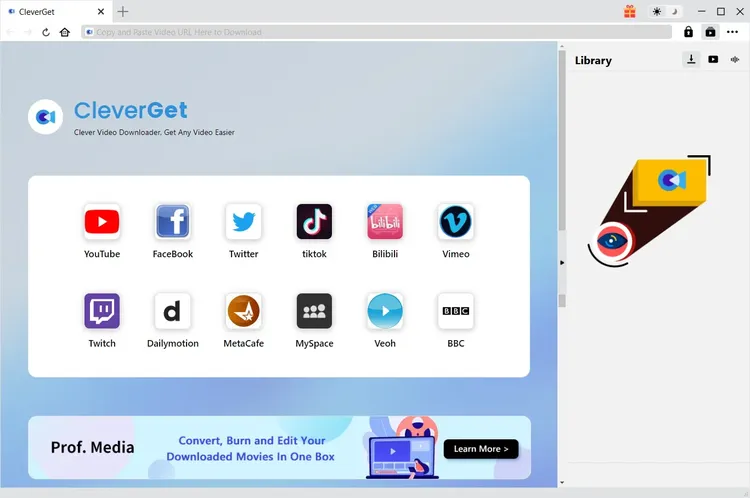
CleverGet's home screen with shortcuts to supported sites.
Features
One license for the streaming services
CleverGet All-in-One covers the modules for Netflix, Amazon Prime Video, Disney+, Max, Hulu, Apple TV+, Paramount+, Discovery+ and many regional services in North America, Europe and Asia, such as ITVX, Channel 4, ZDF, ABEMA and TVer. Service modules save up to 1080p, with MP4 or MKV output.
The Video Downloader for free sites
CleverGet All-in-One includes the Video Downloader, which saves from YouTube, Facebook, TikTok, Instagram, Vimeo and 1000+ other sites at up to 8K when the source has it, including playlists, channels and live streams.
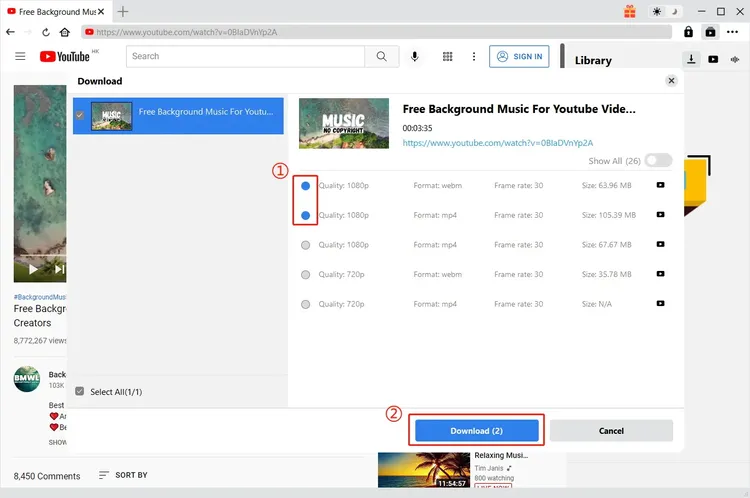
The download dialog lists each available quality, format and file size for you to tick.
The Streaming Video Recorder
CleverGet All-in-One also includes the Streaming Video Recorder, for sites no download module covers. It records what plays in CleverGet's browser to MP4 or MKV, up to 4K 60fps, at up to 5X speed on sites that don't limit playback speed.
Whole seasons with subtitles and audio tracks
CleverGet All-in-One can list every episode of a season from one episode's page, so you tick what you want and queue them. It also lists subtitles, audio tracks and audio description, and saves subtitles inside the video or as separate SRT or SUP files.
Queue and hardware acceleration
CleverGet All-in-One downloads in batches, uses GPU acceleration where your graphics card supports it, resumes failed downloads without parsing the page again, and can shut the computer down when the queue finishes.
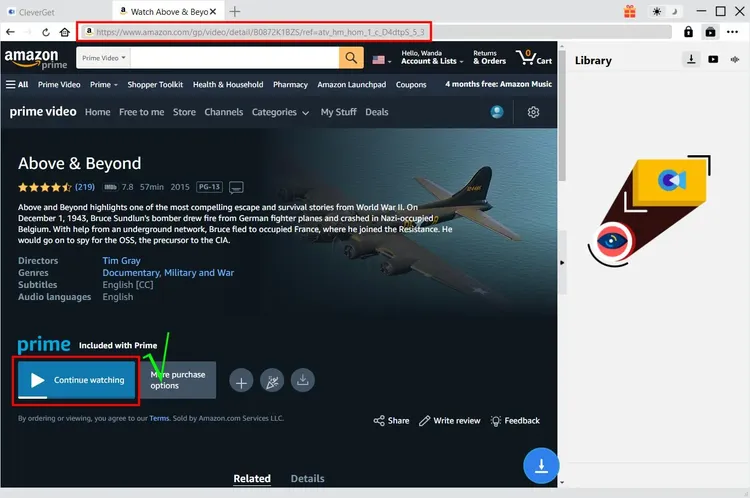
Finding a title in the built-in browser, here Prime Video.
Real-World Uses
- A long flight or a poor connection. Save a season from whichever service has it, without checking which app allows offline viewing.
- A title about to leave a service. Keep a personal copy of something you've paid to watch before it's removed.
- Viewers abroad. Keep subtitles and alternate audio tracks in one file, as separate SRT files if your player needs them. Region-locked titles still need a VPN first.
- A course or a live event. Use the Recorder where no download module exists.
Who It's For, and Who Should Skip It
Buy it if you use several streaming services and would otherwise buy three or more modules: at the $99.95 lifetime list price of a major service module, three already pass the $269.95 All-in-One price, and you get everything else with it.
Skip it if you only need YouTube and similar sites: the CleverGet Video Downloader alone costs much less. Skip it too if you only want one service, or if you record rather than download, because Leawo's free CleverGet Recorder handles 1X recording with no time limit. And skip it if you need 4K from Netflix or Amazon, because service modules stop at 1080p.
Usage Guide
- Install CleverGet from the Download Free Trial button and open it.
- Open Settings from the three-dot menu and choose the output folder and defaults.
- Open a service in the built-in browser and sign in with your own account.
- Play the title. CleverGet analyzes the page and offers download options.
- Pick quality, audio and subtitles, then click Download, and follow progress in the Library panel.
- After buying, enter the registration code you get by email to turn on all modules.
Where it falls short
- Modules break for a while. Streaming services change how they deliver video, and a module can stop working until the next CleverGet update. Trustpilot reviews mention exactly this.
- One computer. The license covers a single computer. A Mac needs its own license.
- A heavy install. The 503 MB installer is large because every module is inside it.
- Region locks stay. CleverGet doesn't get around them: you need a VPN to reach a region-locked title.
- You pay for modules you won't use. Much of the catalogue is regional. The value depends on how many of the services you actually use.
What Users Say
Trustpilot
CleverGet's Trustpilot profile showed a TrustScore of 4.7 from 67 reviews on November 6, 2026: 79% five-star, 12% four-star and 6% one-star. The reviews cover the whole CleverGet range rather than one package, and the company replies to many of them. Most of the praise is for downloads that work and for support that follows through.
- Colin Harris (5 stars, November 2026), on an ITVX problem: "the effort put in by this company was way and beyond and would recommend to anyone"
- Mr Jim Craddock (5 stars, October 2026), on ITVX and Channel 4 downloads: "I cannot stand watching TV with ads, so the fact that this software strips them out is brilliant."
- Lauren M Loz (5 stars, July 2026): "This is the best program out there. I had many different ones for different pages."
- Pops (5 stars, July 2026): "I have had this product for years. It is a great product!"
- Jim (5 stars, July 2026): "Their product is easy to use, work wonderfully, and customer service is one of the best."
- Russell (4 stars, May 2024): "I have the Amazon module and it worked really well first time without any dramas."
The complaints
- Satori Agape-Economo (5 stars, August 2026), with a caveat: "sometimes updates of the software or the update from the streaming platform can wreak havoc"
- Alberto (4 stars, March 2026): "The Crunchyroll module stopped downloading subtitles after the last update."
- Jennifer B (3 stars, August 2024): "a lot of the time the file is much larger than what I selected to download."
- Ed Bulchis (1 star, January 2024), on Netflix: "This app worked for awhile for converting Netflix movies to mp4. But now I keep getting a M7121-3078 error code" CleverGet replied a month later that the bug was fixed and asked him to upgrade.
On CleverGet's own site
CleverGet's site displays testimonials such as this one from Elva Andrew: "This CleverGet performs excellent. The entire downloading workflow, speed and video quality are a satisfactory to me."
The pattern
People like how many services CleverGet handles and how support follows up. The complaints are about modules breaking after a site or program update, missing subtitles and file sizes. Independent reviews of the All-in-One package itself are rare, and many "CleverGet reviews" online come from rival downloader makers, so use the trial on the services you care about.
Comparisons
All-in-One vs. single modules
A single service module is $99.95 lifetime at list price on the purchase page, and the Video Downloader is $79.95. Combos get a bundle discount at checkout. One or two modules are cheaper bought alone, and from about three the All-in-One is the better deal.
Editions and Pricing
| Plan | Price | Term | Covers |
|---|
| All-in-One | $269.95 | Lifetime, one-time payment | All modules, one computer |
| Video Downloader | $79.95 list | Lifetime | YouTube and 1000+ free sites |
| Single service module | $99.95 list | Lifetime | One service, such as Netflix or Amazon |
| Streaming Video Recorder | $99.95 list | Lifetime | Recording only |
| CleverGet Recorder | Free | No charge | 1X recording only |
FAQs
Is CleverGet All-in-One a one-time payment?
CleverGet All-in-One is a one-time payment through the purchase page: the cart showed no auto-renewal for the lifetime license. Updates stay free for the life of the license.
Does CleverGet All-in-One include modules added later?
CleverGet describes All-in-One as "all modules are in one" with free future updates, but it doesn't spell out modules released later. Ask support if that decides the purchase for you.
Does the CleverGet All-in-One license work on both Windows and Mac?
No. The Windows and Mac versions are bought separately, and each license covers one computer.
Can I get a refund on CleverGet All-in-One?
CleverGet offers a 14-day money-back guarantee, subject to its refund policy, and urges buyers to try the trial first.
Do I still need a Netflix or Disney+ subscription?
Yes. CleverGet All-in-One works through your own signed-in account and can only save what that account can play.
How do I get the CleverGet All-in-One license?
The registration code arrives by email once the order is validated, and you enter it in the program.
System Requirements
- System: Windows 7, 8, 8.1, 10 or 11, 64-bit
- Processor: 1 GHz Intel or AMD or faster
- Memory: 512 MB RAM (1 GB or more recommended)
- Disk space: 5 GB or more free
- Graphics: NVIDIA GeForce GTX 260 or better; the Amazon Downloader needs a GTX 900 series, Radeon RX 500 series or newer
Conclusion
CleverGet All-in-One is worth $269.95 if you regularly save from three or more services, since that's roughly what three separate modules cost, and you get the Recorder and Video Downloader with it. The main reason to buy is never having to check which module you own. The main reason not to is that a single module, or the free Recorder, covers most people's needs for far less. Run the trial on your own services first.
Download Free TrialBuy Now