Leawo Blu-ray to DVD Converter for Mac: Turn a Blu-ray Into a DVD an Old Player Can Read
Leawo Blu-ray to DVD Converter for Mac is a macOS tool, $44.95 a year or $69.95 lifetime, that re-encodes a Blu-ray movie (BD-50 or BD-25) to fit a DVD-9 or DVD-5 and writes it as a burned DVD, a DVD folder or an ISO image. It runs on Intel and Apple silicon Macs with macOS 10.13 or later, and it's for anyone with Blu-rays at home and a DVD-only player somewhere else.
The trigger is usually a specific player: the headrest screens in the car, the portable player for a flight, the old deck at the cottage. Those machines will never read a Blu-ray. This module shrinks the film down to DVD resolution and size so they can.
Quick facts
- Program: the Blu-ray to DVD module of Leawo Prof. Media for Mac 13.0.8 (updated June 2026)
- Installers: Intel (241 MB) or native Apple silicon (316 MB)
- macOS: 10.13 High Sierra up to macOS 26 Tahoe and macOS 27
- Input: BD-50 and BD-25 content from a disc, a Blu-ray folder or an ISO
- Output: DVD-9 or DVD-5, as a disc, a DVD folder or an ISO
- Modes: Main Movie and Custom Mode, with your choice of audio and subtitle track
- Price on its own: $44.95 for one year or $69.95 lifetime, one Mac
- Trial: 30 days, first 5 minutes of each movie, and after the 30 days only unencrypted Blu-rays load
- What we checked: the Mac download page for this module (it serves the same Prof. Media DMGs: ltmcu_setup.dmg, 252,961,353 bytes, and ltmcu_setup_arm64.dmg, 331,793,186 bytes), Leawo's Mac requirements and trial terms, and the order page for "Leawo Blu-ray to DVD Converter for Mac": $44.95 for one year (auto-renewal unticked, renewal quoted at $26.97) and $69.95 lifetime, on November 1, 2026. We didn't convert a disc on a Mac.
Before you buy
- Compare with Blu-ray Copy for Mac first. Leawo Blu-ray Copy for Mac costs the same $44.95 a year and includes this converter plus Blu-ray Copy, DVD Copy and Blu-ray Recorder Copy. Buy the converter alone only if you want the cheaper $69.95 lifetime license and nothing else.
- The result is standard definition. A DVD holds 480i/576i video, so the HD picture is scaled down. That's the point for an old player, but it will look soft on a large TV.
- Two drives make it easier. You need a Blu-ray drive to read the source and a DVD writer to burn. With one external Blu-ray burner, the program converts first and then asks you to swap discs.
- Set NTSC or PAL first. A European player may not show an NTSC disc correctly, and vice versa. The setting is in Prof. Media's preferences, not on the main screen.
Download Free TrialBuy Now
Overview
Blu-ray to DVD is a tile on the home screen of Leawo Prof. Media for Mac and works through the program's Copy tab. You load the Blu-ray, pick the main film or the titles you want, choose a DVD-9 or DVD-5 target, and the program decrypts, re-encodes and authors a standard DVD-Video disc. There's no menu designer and no editing: it's a conversion tool with a narrow job.
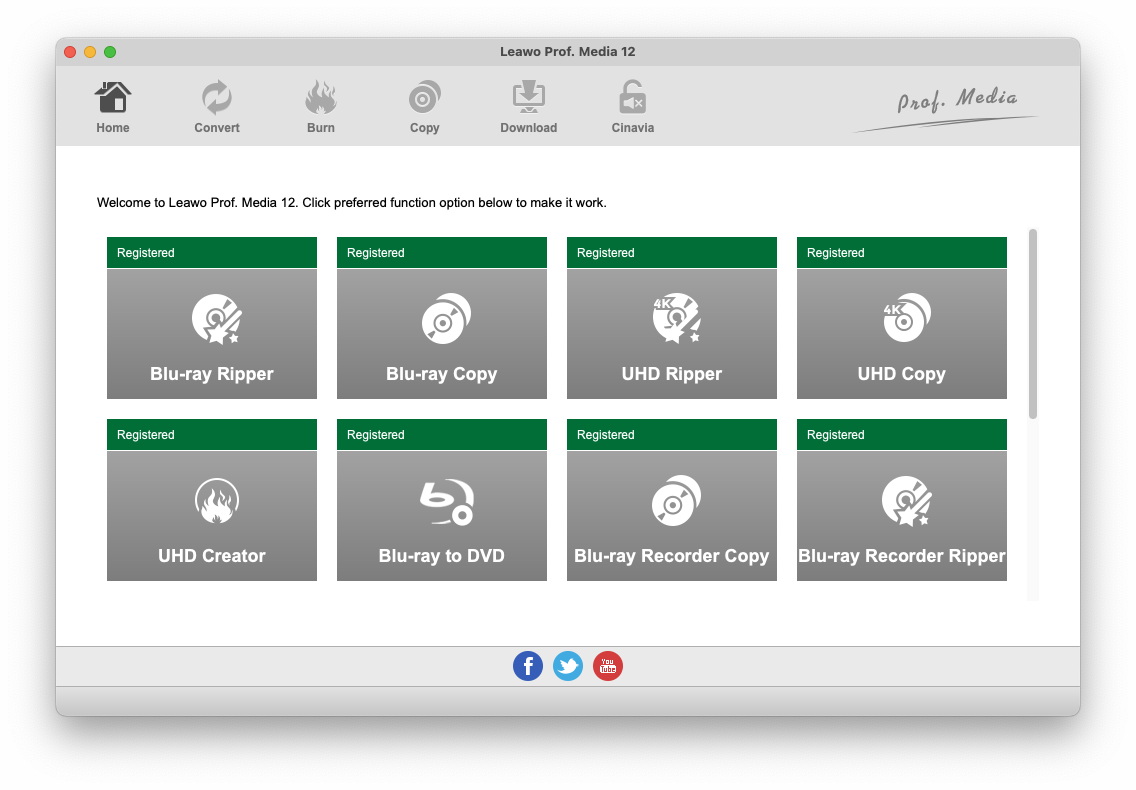
The Prof. Media home screen on a Mac with registered tiles for Blu-ray Ripper, Blu-ray Copy, UHD Ripper, UHD Copy, UHD Creator, Blu-ray to DVD, Blu-ray Recorder Copy and Blu-ray Recorder Ripper (version 12, from Leawo's Mac guide).
Features
BD-50 or BD-25 squeezed onto DVD-9 or DVD-5
Leawo Blu-ray to DVD Converter for Mac compresses a 25 GB to 50 GB Blu-ray movie into the roughly 8.5 GB of a dual-layer DVD-9 or the 4.7 GB of a single-layer DVD-5. A capacity bar shows how full the chosen disc will be. For a long film, DVD-9 roughly doubles the room for the picture, so use dual-layer blanks when quality matters.
Main Movie or Custom Mode
Leawo Blu-ray to DVD Converter for Mac offers two modes. Main Movie takes the longest title, normally the film itself, and drops trailers and extras. Custom Mode lets you tick the titles you want, for example a couple of bonus features alongside the film. In both you choose one subtitle and one audio track, so a disc with eight dubs becomes a DVD in your language.
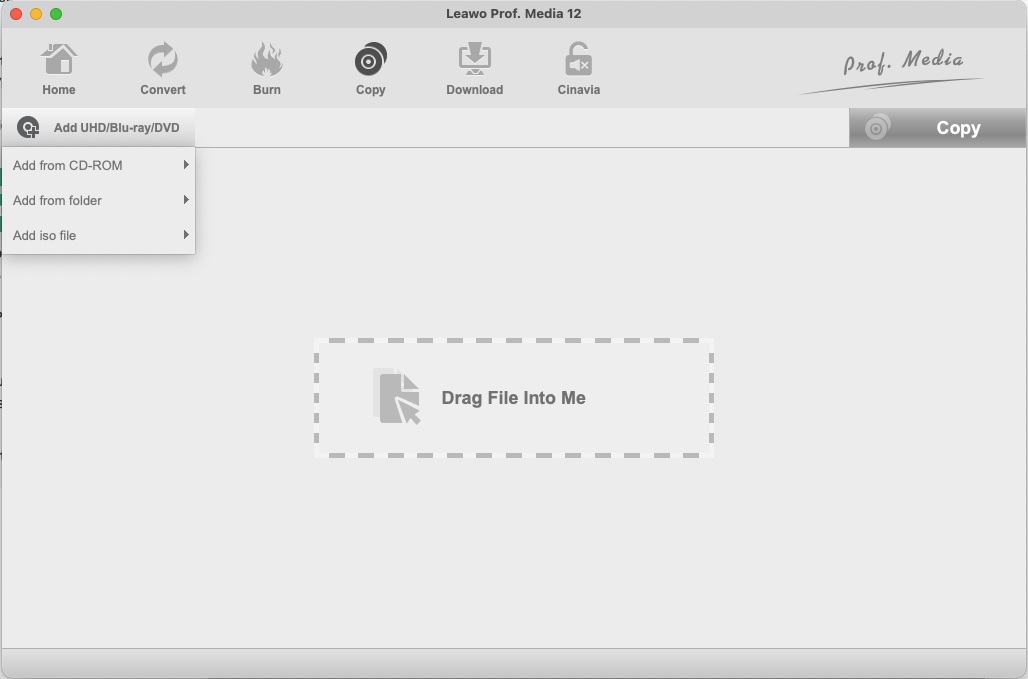
Loading the source on a Mac: the Add UHD/Blu-ray/DVD button opens Add from CD-ROM, Add from folder and Add iso file, next to a "Drag File Into Me" box (Prof. Media 12 for Mac).
NTSC or PAL, and the Blu-ray region
Leawo Blu-ray to DVD Converter for Mac takes its DVD video standard from the Copy & Burn page of Prof. Media's Settings: NTSC for North America, PAL for most of Europe, Australia and parts of Asia. The same page sets the Blu-ray source region or asks each time a disc is opened. Unlike the Windows edition, the Mac settings page has no choice of burning engine.

Settings, Copy & Burn on a Mac: DVD Default Video Mode set to NTSC, a note on where NTSC and PAL are used, and the Blu-ray Source Region Code set to "Ask before opening the disc" (Prof. Media 12 for Mac).
Disc, folder or ISO, even with one drive
Leawo Blu-ray to DVD Converter for Mac's output panel has tick boxes for a DVD folder, an ISO file and your burner, plus a disc label and the save location, which defaults to a folder inside your Movies folder. A DVD folder or ISO is handy if you'd rather burn later, or keep a small DVD-size copy of the film on a drive. With a single drive, pick it as the target and swap the Blu-ray for a blank DVD when asked.
Reads protected discs
Leawo Blu-ray to DVD Converter for Mac decrypts commercial Blu-rays as it reads them. The trial's terms show how much that matters: after the 30-day trial runs out, only unencrypted Blu-rays will load, which rules out nearly every bought movie.
Benefits
- One collection, every player. You don't need to buy the DVD edition of a film you already own on Blu-ray.
- Cheap discs for risky places. A scratched DVD-R in the car costs pennies. A scratched Blu-ray original doesn't.
- Small files. A DVD ISO of a film takes a fraction of the space of a Blu-ray ISO.
Real-World Uses
- Road trips: DVD-5 copies of the children's Blu-rays for the car's DVD player.
- The holiday home: a stack of DVDs that can stay there all year.
- Grandparents' player: a DVD of a family favorite for a machine that's never been upgraded.
- A lightweight archive: DVD ISOs on a small drive when full Blu-ray copies would be too big.
Who It's For, and Who Should Skip It
It fits Mac owners with a Blu-ray collection and at least one DVD-only player they still use.
Skip it if:
- You'd also like Blu-ray backups. Leawo Blu-ray Copy for Mac includes this module for the same yearly price.
- The target is a tablet, phone or Apple TV. A ripper making MP4 files gives better quality than a DVD.
- Your discs are 4K UHD or carry Cinavia and the DVD player checks for it. Neither is handled here.
- You don't have a Blu-ray drive. The Mac needs one to read the source disc.
Usage Guide
- Install. Download the Apple Chip or Intel Chip build from Leawo's page, drag Leawo Prof. Media into Applications and launch it.
- Set the video standard. Open Prof. Media's Settings, go to Copy & Burn, and choose NTSC or PAL to match the player.
- Add the Blu-ray. Click the Blu-ray to DVD tile, then Add UHD/Blu-ray/DVD and choose the disc, a folder or an ISO.
- Choose content. Pick Main Movie or Custom Mode, the audio track and subtitles, and DVD-9 or DVD-5 at the bottom left.
- Choose the output. Click the green Copy button, tick Folder, ISO File or your burner, and set the disc label and save location.
- Convert. Click Copy at the bottom of the panel and wait for the progress screen to finish.
- Register from Help > Activate in the menu bar once you've bought a code.
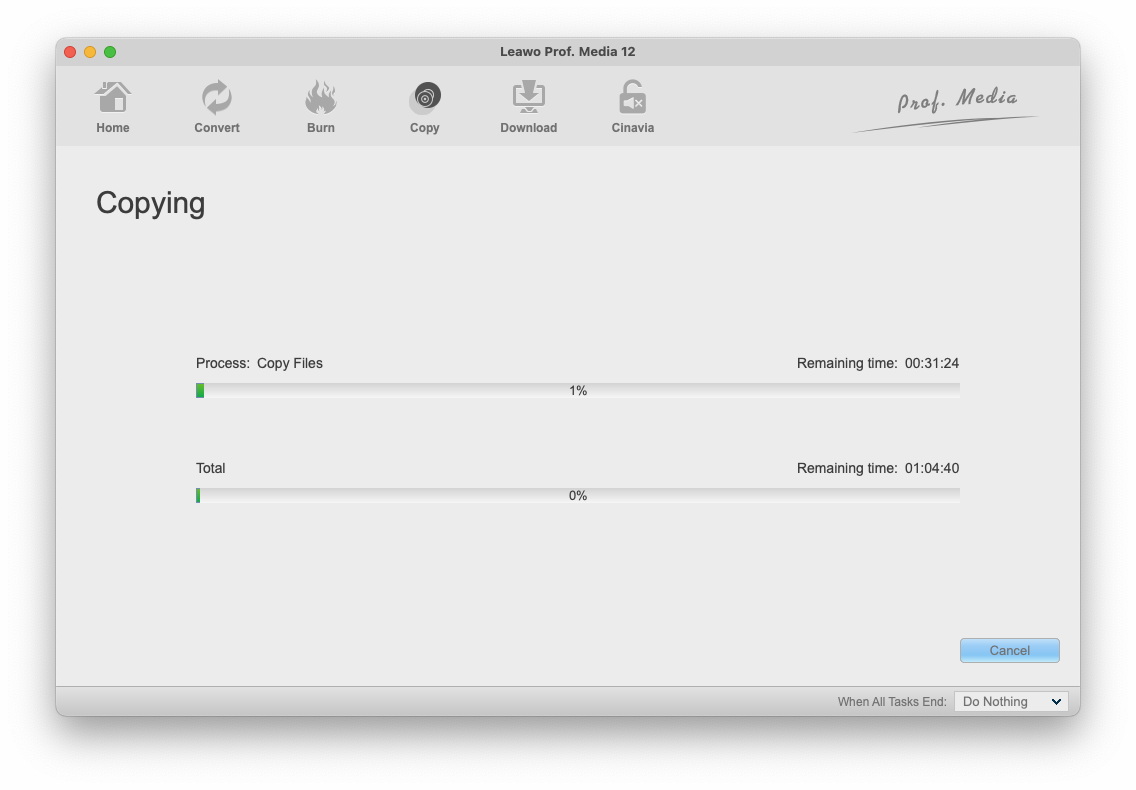
The Copying screen on a Mac with remaining-time estimates for the current step and the whole job, and a "When All Tasks End" option (Prof. Media 12 for Mac, shown on a Blu-ray copy job).
Tips
- Leave 25 GB free. Leawo asks for at least 25 GB of free space on the Mac for a Blu-ray job.
- Test before the trial ends. Use the 30 days to convert your real discs (5 minutes each). After that, the trial won't open encrypted Blu-rays at all.
- Pick Main Movie for DVD-5. Leaving out extras gives the film more of a single-layer disc's space.
Where it falls short
- Poor value on its own. At one year it costs exactly what Blu-ray Copy for Mac costs, and that license does four jobs including this one.
- Speed claims vary and favor Windows. The product page promises "50X higher speed" with NVIDIA, AMD and Intel graphics acceleration. Apple silicon Macs have none of those, and Leawo's own figures elsewhere say 6X.
- No menus. The DVD plays the film. If you want a custom DVD menu, that's a Creator job.
- No Mac user reviews. Leawo has no review page for the Mac edition, and we found no independent test of it.
- No Cinavia removal. A Cinavia-marked Blu-ray can still be muted on a Cinavia-aware DVD or Blu-ray player after conversion.
What Users Say
We found no user or magazine review of the Mac edition, and Leawo's site has no Mac review page for it. What exists is the testimonials Leawo shows on its product page and a few Mac users' comments about Leawo in general.
Testimonials on Leawo's product page (chosen by Leawo)
"The quality is the most important thing for copying Blu-ray to DVD. This tool performs quite well in this. High quality compression with little quality loss." Michael Stan
"This tool is super easy to use and converts Blu-rays to DVDs fast. The quality is great, and I can choose subtitles and audio tracks. It's definitely a keeper." James Walker
Leawo's Mac disc tools in general
On Leawo's review page for Blu-ray Copy for Mac, whose license includes this converter, seven reviews average 4.7 out of 5. Fusion Head wrote in 2018 that it handled "DVD-single layer, dual layer, and BluRay single and dual layer products" and "worked reliably every time", though his first dual-layer Blu-ray burns failed on poor blank media. On Trustpilot, where Leawo has a 4.4 TrustScore from 151 reviews, Mac users mostly mention quick support, including after a macOS upgrade broke their software in 2014.
The takeaway
There's no independent evidence on how good the DVDs look, so the 30-day trial is your review. Convert five minutes of a dark, fast-moving scene, burn it, and watch it on the actual player before paying.
Comparisons
Mac edition vs Windows edition
Both editions read the same discs, offer the same two modes and the same DVD-9/DVD-5 targets, and cost the same. The Mac edition asks for a recordable Blu-ray drive and 25 GB of free space, ships as Intel and Apple silicon builds, and has no burning-engine setting. The Windows edition lists a DVD writer as optional and an NVIDIA graphics card for acceleration. A license covers only the platform it was bought for.
Blu-ray to DVD Converter vs Blu-ray Copy for Mac
Blu-ray Copy for Mac includes Blu-ray to DVD and adds 1:1 Blu-ray backups, DVD copying and recorder-disc copying. One year costs $44.95 for either. Lifetime is $69.95 for the converter alone and $99.95 for Blu-ray Copy.
Editions and Pricing
| Option |
Price |
Term |
Modules |
Money-back period listed |
| Blu-ray to DVD Converter for Mac, 1 Year |
$44.95 |
One year, one Mac (renewal quoted at $26.97) |
Blu-ray to DVD only |
5 days |
| Blu-ray to DVD Converter for Mac, Lifetime |
$69.95 |
One-time payment, one Mac |
Blu-ray to DVD only |
14 days |
| Blu-ray Ripper + Blu-ray Copy, Lifetime |
$119.94 |
One-time payment, one computer |
Seven modules, Blu-ray to DVD among them |
14 days |
The Buy Now button opens the converter's page on Leawo's site, where the pricing section has a Windows/Mac switch. Both single licenses include free upgrades.
FAQs
Can I convert a Blu-ray to DVD on a MacBook with only one external drive?
Yes, if that drive is a Blu-ray burner. Leawo Blu-ray to DVD Converter for Mac reads the Blu-ray, converts it, then asks you to insert a blank DVD in the same drive. A DVD-only drive can't read the source.
Will the DVD play in any DVD player?
Leawo Blu-ray to DVD Converter for Mac writes standard DVD-Video, which standalone players are built to read, as long as the NTSC/PAL setting matches the player's region and the player accepts the blank disc type you burned. Older players are pickier about DVD+R DL and DVD-R DL blanks, so test one disc first.
Does Leawo Blu-ray to DVD Converter for Mac keep 5.1 surround sound?
Leawo Blu-ray to DVD Converter for Mac lets you pick one audio track per title, and Leawo doesn't specify the DVD audio format it writes. If surround matters, check the trial output on your receiver before buying.
Does it work on Apple silicon Macs?
Yes. Leawo Blu-ray to DVD Converter for Mac runs inside Prof. Media for Mac, which has a native Apple silicon download, and Leawo lists Apple M1/M2 chips in the requirements.
What happens when the 30-day trial ends?
Leawo Blu-ray to DVD Converter for Mac's trial stops loading encrypted Blu-rays after 30 days, leaving only unencrypted discs, and even during the trial it converts just the first 5 minutes of each movie. A registration code removes both limits.
Can it convert 4K Ultra HD Blu-rays to DVD?
No. Leawo lists BD-50 and BD-25 Blu-ray input for Leawo Blu-ray to DVD Converter for Mac. 4K UHD discs need Leawo's UHD products.
System Requirements
- macOS: 10.13 High Sierra, 10.14 Mojave, 10.15 Catalina, 11 Big Sur, 12 Monterey, 13 Ventura, 14 Sonoma, 15 Sequoia, 26 Tahoe, 27
- Processor: 1 GHz or faster Intel, or Apple M1/M2 (native Apple silicon build available)
- Memory: 512 MB RAM, 1 GB or more recommended
- Free disk space: 25 GB or more
- Drive: a recordable Blu-ray drive
- Other: Internet connection
- Download: 241 MB (Intel) or 316 MB (Apple silicon)
Conclusion
Leawo Blu-ray to DVD Converter for Mac does a useful, narrow job well enough to try, but most buyers should get it inside Blu-ray Copy for Mac instead. It turns Blu-rays into DVDs for players that will never read Blu-ray, with the decryption, NTSC/PAL choice and one-drive workflow handled on the Mac.
The one reason to buy it alone: the $69.95 lifetime license is the cheapest permanent way to get Blu-ray to DVD conversion from Leawo on a Mac. The main reason not to: for the same $44.95 a year, Blu-ray Copy for Mac gives you this converter plus three other copy tools, and there are no independent reviews of either output's quality. Use the 30-day trial on your own discs and player first.
Download Free TrialBuy Now