InstallAware DiskZIP: Your Whole Windows PC in One Bootable File
InstallAware DiskZIP is a Windows 10 and 11 tool that compresses an entire disk, Windows included, into a single image file the PC boots from directly. It suits IT teams and owners of full drives, and the $475 order-page price is a one-time license covering up to 100 PCs.
The usual fix for a full system drive is deleting things or buying a bigger SSD. DiskZIP takes a third route: it leaves every file where it appears to be, packs all of it into c:\diskzip.wim, and tells Windows to run from that image.
Quick facts
- Version: 2026.14
- Developer: InstallAware Software
- Platforms: Windows 10 and 11 on x86, x64 and ARM64, in one download
- Price: $475 once for up to 100 PCs. Lifetime license, not a subscription
- Trial: 14 days with no feature limits. Compressed disks keep working if you uninstall
- Guarantee: money-back guarantee, with no period stated
- What we checked: installer file version 2026.14 (30.4 MB, digitally signed by InstallAware Software Corporation, file date October 29, 2026) and the order-page price of all five license sizes on November 10, 2026. We read the vendor's documentation and screenshots and didn't compress a disk ourselves.
Before you buy
- One or two PCs? The $475 license is sized for up to 100 PCs. InstallAware also sells 5-PC ($95) and 20-PC ($190) licenses from its own DiskZIP page, which is the cheaper route for a home user.
- Back up first. DiskZIP Offline changes how your system disk boots. Take a full backup before the first run, and use the optional backup disk setting.
- Plan for a restart. Offline mode reboots into its own processing screen and is best left overnight on a full drive.
Download Free TrialBuy Now
Overview
InstallAware launched DiskZIP in August 2019 as a security product and has kept shipping it since, porting its File Explorer extensions to native ARM64 in 2026. It installs like a normal app on the Windows you already have, so there's no clean install, migration or reformat.
The screenshots on this page come from InstallAware's own walkthrough of version 2022.4, so the current build may look a little different.
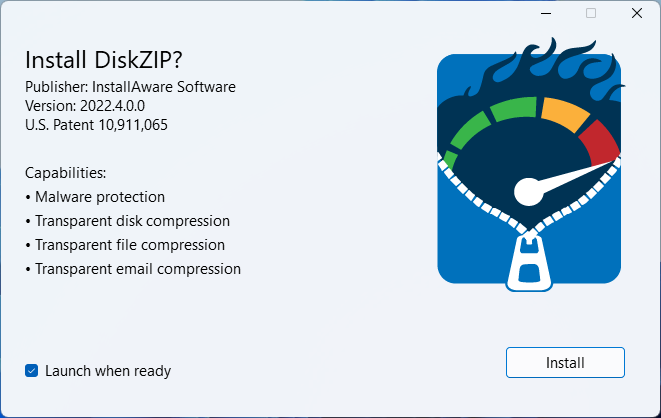
The DiskZIP installer, version 2022.4, listing its capabilities: malware protection and transparent disk, file and email compression.
Features
DiskZIP Offline packs the whole system disk
DiskZIP Offline restarts the PC into a special processing mode, checks the disk for errors, inventories every file, then builds one archive at the root of the drive with Windows included. It finishes by configuring the PC to boot from that archive through WIMBoot. A slider sets the balance from MaxSpeed to MaxSpace, with presets for NVMe, SATA and hard drives.
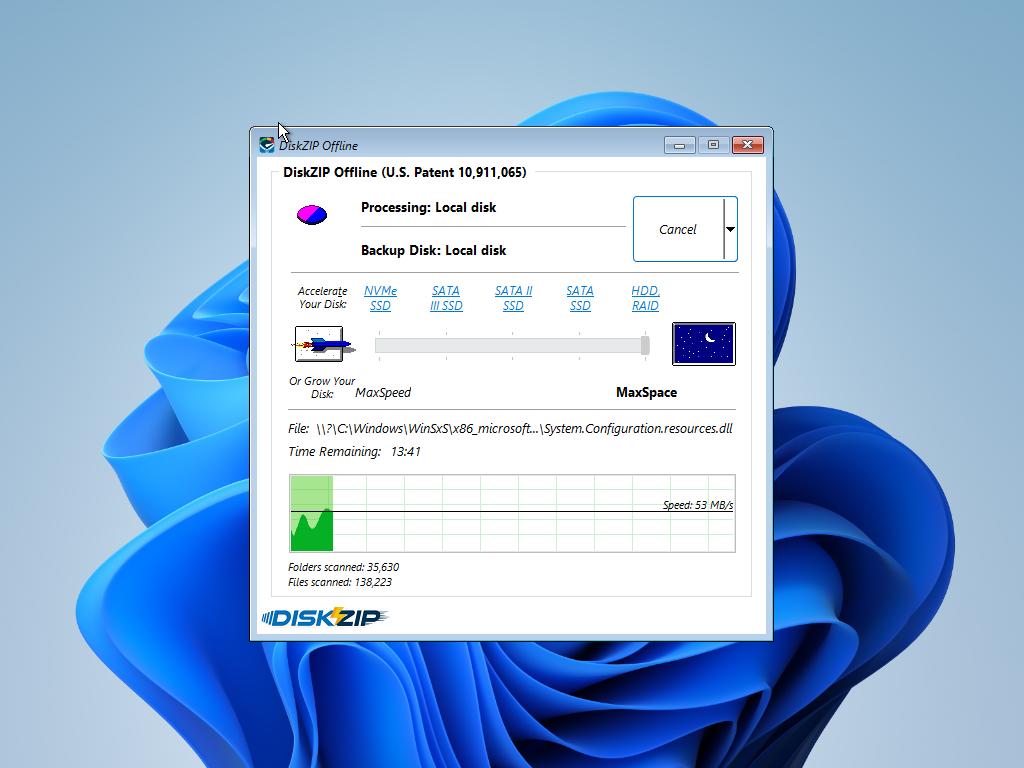
DiskZIP Offline partway through a disk, with 138,223 files scanned at 53 MB/s and the slider set to MaxSpace.
DiskZIP Online compresses while you work
DiskZIP Online compresses files with no restart and no need to close your programs, combining NTFS with modern compression. InstallAware says it runs about 20 times faster than Windows alone and never leaves the disk unbootable. It's the low-commitment way to try the product.
DiskZIP stores duplicate data once
DiskZIP Offline keeps one copy of data that repeats across your disk, even inside different files, and then compresses it. InstallAware points out that the NTFS checkbox can't do this, and it's why PCs loaded with similar apps and files gain the most.
DiskZIP locks the image against ransomware
DiskZIP Offline leaves your PC running from one file that Windows holds locked, so malware can't encrypt it file by file. InstallAware calls the image "impregnable to ransomware," and recovery uses a built-in System Refresh that returns the PC to its state at the last compression.
DiskZIP moves Windows to a new PC
DiskZIP can clone a Windows install onto dissimilar hardware, or you can copy c:\diskzip.wim across and run a System Refresh from DiskZIP Offline. The same file is your full backup. It's reversible too: you can uncompress the disk at any time or restore straight into uncompressed mode.
DiskZIP also works as an archiver in File Explorer
DiskZIP adds archive handling to File Explorer through shell extensions: right-click menus, dragging files onto an archive, tooltip previews, and browsing an archive as a folder. You can also create an archive just by adding an archive extension to a folder's name.
Benefits
- More room without a hardware swap. On a laptop with a soldered SSD, this may be the only way to gain real space.
- Nothing to tidy up. No hunting for what to delete and no files moved to the cloud.
- One thing to back up. A whole PC becomes a single file you can copy.
- No yearly bill. You pay once per license size.
Real-World Uses
- An IT department with a fleet of small-SSD laptops pushes the MSI package to postpone a hardware refresh.
- A help desk keeps a known-good image on each kiosk and uses System Refresh after a bad Windows Update.
- A developer with several large IDEs and SDKs reclaims the space that near-identical toolchains occupy.
- A technician moves a configured Windows install to a replacement PC without reinstalling apps.
Who It's For, and Who Should Skip It
DiskZIP fits administrators managing many Windows PCs, and anyone with a nearly full system drive that can't be upgraded. The MSI package and license sizes up to unlimited point at that audience.
Skip it if your drive is mostly photos, video and music, which are already compressed and won't shrink much. Skip it too if you can simply fit a larger SSD, which carries no boot-configuration risk. People who only want to zip a folder are better served by a free archiver. There's no Mac or Linux version, because the method depends on Windows booting from the image.
Usage Guide
- Back up the PC, then run the 30 MB
diskzip.exe and click Install.
- In the DiskZIP Security window, choose the drive and click Compress.
- Pick DiskZIP Online to compress with no restart, or DiskZIP Offline for the whole system disk.
- For Offline, set the slider (MaxSpace saves the most), click Compress and confirm the restart.
- Select the DiskZIP Offline item on the blue "Choose an operating system" screen.
- Let it check, inventory and compress the disk. DiskZIP then removes itself from the boot menu and returns you to Windows.
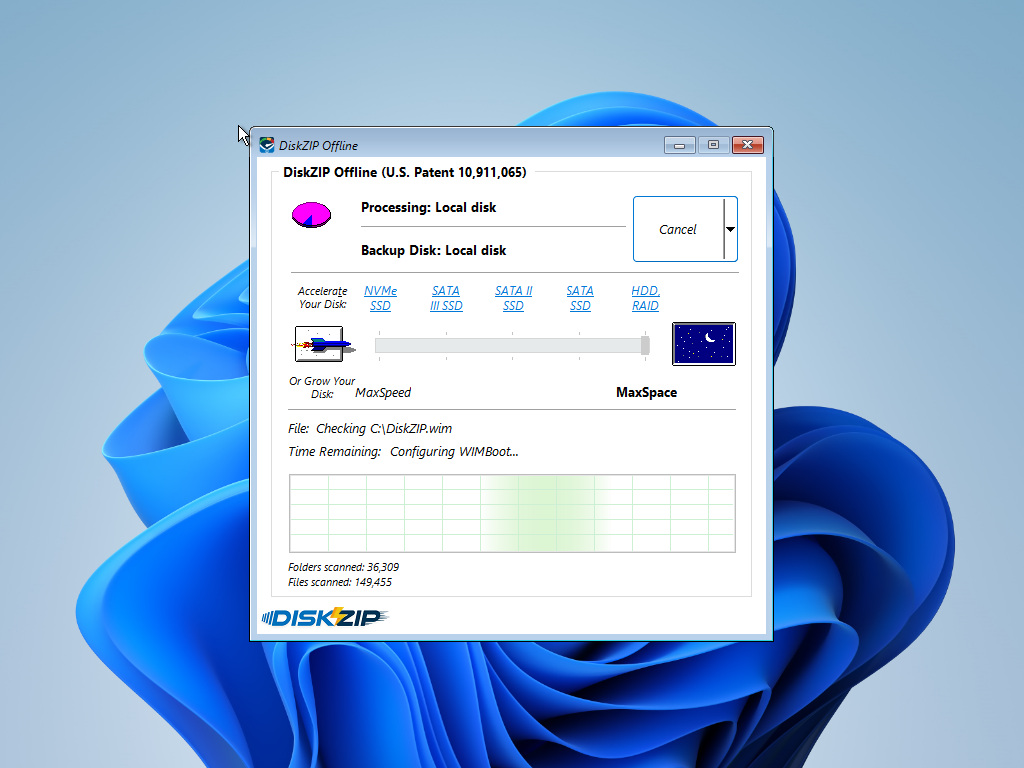
The last stage of DiskZIP Offline: checking C:\DiskZIP.wim and configuring WIMBoot.
Where it falls short
- Protection comes only with Offline mode. DiskZIP's own window says Online mode "Does not secure your data." Run Online and you get the space, not the ransomware defense.
- Space gains vary widely. InstallAware's headline 1,177 GB (2.1:1) is from its development PC. Its own walkthrough gained 5.4 GB at 2.4:1 on a small Windows 11 test system, and its launch post gave 5.5 GB on a clean Windows 10 install.
- Speed claims have shifted. The product page promises "zero performance cost." InstallAware's 2019 announcement was more measured: reads a little faster in some cases and a little slower in others.
- The security claim is untested by outsiders. "Impregnable" is the vendor's word, and no independent lab result backs it. Keep your antivirus and separate backups.
- DiskZIP Max has limits. This mode isn't available for boot disks, removable disks, 32-bit systems or versions before Windows 8.
- Hidden boot menu on some PCs. InstallAware warns that some laptops show a blank screen instead of the boot menu. Press the down arrow and Enter to select DiskZIP Offline blind.
DiskZIP vs Windows' Built-In Compression
Windows' free NTFS compression checkbox costs nothing and takes one click, so it's the option to beat. By InstallAware's account it skips about 90% of your files, runs on a single core and leaves each file individually exposed to ransomware. DiskZIP Offline covers system files too and removes duplicates across the disk.
Those comparison points are the vendor's. The honest test is your own disk: DiskZIP Online takes one click on the 14-day trial, and the result tells you whether a paid license is worth it for your PCs.
Editions and Pricing
Every DiskZIP license differs only by the number of PCs, and all are one-time payments. Prices were read from the order page on November 10, 2026.
| License size | Price (USD) | Cost per PC at full use |
|---|
| Up to 5 PCs | $95 | $19.00 |
| Up to 20 PCs | $190 | $9.50 |
| Up to 100 PCs | $475 | $4.75 |
| Up to 500 PCs | $1,188 | $2.38 |
| Up to 5,000 PCs | $2,970 | $0.59 |
| Up to 50,000 PCs | $7,425 | $0.15 |
| Unlimited | $18,563 | Depends on fleet size |
Buy 100 PCs ($475)Buy 500 PCs ($1,188)Buy 5,000 PCs ($2,970)Buy 50,000 PCs ($7,425)Buy Unlimited ($18,563)
FAQs
What happens to my compressed disk if I uninstall DiskZIP?
A disk compressed by DiskZIP keeps working after you uninstall, according to InstallAware, so ending a trial doesn't strand your data.
Does DiskZIP run on Windows on ARM laptops?
DiskZIP runs on Snapdragon and nVIDIA ARM64 PCs, and InstallAware lists Parallels and VMware on Apple Silicon as well. The same download covers x86 and x64.
Can I deploy DiskZIP across a company network?
DiskZIP is available as a 32 MB MSI package for corporate deployment, alongside the regular EXE download.
Does a DiskZIP license count users or PCs?
DiskZIP's order page names each license by "Users" while InstallAware's product page counts "PCs." If your organization shares PCs between many people, ask InstallAware which applies before you choose a size.
Can DiskZIP make Windows faster?
DiskZIP can speed up some reads because less data comes off the disk, InstallAware says, while others run slightly slower. Don't buy it for speed. Buy it for space and recovery.
Can I undo DiskZIP compression?
DiskZIP can uncompress a compressed disk at any time, and it can restore straight into uncompressed mode, so the change isn't one-way.
System Requirements
- Windows 10 or Windows 11
- Intel or AMD x86/x64, or Snapdragon or nVIDIA ARM64
- About 30 MB for the download
- A restart, and an evening for a large disk, to use DiskZIP Offline
Conclusion
DiskZIP is worth trying if you're responsible for many Windows PCs with tight storage: at $4.75 per PC for a 100-PC site, it costs far less than new SSDs. The reason to buy is the one-file boot image, which gives you space, simple backup and a fast way back from a bad update. The reason to hold back is risk, since a tool that changes how Windows boots deserves a full backup and a test on a spare machine first, and its ransomware claims rest on the vendor's word. One or two home PCs don't justify this license size.
Download Free TrialBuy Now