Leawo Photo Enlarger for Mac: Batch AI Upscaling on macOS
Leawo Photo Enlarger for Mac is a macOS upscaler that enlarges photos by any factor from 2X to 40X (or shrinks them to 0.5X), with sliders to suppress noise and blur, for one photo or a whole folder. It costs $39.95 a year or $59.95 lifetime and needs macOS 10.13 or later; Apple silicon Macs run it through Rosetta.
Preview's Adjust Size on a Mac only resamples pixels, so enlarged photos turn soft. If you need a small image printed big, or a stack of low-resolution pictures brought up to a usable size, this is the gap the app fills.
Quick facts
- Developer: Leawo Software Co., Ltd.
- Download: macphotoins_setup.dmg, 444 MB, dated June 13, 2022, the same Leawo PhotoIns for Mac app used by all three photo modules
- Macs: Intel, or Apple M1/M2 with Rosetta; macOS 10.13 High Sierra through 27
- Scale: 0.5X to 40X, with presets for the common sizes
- Files: opens JPEG, BMP, TIFF, PNG, WEBP (files over 5 MB are compressed on import); saves JPEG, PNG or TIFF
- Price: $39.95 a year or $59.95 lifetime, for one Mac
- Trial: previews everything, exports one watermarked photo at a time
What we checked: the Mac installer served by the Photo Enlarger for Mac download page (macphotoins_setup.dmg, 466,021,864 bytes, dated June 13, 2022; one build for Intel and Apple silicon), the Mac requirements on Leawo's product page, the trial and expired-license rules in its registration guide, and the order page, which billed "Photoins Photo Enlarger for Mac" at $39.95 for 1 year and $59.95 lifetime on November 1, 2026. We didn't upscale photos on a Mac ourselves.
Before you buy
- Rosetta on Apple silicon. Upscaling is heavy work, and this app runs as an Intel program on M-series Macs. Time a 4X job on your Mac during the trial.
- The Mac build dates from June 2022. The Windows edition got a newer build (4.0.0.2) in January 2024; the Mac download hasn't changed.
- Imports over 5 MB are compressed. Large originals won't go in untouched.
- A 1440 x 900 screen minimum, 1920 x 1080 recommended, for the side-by-side preview.
Download Free TrialBuy Now
Overview
Installing Photo Enlarger for Mac gives you the whole Leawo PhotoIns app, which opens on a home screen of module tiles. Your Enlarger key activates only that tile; the Enhancer and BG Remover tiles open in trial mode. Leawo's guide covers both platforms with screenshots of the Windows window.
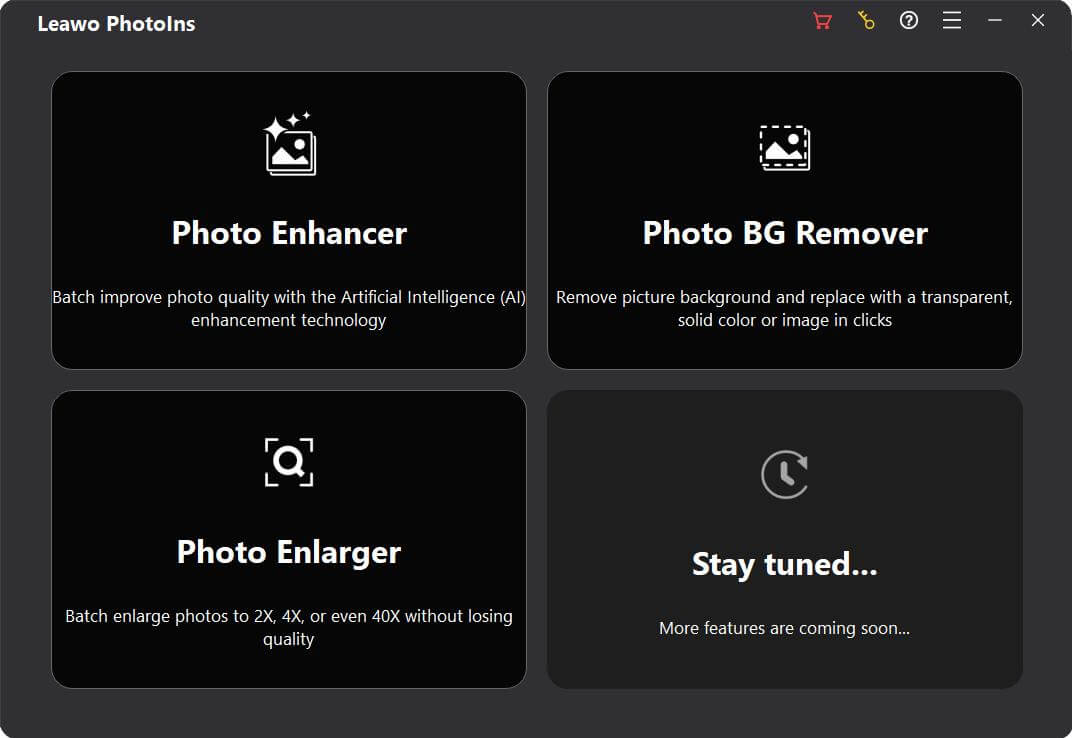
The PhotoIns home screen in Leawo's guide (Windows build): Photo Enhancer, Photo BG Remover and Photo Enlarger ("Batch enlarge photos to 2X, 4X, or even 40X without losing quality"), plus a "Stay tuned" tile.
Features
A workbench with side-by-side and split previews
Leawo Photo Enlarger for Mac opens each photo at 2X in a workbench where the original and the enlarged version sit side by side, or share one frame split down the middle. A navigator thumbnail in the corner shows which part you're inspecting, and the bottom bar shows the pixel dimensions before and after.
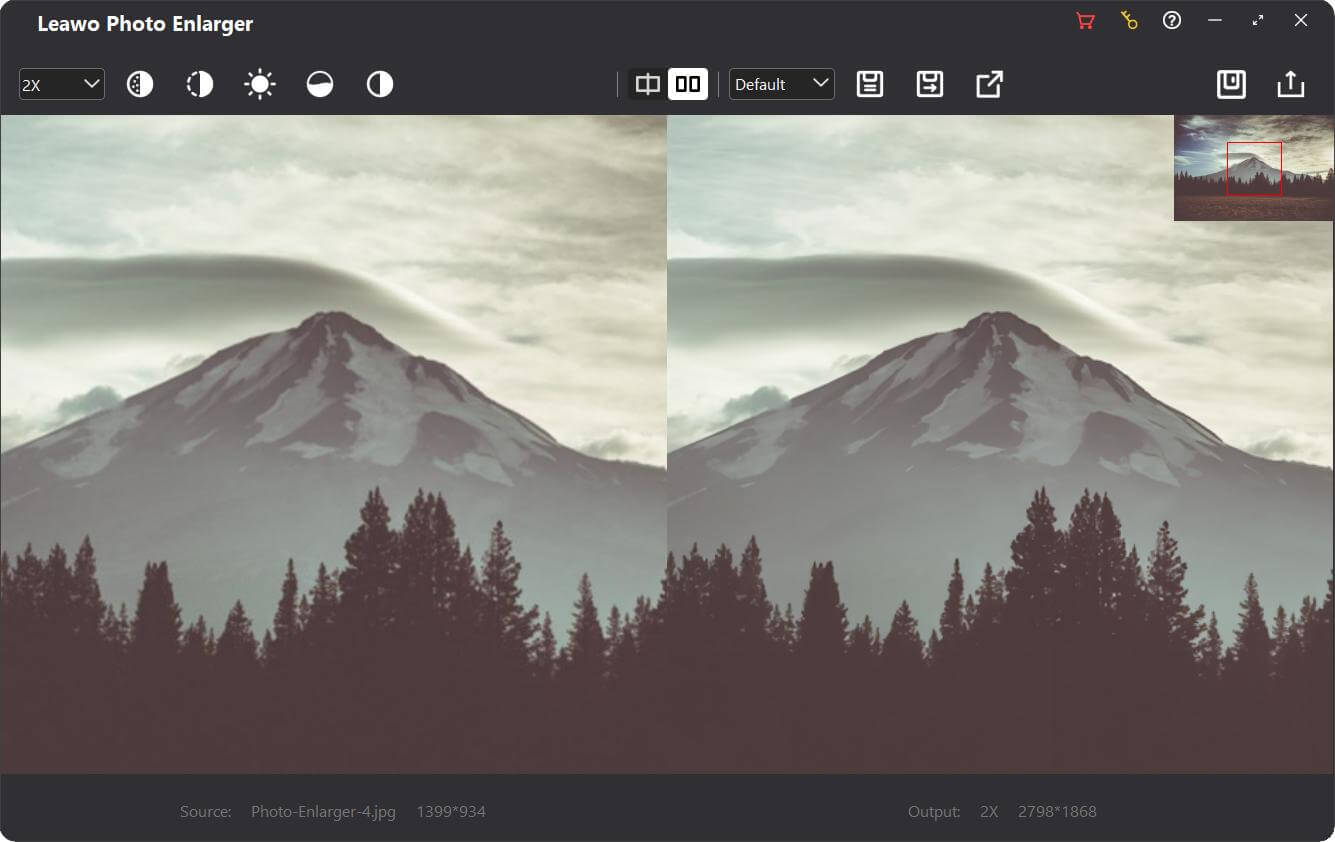
The workbench (Windows build): 2X selected top left with the noise, blur and tone buttons, the preview-mode and preset controls in the middle, and "Source 1399*934 / Output 2X 2798*1868" along the bottom.
Five sliders you can actually set
Leawo Photo Enlarger for Mac lets you dial in Denoise and Deblur for grainy or soft sources, and Brightness, Saturation and Contrast for the look, each on a 0 to 100 scale starting at 50. That's more hands-on than Leawo's other photo modules, which mostly apply the AI's choice for you.
Presets and Apply to All for consistent batches
Leawo Photo Enlarger for Mac saves a scale-and-slider combination as a preset that you can pick from a list later, and Apply to All pushes one photo's settings to every loaded photo. For batches, the same choices live in the Output panel, so a folder can be upscaled without opening any photo individually.
Single-photo export with format and quality
Leawo Photo Enlarger for Mac exports to JPEG or JPG (quality 0 to 100), PNG (compression 0 to 9) or TIFF/TIF (LZW or ZIP, 8- or 16-bit), adds a file-name suffix such as "-leawo" so your original isn't overwritten, and saves to a folder you pick.
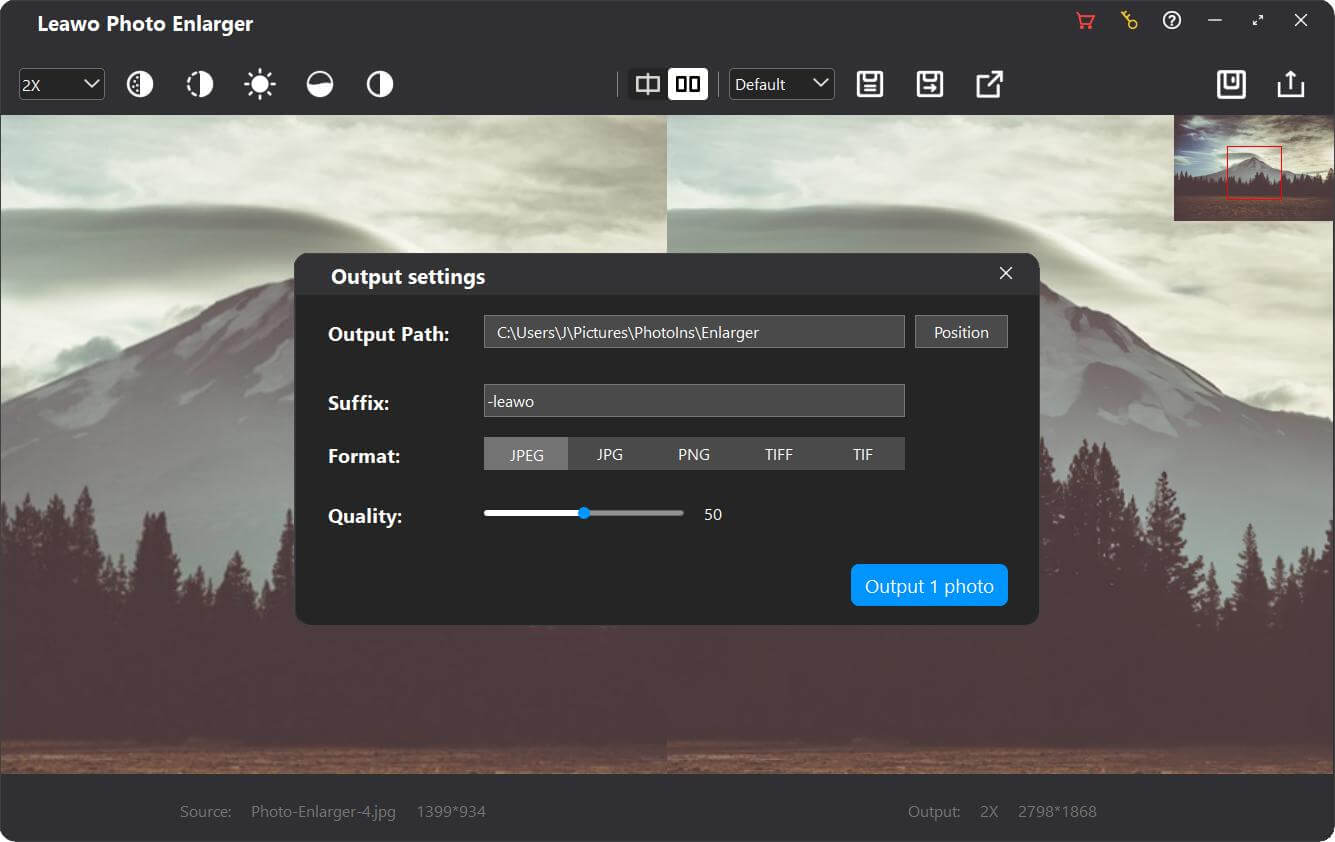
Exporting one photo from the workbench (Windows build): output path, "-leawo" suffix, JPEG/JPG/PNG/TIFF/TIF buttons, quality at 50 and "Output 1 photo".
Benefits
- More than Preview's resize. Preview resamples pixels; this redraws detail with AI.
- Batch work with your own settings. Presets make a 200-photo job as easy as a single one.
- A one-time option. No credits or per-image fees, and the lifetime license never expires.
Real-World Uses
- Photo books and prints: bring small photos from an old phone up to print size before laying out a book in Apple Photos or a print service.
- Design work: enlarge a client's tiny logo or product shot to place in a Keynote or Affinity layout.
- Web images: scale large images down to 0.5X when a site needs lighter files.
Who It's For, and Who Should Skip It
Good fit: Mac users who upscale photos often enough to want a desktop tool with presets, and who don't need the fastest possible processing.
Skip it if:
- You want a native Apple silicon app. This one is an Intel build that runs through Rosetta.
- You upscale once in a while. The free, open-source Upscayl runs on Macs and may be enough.
- You work from big RAW or TIFF masters. RAW isn't accepted, and files over 5 MB are compressed on import.
Usage Guide
- Get the DMG: download the 444 MB installer from the Mac download page and install it; on Apple silicon, approve Rosetta if macOS asks.
- Open the module: start Leawo PhotoIns and click Photo Enlarger.
- Load photos: drag a folder from Finder or use Add Photo Folder / Add Photo.
- Tune one photo: double-click it, choose the scale, set the sliders, compare, and click Save; Apply to All copies the settings to the rest.
- Export: click Output, check path, suffix, format, quality and scale, and click "Output [number] photos".
- Register: click the key icon, paste your code and press Return.
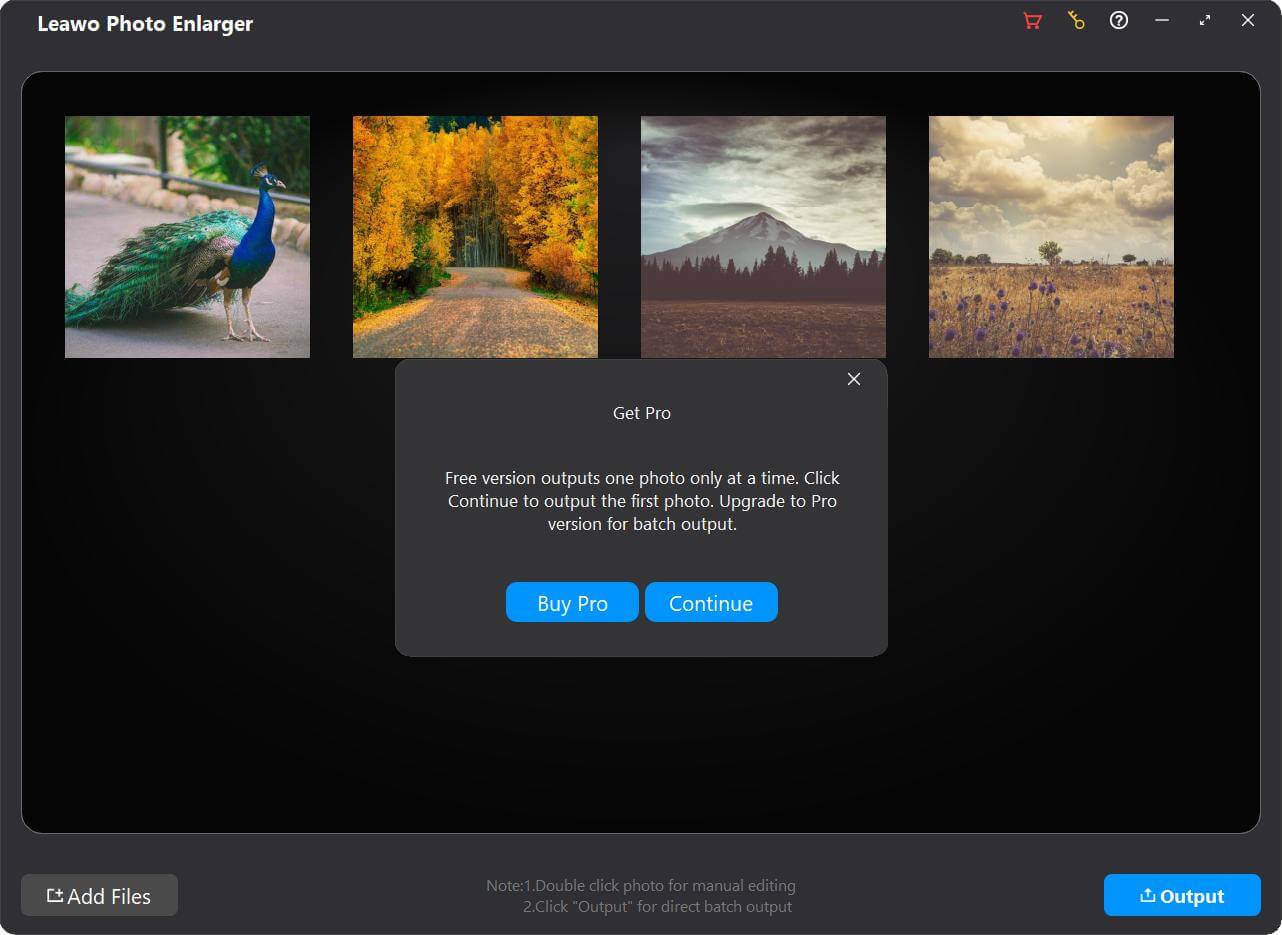
The trial's export prompt over a batch of four photos (a peacock, an autumn road, a mountain, a meadow): "Free version outputs one photo only at a time", with Buy Pro and Continue (Windows build).
Where it falls short
- Speed under Rosetta. A Windows user found it slow on an older desktop; on Apple silicon it also pays the cost of translation from Intel code.
- Activation reports. Windows users of version 4.0.0.2 reported being asked for the code again at every launch. We found no reports either way from Mac users.
- Aging Mac code. The 2022 Intel build relies on Rosetta on Apple silicon, so its future on new macOS versions depends on Rosetta staying available or Leawo releasing a native build.
What Users Say
We found no reviews written by Mac users of Photo Enlarger, and Leawo has no Mac review page for it. The comments below are from Windows users of the same program.
Giveaway of the Day (Windows, September 2025)
- Joe Blow, who had used the previous year's giveaway: "the results have been excellent. To anyone on the fence, I recommend getting it. Thank you Leawo / GotD, for the additional 1 yr license."
- Stater: "The next time you open the program it asks to be registered again."
- Dan: "Been trying to register in the last four hours, without success. So frustrating."
- pnj, answering a user surprised by the watermark: "If you did not register, then yes. If you do register, then no."
Leawo's review page (moderated)
Two 5-star reviews, both from September 2022. Adrian: "Does exactly what the name suggests, very easy to use but powerful at the same time". hanh dao: "Thank...very Good." Leawo's page data claims a 4.9 rating, but only these two reviews are visible.
The pattern: results get praise, activation gets complaints. Mac buyers should check during the trial that the app accepts and keeps a key, and ask Leawo support straight away if it doesn't.
Comparisons
Mac vs Windows edition
| | Mac | Windows |
|---|
| Operating system | macOS 10.13 to 27 | Windows 10 and 11, 64-bit |
| Processor | Intel; M1/M2 via Rosetta | Core i3 / Athlon 64; 6th-gen i3 or Ryzen 3 recommended |
| Installer | 444 MB DMG, June 2022 | Online or 1 GB offline setup, 4.0.0.2 from January 2024 |
| Price | $39.95 / $59.95 | $39.95 / $59.95 |
Features and trial rules match. Keys are platform-specific.
Enlarger alone vs PhotoIns for Mac
PhotoIns for Mac activates the Enlarger, Photo Enhancer and Photo BG Remover for $79.95 a year or $109.95 lifetime. The Enlarger alone is $39.95 / $59.95, and the other two are $29.95 / $39.95 each. With Leawo's 50% off a second module in the same order, Enlarger plus one other module still costs less than the suite.
Editions and Pricing
| Option | Price | After the term |
|---|
| Trial | Free | One watermarked photo per export, ads |
| 1 year | $39.95 | Auto-renews; if it lapses, back to trial limits (renewal is discounted) |
| Lifetime | $59.95 | No expiry |
FAQs
Is there an Apple silicon version of Leawo Photo Enlarger?
No. Leawo Photo Enlarger for Mac ships as one Intel build and supports M1 and M2 Macs through Rosetta, according to Leawo's requirements.
Can Leawo Photo Enlarger for Mac open HEIC photos from an iPhone?
HEIC isn't among the formats Leawo Photo Enlarger lists (JPEG, BMP, TIFF, PNG, WEBP). Export iPhone photos as JPEG from Apple Photos first, or set the iPhone camera to "Most Compatible".
Does my Windows license work on my Mac?
No. Leawo Photo Enlarger licenses are per platform and per computer; the Mac edition is a separate purchase at the same price.
What happens if I let the 1-year Mac plan expire?
An expired Leawo Photo Enlarger license reverts to trial behavior: one watermarked photo per export, with ads. Leawo says renewing costs less than buying new, and the lifetime license avoids the question.
How much space does Leawo Photo Enlarger need on a Mac?
Leawo Photo Enlarger for Mac asks for 4 GB of free disk space (SSD recommended) and 4 GB of RAM, with 8 GB recommended; the download is 444 MB.
System Requirements
- macOS: 10.13 High Sierra, 10.14 Mojave, 10.15 Catalina, 11 Big Sur, 12 Monterey, 13 Ventura, 14 Sonoma, 15 Sequoia, 26 Tahoe, 27
- Processor: 1 GHz or faster Intel, or Apple M1/M2 with Rosetta
- Memory: 4 GB RAM (8 GB or more recommended)
- Disk: 4 GB free, SSD recommended
- Display: 1440 x 900 (1920 x 1080 or better recommended)
- Other: internet connection and registration for activation and subscription checks
Conclusion
Leawo Photo Enlarger for Mac fills a real gap in macOS, AI upscaling with batch presets, and is worth $59.95 lifetime if you upscale photos regularly and can live with Rosetta speeds on Apple silicon.
The reasons for caution are its 2022 Intel build, the 5 MB import compression, and Windows users' reports of keys that don't stick. Run the trial on your own Mac with the photos and scale you actually need, and check how long a batch takes, before you buy.
Download Free TrialBuy Now