Leawo Photo Enlarger: AI Upscaling from 2X to 40X for Windows
Leawo Photo Enlarger is a Windows 10 and 11 program that upscales photos with AI, from 2X up to 40X (and down to 0.5X), while reducing noise and blur, in batches. It costs $39.95 for one year or $59.95 for a lifetime license; the free trial exports one watermarked photo at a time.
The typical job: a 1,400-pixel photo that you want to print at poster size, or a folder of small product images that look soft on a modern screen. Plain resizing just makes the pixels bigger; an AI upscaler tries to redraw the detail. How convincing that looks depends on the photo, so the trial matters here.
Quick facts
- Developer: Leawo Software Co., Ltd.
- Installs as: Leawo PhotoIns; the license activates the Photo Enlarger module
- Version: 4.0.0.2 (offline installer, January 2024); the online installer is 4.0.0.1
- Runs on: Windows 10 and 11, 64-bit; a 6th-gen Core i3 or Ryzen 3 or faster is recommended
- Scale: presets 0.5X, 2X, 4X, 6X and 8X, or any value from 0.5 to 40
- Formats: opens JPEG, BMP, TIFF, PNG and WEBP; saves JPEG/JPG, PNG or TIFF/TIF (8 or 16 bits)
- Price: $39.95 for 1 year or $59.95 lifetime, one computer
- Trial: full preview, but exports one photo at a time with a Leawo watermark and ads
What we checked: the Photo Enlarger download page's two Windows installers (online_photoins_setup.exe, file version 4.0.0.1, 3.5 MB, dated June 17, 2022, and the offline photoins_setup.exe, file version 4.0.0.2, about 1 GB, dated January 10, 2024), the trial, registered and expired-license table in Leawo's registration guide, and the order page, which charged $39.95 for one year and $59.95 lifetime on November 1, 2026. We didn't upscale photos with it ourselves.
Before you buy
- Large files get compressed on import. The program's start screen says "Files over 5MB will be compressed". If your originals are big camera JPEGs or TIFFs, check what that does to them in the trial.
- Windows 10 or 11 only. Unlike Leawo's other photo modules, the Enlarger doesn't list Windows 7 or 8.
- Letting the year lapse brings back the watermark. An expired 1-year license works like the trial again, one watermarked photo at a time. If you'll use it for years, the lifetime license makes more sense.
- Refunds are for faults only, within 14 days, when Leawo's support can't fix a reproducible problem.
Download Free TrialBuy Now
Overview
Photo Enlarger was the last of the three modules added to Leawo PhotoIns (older guide screenshots show a home screen with only the other two), and it is the most adjustable. Where the Enhancer and BG Remover mostly decide for you, the Enlarger gives you sliders for noise, blur, brightness, saturation and contrast, saved presets, and a choice of side-by-side or split previews. You can still skip all of that: load a folder, pick 2X or 4X, and click Output.
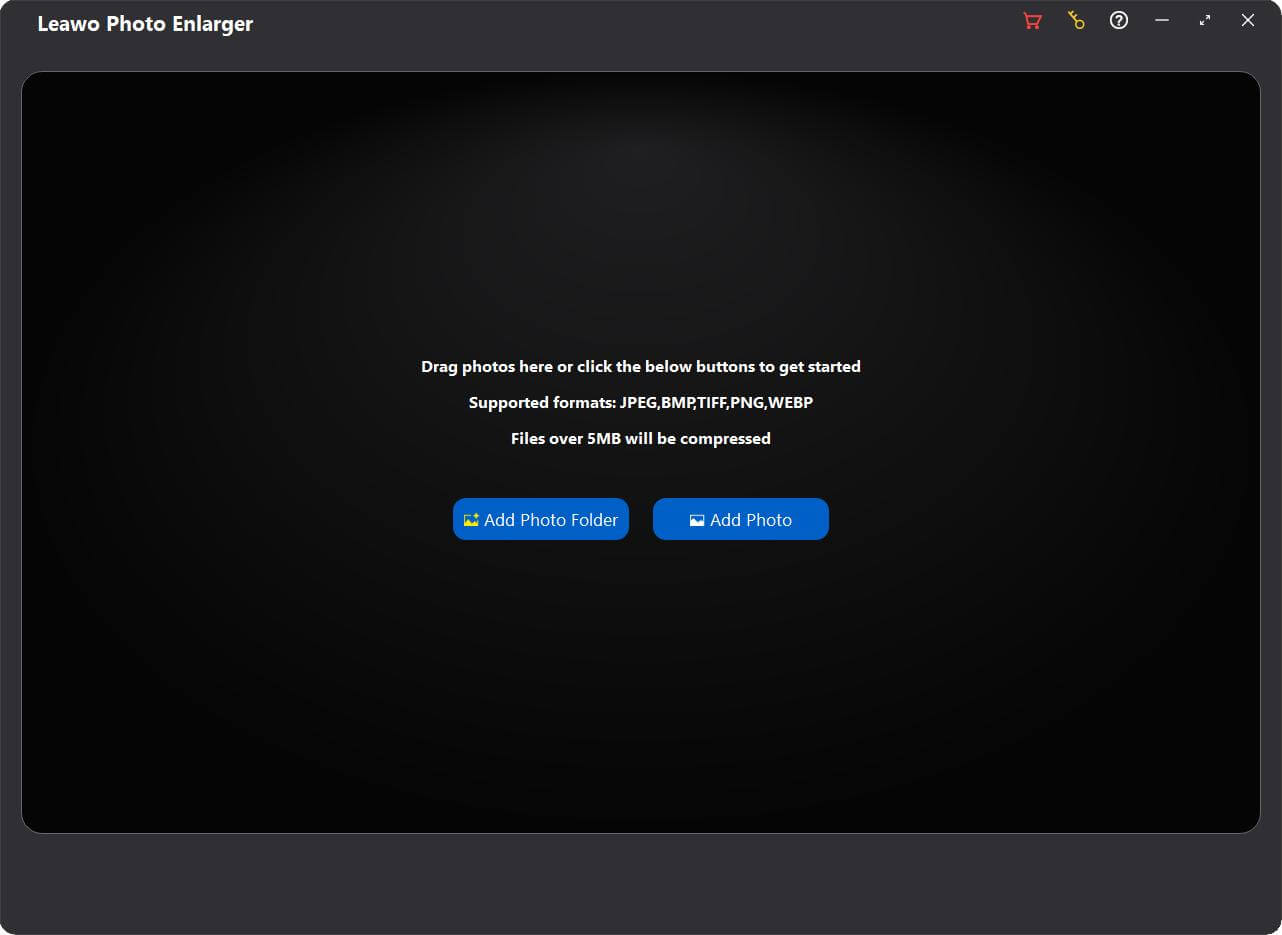
The start screen: "Supported formats: JPEG, BMP, TIFF, PNG, WEBP" and "Files over 5MB will be compressed", with Add Photo Folder and Add Photo buttons.
Features
AI upscaling to any scale up to 40X
Leawo Photo Enlarger rebuilds texture and edges as it enlarges instead of stretching pixels, according to Leawo. A photo opens in the editor at 2X by default; choose 0.5X, 4X, 6X or 8X from the list or type any value between 0.5 and 40. The status bar shows source and output sizes, for example 1399 x 934 becoming 2798 x 1868 at 2X.

The editor in side-by-side mode: the mountain photo before and after 2X enlargement, with the scale box and adjustment buttons top left, the preset box and save buttons in the middle, and a navigator thumbnail top right.
Noise, blur and tone controls
Leawo Photo Enlarger has two cleanup sliders, Suppress Noise and Remove Blur, and three tone sliders, Brightness, Saturation and Contrast, each from 0 to 100 with 50 as the default. They help with grainy phone shots and soft, pixelated web images, and you can leave them at default for a straight upscale.
Batch settings and reusable presets
Leawo Photo Enlarger applies one scale and one set of slider values to a whole batch from the Output panel, and you can save those values as a named preset for next time. In the editor, Apply to All copies one photo's settings to everything loaded. Leawo says hardware acceleration makes batches up to 5X faster.
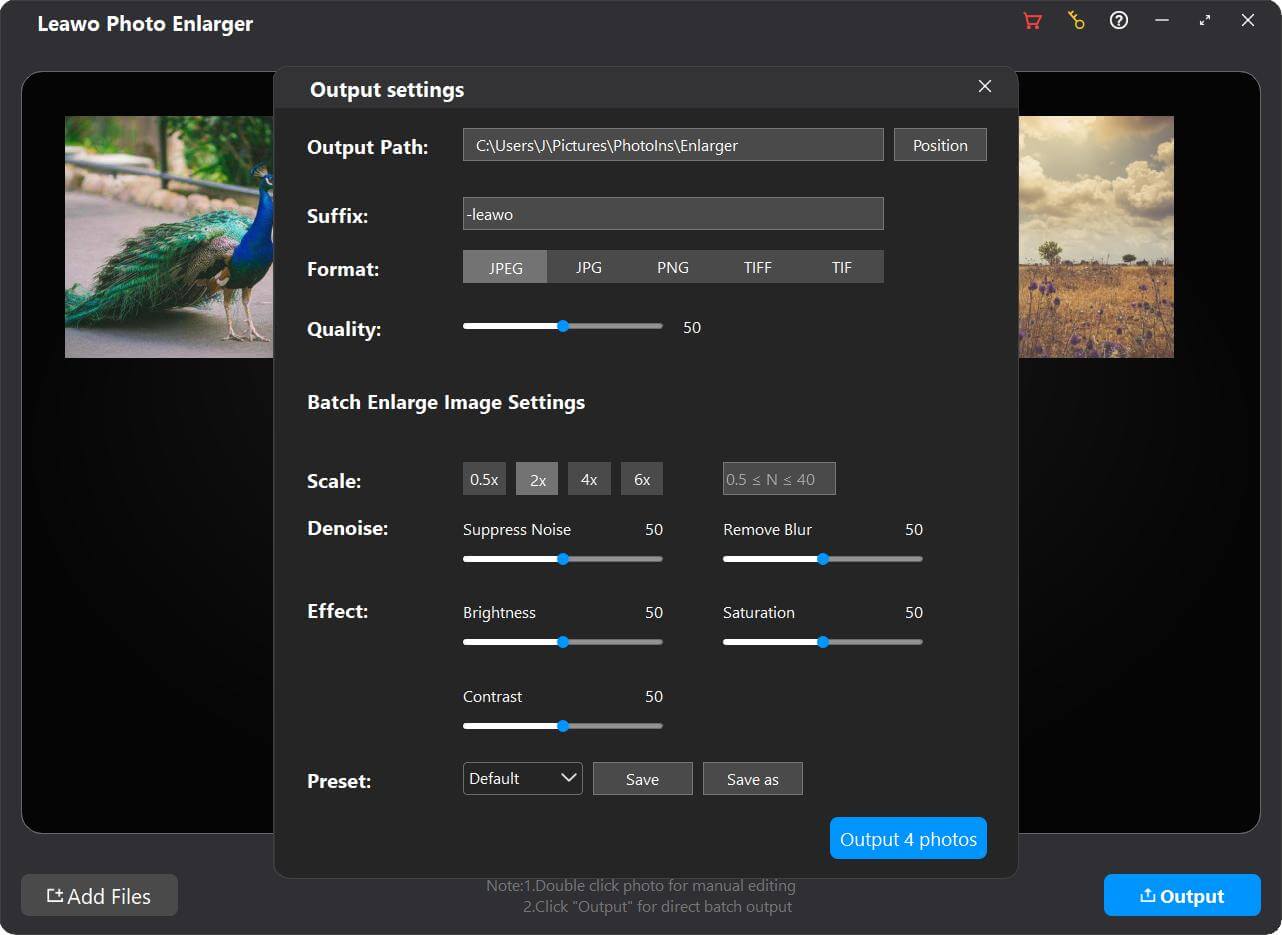
Output settings for a batch of four photos: output path, "-leawo" suffix, format buttons, quality 50, and the Batch Enlarge Image Settings (scale 0.5x to 6x or a custom value, noise, blur, brightness, saturation, contrast, and a preset with Save and Save as).
Output formats for print
Leawo Photo Enlarger saves JPEG or JPG with quality from 0 to 100, PNG with compression 0 to 9, or TIFF/TIF with LZW or ZIP compression at 8 or 16 bits, and adds a suffix you choose to each file name so originals aren't overwritten.
Benefits
- More control than the other PhotoIns tools. Five sliders and presets mean you can correct what the AI gets wrong.
- Print-ready output. 16-bit TIFF and custom scales let you hit an exact print size.
- Repeatable batches. Saved presets keep a product catalog or a scanning project consistent.
Real-World Uses
- Printing small photos large: upscale an old phone photo 4X for a framed print.
- Product images: enlarge a supplier's small pictures so they meet a marketplace's minimum size.
- Scanned prints: enlarge and denoise a batch of family photos scanned at low resolution.
- Shrinking too: scale large images down to 0.5X when you need lighter files.
Who It's For, and Who Should Skip It
Good fit: Windows 10 and 11 users who regularly need bigger versions of small photos and want a batch tool with presets rather than a one-off web upload.
Skip it if:
- You're on Windows 7 or 8. They aren't supported for this module.
- Your originals are large, high-quality files. Anything over 5 MB is compressed on import, which works against the point of upscaling for print.
- You need the very latest upscaling models. The program's newest build is from January 2024, and AI upscalers have moved quickly since.
Usage Guide
- Install: run the online installer from the download page, or the offline installer linked on the same page.
- Open the module: start Leawo PhotoIns and click the Photo Enlarger tile.
- Add photos: Add Photo Folder, Add Photo, or drag and drop.
- Batch route: click Output, set path, suffix, format and quality, then scale, noise, blur and tone, and click "Output [number] photos".
- One-by-one route: double-click a photo, set the scale and sliders, compare in side-by-side or split view, then Save, or Apply to All.
- Register: click the key icon, paste the code from your email and press Enter.
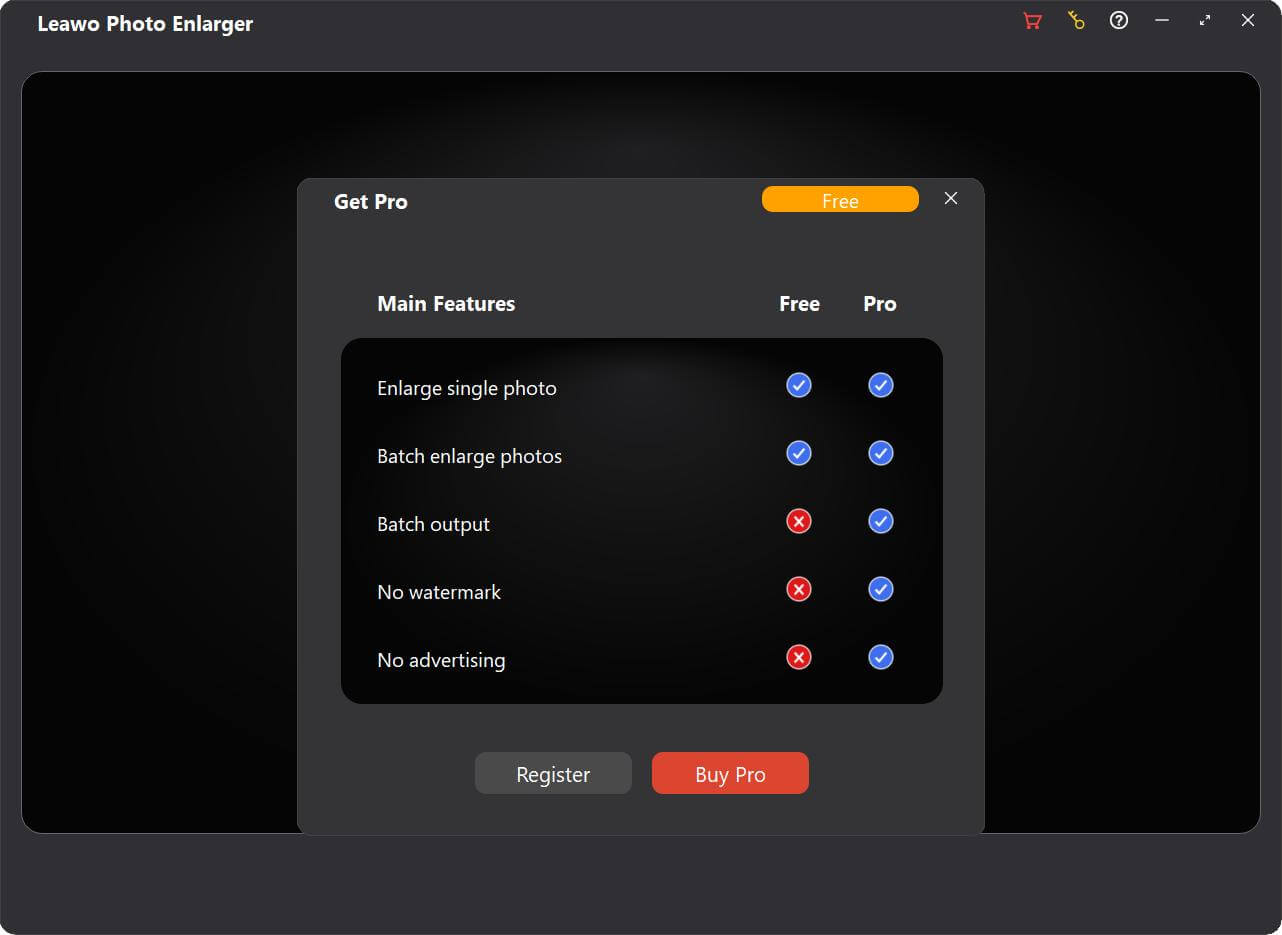
The Get Pro window: single and batch enlarging are ticked for Free and Pro; batch output, no watermark and no advertising are Pro only.
Where it falls short
- Registration that doesn't stay put. On Giveaway of the Day in September 2025, two users said the program asked for the code again at every start, and a third couldn't activate at all.
- Slow on older PCs. A happy long-term user still called it "pretty slow" on an old desktop; Leawo recommends at least a 6th-gen Core i3 or Ryzen 3.
What Users Say
Photo Enlarger version 4.0.0.2 has been given away on Giveaway of the Day three times (September 2024, 2025 and 2026), and the comments there are the main independent feedback.
Giveaway of the Day (September 2025)
- Joe Blow: "I have used the program a handful of times & while it is pretty slow on my relatively old & (by modern standards) and underpowered desktop, the results have been excellent. To anyone on the fence, I recommend getting it."
- Stater: "When you put the registration code in it says "Congrats. The module has been activated successfully." The next time you open the program it asks to be registered again."
- Mark Van: "It seems like every time I start up the program, I have to re-enter the registration code."
- Dan: "Pasted the Registration code Emailed to me in the activation frame and clicked the Airplane button, NOTHING happens!"
- Sam Richmond: "Watermarks my photos with their logo?!?!? I don't want that." (Other commenters pointed out the watermark goes away once the program is registered.)
Leawo's review page (2 reviews, moderated)
Adrian (September 2022), 5 stars, "Terrific !!": "Does exactly what the name suggests, very easy to use but powerful at the same time, highly recommend this to every one". A second 5-star review from the same day reads only "Thank...very Good."
The pattern: the people who got it working like the results, even on slow hardware. The recurring complaint is activation that doesn't stick between launches, so check that during the trial-to-purchase step and contact Leawo support quickly if it happens.
Comparisons
Photo Enlarger vs Photo Enhancer
Leawo Photo Enlarger changes the size of a photo and cleans up noise and blur along the way, with manual sliders. Leawo Photo Enhancer keeps the size and applies an automatic look (exposure, color, haze, portrait retouching), with one strength slider. Enlarger is $39.95 a year; Enhancer is $29.95.
Photo Enlarger vs Leawo PhotoIns
PhotoIns activates the Enlarger together with Photo Enhancer and Photo BG Remover for $79.95 a year or $109.95 lifetime. The order page also takes 50% off a second module bought in the same order. If you only upscale, the Enlarger alone costs less.
Editions and Pricing
| License | Price | Batch output | Watermark and ads |
|---|
| Free trial | $0 | No, 1 photo per export | Yes |
| 1 year | $39.95 | Yes, while active | No, while active |
| Lifetime | $59.95 | Yes | No |
The 1-year plan renews automatically until you cancel; Leawo says renewing an expired license costs less than buying new. A license covers one PC, and the Mac version is a separate purchase at the same price.
FAQs
How large can Leawo Photo Enlarger make a photo?
Leawo Photo Enlarger accepts any scale from 0.5X to 40X. Above 4X to 8X, expect the result to depend heavily on the source; test your own photo at the size you need in the trial.
Does Leawo Photo Enlarger run on Windows 7?
No. Leawo Photo Enlarger requires 64-bit Windows 10 or 11, even though the other PhotoIns modules list older Windows versions.
Does Leawo Photo Enlarger need a graphics card?
Leawo Photo Enlarger needs an OpenGL 3.3-compatible graphics card and a DirectX 10-capable adapter. Leawo credits hardware acceleration for its batch speed, so a better GPU and CPU help.
What if Leawo Photo Enlarger keeps asking for the registration code?
Several Leawo Photo Enlarger users have reported this. Contact Leawo support with your order details; a reproducible fault Leawo can't fix within 14 days of purchase is one of the cases its refund policy covers.
Can I enlarge RAW files?
No. Leawo Photo Enlarger opens JPEG, BMP, TIFF, PNG and WEBP. Convert RAW files first, for example with Leawo Photo Enhancer, which does read RAW.
System Requirements
- Windows: 10 or 11, 64-bit
- Processor: Intel Core i3 or AMD Athlon 64, 2 GHz or faster (6th-gen Core i3 or 1st-gen Ryzen 3 or better recommended)
- Memory: 4 GB RAM (8 GB or more recommended)
- Graphics: OpenGL 3.3 compatible card, DirectX 10-capable adapter
- Disk: 4 GB free, SSD recommended
- Display: 1024 x 768 (1280 x 800 or better recommended)
- Other: internet connection and registration for activation and subscription checks
Conclusion
Leawo Photo Enlarger is the most capable of Leawo's photo tools and a sensible $59.95 lifetime buy for regular batch upscaling on Windows 10 or 11, thanks to its custom scales up to 40X, cleanup sliders, presets and 16-bit TIFF output.
Hold back if your originals are large files (they're compressed above 5 MB), if you need Windows 7 or 8, or if you'd rather not risk the activation problems some users report. Try a few of your own photos at the size you need, and if the results hold up, pick the lifetime license so the watermark never comes back.
Download Free TrialBuy Now