Leawo Photo BG Remover for Mac: Cut Out Photo Backgrounds in Batches on macOS
Leawo Photo BG Remover for Mac is a macOS app that finds the subject in each photo and deletes or replaces the background, for a whole folder at once. It sells for $29.95 a year or $39.95 once, runs on macOS 10.13 High Sierra and later, and on Apple silicon it runs through Rosetta rather than natively.
macOS can already lift a subject out of a single picture for free. What this app adds is volume and finishing: dozens of photos in one pass, a new color or image behind each subject, a fixed crop ratio and a drop shadow, all saved to a folder you choose.
Quick facts
- Developer: Leawo Software Co., Ltd.
- Mac installer: macphotoins_setup.dmg, a full 444 MB disk image (not a downloader), dated June 13, 2022
- What it installs: Leawo PhotoIns for Mac; your key activates the BG Remover module, and the enhancer and enlarger modules remain trials
- macOS: 10.13 High Sierra through 15 Sequoia, 26 Tahoe and 27, per Leawo's list
- Processor: Intel, or Apple M1/M2 with Rosetta (no native Apple silicon build)
- Price: $29.95 for 1 year or $39.95 lifetime; one Mac per license
- Trial: every feature works, but exports carry a watermark and the app shows ads
What we checked: the Mac download page, which serves a single installer for Intel and Apple silicon (macphotoins_setup.dmg, 466,021,864 bytes, dated June 13, 2022), Leawo's macOS and processor requirements, the free-versus-Pro table in its registration guide, and the order page, which billed "Photoins Photo BG Remover for Mac" at $29.95 for 1 year and $39.95 lifetime on November 1, 2026. We didn't run it on a Mac ourselves.
Before you buy
- Apple silicon means Rosetta. Leawo lists M1 and M2 Macs with Rosetta required, and there's only one Mac build. On an M-series Mac, macOS will offer to install Rosetta the first time you open it. Newer chips aren't named in Leawo's list, so check performance on yours during the trial.
- The Mac build is from June 2022. It hasn't been updated since, although Leawo lists macOS versions up to 27.
- Plan for a large screen. Leawo asks for a 1440 x 900 display at minimum and recommends 1920 x 1080, which matters on a small MacBook Air.
- The trial is the test. Leawo refunds only faults its support can't fix (within 14 days), not results you don't like.
Download Free TrialBuy Now
Overview
The Mac app came after the Windows one: a buyer on Leawo's review page was still asking for a Mac edition in September 2021, and Leawo's Mac listing data is dated December 2021. Both platforms share one user guide and one set of screenshots, which show the Windows window. The workflow is the same: open PhotoIns, pick the BG Remover module, drop in photos, check the cut-outs, export.
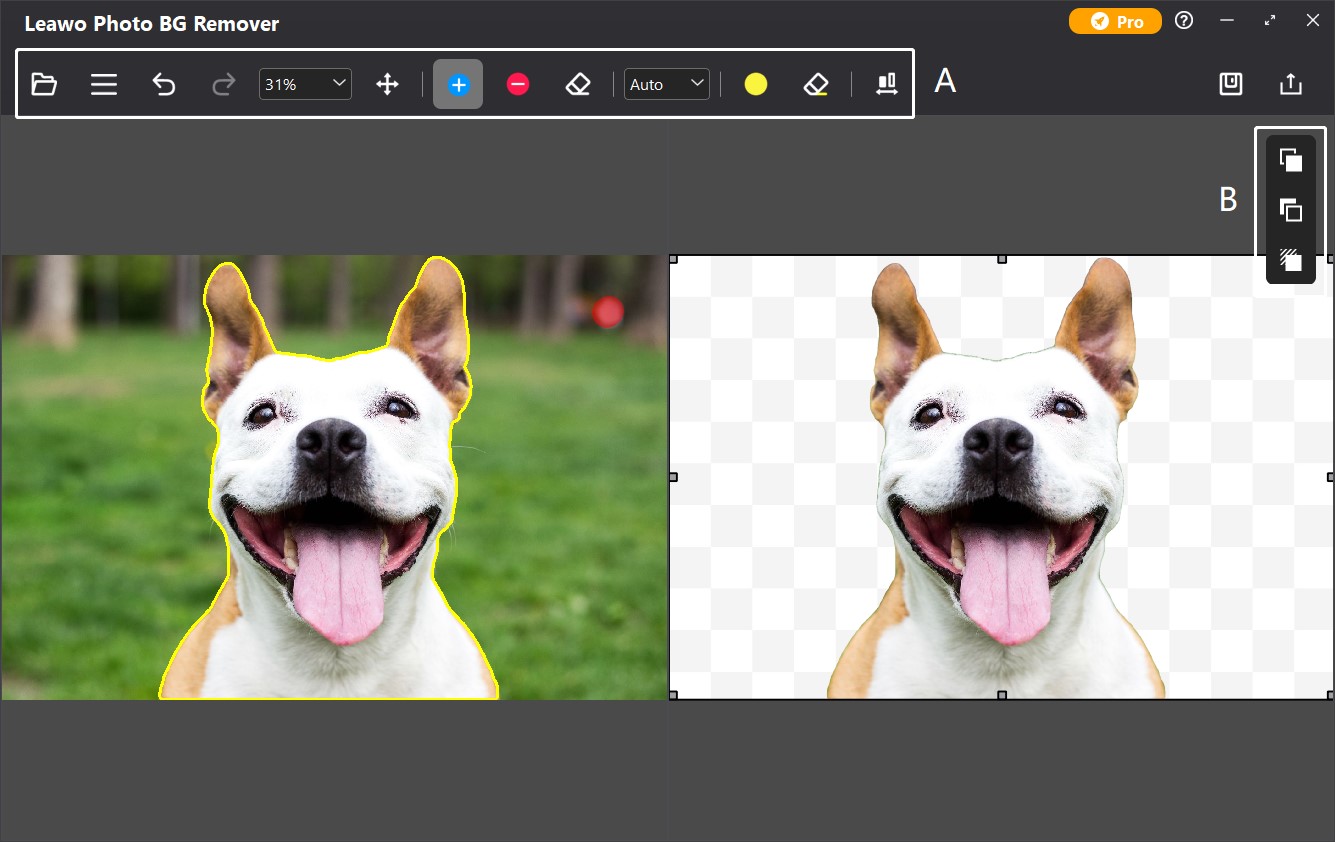
From Leawo's guide (Windows build): the editor with its toolbar marked A (open, menu, undo/redo, zoom, keep/remove/erase brushes, Auto mode, transparency mark) and the three editor panels marked B on the right.
Features
Cut-outs start as soon as photos load
Leawo Photo BG Remover for Mac calculates the subject outline for every photo you add, with no cap on how many or how large. You can switch that off in Preferences if you'd rather trigger it per photo, and a Calculate option reruns the detection when the first attempt misses.
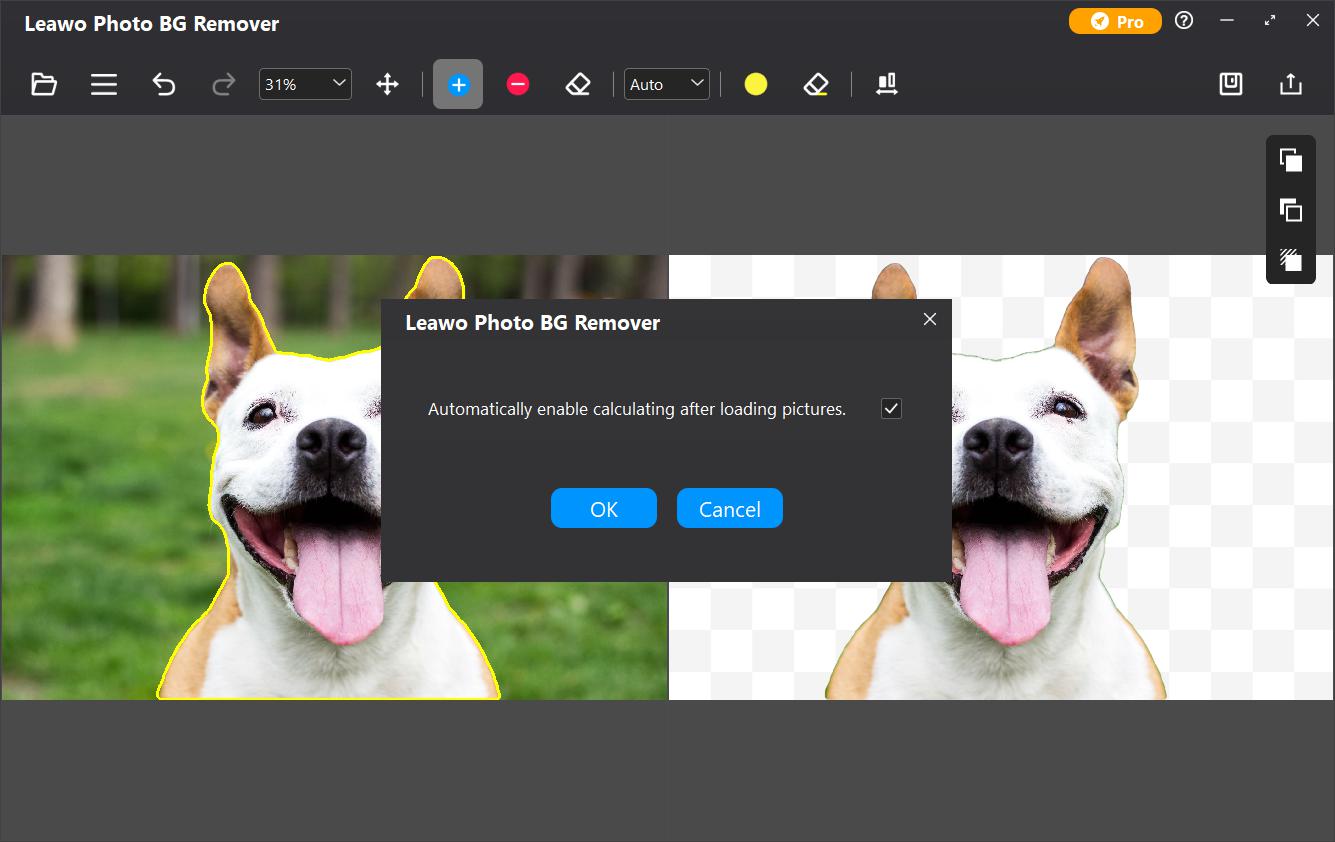
The preference dialog over the editor: "Automatically enable calculating after loading pictures", ticked, with OK and Cancel (Windows build shown).
Brush corrections with or without the algorithm
Leawo Photo BG Remover for Mac gives you two ways to fix a cut-out. Auto mode outlines the subject in a line; you scribble roughly over what to keep or drop and it redraws the outline. Manual mode lays a colored layer over the subject and follows only your strokes, for edges the algorithm keeps getting wrong. A separate mark handles see-through parts such as glass, and scrolling or the zoom box gets you close to the edge.
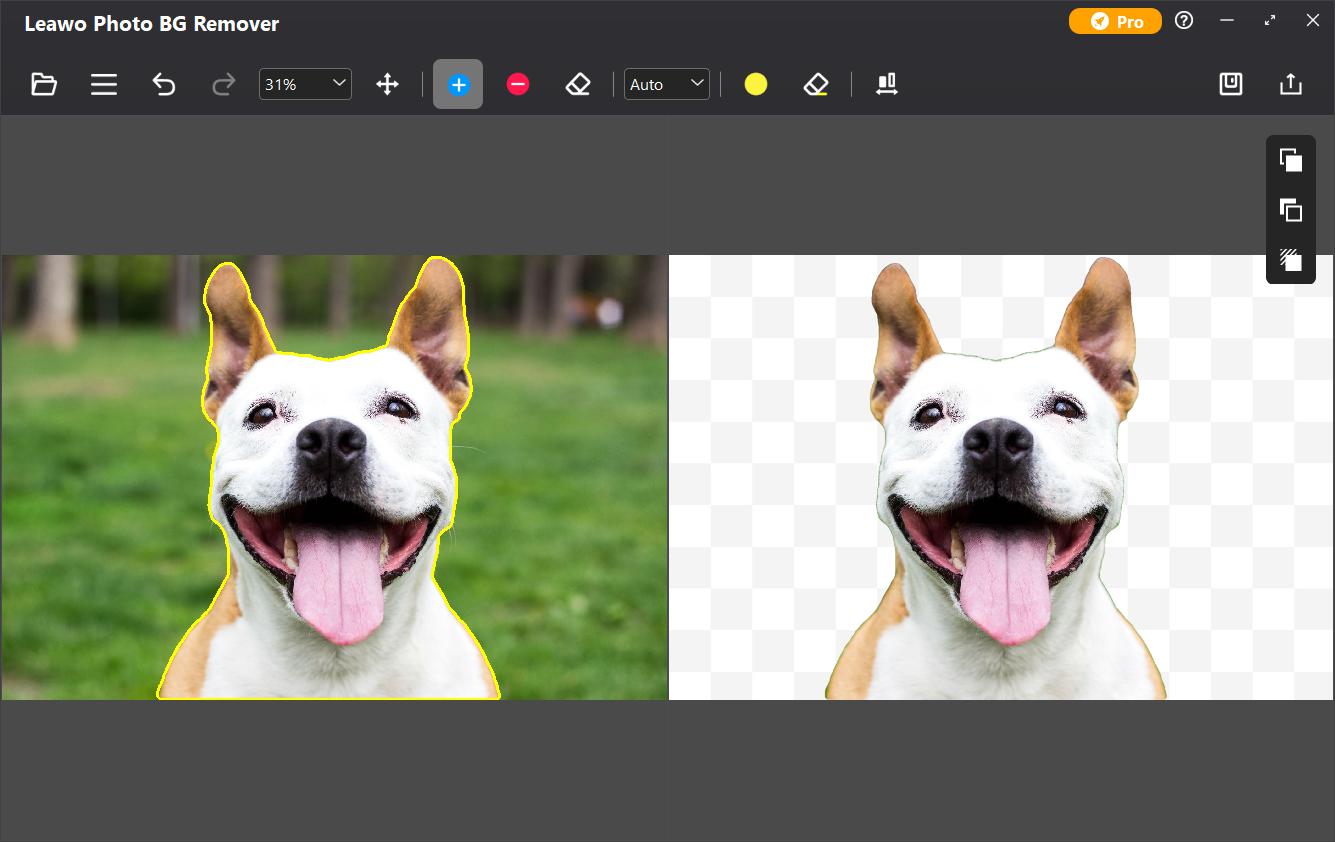
Auto mode: a yellow outline traces the dog on the left; the right side previews the result on a transparent checkerboard (Windows build shown).
Backgrounds, crop ratios, shadows and effects
Leawo Photo BG Remover for Mac can leave the background transparent, fill it with a color, place another picture behind the subject, or keep the original and blur, tint, gray out or pixelate it. The background can be cropped to 1:1, 3:2, 4:3 and other ratios, the outline smoothed, widened or feathered, and a shadow added with its own color, opacity and blur. Results go out as JPG (with a quality slider), BMP, TIFF, PNG or WEBP.
Benefits
- Batch work that macOS doesn't do. The built-in subject lifting handles one image at a time and gives you only the cut-out; this app gives you a finished, consistent set.
- No per-image credits. It's a desktop app with a flat license, not a website that charges per cut-out.
- Cheap if you keep it. $39.95 once is less than a year of most online background-removal plans.
Real-World Uses
- Etsy or eBay sellers on a MacBook: square, white-background listing photos with a light shadow, a whole shoot at a time.
- Keynote and Pages layouts: transparent PNG cut-outs of people or products to place on slides.
- Team pages: staff portraits taken in different rooms, all given the same solid backdrop.
Who It's For, and Who Should Skip It
Good fit: Mac users with batches of reasonably clean photos who want consistent, styled cut-outs without a subscription.
Skip it if:
- You need a few cut-outs a month. Since macOS Ventura you can lift a subject from a photo in Photos or Quick Look for free.
- You want native Apple silicon performance. This app needs Rosetta on M-series Macs.
- Your subjects are hard (fine hair on busy backgrounds, low contrast). A pixel-level editor such as Photoshop or Pixelmator Pro gives more control.
Usage Guide
- Download and install: get the 444 MB DMG from the download page, open it and install the app. On an Apple silicon Mac, accept the Rosetta install prompt if it appears.
- Open the module: launch Leawo PhotoIns and click Photo BG Remover.
- Add photos: drag files or a folder from Finder, or use Add Photo Folder / Add Photo.
- Fix misses: double-click a photo, pick Auto or Manual, and brush over what to keep or remove.
- Style and save: choose the background, ratio and shadow in the right-hand panels and click Save.
- Export: click Output, pick a folder and format (PNG keeps transparency) and start the export.
- Activate: click the key icon in PhotoIns, paste the code from your order email and click the paper-plane button.
Where it falls short
- Detection struggles with contrast. Testers of the same engine on Windows found it kept bits of background, dropped dark parts of subjects and left stair-stepped edges.
- Activation may not stick. Several users of the latest Windows build had to re-enter the key at every launch; we found no reports either way from Mac users.
- Older Mac code. The 2022 build is Intel-only, so on Apple silicon it depends entirely on Rosetta continuing to be available.
What Users Say
There are almost no reviews written by Mac users. Leawo has no separate review page for the Mac edition, and the hands-on reports below come from Windows users of the same program, version 4.0.0.2, given away on Giveaway of the Day in February 2025.
Hands-on reports (Giveaway of the Day, Windows)
- Rick_S, on a carousel photo: "The third photo of a top of inside of the carousel only showed the brightest part of the animal's head, and not the rest of it in the result."
- Chris compared it with his phone: "Honestly, I have not found any program on my PC that does a better job than "magic eraser" for FREE on my phone using Google photos".
- vasimo: "There are no options for outlining what you want removed. The software makes all determinations and just runs." (Leawo's guide does describe Auto and Manual brush modes in the editor, reached by double-clicking a photo.)
- mikiem2, a forum moderator, found "the quality of the selection edges was rather poor, with a bad case of the jaggies".
Leawo's testimonials and ratings
Leawo's product page, shared by the Windows and Mac editions, quotes customers it selected. W.C: "To be honest, when it accurately cut out my girlfriend from the background, I was jaw-dropping." Leawo's moderated review page holds a single 2021 entry, from Raju: "Is Leawo Photo BG Remover available for MAC....if not then any idea when could it be available ?" On Trustpilot, Leawo as a company scores 4.4 out of 5 from 151 reviews, all about its video and disc software.
The pattern: it's quick and easy on photos with a clear subject, and weak on low-contrast or detailed edges. No Mac-specific complaints turned up, but there are very few Mac reviews of any kind.
Comparisons
Mac vs Windows edition
| | Mac | Windows |
|---|
| Installer | 444 MB DMG | 3.5 MB downloader, or 1 GB offline setup |
| Latest build | June 2022 | 4.0.0.2, January 2024 |
| Systems | macOS 10.13 and later; M1/M2 via Rosetta | Windows 7 to 11, 64-bit |
| Minimum display | 1440 x 900 | 1024 x 768 |
| Price | $29.95 / $39.95 | $29.95 / $39.95 |
The features are the same. The licenses aren't interchangeable: a Windows key won't activate the Mac app.
BG Remover alone vs PhotoIns for Mac
Leawo PhotoIns for Mac activates all three modules (background removal, Photo Enhancer and Photo Enlarger) for $79.95 a year or $109.95 lifetime. The background remover alone is $29.95 a year or $39.95 lifetime, Photo Enhancer costs the same, and Photo Enlarger is $39.95 a year or $59.95 lifetime. Leawo's order page takes 50% off a second module added to the same order, so even two modules cost well under the suite; for background removal only, this module is the cheaper buy.
FAQs
Does Leawo Photo BG Remover run natively on M1, M2 or newer Macs?
No. Leawo Photo BG Remover for Mac supports Apple M1 and M2 chips through Rosetta, Apple's Intel translation layer, according to Leawo's requirements. There is no separate Apple silicon download.
Which macOS versions does Leawo Photo BG Remover support?
Leawo Photo BG Remover for Mac lists macOS 10.13 High Sierra, 10.14 Mojave, 10.15 Catalina, 11 Big Sur, 12 Monterey, 13 Ventura, 14 Sonoma, 15 Sequoia, 26 Tahoe and 27. The installer itself dates from June 2022.
Is it better than the background removal built into macOS?
Leawo Photo BG Remover for Mac is better for batches and finished results: new backgrounds, crop ratios, shadows and a choice of export formats for many photos at once. For an occasional single cut-out, the free subject lifting in Photos and Quick Look is enough.
What happens if I don't renew the 1-year plan?
An expired Leawo Photo BG Remover license falls back to trial behavior: the app still opens and works, but exports are watermarked and ads return. The 1-year plan renews automatically unless you cancel it in your Leawo account.
How much disk space does it need on a Mac?
Leawo Photo BG Remover for Mac asks for 4 GB of free space (an SSD is recommended) and 4 GB of RAM, with 8 GB recommended. The download itself is 444 MB.
System Requirements
- macOS: 10.13 High Sierra or later (through 15 Sequoia, 26 Tahoe and 27)
- Processor: 1 GHz or faster Intel, or Apple M1/M2 with Rosetta
- Memory: 4 GB RAM (8 GB or more recommended)
- Disk: 4 GB free, SSD recommended
- Display: 1440 x 900 (1920 x 1080 or better recommended)
- Other: internet connection for activation and subscription checks
Conclusion
Leawo Photo BG Remover for Mac earns its $39.95 lifetime price only if you batch-process photos regularly and want styled results (new backgrounds, ratios, shadows) that macOS's free subject lifting can't produce.
The case against it is age and polish: the Mac build is from 2022 and needs Rosetta on Apple silicon, and testers of the same engine found rough edges on difficult photos. Download the trial, run a typical batch on your own Mac, and look closely at the edges before paying.
Download Free TrialBuy Now