Leawo Photo BG Remover: Batch Background Removal for Windows
Leawo Photo BG Remover is a Windows program that removes photo backgrounds automatically, in batches, and lets you swap in a solid color or another picture. It costs $29.95 for one year or $39.95 for a lifetime license, and the free trial does everything except save without a watermark.
The use case is simple: you have forty product shots on a cluttered table, or a folder of portraits, and you want them all cut out without tracing each one with a pen tool. Load the folder, let the algorithm find the subjects, and export. Whether the edges hold up depends a lot on the photo, as the user reports below show.
Quick facts
- Developer: Leawo Software Co., Ltd.
- What you install: Leawo PhotoIns, the photo suite this tool is a module of. Your license activates the BG Remover module; the Photo Enhancer and Photo Enlarger modules stay in trial mode
- Version: 4.0.0.2 in the full offline installer (January 2024); the small online installer is 4.0.0.1
- Runs on: Windows 7, 8, 10 and 11, 64-bit only
- Input and output formats: JPG, BMP, TIFF, PNG and WEBP
- Price: $29.95 for 1 year (renews yearly) or $39.95 lifetime, one computer per license
- Free trial: all features, but saved photos carry a watermark and the program shows ads
- Refunds: within 14 days, only for a bug or hardware incompatibility Leawo can't fix, or a duplicate order
What we checked: both Windows installers on Leawo's download page (online_photoins_setup.exe, file version 4.0.0.1, 3.5 MB, dated June 17, 2022, and the offline photoins_setup.exe, file version 4.0.0.2, 1.02 GB, dated January 10, 2024), the trial limits in Leawo's registration guide, and the order page, which charged $29.95 for one year and $39.95 for the lifetime license on November 1, 2026. We didn't cut out photos with it ourselves, so the quality notes below come from users.
Before you buy
- Test it on your own photos. The trial is fully working apart from the watermark, and independent testers got mixed results on difficult subjects (dark objects on snow, see-through areas, busy backgrounds). Try your hardest pictures, not the easy ones.
- Big download, old code. The online installer fetches a setup file of about 1 GB, and the newest build is from January 2024. There have been no updates since.
- Refunds don't cover "it wasn't good enough". Leawo refunds only reproducible faults or incompatibilities it can't fix within 14 days, not a change of mind.
Download Free TrialBuy Now
Overview
Photo BG Remover opens to a dark, almost empty window: drag in photos or a whole folder, or use the Add Photo Folder and Add Photo buttons. By default it starts calculating the cut-out as soon as pictures load, so by the time you look at the thumbnails the work is mostly done. Click Output to save the lot, or double-click any photo to open the editor and fix it by hand.
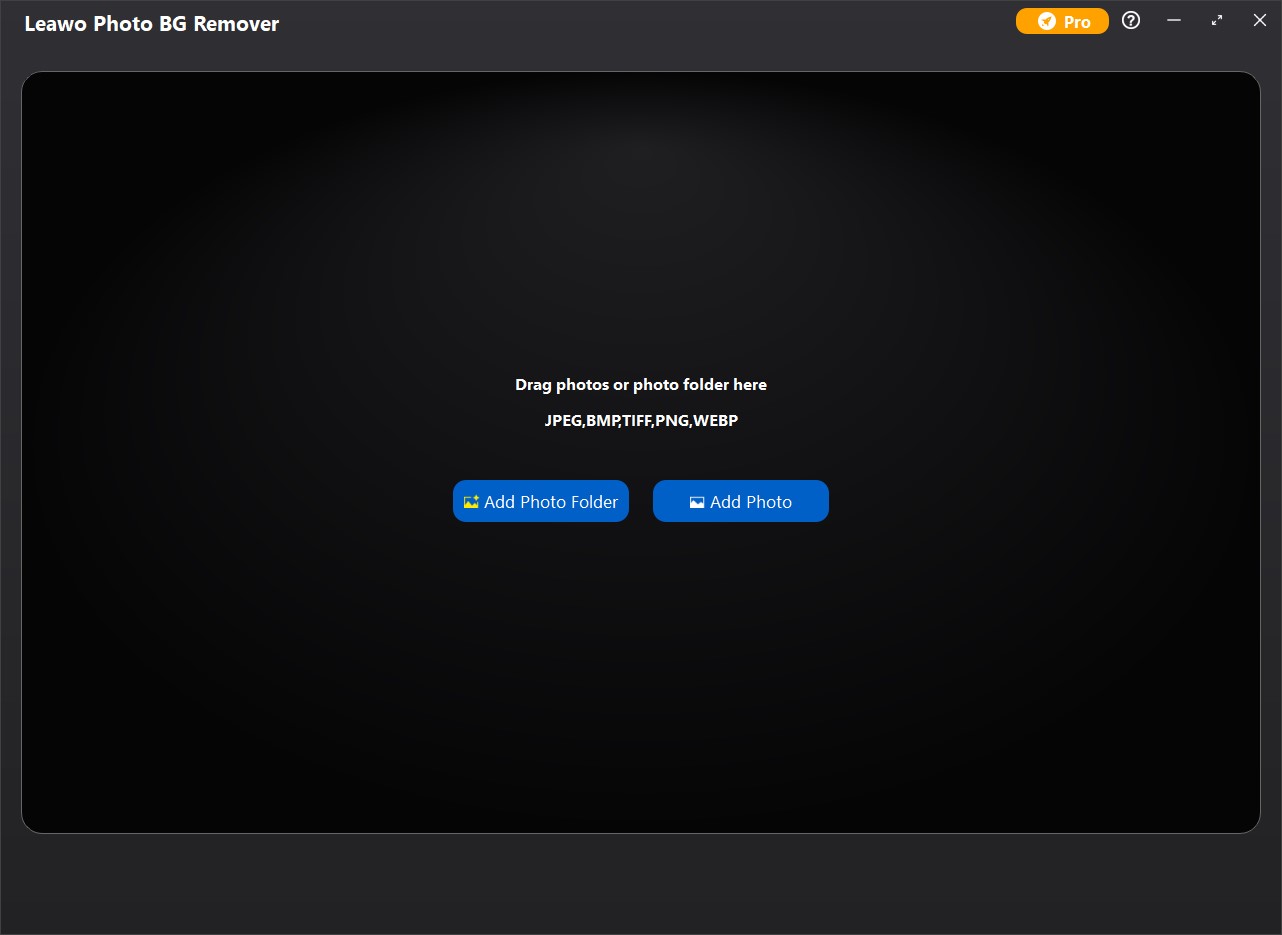
The start screen: drop photos or a folder here, or use Add Photo Folder / Add Photo. The supported formats (JPEG, BMP, TIFF, PNG, WEBP) are listed in the middle.
Features
Automatic cut-outs for a whole folder
Leawo Photo BG Remover analyzes every loaded photo and removes the background on its own, with no limit on the number or size of photos. You get a grid of thumbnails, a note that you can double-click any of them for manual editing, and one Output button for the batch. If you'd rather start from a clean slate, a preference turns off the automatic calculation on load.
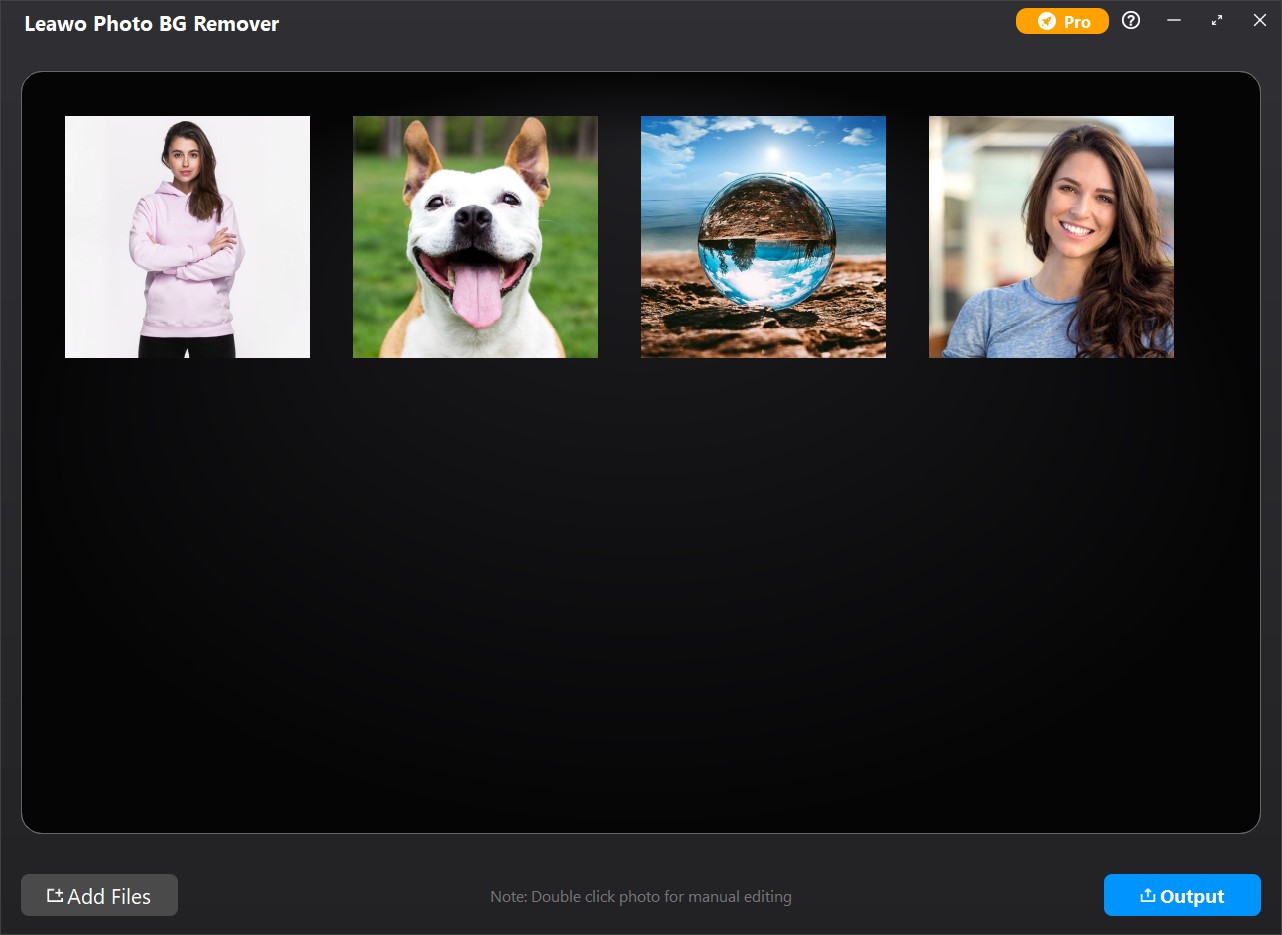
Batch view: four photos loaded (two portraits, a dog, a glass ball on a beach), with Add Files at the bottom left and Output at the bottom right.
Auto and Manual modes for fixing the edges
Leawo Photo BG Remover's editor shows the original on the left and the result on a transparent checkerboard on the right. In Auto mode you roughly brush over areas to keep (green) or remove (red), and the algorithm recalculates the outline. In Manual mode the algorithm stays out of it and only your brush strokes count. There's also a mark for semi-transparent areas, an adjustable brush size, zoom, undo and redo.
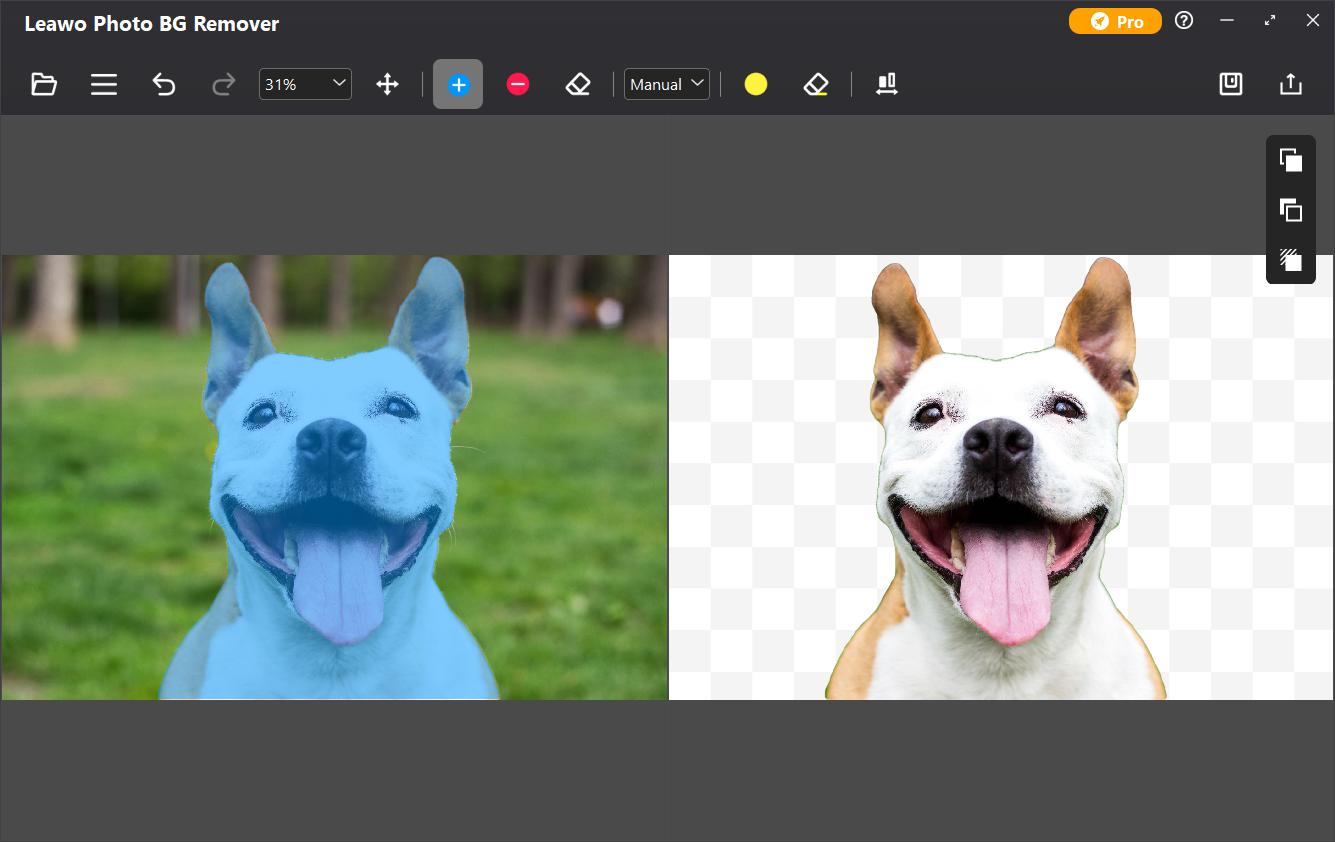
The editor in Manual mode: the kept area is shaded over the dog on the left, and the cut-out sits on a transparent background on the right. The mode drop-down and brush tools are in the top toolbar.
New backgrounds, edge smoothing and shadows
Leawo Photo BG Remover has three editor panels on the right. The ForeGround panel smooths or shifts the outline and feathers the edge. The BackGround panel sets a transparent background, a solid color, another image, or the original background, and crops to a fixed ratio (1:1, 4:3, 3:2 and others), which is handy for marketplace product photos. The Shadow panel adds a drop shadow with adjustable opacity, blur and color. Both foreground and background can also get an effect: blur, coloring, grayscale, negative or pixelate.
Five export formats with a quality setting
Leawo Photo BG Remover saves to JPG, BMP, TIFF, PNG or WEBP, with a quality slider for JPG, and you choose the output folder. Pick PNG or WEBP if you want to keep the transparency.
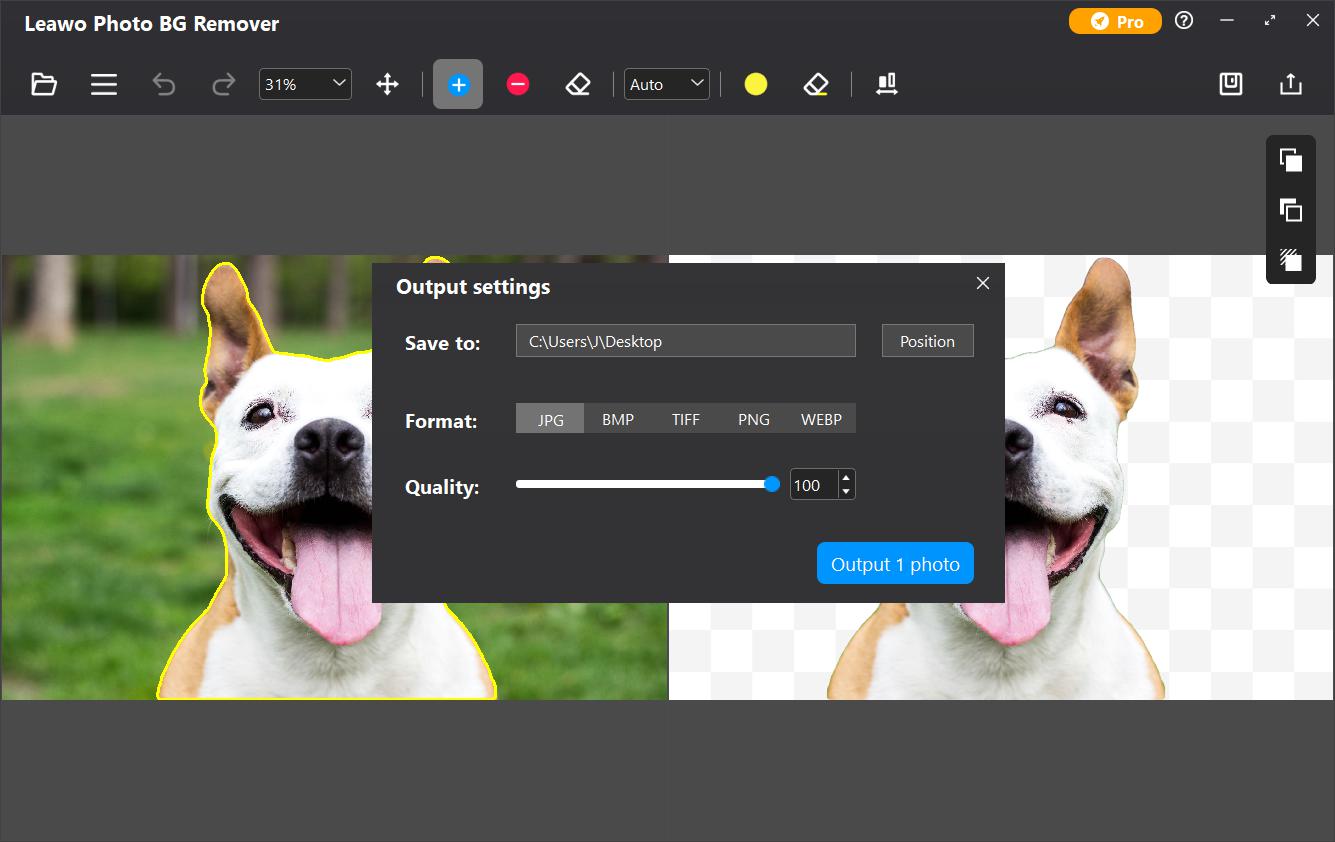
Output settings: the Save to folder, the five format buttons, the JPG quality slider at 100 and the "Output 1 photo" button.
Benefits
- It saves the most time on volume. One photo is easy in any free tool; fifty photos with the same white background is where a batch tool pays for itself.
- Desktop software, not a web service. You work from folders on your own drives, with no per-image credits to buy.
- Low price for a one-time purchase. The $39.95 lifetime license costs about what a few months of an online background-removal subscription does.
Real-World Uses
- Online shop listings: cut out a batch of product photos, put them on plain white at 1:1, add a soft shadow, and export as JPG.
- ID-style and profile pictures: replace a messy room behind a portrait with a solid color.
- Design assets: export subjects as transparent PNGs for slides, flyers or thumbnails.
- Fun composites: drop a family photo onto a travel picture, which is the kind of use Leawo's own testimonials describe.
Who It's For, and Who Should Skip It
Good fit: small sellers, bloggers and office users with folders of fairly clean photos (a clear subject against a distinct background) who want a quick, offline batch job at a low one-time price.
Skip it if:
- You only need the odd photo. The Photos app in Windows 11 can remove a background for free, one picture at a time.
- Edges must be perfect. For hair against a busy background or commercial retouching, Photoshop's selection tools give you far more control.
- You're on 32-bit Windows, or you want software that is still being actively developed.
Usage Guide
- Install: run the 3.5 MB online installer, which downloads the full PhotoIns setup (about 1 GB), or use the offline installer link on the same download page. Click Start when the setup asks.
- Open the module: launch Leawo PhotoIns and choose Photo BG Remover.
- Add photos: drag in files or a folder, or use Add Photo Folder / Add Photo.
- Check the results: double-click any photo whose cut-out looks wrong, switch between Auto and Manual, and brush the areas to keep or remove.
- Style it (optional): set a new background, crop ratio or shadow in the panels on the right, then click Save.
- Export: click Output, choose the folder and format, and click the blue Output button.
- Register: click the key icon in PhotoIns (or Pro, then Register, in the module) and paste the code from your order email.

The Get Pro window: auto removal, manual removal and background changes are ticked for both Free and Pro; only "No watermark" and "No advertising" are Pro-only. Register and Renew buttons are at the bottom.
Where it falls short
- Edge quality varies. Testers on Giveaway of the Day saw leftover background, parts of the subject dropped on dark-on-bright photos, and jagged diagonal edges.
- Registration glitches. Several users of the 4.0.0.2 giveaways said the program asked for the registration code again each time it started.
- No install location choice. One user found the setup installed to drive C: with no way to change it, and a moderator measured 2.33 GB on disk after installing.
- The suite comes along. You install all of PhotoIns even if you only bought the background remover; the other two modules sit there in trial mode.
What Users Say
There's little independent coverage of Photo BG Remover. The most useful hands-on comments come from Giveaway of the Day, where version 4.0.0.2 was given away on February 15, 2025; they're the same build that's on sale now.
Giveaway of the Day comments (February 2025)
- vasimo: "I tested with an image of one person and a detailed background. It worked pretty well. There were some remnats of the background left after the process which could easily be cleaned up with an editor." The same user added: "Unless I missed something it forced the software to my C drive."
- Rick_S: "As for the background remover, I'm not impressed. it seems to rely on the luminosity (amount of light) to determine what to include, or remove." On a dark subject in snow, "the result included part of the background, with no obvious way to use a brush or anything else to remove it."
- Chris: "Every time I load the program, it re-asks for the registration code. Also, I tried several photos and it didn't do a great job of identifying the person in any of them."
- creatrix: "congrats - probably the most direct and easy sign up and activation EVER."
Giveaway of the Day forum review
A forum moderator, mikiem2, tested the same giveaway on Windows. He found subject detection roughly on par with the free Windows Photos app, but said "the quality of the selection edges was rather poor, with a bad case of the jaggies". He also noted that "the actual setup file taking up just under 1GB" and that "the installed app takes up 2.33GB".
On Leawo's own pages
Leawo's product page quotes customers it chose. John: "Great software! When I searched in Google, I saw many bg removers, but I downloaded this one. And it didn't disappoint me. It has a simple interface and is super easy-to-use, everything will be done automatically." Jacob.W: "I love this software because it helps me remove background from my portraits, then I can change the background to various scenic spots, pretending that I have been anywhere in the world!"
Leawo's moderated review page for the product shows a ratings chart but lists only one review, from 2021, which asks whether a Mac version exists (it does now). Trustpilot rates Leawo as a company 4.4 out of 5 from 151 reviews, but none of those reviews mention its photo tools.
The pattern: people like how easy the sign-up and the one-click batch are, and it does fine on a single, clearly separated subject. The complaints are about tricky photos (low contrast, see-through areas, fine edges), registration that doesn't stick for some users, and the size of the install.
Comparisons
Photo BG Remover vs Leawo PhotoIns
Leawo PhotoIns is the same program with all three modules activated: the background remover plus Photo Enhancer (fixes blur, exposure and color) and Photo Enlarger (AI upscaling). PhotoIns costs $79.95 a year or $109.95 lifetime, against $29.95 / $39.95 for the background remover alone. Leawo's order page also offers 50% off a second module bought in the same order. If you only cut out backgrounds, buy just this module.
Photo BG Remover vs the free Windows Photos app
The Photos app in Windows 11 removes a background for free, one picture at a time. Leawo's tool is worth paying for when you need batches, replacement backgrounds, fixed crop ratios and shadows.
Editions and Pricing
| Product | 1 Year | Lifetime | Includes |
|---|
| Photo BG Remover | $29.95 | $39.95 | Background removal |
| Photo Enhancer | $29.95 | $39.95 | Enhancing |
| Photo Enlarger | $39.95 | $59.95 | Upscaling |
| PhotoIns | $79.95 | $109.95 | All three modules |
Each license is for one computer and one platform; the Mac version is a separate purchase at the same price. The 1-year plan includes updates and support while it's active and renews automatically until you cancel it.
FAQs
Does Leawo Photo BG Remover work on Windows 11?
Leawo Photo BG Remover lists Windows 7, 8, 10 and 11 as supported, 64-bit only. The newest build is from January 2024, so run the trial on your PC before you buy.
What happens when the 1-year license runs out?
An expired Leawo Photo BG Remover license behaves like the free trial: it keeps working, but saved photos get a watermark and the ads come back until you renew. The lifetime license avoids this.
Does Leawo Photo BG Remover need an internet connection?
Leawo Photo BG Remover is desktop software: you load photos from your own drives and it saves the results there. It does need an internet connection, which Leawo says is for activation, subscription validation and online services.
Can I install it on a drive other than C:?
A Giveaway of the Day tester found no option to change the install folder in Leawo Photo BG Remover's setup. Plan for about 2.3 GB on the system drive.
Can one license cover my PC and my Mac?
No. Leawo Photo BG Remover is sold per platform and per computer, so a Windows license doesn't activate the Mac version. Leawo asks you to contact it for multi-user licenses.
Can I get a refund if the cut-outs aren't good enough?
Probably not. Leawo refunds within 14 days only for reproducible bugs or hardware problems its support can't fix, or for duplicate orders; a request without a specific technical reason is refused. That's why the watermarked trial is the real test.
System Requirements
- Windows: 7, 8, 10 or 11, 64-bit
- Processor: Intel Core i3 or AMD Athlon 64, 2 GHz or faster
- Memory: 4 GB RAM (8 GB or more recommended)
- Graphics: OpenGL 3.3 compatible card, DirectX 10-capable adapter
- Disk: 4 GB free, SSD recommended
- Display: 1024 x 768 (1280 x 800 or better recommended)
- Other: internet connection for activation and license validation
Conclusion
Leawo Photo BG Remover is a fair buy at $39.95 lifetime if you regularly batch-process photos with clear subjects, such as product shots on a plain table or simple portraits, and want it done offline with replacement backgrounds and shadows built in.
The reason to hold back is quality on hard photos: independent testers found rough edges and missed areas, and the program hasn't been updated since January 2024. Run the trial on your own worst-case pictures first. If the watermarked results look right, the lifetime license is the better value than paying every year.
Download Free TrialBuy Now