Leawo Blu-ray Player: A Free, Region-Free Blu-ray and DVD Player for Windows
Leawo Blu-ray Player is a free Windows program that plays Blu-ray discs, DVDs, ISO images and ordinary video and audio files, with no region switching. The playback costs nothing. The only paid part is Leawo Blu-ray Player Premium ($44.95 a year or $99.95 for life), which adds lossless Blu-ray and DVD to MKV conversion.
It's for the person who just plugged a USB Blu-ray drive into a laptop and found that Windows won't play the disc. Windows has no built-in Blu-ray playback, and the players bundled with drives tend to nag for paid upgrades. Leawo's player fills that gap for free, and the reviews below show why it has a following, along with the places it trips up.
Quick facts
- Version: 3.0.0.7 (installer dated May 30, 2026)
- Developer: Leawo Software Co., Ltd.
- Runs on: Windows 11, 10, 8.1, 8 and 7. Leawo Blu-ray Player for Mac is a separate download.
- Plays: Blu-ray and 4K UHD Blu-ray discs, folders and ISO files, DVD discs, folders, IFO and ISO files, and common video and audio formats (MKV, MP4, MOV, TS, AVI, FLAC, DTS and more)
- Regions: Blu-ray regions A, B and C and DVD regions 0 to 6, with no region setting to change
- Price: free for playback. Premium (adds Blu-ray/DVD to MKV) is $44.95 for one PC for a year, or $99.95 for lifetime use on one PC
- Installer: 121.2 MB
What we checked: the Windows installer from Leawo's download server (blurayplayer_setup_gad.exe, 127,052,504 bytes, file version 3.0.0.7, product name "Leawo Blu-ray Player", digitally signed by ShenZhen Moyea Software Co., Ltd.) and the Premium order page ($44.95 for the 1-year license, the lifetime option adding $55.00 for $99.95, renewal quoted at $26.97 a year), both on November 1, 2026. We didn't play a disc with it ourselves.
Before you buy anything
- You don't need to buy anything to watch movies. Playback of Blu-ray, DVD, ISO and video files is free. The "Get Pro" button in the title bar and the Buy Now button here are for Premium, which only adds MKV conversion.
- You need a Blu-ray drive. A DVD drive can't read Blu-ray discs. ISO files and disc folders on your hard drive need no drive at all.
- Keep it online. Leawo lists an Internet connection in the requirements, and some disc menus rely on Java, which a few buyers had to install before their discs played.
- Premium refunds are narrow. Leawo refunds only a fault it can't fix or a hardware incompatibility, not a change of mind. Try the MKV conversion on your own discs before you pay.
Free DownloadBuy Now
Overview
Leawo Blu-ray Player opens to a plain dark screen with two buttons: Open File for anything on your drives, and Play Disc, which lists the discs in your drives. Everything else sits in a right-click menu (subtitles, audio, video, chapters, angles, the disc menu) and in a settings panel opened with F5. That keeps the screen clean for watching, at the cost of some hunting the first time you need a setting.
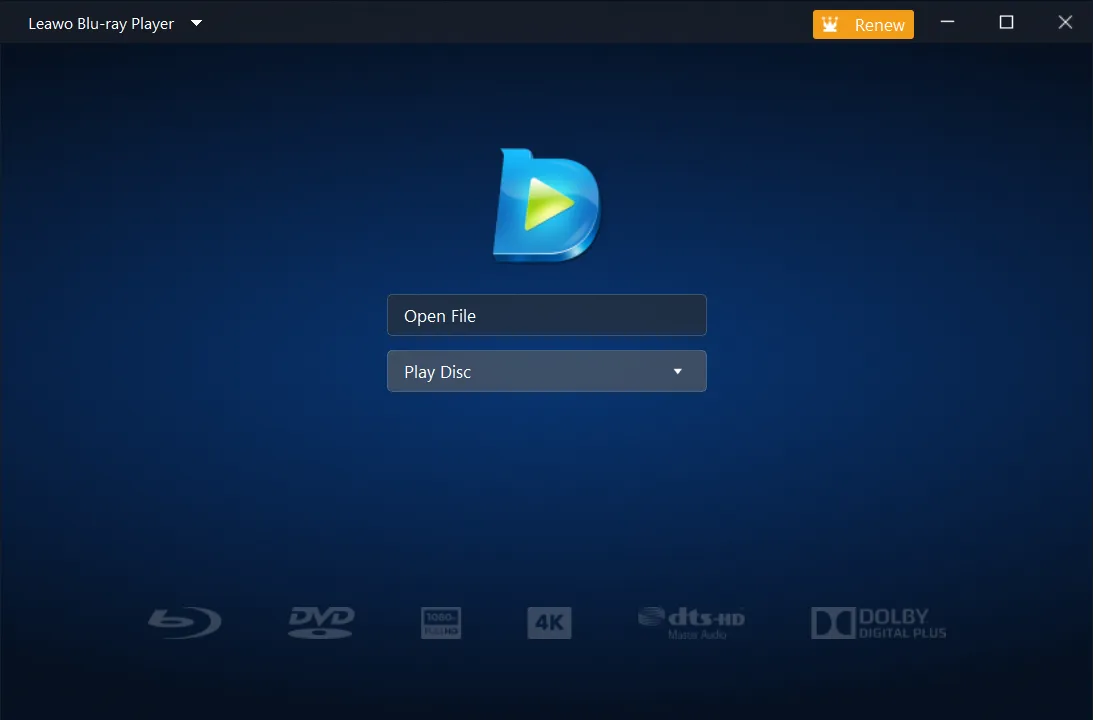
The home screen: Open File, the Play Disc drop-down, and the Blu-ray, DVD, 4K, DTS-HD and Dolby logos along the bottom. The orange "Renew" button in the title bar belongs to a Premium copy. Vendor screenshot.
Features
Free Blu-ray, 4K UHD Blu-ray and DVD playback
Leawo Blu-ray Player plays commercial and homemade Blu-ray discs, including 4K Ultra HD Blu-ray discs, folders and ISO images, plus DVD discs, DVD folders and IFO files. Leawo says it handles discs protected with AACS, BD+ and MKB on Blu-ray and CSS on DVD. Playback of all of this is free, with no time limit.
No region code to set
Leawo Blu-ray Player plays Blu-ray regions A, B and C and DVD regions 0 to 6 without asking you to set a player region. Drive-based software players usually let you change region only a handful of times. If a disc still misbehaves, the DVD/Blu-ray settings tab has a Forced BD player region option.

The DVD/Blu-ray settings tab: Play DVD/BD automatically, Forced BD player region (set to Auto) and Skip Blu-ray disc menu. Vendor screenshot.
Disc menus, chapters and multi-angle discs
Leawo Blu-ray Player gives you a virtual controller for the disc menu, so you can pick languages and scene selections the way you would with a remote. The right-click menu jumps straight to a chapter, and multi-angle discs let you switch camera angles. Playback has seven speeds, a playlist with Loop, Order and Shuffle modes, and keyboard shortcuts for almost everything (Space to pause, F11 for full screen, Shift+S for a snapshot).
HD audio passthrough for a home theater
Leawo Blu-ray Player decodes Dolby, DTS, AAC, TrueHD and DTS-HD audio in 5.1 and 7.1, and it can also pass the bitstream through to a receiver. The Audio settings tab picks the output device and channel count, and has switches for Dolby Digital (AC3), AAC and DTS capable receivers.

The Audio settings tab: an HDMI monitor as the output device, Number of channels on Auto, Boost volume level on downmix, and the Audio Passthrough switches for AC3, AAC and DTS capable receivers. Vendor screenshot.
Picture, subtitle and file settings
Leawo Blu-ray Player lets you change the deinterlace and scaling method, zoom, aspect ratio (stretch 16:9, wide zoom, custom), brightness and hardware acceleration while a movie plays. Subtitles can be switched, shifted in time or loaded from an external file, and their font, size and colour set. You can also take JPG, PNG or BMP snapshots, change the skin and interface language, and choose which file types open in the player.
Premium: Blu-ray and DVD to lossless MKV
Leawo Blu-ray Player Premium adds a BD/DVD To MKV module to the same program. It copies the titles you pick into MKV files without re-encoding, so the picture and sound are the original's, and Leawo says it handles protected discs from any region. Because nothing is compressed, the files are big: the main title of a Blu-ray in Leawo's own example is 23.33 GB.

The program menu opened from the title bar, with BD/DVD To MKV highlighted, and a disc ready in the Play Disc list. Vendor screenshot.

The MKV conversion window: two 1920x1080 titles, each 1:47:17 long and 23.33 GB, the output folder, and the Settings and Convert buttons. Vendor screenshot.
Benefits
- It costs nothing to find out. A paid Blu-ray player is a gamble on whether your drive and discs work with it. Here the test is free, and so is everything after it if all you do is watch.
- Imported discs just play. A UK Blu-ray or a Japanese DVD plays like a local one, with no region counter running down.
- One player for the whole shelf. The same window handles your discs, your ISO backups and the MKV and MP4 files on a NAS.
Real-World Uses
- A laptop with a USB Blu-ray drive: watch the films you own on a trip, with no extra software bought.
- A home-theater PC: send DTS-HD or TrueHD audio straight to an AV receiver over HDMI.
- A box of region 2 DVDs: play discs bought abroad without touching the drive's region setting.
- ISO backups on a hard drive: open a Blu-ray ISO directly, menus and all, without mounting it first.
- A Plex or Kodi library (Premium): turn a disc into a lossless MKV with every audio track and subtitle intact.
Who It's For, and Who Should Skip It
It's for Windows users with a Blu-ray drive who want to watch discs on the PC without paying for player software, and for anyone with region-locked imports or a folder of ISO files. The free version is enough for most of them.
Skip it if you want to shrink movies into small MP4 files for a phone. Premium only makes full-size, lossless MKV copies, and a ripper with re-encoding (such as Leawo Blu-ray Ripper) suits that job better. Skip it too if you already have a working licensed player you're happy with, or if you need a Linux version, which Leawo doesn't make. Mac users need Leawo Blu-ray Player for Mac instead.
Usage Guide
- Install and launch. Run the installer from the Free Download button and open Leawo Blu-ray Player. No account or license code is needed for playback.
- Load a movie. Insert a disc and pick it from Play Disc, or click Open File (Ctrl+O) for a video, an ISO (Ctrl+I) or a disc folder (Ctrl+P). Dragging a file into the window works too.
- Pick subtitles and audio. Right-click during playback and choose Subtitles... or Audios... to switch tracks, shift timing or load an external subtitle file.
- Tune the picture. Right-click and choose Videos... for deinterlacing, scaling, zoom and brightness.
- Set your defaults. Press F5 for the settings panel: preferred audio and subtitle language, the audio output device, passthrough, and file associations.
- Convert to MKV (Premium). Open the title-bar menu, choose BD/DVD To MKV, tick the titles, set the output folder and click Convert. You can pause or cancel at any time.
Tips
- Subtitles stuck on? Right-click the picture, open Subtitles and turn off Enable subtitles. Leawo's support gave that answer to a reviewer who couldn't find it.
- Chapter bar keeps popping up? Leawo's support suggests opening the playlist and double-clicking the title to play it from there.
- Check your disk space before converting. A lossless MKV of a Blu-ray main movie runs to 20 GB or more.
Where it falls short
- Settings are hidden. With no visible toolbar on the home screen, several reviewers struggled to find subtitle, keyboard and menu controls at first.
- Not every disc or PC cooperates. Some reviews describe discs that wouldn't load, menus that didn't show, or no sound until the output device was changed. Most of these date from 2013, when the player was still sold as a paid program, but a February 2026 Trustpilot reviewer reported slow loading and failing menus with an external drive, so test your own discs.
- No resume bookmark. A 2017 reviewer missed being able to pick up where they left off.
- Older PCs struggle with Blu-ray. One reviewer found playback choppy on an older Pentium and smooth after upgrading the CPU.
- Upsell prompts. The free version shows a "Get Pro" button and links to Leawo's paid converters in its menus.
What Users Say
We found no recent, independent hands-on review we could read and quote, so this section draws on Leawo's own review page for the Windows player. Reviews there are moderated by Leawo before they appear, and Leawo replies to some of them. The page shows an average of 4.8 out of 5 from 1,137 ratings (992 five-star, 116 four-star, 23 three-star, 6 two-star and no one-star). Most English reviews were written between 2013 and 2023.
What people like
Deidre (5 stars, February 2017), who had paid for Nero Platinum 12 to play Blu-rays: "First thing I did before installing was scan it with my Norton's. You know the old saying " if it sounds to good to be true, it probably is!" Not the case here. No virus, no ads, and not a trial. Really actually free."
Joe46545 (5 stars, November 2017): "This a software that plays Blu-Ray and also plays my Region 2 DVD's. Plays easily and flawlessly. I have 30 yrs in IT and have tested over a dozen s/w packages. This is the one that I chose to use."
Sebastian Smarslik (5 stars, July 2018): "Delivering a FREE Blu-Ray-Player software, which plays without lags and can even play 3D-Blu-Rays with LIVE 3D to 2D conversion, wow!"
Glen Sheluchin (5 stars, November 2017): "I tried WinDVD, and Cyberlink both were unable ( unwilling ) to allow playing of image DVD files. This software will do just that !! and it's FREE how good is that. NO addware nothing."
Jay MacIntyre (5 stars, December 2021): "The latest update for the Leawo blu-ray player is really great. It plays every disc in every region smoothly and is easy to navigate."
Sandra Chung (5 stars, January 2021): "Might not be the fanciest of players but it works and it doesn't change system settings."
The reservations
Clayton Giovanni (4 stars, May 2018): "Should be 3 stars but it IS FREE AND WORKS!..hence, cannot disrespect it with less than 4. My 3 is because the 'remote' is odd, no instructional screen anywhere and keyboard control is not spelled out anywhere?!?"
Marianne_C (5 stars, January 2017): "My Windows 7 system has 8 gigs of RAM and a Pentium 775 3.2, and play-back is choppy. The video lags behind the sound. (I'm upgrading that cpu.)But with the faster processor and the same amount of RAM, Blu Rays play brilliantly."
Stijn (4 stars, September 2017): "The only drawback I found, is that you cannot leave a bookmark where you have left off viewing."
William Bagley (5 stars, January 2022): "Great software, loaded Java and that was all I had to do to get it to work. Now I am wondering if it is actually free or if I will be required to purchase at a later day." Leawo replied: "We have no plans to charge for playback function in Leawo Blu-ray Player at the moment."
Qajaq (2 stars, April 2019): "Would love to give a better rating as it does work well but I can not and will not till I see a LINUX version".
The 2013 complaints (the paid early version)
Almost all the two- and three-star reviews were posted in April and May 2013, when the player was still sold as a paid program. They're worth knowing about, but they describe a version many years older than 3.0.
Quasar (3 stars, April 2013), comparing it with PowerDVD: "The software is light and real fast to start up and play blu-rays. Lots of settings that are also easy to understand and set up. My only gripe is that I couldn't access the menu (which also includes special features)."
Jemima (3 stars, April 2013): "I get an error message when trying to play 'The Spy Next Door', in both modes. [...] I also tried some other blu-rays: 'The Code' and 'The Contract'. Those had no problem loading and played very nice."
A more recent complaint comes from Trustpilot, where reviews cover Leawo as a company: in February 2026 a 4-star reviewer titled "Problematic software but excellent customer service" described slow loading, disc menus that failed and chapters playing out of order with Leawo Blu-ray Player on an external drive, and said Leawo refunded the purchase after the license was de-registered.
The recurring themes: people love that it's genuinely free, region-free and free of adware, and that it plays discs their bundled or paid players wouldn't. The complaints are about controls that are hard to find, the odd disc that won't load, the need for Java on some systems, and slow PCs. Keep in mind that this is all from Leawo's own moderated page.
Comparisons
Free player vs Premium
The free Leawo Blu-ray Player and Premium are the same program. Premium adds only the BD/DVD to lossless MKV module. If you only watch discs, the free version is all you need.
Premium vs Leawo Blu-ray Ripper
Premium makes one kind of file, a lossless MKV the size of the original movie. Leawo Blu-ray Ripper re-encodes to MP4, MKV and many other formats, with device presets and smaller files. Pick Premium for an archive and the Ripper for phones and tablets.
Windows vs Mac version
Leawo Blu-ray Player for Mac is a separate download (version 3.0.7, a 130 MB disk image) for macOS 10.10 Yosemite and later. Premium for Mac is a separate purchase at the same $44.95 price, so a Windows license doesn't cover a Mac.
Editions and Pricing
| Edition |
Price |
Term |
Money-back period listed |
What you get |
| Free |
$0 |
No limit |
Not applicable |
All playback features |
| Premium, 1 Year |
$44.95 |
One year, one PC (renewal quoted at $26.97) |
5 days |
Playback plus Blu-ray/DVD to lossless MKV, free upgrades |
| Premium, Lifetime |
$99.95 |
One-time payment, one PC |
14 days |
Playback plus Blu-ray/DVD to lossless MKV, free upgrades |
| Leawo Prof. Media (Lifetime) |
$229.95 (list $389.88) |
One-time payment, one PC |
14 days |
Leawo's full suite of rippers, copiers, converters and burners |
The Buy Now buttons on this page open Leawo's Blu-ray Player page, whose pricing section lists Premium, and the 1-year order can be switched to lifetime for $55.00 more on the order page.
FAQs
Is Leawo Blu-ray Player really free, or is it a trial?
Leawo Blu-ray Player is free for playback, with no time limit. Only the Premium MKV conversion is paid. When a reviewer asked in 2022 whether he'd have to pay later, Leawo answered that it has no plans to charge for playback.
Can Leawo Blu-ray Player play 4K Ultra HD Blu-ray discs on my PC?
Leawo Blu-ray Player lists 4K UHD Blu-ray discs, folders and ISO files among the media it plays. Your PC also needs a drive that can read UHD discs, which many ordinary Blu-ray drives can't, and a 4K screen to see the difference.
Does Leawo Blu-ray Player need Java on Windows?
Leawo Blu-ray Player's Windows requirements list DirectX 9.0c and an Internet connection, not Java. Still, two reviewers wrote that they had to install Java before their discs played, so if a disc won't start, installing Java is one of the first things to try.
Can I get a refund on Leawo Blu-ray Player Premium?
Leawo Blu-ray Player Premium refunds are possible within 14 days for a reproducible bug Leawo's support can't fix or a hardware incompatibility, after you've worked with support and sent the details. A request that only says you don't use the program, or that it "doesn't work" without details, is refused, and purchases over a month old aren't refunded.
Does the Premium 1-year license renew automatically?
Leawo Blu-ray Player Premium's 1-year plan is sold as auto-renewing, and the order page quoted the renewal at $26.97 a year on November 1, 2026. You can cancel the renewal at any time from your account or through Leawo's support, but cancelling doesn't refund the current year.
Can Leawo Blu-ray Player burn or copy a Blu-ray?
No. Leawo Blu-ray Player only plays discs, and Premium only converts them to MKV files. Copying a disc to another disc or an ISO is a job for Leawo Blu-ray Copy, which Leawo's support pointed a reviewer to when he asked.
System Requirements
- Operating system: Windows 11, 10, 8.1, 8 or 7
- Processor: 1 GHz or faster Intel or AMD CPU
- Memory: 512 MB RAM (1 GB or more recommended)
- Graphics: ATI Radeon HD 4000, Intel G45, NVIDIA GeForce 8-Series or newer recommended
- Other: DirectX 9.0c, a Blu-ray or DVD drive, and an Internet connection
Conclusion
Leawo Blu-ray Player is worth installing for anyone on Windows who owns a Blu-ray drive and doesn't already have a player they like. The one reason to get it is the price: region-free Blu-ray, 4K UHD Blu-ray, DVD and ISO playback with HD audio passthrough, for nothing, from a signed installer.
The main reason to hesitate is polish. The controls hide in right-click menus, some discs and systems need Java or a settings change before they play, and the free version keeps pointing you at Leawo's paid tools. Premium is only worth $44.95 if you specifically want lossless MKV copies of your discs. For everyone else, the free download is the whole product.
Free DownloadBuy Now