Stellar File Eraser for Mac: Shred Files, Free Space and Browser Traces So They Can't Be Recovered
Stellar File Eraser for Mac is a $29.99-a-year Mac app that permanently erases files and folders, the free space where deleted files linger, and app, system and browser traces, on the Mac itself and on external drives, SD cards and USB sticks. It's for Mac owners who want specific files gone for good without wiping the whole drive. It was earlier sold as Stellar Wipe and later as BitRaser for File.
Dragging a file to the Trash and emptying it only removes the pointer to it; on a spinning hard drive or a USB stick the contents often stay readable until something overwrites them. A file shredder does that overwriting on purpose.
Quick facts
- Price: $29.99 per year for one Mac (renews automatically every 12 months)
- Developer: Stellar Data Recovery (stellarinfo.com), in business since 1993
- Version: 6.0.0.1, released October 2026; a separate Windows version exists
- Runs on: macOS 10.13 and later, including macOS 26 Tahoe, on Intel and Apple silicon (M1 to M5) Macs
- Erases: files and folders, deleted data and free space, app and system traces, internet activity; on internal drives, external HDDs and SSDs, SD cards and USB flash drives
- Languages: English, French, German, Italian, Spanish, Dutch and Japanese
- Trial: free download to try before buying
- What we checked: the Mac download on Stellar's product page (StellarFileEraser.dmg.zip, 84 MB, dated October 27, 2026), the older 45 MB build the order system's trial link still serves (dated October 28, 2025), and the price on the order page ($29.99 with a 12-month renewal, next billing a year after purchase) on November 28, 2026. We didn't run an erasure ourselves.
Before you buy
- It's a yearly subscription. The license renews every 12 months unless you turn renewal off.
- Know what macOS already does. On a Mac with an Apple silicon chip or a T2 chip, and on any Mac with FileVault turned on, the internal SSD is encrypted, and Apple's "Erase All Content and Settings" wipes the whole Mac securely for free. Stellar File Eraser is about erasing chosen files while you keep using the Mac, and about external drives and USB sticks, where it helps most.
- No certificate. Stellar's FAQ says this edition doesn't produce an erasure certificate. If you need proof for compliance, look at Stellar's BitRaser business products instead.
- The download button gives an older build. The trial link here serves a 2025 build; the newest build is on Stellar's product page and the license works with either.
Download Free TrialBuy Now
Overview
Stellar File Eraser has four sections down the left side: Erase Files & Folders, Erase Deleted Data, Erase Traces and Schedule Erasure, plus Settings. You drag files into a box (or use Search & Erase to find them), click Erase Now, and the app overwrites them using the erasure algorithm chosen in Settings. It never touches macOS system files, so you can't break the Mac with it.
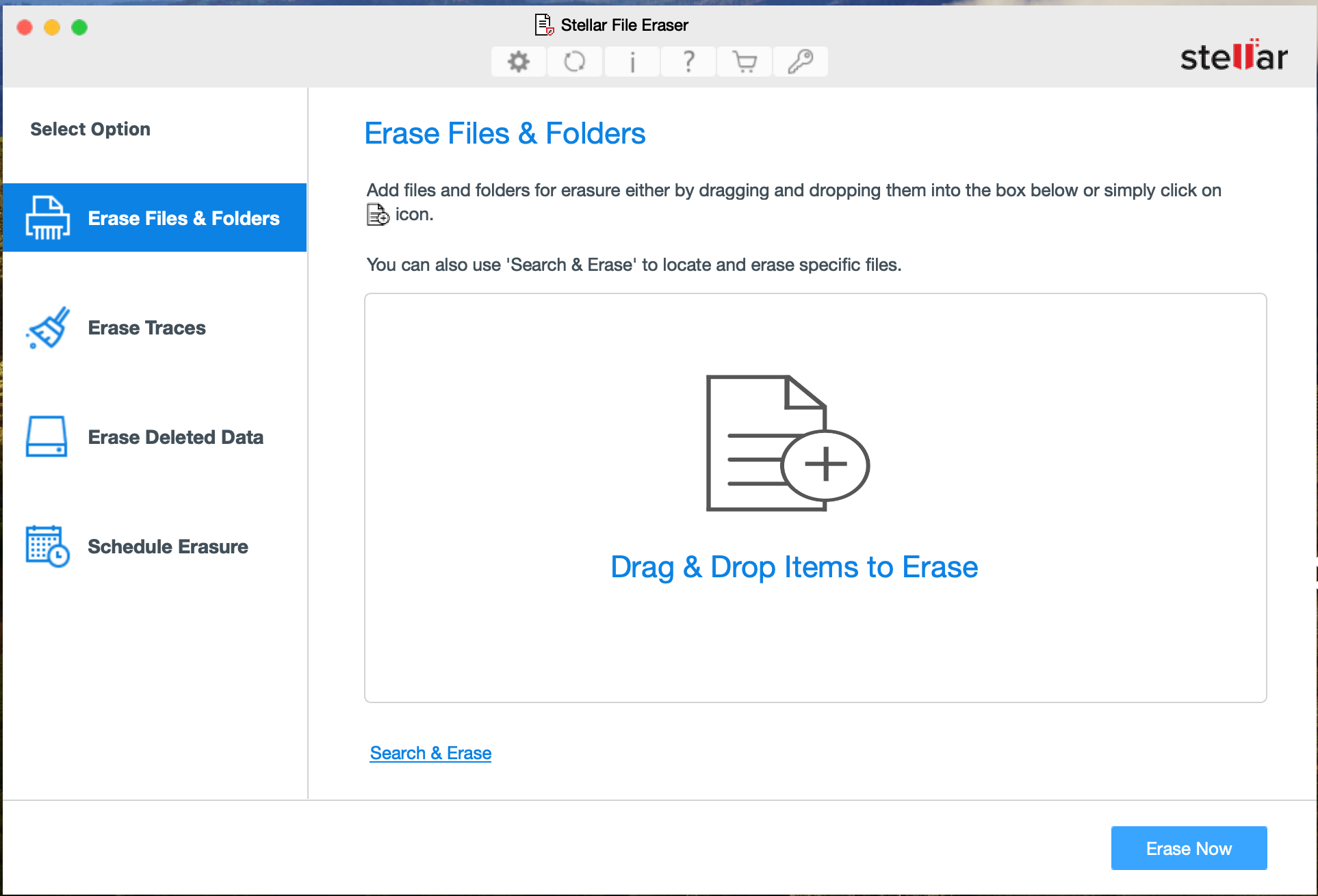
The main window: the four erase modes on the left and a drop box for files and folders.
Features
Shred chosen files and folders
Stellar File Eraser for Mac erases any files, folders or whole volumes you add, one at a time or in a batch, on the internal drive or on external HDDs, SSDs, SD cards and USB flash drives. Search & Erase helps you find specific files to add.
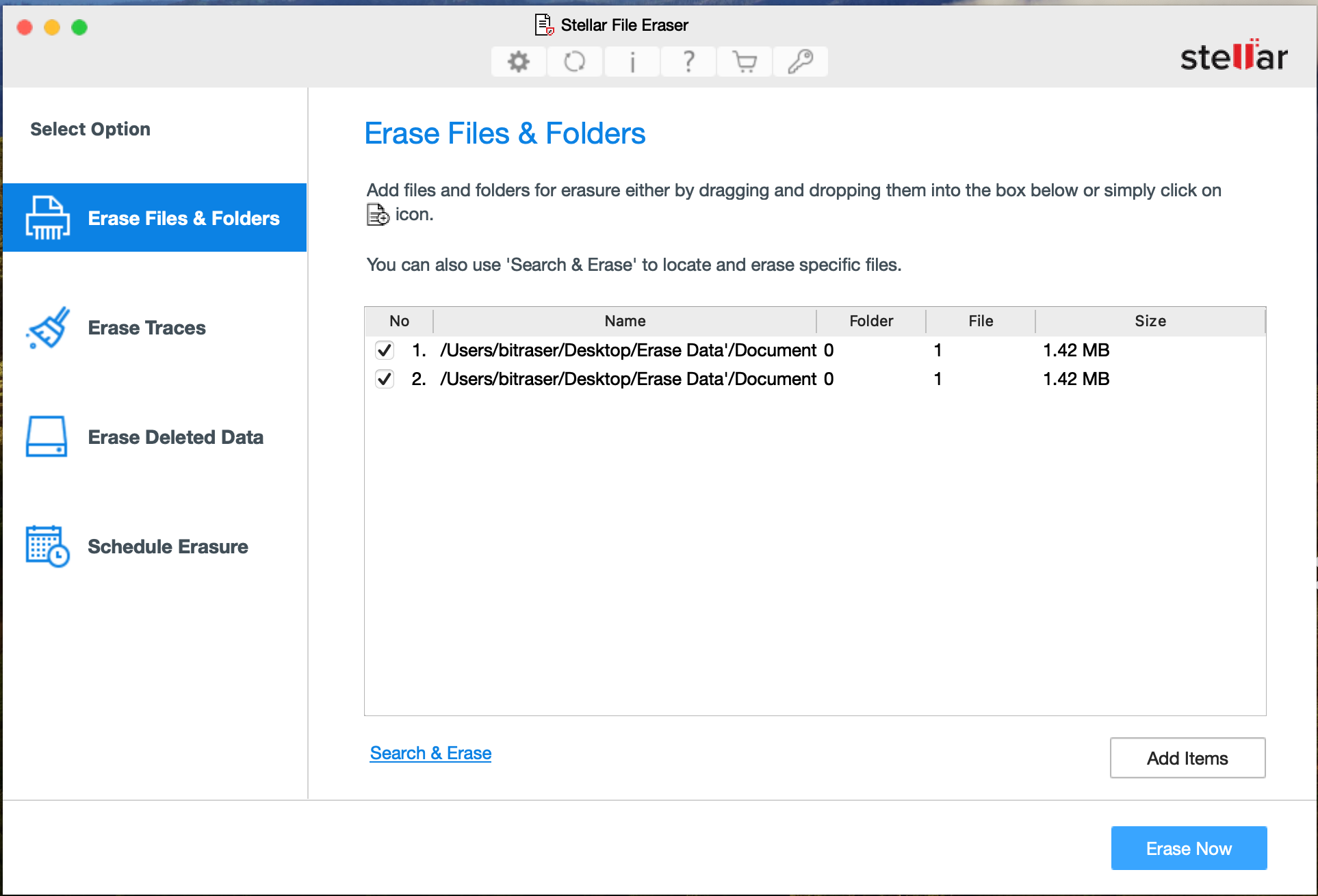
A 20.9 MB MP4 file from the Desktop added to the list, ready for Erase Now.
Wipe free space
Stellar File Eraser for Mac overwrites the unused space on a volume with random data, so files you deleted in the past, the normal way, can't be dug up by a recovery tool. This is the feature to run after you've already deleted something sensitive.
Erase internet, app and system traces
Stellar File Eraser for Mac clears browsing history, autofill form data, saved logins and card details in Safari, Chrome, Firefox, Opera and Edge, along with system traces and leftovers from peer-to-peer apps such as uTorrent, BitComet and FrostWire.
Scheduled erasure
Stellar File Eraser for Mac can run erasures automatically at set times, for example clearing a downloads folder or browser traces every week, using a saved file list.
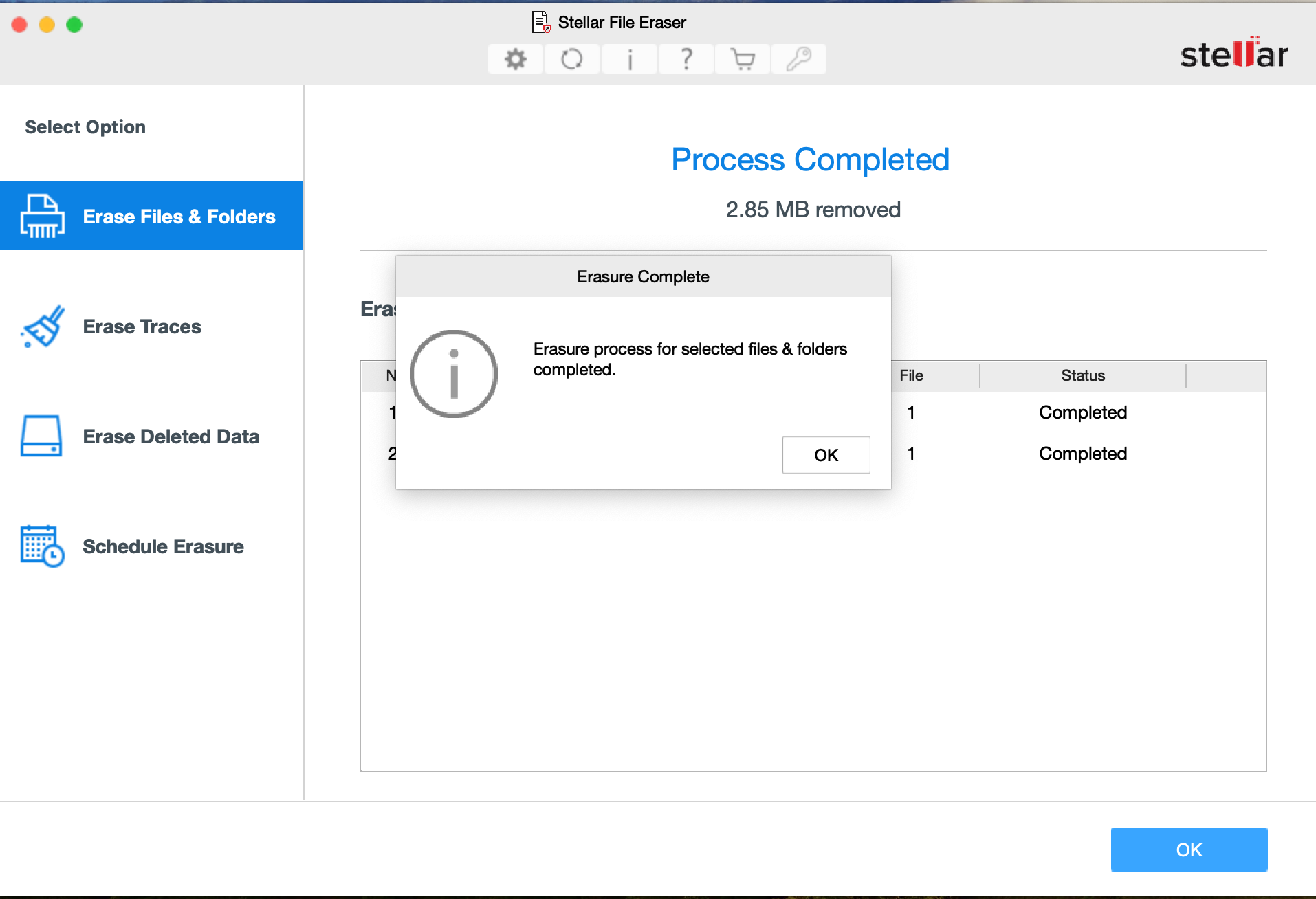
Process Completed: two files erased, 1.1 MB removed, with the Erasure Complete message.
Benefits
- Delete for real while you keep the Mac. No need to wipe the whole machine to get rid of a few sensitive files.
- Safer USB sticks and external drives. These usually aren't encrypted, so shredding before you lend or sell one makes a real difference.
- Set and forget. Scheduled erasure keeps traces from piling up.
- Hard to misuse. System files are off-limits, so you can't erase something macOS needs.
Real-World Uses
- Selling an external hard drive. Erase its files and then its free space before it goes on an auction site.
- Clearing tax or medical scans. Shred the PDFs and scans you no longer need from a shared family Mac.
- Weekly privacy clean-up. Schedule browser traces and the Downloads folder to be erased every Friday.
- Handing back a work USB stick. Wipe the stick's contents and free space so old project files can't be recovered.
Who It's For, and Who Should Skip It
Good fit: Mac users who regularly need to destroy specific files, especially on external drives and memory cards, and who like having browser-trace cleaning and scheduling in the same app.
Skip it if: you're selling or giving away the Mac itself. Apple's free Erase All Content and Settings (or erasing the drive in Disk Utility on an encrypted Mac) does that job. Skip it too if you need a signed erasure certificate for audits, since this edition doesn't produce one, or if you dislike subscriptions for a tool you'll use twice a year.
Usage Guide
- Download the trial, unzip it, open the DMG and drag Stellar File Eraser to Applications, then launch it.
- Open Settings and pick the erasure algorithm you want.
- To shred files: click Erase Files & Folders, drag files or folders into the box (or click Select File), then click Erase Now.
- To clean old deletions: click Erase Deleted Data, choose the drive and click Erase Now.
- To clear traces: click Erase Traces, tick application, internet or system traces, and click Erase Now.
- To automate it: open Schedule Erasure and set when the erasure runs.
- Enter your license key (the key icon) to remove the trial limits.
Where it falls short
- SSDs limit any shredder. On an SSD, the drive itself decides where data is written, so overwriting a single file can't guarantee every old copy is gone. Encryption (FileVault) is the stronger protection there.
- Trial terms are unclear. Stellar's own pages describe the trial differently, so check what the trial allows after installing it.
- Subscription only. There's no one-time license for this edition at checkout.
- Some reviewers find it nerve-racking. Mac Sources wrote that this kind of app "makes me incredibly nervous to use", since there's no undo.
What Users Say
Press quotes on Stellar's product page
- Macworld: "It's relatively easy to erase the contents of a drive on a Mac with Stellar File Eraser."
- Mac Sources: "While I like the feel and purpose of Stellar, it still makes me incredibly nervous to use this type of application. I feel as though the software does its job."
- HDDMag: "Remarkable software designed to delete data permanently from your hard drive or any other storage devices."
- Security Gladiators: "Stellar for file application comes at a reasonable price, great solution if you want to keep all of your data safe and sound even when they are deleted."
Trustpilot (company-wide)
Stellar has a TrustScore of 4.8 from 5,616 reviews on Trustpilot, but nearly all of them are about its data recovery and repair tools and its support staff, not File Eraser. Typical recent ones: "Dheeraj helped me and guided me very well" (Apna Adda, 5 stars, November 25, 2026), and on the negative side, "Do not purchase. Software is terrible and customer service worse." (Nick, 1 star, November 13, 2026).
Summary: the press quotes are short and hosted by the vendor, and we found no recent independent hands-on test of the Mac version. What's consistent is that it's easy to use and does a narrow job; the common worry is simply that erasing can't be undone.
Comparisons
Stellar File Eraser vs. macOS's own tools
macOS no longer has a "Secure Empty Trash" option, and Disk Utility's secure-erase options only work on whole spinning drives. For whole-Mac or whole-drive wipes, Apple's tools are free and enough. Stellar File Eraser fills the gap for single files, free space and traces.
Mac vs. Windows edition
Stellar sells the same product for Windows under the same name and price. The license is per platform and per device, so a Mac license doesn't cover a PC.
Editions and Pricing
| Edition | Price | Term | Devices |
|---|
| Stellar File Eraser for Mac (Standard) | $29.99 | 1 year, renews automatically | 1 Mac |
The price is from the order page on November 28, 2026. Stellar's own store also offers 3- and 5-device licenses.
FAQs
Does Stellar File Eraser work on M1, M2 and later Macs?
Yes. Stellar File Eraser for Mac supports Apple silicon Macs from M1 to M5 as well as Intel Macs, on macOS 10.13 or later including macOS 26 Tahoe.
Can files erased by Stellar File Eraser be recovered?
Stellar says files erased by Stellar File Eraser can't be recovered, even by professional recovery services. On SSDs, keep in mind that the drive's own wear-leveling can leave old copies a file shredder can't reach, so turn on FileVault as well.
Can Stellar File Eraser wipe an SD card or USB stick?
Yes. Stellar File Eraser for Mac erases files and free space on external HDDs, SSDs, SD cards and USB flash drives connected to the Mac.
Is Stellar File Eraser the same as Stellar Wipe or BitRaser for File?
Yes. Stellar File Eraser is the current name of the product Stellar earlier sold as Stellar Wipe and then BitRaser for File.
Does Stellar File Eraser give an erasure certificate?
No. Stellar File Eraser doesn't generate an erasure certificate. Businesses that need one for compliance should look at Stellar's BitRaser drive-erasure products.
What happens when the Stellar File Eraser year ends?
Stellar File Eraser's license renews automatically every 12 months at checkout. Turn off automatic renewal in your 2Checkout account if you don't want it to continue.
System Requirements
- macOS 10.13 High Sierra or later (64-bit), including macOS 26 Tahoe
- Intel or Apple silicon (M1 to M5) Mac
- 4 GB RAM minimum, 8 GB recommended
- 250 MB free disk space
Conclusion
Stellar File Eraser for Mac is worth $29.99 a year if you regularly need to destroy particular files, clean old deletions from external drives and memory cards, or keep browser traces cleared on a schedule. The one reason to buy it is that it handles files, free space and traces in one simple, hard-to-misuse app. The main reason not to is that wiping a whole Mac needs no paid tool at all, and the yearly renewal is steep for something most people use rarely.
Download Free TrialBuy Now