Kernel for Excel Repair: Recover Data From Corrupt XLS and XLSX Files
Kernel for Excel Repair is a $49 Windows tool from KernelApps that repairs corrupt Excel workbooks, one at a time or in a batch, and saves what it recovers to new files. It's for anyone facing "Excel found unreadable content" on a workbook with no good backup. The current build dates from September 2019, which matters if your files come from the newest Excel.
Excel's own Open and Repair handles a lot, and it's free. When it strips out your sheets or gives up, the trial here shows you the recovered data in a preview before you spend anything.
Quick facts
- Version: 19.7, released September 2019
- Developer: KernelApps Pvt. Ltd. (Kernel Data Recovery)
- Platform: Windows 11, 10, 8.1 and older, Windows Server 2022, 2019 and older
- Works with: XLS, XLSX, XLSM, XLTM and XLTX files; the specifications list Excel 95 through 2021
- Price: $49 for the Home License on the order page
- Trial: repairs and previews, but saving needs a license
- Guarantee: 30 days money back
What we checked: installer file version 19.7 (1.7 MB, digitally signed by KernelApps Private Limited, file date September 2, 2019), and the order page, which showed $49 for the Home License, on November 9, 2026. We didn't repair a damaged workbook ourselves, so results here are the vendor's and its users' claims.
Download Free TrialBuy Now
Overview
Workbooks get corrupted by crashes during a save, bad disk sectors, interrupted transfers and malware. Excel's usual response is a message offering to remove what it can't read, and it can remove a lot: formulas, styles, whole parts of the file.
Kernel for Excel Repair is a small, focused program. It has a Single-file mode with a preview and a Multi-file mode for batches, and it writes repaired copies to a folder you choose, leaving the damaged file alone. In Single-file mode it typically produces two output files, and marks the one it recommends.
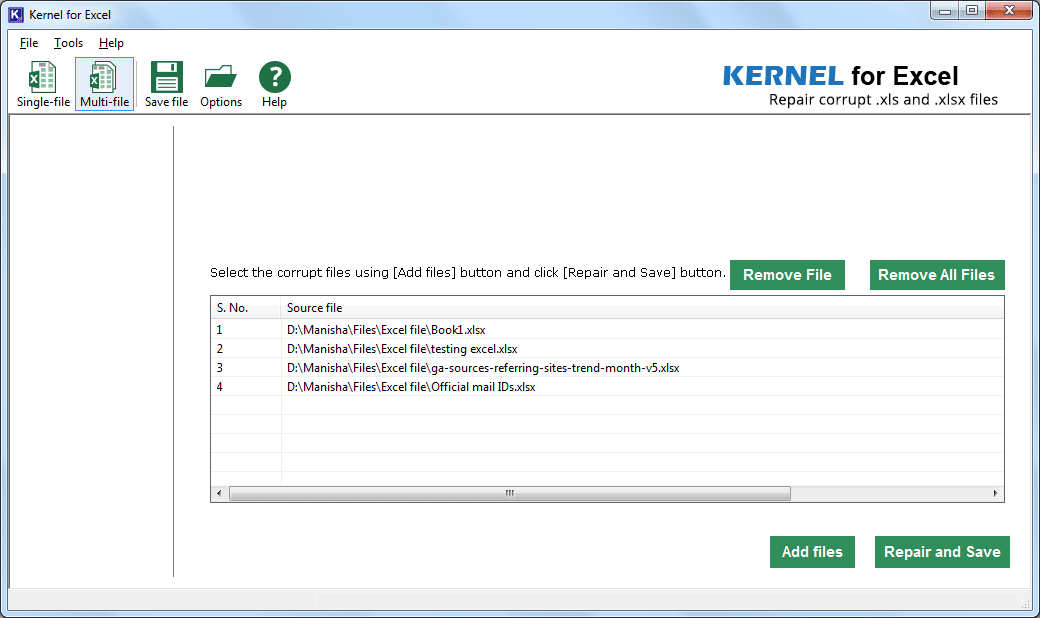
Multi-file mode: a queue of damaged workbooks ready for Repair and Save.
Features
Single-file and Multi-file modes
Kernel for Excel Repair handles one workbook with a full preview, or a list of files in one run. The batch mode shows each source file next to the repaired files it produced, so you can check them off.
Recovers workbook content
Kernel for Excel Repair restores tables, charts, chartsheets, images, cell comments, filters, fields, formulas, reports and forms where the data is still readable. KernelApps sets no limit on file size for the full version.
Targets the common Excel errors
Kernel for Excel Repair is aimed at messages such as "Excel found unreadable content", "The file is corrupt and cannot be opened" and "Excel cannot open the file because the file format or file extension is not valid", as well as "Removed Records" repair logs.
Selective saving for older files
Kernel for Excel Repair's Multi-file mode can save only chosen elements from Excel 2000-2003 workbooks: numbers, formulas, book values, text, merged cells, and row and column information.
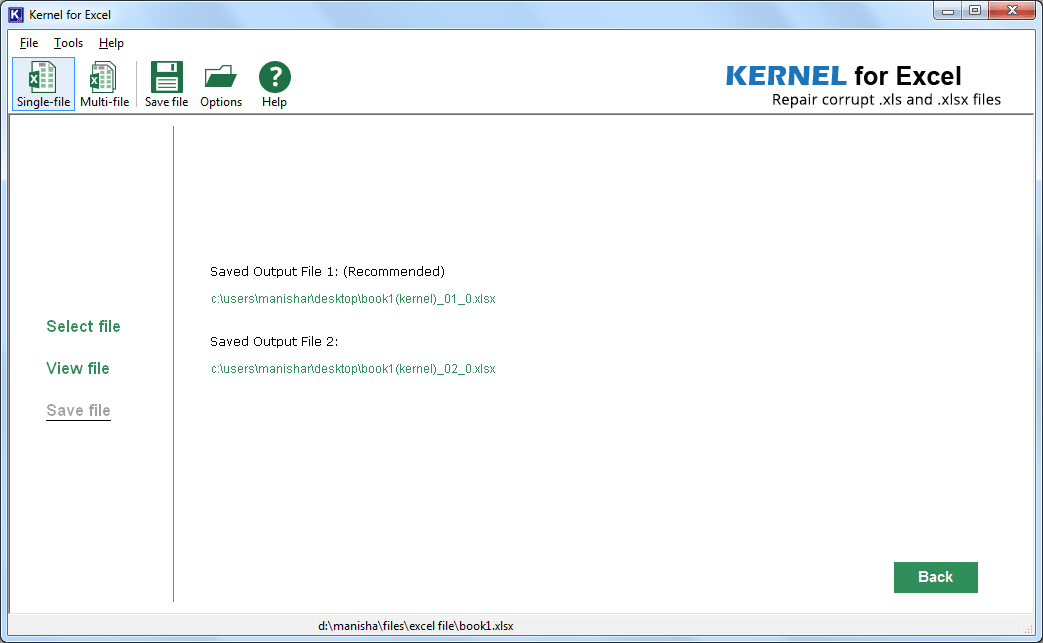
After saving a single file, the program lists its output files and marks one as recommended.
Benefits
- It's cheap for what it replaces. $49 is small next to rebuilding a financial model by hand.
- Batches save an afternoon. A shared drive full of damaged workbooks can go through in one pass.
- You can look before you pay. The preview shows what's recoverable from your own file.
Real-World Uses
- A workbook that crashed mid-save and now opens with half its sheets missing.
- Files on a failing drive or a USB stick pulled out too soon.
- An old XLS that a current Excel won't open.
- Dozens of files damaged in one incident, such as a server fault.
Who It's For, and Who Should Skip It
Buy it if Open and Repair has failed and the trial's preview shows your data. Skip it if you have an AutoRecover copy or a version in OneDrive, which are free. Also think twice if your workbooks depend on recent Excel features such as dynamic arrays, because a 2019 build predates them, and test those files in the trial first. Businesses need Corporate or Technician, since Home is for personal use. There's no Mac version.
Usage Guide
- Make a copy of the damaged workbook.
- Download and install the demo, then launch Kernel for Excel.
- Choose Single-file or Multi-file, and browse to the workbook.
- Click Repair and wait for it to finish.
- Check the preview for your sheets, values and formulas.
- If it's right, buy a license, activate the program, click Save and choose a folder.
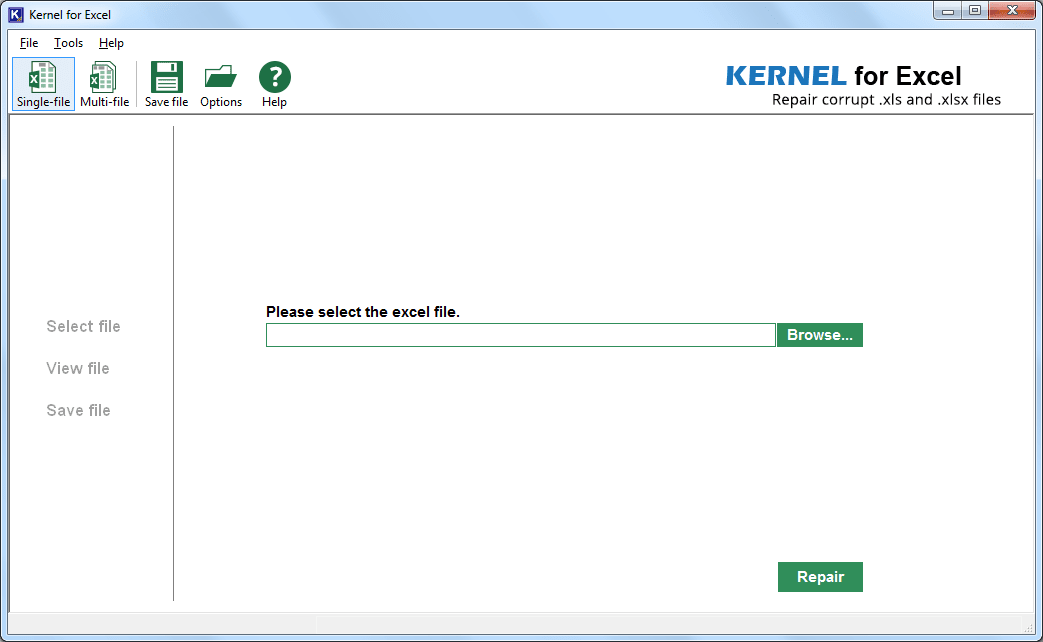
The start screen in Single-file mode.
Before you buy
- Try Excel's Open and Repair first. In the File Open dialog, the arrow on the Open button offers it for free.
- Test your newest file. KernelApps' specifications stop at Excel 2021, though a page FAQ also claims Excel 2024, and the program itself hasn't changed since 2019.
- The license covers updates for life. KernelApps lists a lifetime license and updates on all three tiers.
Where it falls short
- It hasn't been updated in years. The installer is dated September 2019, and KernelApps' other tools have moved on to versions from 2025 and 2026.
- The trial saves nothing. You can inspect the preview but can't open a repaired workbook in Excel until you've paid.
- Independent evidence is thin. We found no outside test of this version.
- Overwritten data is gone. A repair tool can only rebuild what's still in the file.
What Users Say
Independent feedback on this product is scarce, so treat the vendor's numbers as marketing and let the preview decide.
On the vendor's page
KernelApps shows 4.9 out of 5 from 451 reviews collected on its own site, with 95% rated Excellent.
"I had a problem with my Excel File, and when I searched Microsoft Bing, I found this website in a objective way that extracted my file in minutes. Highly recommend to everyone." - Bailey Yates
Kernel Data Recovery on Trustpilot
Kernel Data Recovery's Trustpilot page shows 4.9 out of 5 from 166 reviews, read through a page summarizer. Those reviews rate the company rather than this product, and about 2% of them are one-star. None of the reviews we could read mention the Excel tool.
Comparisons
Kernel for Excel Repair vs Excel's Open and Repair
Open and Repair is free and should always come first. It either fixes the file or tells you what it removed. Kernel for Excel Repair is worth trying when that list is too long or the file won't open, and its batch mode covers a job that Excel can only do one file at a time.
Kernel for Excel Repair vs the MS Office File Repair Suite
KernelApps also sells a suite that adds Word, PowerPoint, Access and Publisher repair. If only workbooks are damaged, this single tool is the cheaper buy.
Editions and Pricing
| License | Price | Validity and updates | For |
|---|
| Home (this listing) | $49 on the order page | Lifetime | Personal use |
| Corporate | $99 | Lifetime | Multiple machines at one location |
| Technician | $159 | Lifetime | Multiple machines at multiple locations |
FAQs
Does Kernel for Excel Repair work on files from Excel 2024?
KernelApps' FAQ says Kernel for Excel Repair accepts Excel 2024 files, while its specifications list goes up to Excel 2021. The program dates from 2019, so check a 2024 file in the trial's preview first.
Can Kernel for Excel Repair repair macro-enabled workbooks?
Yes. Kernel for Excel Repair accepts .xlsm and .xltm files. Its error list includes vbaProject repair messages, so check your macros after saving.
Why does Kernel for Excel Repair create two output files?
Kernel for Excel Repair can write two versions of a repaired workbook and marks one as recommended. Open the recommended one first, and keep the other in case something's missing.
Does Kernel for Excel Repair change my original workbook?
No. Kernel for Excel Repair saves the recovered data to new files in the folder you choose.
Can I use the Home License of Kernel for Excel Repair at work?
No. KernelApps limits the Home License to personal use, so a company needs Corporate or Technician.
How quickly do I get the license for Kernel for Excel Repair?
KernelApps says the download link and activation key arrive by email within 15 minutes of the order.
System Requirements
- Windows 11, 10, 8.1 and older, Windows Server 2022, 2019 and older
- Intel Pentium compatible processor (x86 or x64) or equivalent
- 2 GB RAM minimum and 2 GB of disk space
Conclusion
Kernel for Excel Repair is a fair $49 gamble if Excel's own repair has failed and the preview shows your data. The reason to buy is the low price and the batch mode. The reason to hesitate is age: this build is from 2019, so anything relying on recent Excel features should be proved in the trial before you pay.
Download Free TrialBuy Now