Kernel for PST Split: Break an Oversized PST Into Manageable Files
Kernel for PST Split is a $49 Windows tool from KernelApps that divides a large Outlook PST file into smaller ones by size, date, sender or folder. It's for anyone whose Outlook has slowed to a crawl under a huge archive.
Outlook gets sluggish as a PST grows, and a very large file is more prone to damage. Splitting keeps your mail but spreads the load.
Quick facts
- Version: 19.10, released September 2019
- Developer: KernelApps Pvt. Ltd. (Kernel Data Recovery)
- Platform: Windows 11, 10, 8.1, 8, 7 and older, Windows Server 2022, 2019 and older
- Works with: ANSI and Unicode PST files from Outlook 2021 and older, including Office 365
- Price: $49 for the Home License on the order page
- Trial: saves 5 emails per folder
- Guarantee: 30 days money back
What we checked: installer size 9.8 MB, dated October 24, 2019 on the vendor's download server, and the order page, which showed $49 for Kernel for PST Split - Home User License, on November 10, 2026. We didn't split a real mailbox ourselves.
Download Free TrialBuy Now
Overview
Kernel for PST Split runs as a short wizard: pick the PST, choose how to split it, and name a destination. It reads the source and writes new PST files, leaving the original alone.
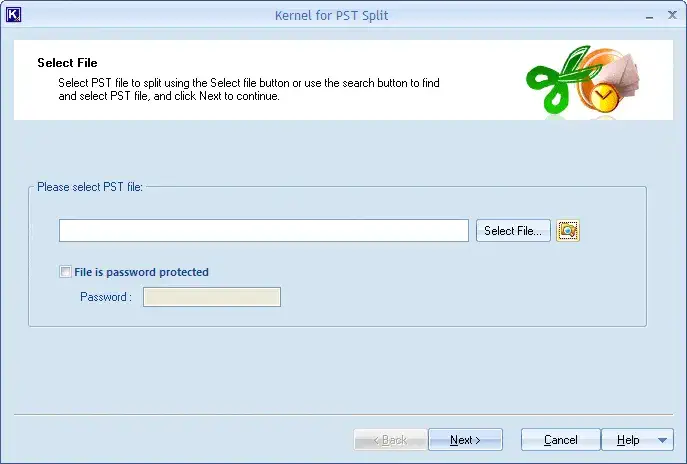
Choosing the PST, with a box for password-protected files.
Features
Five ways to split
Kernel for PST Split divides a file by date, by sender email address, by size in MB, GB or TB, into one PST per selected folder, or by extracting chosen folders into a single new PST.
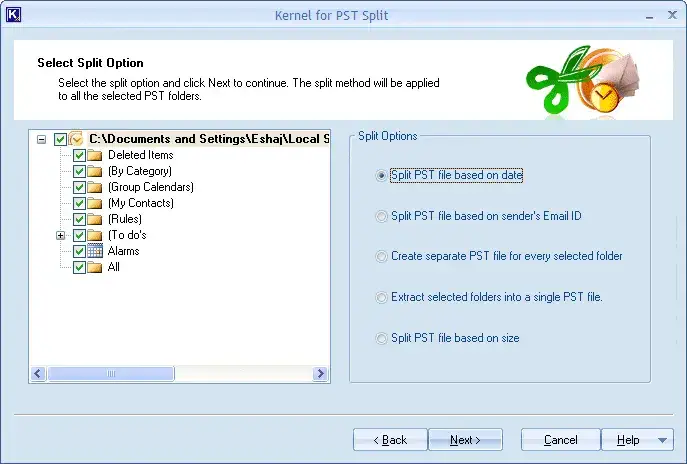
The five split options.
Password-protected and awkward files
Kernel for PST Split accepts password-protected, archive, backup, shared and orphaned PST files, and network-stored files too.
Search for PST files
Kernel for PST Split has a built-in search that locates PST files on a chosen drive, which helps when Outlook has hidden them deep in a profile folder.
ANSI and Unicode
Kernel for PST Split handles both the old ANSI format and the current Unicode format.
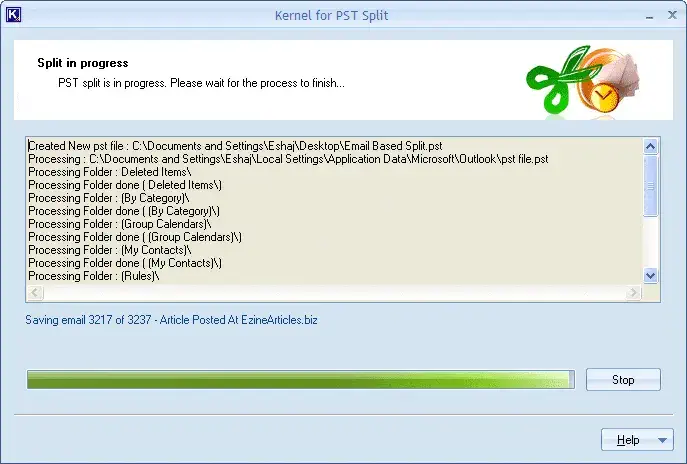
A split in progress, folder by folder.
Benefits
- A faster Outlook, because it opens a smaller file.
- Less risk from one huge file. Damage to one piece no longer takes your whole archive with it.
- Your original stays untouched.
Real-World Uses
- Pulling each past year of mail into its own archive.
- Separating one client's mail by sender for a handover.
- Cutting a 50 GB file into pieces small enough to back up.
- Getting the Calendar or Contacts out into their own PST.
Who It's For, and Who Should Skip It
Buy it if your PST is huge and you want to keep every message. Skip it if Outlook's AutoArchive or a simple move to a new data file would do, or if your mailbox is on a server you don't store locally. A corrupt PST can be split, but to read the pieces you'd still need a PST repair tool. There's no Mac version.
Usage Guide
- Close Outlook and back up your PST.
- Install and open Kernel for PST Split.
- Select the file, or use the search button to find it.
- Tick "File is password protected" if it applies.
- Choose a split option and set your date, size or senders.
- Pick a destination and start.
- Open the new PST files in Outlook through File, Open & Export.
Before you buy
The trial copies only 5 emails from each folder, so it shows that the method works and not how a full split looks. The most recent version on the vendor's page dates from 2019, though the page lists Windows 11 and Windows Server 2022 as supported.
Where it falls short
- The interface hasn't changed in years.
- It splits, but doesn't repair, compact or merge.
- Windows only.
What Users Say
On the vendor's page
Kernel's page shows 4.9 out of 5 from 590 reviews, gathered on its own site.
"This PST Splitter tool is an absolute lifesaver! I was struggling with a massive PST file that was slowing down my Outlook, but with this tool, I was able to effortlessly divide it into smaller, more manageable parts. Highly recommended!" Blanca Garcia
Independent sites
Few people have reviewed this tool elsewhere. Trustpilot rates the company 4.9 out of 5 from 166 reviews across all its products, and support is the most common reason for praise there.
Editions and Pricing
| Edition | Price | Who it covers |
|---|
| Home | $49 | Personal use only |
| Corporate | $99 | A single organization |
| Technician | $299 | Data recovery and service companies, multiple organizations |
FAQs
Does Kernel for PST Split change my original PST file?
Kernel for PST Split leaves the source PST unchanged and writes the smaller PST files separately.
Can Kernel for PST Split divide a file into 2 GB pieces?
Kernel for PST Split takes a size in MB, GB or TB, so 2 GB parts are simply a setting.
Can Kernel for PST Split handle a corrupt PST?
Kernel for PST Split can split a damaged PST, but the vendor says you then need a PST repair tool to read the results.
Does Kernel for PST Split work with PST files from older Outlook versions?
Kernel for PST Split supports PST files from Outlook 97 through 2021 and Office 365, in ANSI or Unicode format.
Is there a refund for Kernel for PST Split?
Kernel's store advertises a 30-day money-back guarantee.
System Requirements
- Windows 11, 10, 8.1, 8, 7 and older; Windows Server 2022, 2019 and older
- Pentium-compatible processor
- 512 MB RAM minimum
- 50 MB of disk space
Conclusion
At $49, Kernel for PST Split earns its price if a giant PST is making Outlook miserable and you want to keep all your mail. The size, date and sender options are what make it worth paying for. The reason not to buy is that it hasn't had a new release since 2019, so test the trial on your own Outlook first.
Download Free TrialBuy Now