Aiseesoft MOD Converter for Mac: Turn Old Camcorder MOD Files into MP4 and MOV on a Mac
Aiseesoft MOD Converter for Mac converts the .MOD video recorded by JVC, Panasonic and Canon camcorders into MOV, MP4, M4V, AVI, MKV and other formats on macOS, so QuickTime, iMovie, Final Cut Pro, an iPhone or an iPad can play it. A lifetime license for one Mac is $42 on the order page, or $29 for one year.
It's for Mac users who've found old camcorder footage that Photos and QuickTime won't import.
Quick facts
- Price: $42.00 lifetime license for 1 Mac, or $29.00 for 1 year (auto-renewing)
- Developer: Aiseesoft Studio
- Platform: macOS on Intel and Apple silicon Macs (the app declares Mac OS X 10.7 or later); a separate Windows edition exists
- Input: MOD from Canon, JVC and Panasonic camcorders, and other common video formats
- Output: MOV, MP4, MPEG, AVI, 3GP, WMV, M4V, FLV, WebM, MKV, HD and 4K; MP3, AAC, AC3, OGG, WAV, WMA audio
- Free trial: converts 5 minutes of each longer file (half of a file under 5 minutes)
- Refund: 30-day money-back guarantee when there's a quality problem with the program
- What we checked: the installer (49.9 MB disk image, dated January 31, 2024) downloaded from the vendor, with version 9.2.26 read from the app bundle, and both licenses on the order page ($42.00 lifetime, $29.00 for 1 year) on November 26, 2026. We didn't run it on a Mac.
Before you buy
- Free players may open MOD as is. MOD is MPEG-2 video, and VLC for Mac plays it. If you only want to watch, try that first; convert when you need to edit, share or play the clips on an iPhone.
- The all-format converter is only a little more. On November 26, 2026 Aiseesoft Mac Video Converter Ultimate was $49.96 lifetime on the order page, against $42 here.
- Lifetime beats yearly. The 1-year license renews at $29, so the lifetime license pays for itself in the second year.
Download Free TrialBuy Lifetime LicenseBuy 1 Year
Overview
Plug an old JVC Everio or Panasonic SDR camcorder into a Mac and you'll find .MOD files that Photos won't import and QuickTime won't play. The video inside is fine; it's the container Apple's apps don't recognize.
Aiseesoft MOD Converter for Mac converts those files in a familiar Aiseesoft window: a getting-started screen, a preview on the right, and Profile and Destination at the bottom. Choose MOV for QuickTime, a profile for iMovie or Final Cut Pro, or an iPhone or iPad preset, and click Convert. Batches of files convert in one go, and you can merge several clips into one.
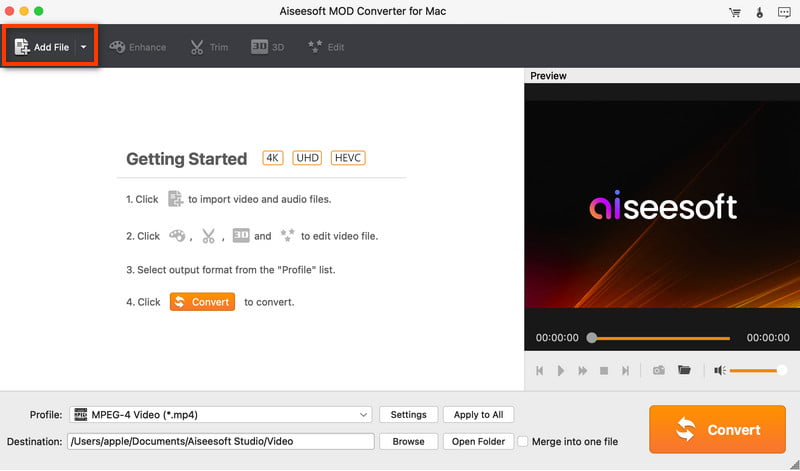
The getting-started screen of MOD Converter for Mac, with Add File, the preview and the MPEG-4 profile.
Features
Convert MOD to Mac-friendly formats
Aiseesoft MOD Converter for Mac converts MOD video from Canon, JVC and Panasonic camcorders to MOV, MP4, MPEG, AVI, 3GP, WMV, M4V, FLV, WebM and MKV, and can output HD, 1080p and 4K files. It also saves the soundtrack as MP3, AAC, AC3, OGG, WAV or WMA.
Presets for editors and devices
Aiseesoft MOD Converter for Mac has profiles for Final Cut Pro, iMovie, Adobe Premiere, Sony Vegas Pro and Magix Video Pro, and for iPhone, iPad, iPod, Samsung, Huawei, LG, PSP and PS4.
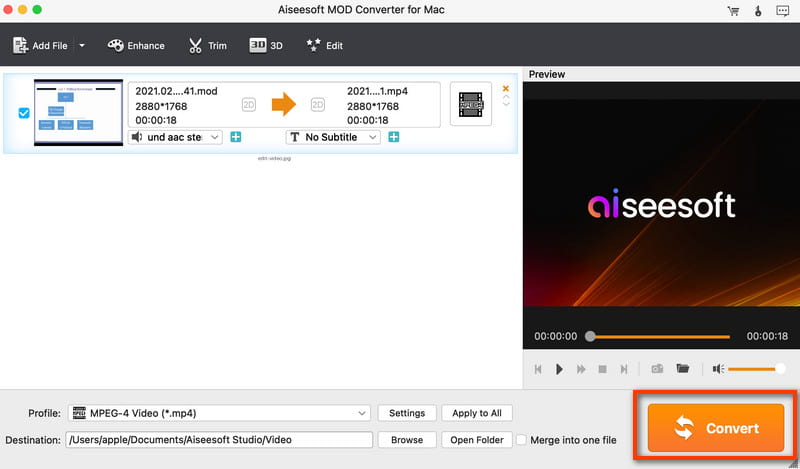
A loaded clip with its audio track and subtitle settings, ready to convert to MPEG-4.
Built-in editor
Aiseesoft MOD Converter for Mac clips segments, crops the frame, rotates and flips, adds watermarks and 3D effects, adjusts brightness, contrast, hue and saturation, and joins clips together, with original and output previews side by side.

The Edit window: Rotate, 3D, Crop, Effect, Enhance and Watermark tabs, with the original and output previews.
Custom output settings
Aiseesoft MOD Converter for Mac lets you set the resolution, bitrate, frame rate, sample rate and video and audio encoders yourself.
Real-World Uses
- Importing to Photos. Convert a camcorder's MOD clips to MOV so they go into your Photos library with the rest of your family videos.
- Editing in iMovie. Convert with the iMovie profile and cut a highlights reel.
- Clips for an iPad. Split long recordings into short clips and convert them for the iPad, as one buyer on the vendor's page does.
- Saving the sound. Extract a school concert's audio as MP3.
Who it's for, and who should skip it
It suits Mac users with MOD footage who want a simple, dedicated converter with editor and device presets.
Skip it if you only want to watch the files (VLC plays them), or if you'll convert other kinds of video too: Aiseesoft's Mac Video Converter Ultimate cost about $8 more on the day we checked. HandBrake, which is free, also converts MOD. Windows users need Aiseesoft's Windows MOD Converter.
Usage Guide
- Copy the MOD files from the camcorder to your Mac.
- Download the disk image, drag MOD Converter for Mac to Applications and open it.
- Click Add File and select the MOD files.
- Click Edit to rotate, crop, trim, enhance or add effects, if needed.
- Choose an output format and a destination folder, then click Convert.
Where it falls short
- Standard-definition sources. MOD is SD video, so HD or 4K output makes bigger files, not sharper ones.
- Narrow focus. It's built for one old format; most people will need it for one batch of footage.
- Short trial. The trial converts only 5 minutes of each longer file.
- Refunds need a reason. The 30-day guarantee covers quality problems with the program, not a change of mind.
What Users Say
Aiseesoft's page shows 250 reviews for the Mac edition. Independent reviews are scarce, so here are the buyer reviews on the vendor's page and what Trustpilot reviewers say about the company.
On Aiseesoft's product page
John Wilson: "Once I used Zamzar for free online MOD conversion to MP4, but the output video was not very satisfying with its size up to 50M. Aiseesoft Mac MOD converter helps me a lot when I convert MOD files on Mac."
Ella Robinson: "I often use the MOD converter for Mac to convert .mod videos from my Cannon camcorder to MOV files playable on QuickTime Player on Mac."
Jacob Thompson: "This software enables me to convert MOD to MP4 format. Besides, I use it to split the video into several short videos, so I can enjoy them on my iPad Pro."
Eliza Green: "Really like this tool! It is easy to use and helps me a lot to convert .mod files to iPad-compatible format."
Trustpilot (Aiseesoft as a company)
Aiseesoft has a TrustScore of 3.9 from 614 reviews on Trustpilot. Kirill Yanovsky (December 21, 2025), about another Aiseesoft Mac app: "I have been a happy user of Aiseesoft Mac Screen Recorder for over 6 years." Edmund K: "Great customer service and responsiveness."
The 1-star reviews are about refunds: B Hackett (October 22, 2026): "They refused to issue the refund. and have not fixed the haptics". Owend (September 14, 2026): "Whole point was to save time, and the return process was turning into an endless trap."
Buyers like that it produces small, QuickTime-ready files and the clip-splitting. The complaints are about Aiseesoft's refund policy rather than this app.
Editions and Pricing
Each button below orders that license.
| License | Price | Term | Computers | Order |
|---|
| Lifetime | $42.00 | Lifetime | 1 Mac | Buy Lifetime |
| 1 Year | $29.00 | 1 year, renews automatically | 1 Mac | Buy 1 Year |
Prices are from the order page on November 26, 2026. Aiseesoft's own site also sells an 8-Mac multi-user license.
FAQs
Does Aiseesoft MOD Converter for Mac run on Apple silicon Macs?
Aiseesoft lists Intel processors and Apple M-series chips for MOD Converter for Mac, with 1 GB of RAM. Install the free trial to confirm it runs on your Mac and macOS version.
Can Aiseesoft MOD Converter for Mac convert TOD files?
Aiseesoft's Mac page names MOD files from Canon, JVC and Panasonic. For JVC's HD TOD files, test one in the trial before buying.
Will converted files open in Final Cut Pro or iMovie?
Yes. Aiseesoft MOD Converter for Mac has profiles for Final Cut Pro, iMovie and other editors, so the output imports directly.
Is the 1-year MOD Converter for Mac license a subscription?
Yes. Aiseesoft MOD Converter for Mac's 1-year license renews automatically each year until you cancel. The $42 lifetime license is a one-time payment.
Can I use the same license on Windows?
No. Aiseesoft MOD Converter for Mac is licensed per Mac; the Windows MOD Converter is a separate purchase.
System Requirements
- macOS (the app declares Mac OS X 10.7 or later)
- Intel processor or Apple M-series chip
- 1 GB of RAM or more
- 49.9 MB download
Conclusion
Aiseesoft MOD Converter for Mac is worth $42 for life if you have a box of MOD camcorder clips to bring into Photos, iMovie or Final Cut Pro, and you want presets that do it in one pass. The reason to buy it is a simple, focused tool with a decent editor. The reason not to: VLC plays MOD free, and for a little more Aiseesoft's Mac Video Converter Ultimate converts everything else too. Try one clip with the free trial first.
Download Free TrialBuy Lifetime LicenseBuy 1 Year