Aiseesoft Audio Converter: Convert Audio and Pull Soundtracks from Video on Windows
Aiseesoft Audio Converter is a Windows program that converts music files between formats such as MP3, M4A, AAC, WAV, WMA and FLAC, and extracts the audio track from video files. It suits anyone with a pile of files their player won't accept. The order page charges $29.00 a year, renewing automatically.
Most buyers have one of two jobs: a FLAC collection that needs to fit on a phone as MP3, or a lecture or concert video where only the sound matters. Both take a few clicks here, and whole folders can go through in one batch.
Quick facts
- Version: 9.2.30, installer dated January 25, 2024
- Developer: Aiseesoft Studio
- Platform: Windows 11, 10, 8 and 7. The Mac edition is a separate product.
- Formats named by Aiseesoft: MP3, M4A, AAC, WAV, WMA, FLAC, AIFF, AU, plus audio from SD and HD video such as TS, MTS and M2TS
- Editing: trim, merge into one file, change volume, set encoder, sample rate, channels and bitrate
- Price: $29.00 on the order page, on a yearly auto-renewal
- Trial: free download. Aiseesoft's FAQ on trial versions says audio-only conversions stop at the first minute.
- Refunds: 30 days, for "a quality problem", in Aiseesoft's words
- What we checked: the 43.7 MB installer from Aiseesoft, with file version 9.2.30, and the order page, which charged $29.00 with a yearly renewal, on November 6, 2026. We didn't run a conversion test or compare audio quality.
Before you buy
Check the term. At this price the license renews every 12 months at $29 unless you switch automatic billing off. Aiseesoft's own store lists a lifetime license and a cheaper one-year plan (see Editions and Pricing).
Free converters are strong in this category. Audio conversion is a solved problem, and tools such as fre:ac or foobar2000 handle MP3 and FLAC at no cost. You're paying for a simple window, profile list and video extraction.
Download Free TrialBuy Now
Overview
You drag files into the middle of the window, or use Add File, then choose an output format from the Profile menu and a destination folder. A preview pane on the right plays the file first, and Trim and Edit buttons at the top become active once a file is loaded.
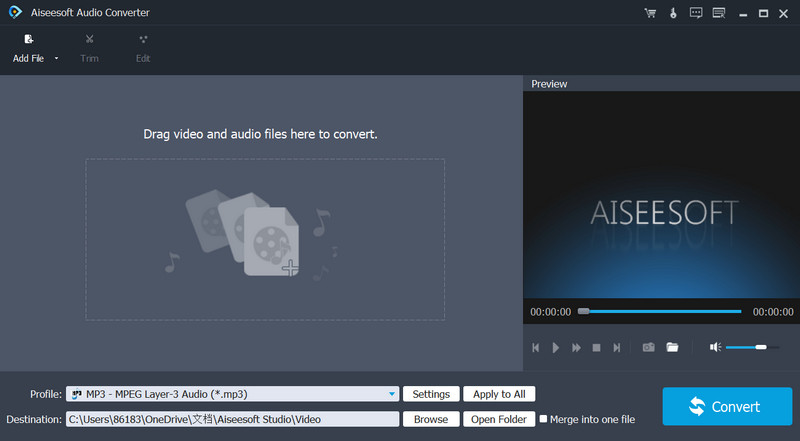
The main window, with the drag-and-drop area, a preview pane on the right and the Profile set to MP3.
Features
Convert between common and lossless formats
Aiseesoft Audio Converter works with lossy formats such as MP3, AAC and WMA and lossless ones such as FLAC, WAV, M4A, AU and AIFF. Moving between lossless formats keeps all the data. Going from MP3 to FLAC, on the other hand, gives you a bigger file with no better sound, because the original detail is already gone.
Extract audio from video files
Aiseesoft Audio Converter pulls the audio track out of video, including HD files such as TS, MTS, M2TS, MPEG-2 and QuickTime. Load a video, pick an audio profile and you get a sound file without touching the picture.
Trim a clip and merge several into one
Aiseesoft Audio Converter opens a Trim window where you set start and end points by dragging or by typing times. You can keep several segments, and Merge into one file joins them. A long recording can become a short clip, or a set of parts can become a single track.
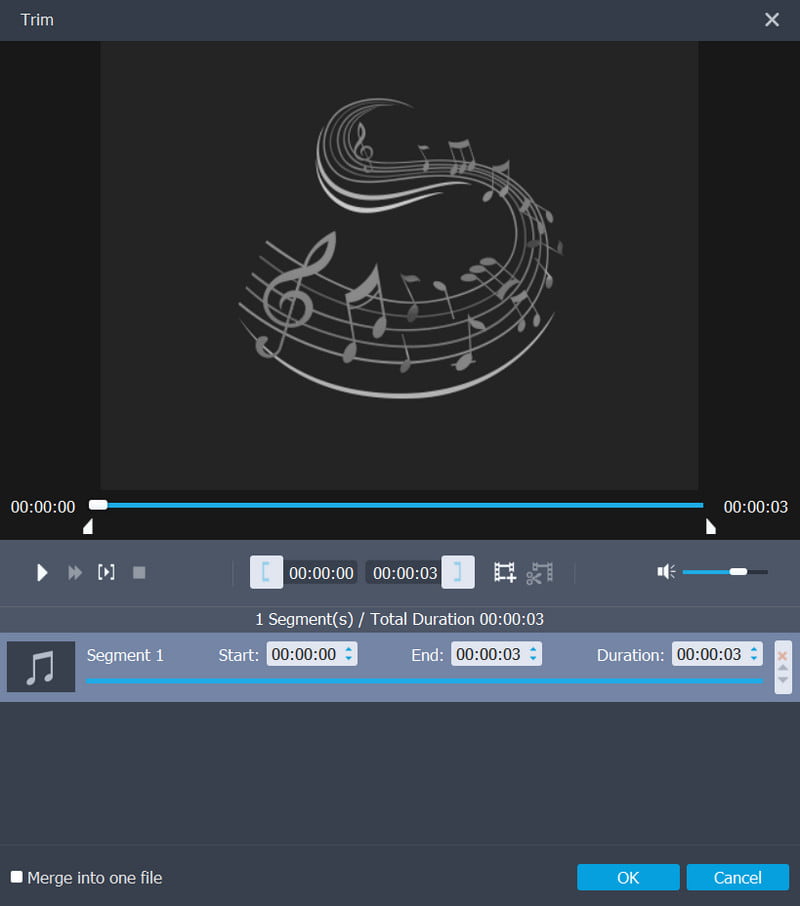
The Trim window, with start, end and duration fields for each segment and the Merge into one file checkbox at the lower left.
Adjust volume before converting
Aiseesoft Audio Converter has an Edit window with a volume slider and a percentage box, plus a preview. It sets one level for a file. It is not a normalizer across an album, and there are no equalizer or effects tools on the feature list.
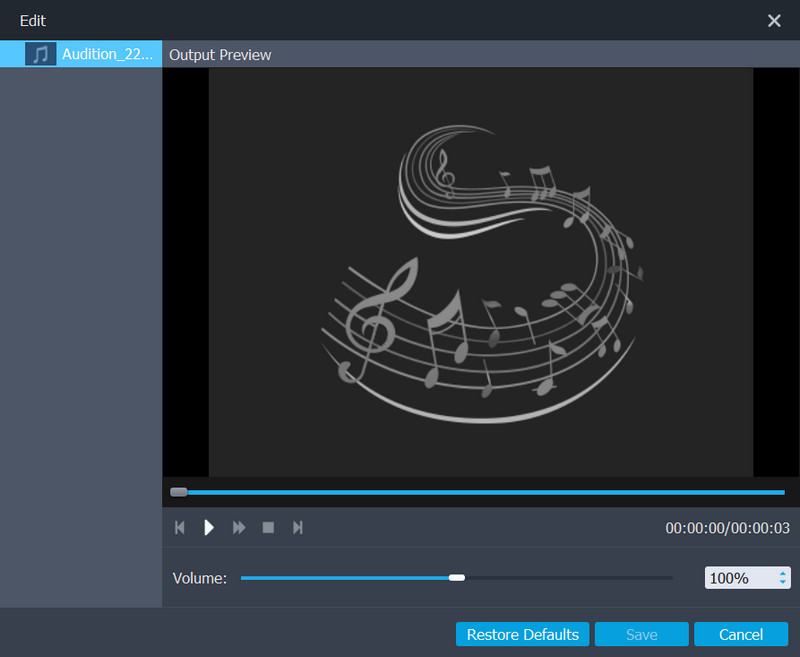
The Edit window, where the only control is the volume level.
Batch work with output settings
Aiseesoft Audio Converter converts several files in one run. Under Settings you can pick the encoder, sample rate, channels and bitrate, and Apply to All uses the same profile for the whole list.
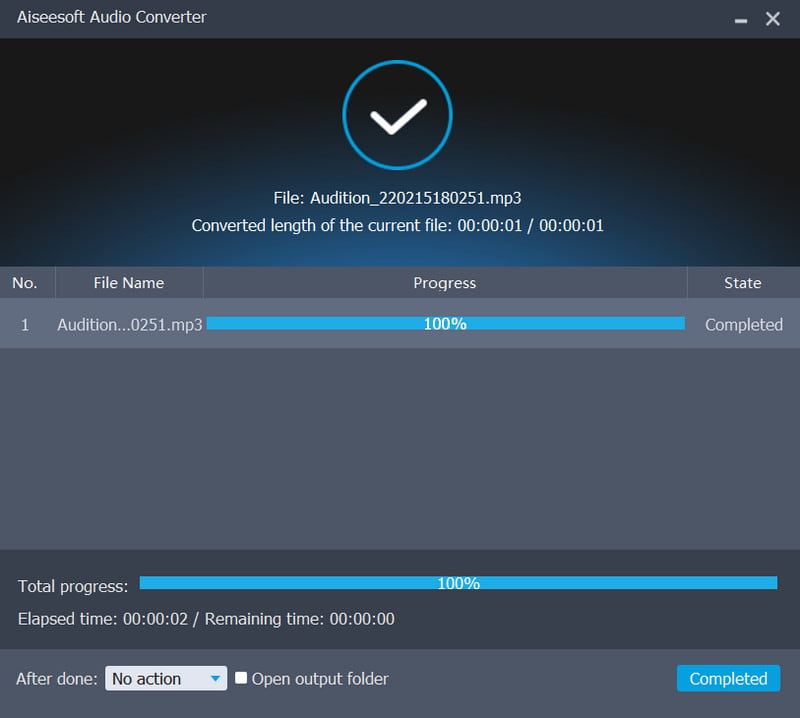
The progress window after a short MP3 finished converting.
Benefits
- One tool for music and video audio. You don't need a second program for soundtracks.
- Works offline. Files stay on your PC, with no upload size limit like an online converter's.
- Few decisions. The defaults get an ordinary user to a playable file without reading about bitrates.
Real-World Uses
- FLAC to phone. Convert a lossless album to MP3 or AAC to save space on a phone.
- Lecture audio. Pull the sound from a recorded talk to listen to on a commute.
- Old WMA files. Move a Windows Media library to a format newer players read.
- A short clip. Trim one section of a song for a presentation or a ringtone source.
Who It's For, and Who Should Skip It
Aiseesoft Audio Converter fits people who want a plain window and no learning curve, and who convert often enough for a yearly fee to make sense.
Skip it if you need this once or twice: a free converter will do. Skip it too if you want real audio editing (multi-track work, effects, noise removal), which calls for an editor such as Audacity. Audiophiles who care about specific encoders may prefer a tool that exposes more of them.
Usage Guide
- Install the program and open it.
- Drag your audio or video files to the middle of the window, or click Add File.
- Click Trim to cut the length, and tick Merge into one file if you want the pieces joined.
- Click Edit to change the volume.
- Pick the output format under Profile, adjust Settings if you want a specific bitrate, choose a destination and click Convert.
Where it falls short
- Aiseesoft says conversion happens "without any quality loss", which only holds between lossless formats. Converting to MP3 or AAC always discards some data, and repeated conversions make it worse.
- The one-minute trial tells you whether a file converts, not how a long batch behaves.
- The FAQ covering the trial is an older page, so the exact limit may differ in the current build.
- Trustpilot reviewers of Aiseesoft as a company report refusals of refunds and registration keys that need resetting on a new PC.
What Users Say
We found no independent user reviews of this specific program with text we could verify, so the section is short and keeps vendor and company reviews apart.
Reviews on Aiseesoft's product page (314 reviews)
These are published by the vendor, so expect the positive end of the range.
Anne: "With this program, I can convert videos in FLV or MP4 to MP3. The converted audios are satisfying."
Bob: "Aiseesoft Audio Converter is much better than some online audio converters like Media.io, Zamzar and so on. Recommend it!"
Arena: "It works very well when converting WMA/WAV/FLAC to MP3. The output audio quality is also amazing."
Bianca: "This audio converter does a great job when I try to convert M4A files to MP3, so that I can play them on my Samsung Galaxy S7."
Trustpilot: Aiseesoft Studio as a company (3.8 out of 5, 610 reviews)
These cover all of Aiseesoft's products, not this one.
James (September 3, 2026): "Fantastic support via email."
Kevin Bechaz (August 15, 2025): "thankfully the Customer Service team were quick to reset the Registration Key for me"
Yann Duval (October 14, 2026): "very bad SW. scam, scam, scam."
Aniket Srivastava (August 8, 2025): "despite reaching out several times, the company was unwilling to provide a refund"
Michael Smiley Sr (August 15, 2025): "I tried to activate it with the key, but it failed."
What the reviews add up to
Praise is about simple format jobs that worked. Complaints are about the company rather than the conversion: refunds and license activation. Softpedia, in its own review, calls the program fast and simple and notes batch conversion with a separate format per file.
Comparisons
Audio Converter vs a free converter such as fre:ac
fre:ac is free and covers MP3, AAC, FLAC and other audio formats, and can rip CDs. Aiseesoft Audio Converter is simpler to look at and handles audio extraction from a wide range of video files in the same window. If you only touch music files, the free tool is the better deal.
Audio Converter vs online converters
Online converters need no install but limit file size and need an upload. Aiseesoft Audio Converter works locally and in batches, which matters once you have dozens of files or anything private.
Editions and Pricing
| Plan | Where | Price | Term | PCs |
|---|
| Order page behind our Buy Now button | 2Checkout | $29.00 | 1 year, auto-renews at $29 | 1 |
| 1 Year License | Aiseesoft store | $15.20 (list $19.00) | 1 year | 1 |
| Lifetime License | Aiseesoft store | $23.20 (list $29.00) | Lifetime | 1 |
| Multiple-User Personal License | Aiseesoft store | $95.20 (list $119.00) | Lifetime | 8 |
Aiseesoft store prices were read from its product page on November 6, 2026 and move with its promotions.
FAQs
Does Aiseesoft Audio Converter renew every year?
Yes. At $29.00 on the order page, Aiseesoft Audio Converter is billed again after 12 months, and automatic billing can be turned off.
Can Aiseesoft Audio Converter convert FLAC to MP3?
Yes. Aiseesoft Audio Converter lists FLAC and MP3 among its formats, and FLAC to MP3 is one of the conversions its users mention most.
Can Aiseesoft Audio Converter rip audio from a CD?
CD ripping isn't on its feature list. Aiseesoft Audio Converter works on audio and video files already on your computer.
Does Aiseesoft Audio Converter run on Windows 11?
Yes. Aiseesoft lists Windows 11, 10, 8 and 7.
Is there a Mac version of Aiseesoft Audio Converter?
Yes, as a separate product with its own download and purchase page. A Windows license doesn't cover it.
Can Aiseesoft Audio Converter remove noise or normalize a whole album?
Neither is on its feature list. Aiseesoft Audio Converter offers trimming, merging and a volume control only.
System Requirements
- Windows 11, 10, 8 or 7
- About 44 MB for the installer
Conclusion
A fair tool at the wrong kind of price for most people. It does ordinary conversions and video audio extraction in a clean window, and that's the one reason to buy it. The main reason not to is that capable free converters exist and $29 repeats every year here. Buy it if you do this often and value simplicity. Otherwise try a free tool first.
Download Free TrialBuy Now