Advanced TIFF Editor: Split, Merge, Clean Up and Convert Multipage TIFF Files on Windows
Advanced TIFF Editor is a $56 Windows program for viewing and editing multipage TIFF, fax and PDF files: you can reorder, split and merge pages, clean up scans, add annotations and convert between formats. It's built for people who handle scanned documents every day, such as offices, archives, museums and anyone replacing the old Kodak Imaging viewer.
The problem it solves is familiar. Windows' built-in viewers show a 40-page fax as one page, or can't remove the blank sheet in the middle of a scan, or turn page 12 the right way up. Advanced TIFF Editor treats every page of a TIFF as something you can move, fix or pull out.
Quick facts
- Version: 3.26.10.9, released October 9, 2026
- Developer: Graphic-Region Development
- Platform: Windows (the developer lists Windows 2000 through Windows 10 and Windows Server)
- Opens: TIFF, fax, PDF, EPS, PS, AI, GIF, DCX, JBIG, DICOM, plus JPEG, PNG, BMP, WebP, HEIC and other common image formats
- Price: $56 for a personal license (one computer, home use), $89 for a business license
- Updates: free for one year
- Trial: 30 days, fully featured
- Interface languages: English plus more than 20 others
- What we checked: installer version 3.26.10.9 (41.4 MB) downloaded from tiffedit.com on October 14, 2026, and a price of $56.00 for the personal license on the order page on October 14, 2026
Before you buy
- Very large files need the Plus edition. The standard Advanced TIFF Editor loads the whole file into memory. If your scans run to 100 or 200+ pages, Advanced TIFF Editor Plus ($65) loads one page at a time and is the edition the developer recommends.
- PDFs are edited as images. When you open a PDF, the text becomes part of a picture, so saving it again makes the file bigger and the text is no longer selectable. The built-in OCR can search it, but if you mainly edit text PDFs, a PDF editor is the better tool.
- The personal license is for home use only. Any business, government or office use needs the $89 business license, and running it in a virtual machine needs the virtual, site or world-wide license.
Download Free TrialBuy Now
Overview
Advanced TIFF Editor looks like a classic Windows document viewer: a Pages panel of thumbnails down the left, the current page in the middle, and a dense toolbar across the top. That plain look hides a long feature list that has grown over many years of updates. The October 2026 release, for example, added automatic border-color detection and an "Inner Crop" option to AutoCrop.
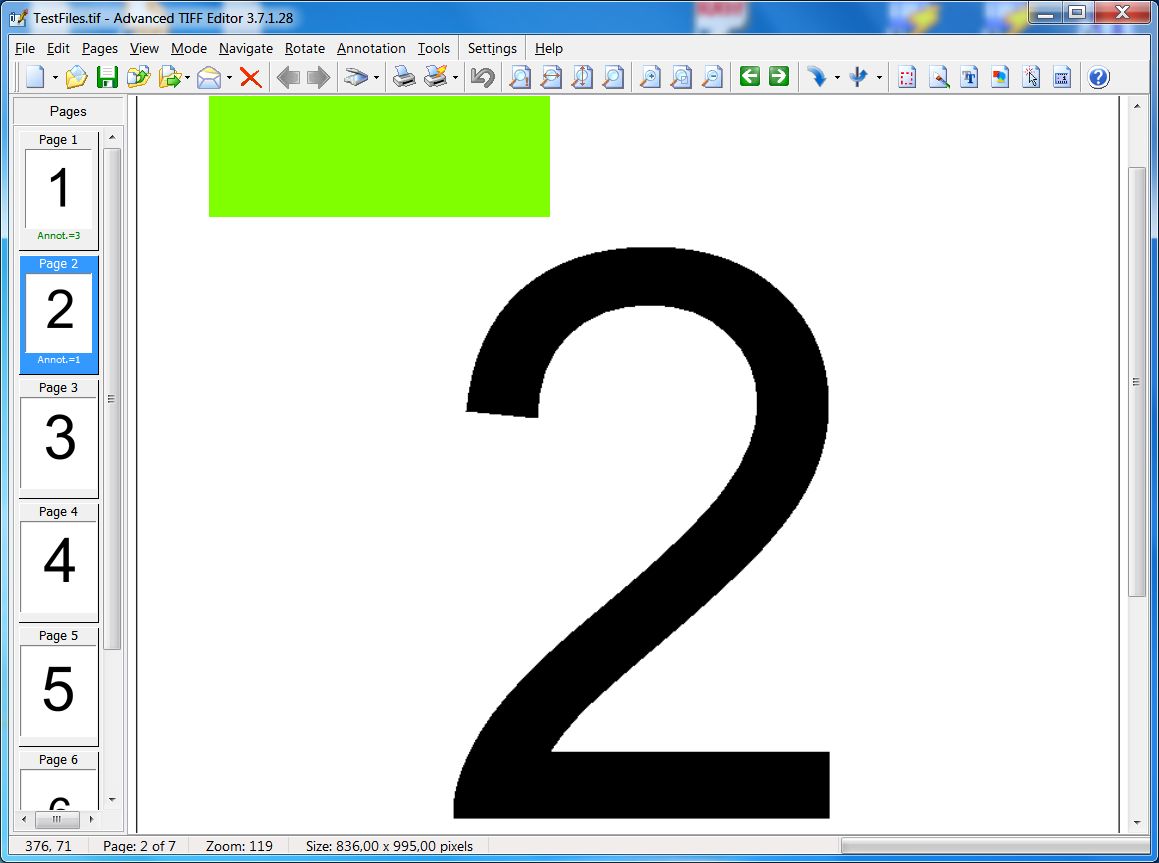
The main window with a 7-page TIFF open, page thumbnails on the left and annotation counts under each page (shown in an older version, 3.7.1.28).
Everything runs on your own computer. Nothing is uploaded to an online converter, which matters when the files are contracts, medical records or tax forms.
Features
Page management: split, merge, reorder and delete
Advanced TIFF Editor lets you insert, move, copy and delete pages, split a multipage file into single pages or into groups of files, and merge several TIFFs into one. You can select odd or even pages or a range, reverse the page order, "unbooklet" pages that were scanned in booklet order, and delete every blank page in one step with an adjustable threshold. New pages can come straight from a TWAIN or WIA scanner, the clipboard or another file.
Scan cleanup: deskew, crop, remove noise and punch holes
Advanced TIFF Editor straightens skewed faxes and scans, crops edge space and black borders automatically, removes noise and isolated pixels, wipes out black areas, and detects and removes punch holes. A clone tool and an eraser handle the marks the automatic tools miss. Cleaning up noise also makes TIFF files smaller.
Annotations that other imaging programs can read
Advanced TIFF Editor adds lines, arrows, highlights, text, sticky notes, date/time stamps, rubber stamps and image stamps, including a signature image with a transparent white background. It reads and writes Wang and Kodak Imaging annotations, so notes made in older document systems still show up. You can keep annotations as editable objects, burn them into the image permanently, or export and import them as XML.
Batch processing for whole folders
Advanced TIFF Editor's batch mode runs the same steps on many files at once: noise removal, resizing, deskewing, cropping and AutoCrop, rotation, color-depth conversion, page splitting and reordering, watermark text, metadata removal and format conversion. It's the feature that saves the most time if you receive scans in bulk.
OCR and text search in 40+ languages
Advanced TIFF Editor recognizes text on scanned pages in more than 40 languages, including English, Chinese, Arabic, Japanese and most European languages, and can OCR many files in a batch. Text Search then finds words in the current document or across a folder of scans.
Format conversion and a virtual TIFF printer
Advanced TIFF Editor saves to TIFF (with a different compression for each page if you want: LZW, CCITT G3/G4, ZIP, Packbits), PDF, PS/EPS, JPEG, PNG, GIF, BMP, DCX and others. The optional "GraphicRegion TIF printer" lets you print any document from Word, Excel or a browser and have it open as a TIFF in the editor. A TIFF tag editor shows and changes the file's tags.
Printing control for multipage documents
Advanced TIFF Editor prints a multipage TIFF as one print job, at actual size or fit to page, with or without annotations, with page numbers, and it saves print presets. A command-line switch prints a file without opening the dialog.
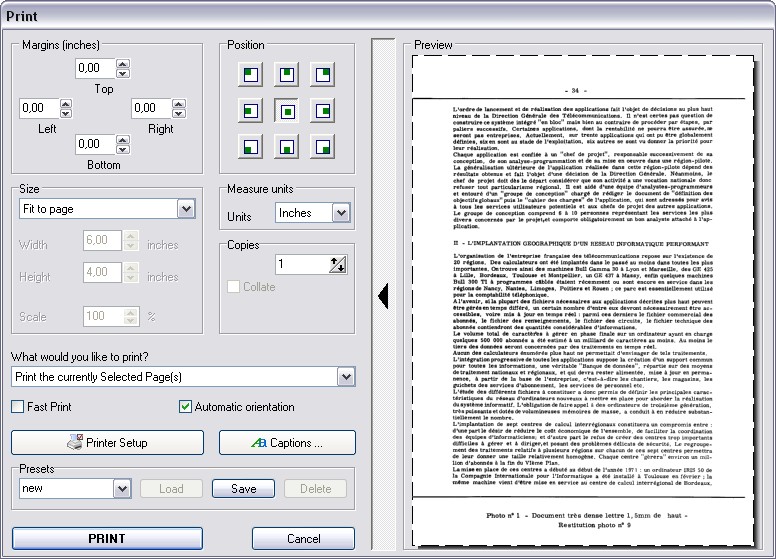
The Print dialog: margins, page position, fit-to-page sizing, copies, presets and a preview of a scanned text page.
Benefits
- One tool instead of three. Viewing, page surgery and conversion happen in the same window, so you don't bounce between a viewer, a splitter and a converter.
- Smaller, more readable archives. Deskewing and noise removal make scans easier to read and cheaper to store.
- Compatibility with old systems. Wang/Kodak annotation support and fax-resolution handling make it a practical replacement for the old Kodak Imaging viewer.
- Your files stay local. Nothing goes through a web service.
Real-World Uses
- An office receiving faxes as TIFFs removes cover sheets, rotates upside-down pages and splits a batch fax into one file per customer.
- A museum or library archive deskews and cleans scanned drawings, then batch-converts them to compressed TIFF or PDF for storage.
- A records team moving to a new document system merges single-page TIFFs into multipage files before importing them.
- A choir or music teacher cleans dirt, pencil marks and smudges off scanned sheet music.
- Anyone filling in a scanned form types text into it and stamps a signature image.
Who It's For
Advanced TIFF Editor suits people who work with scanned and faxed documents often enough that free viewers get in the way: administrative staff, archivists, engineers with scanned drawings, and home users digitizing paper records. If you edit native PDFs with live text, or you need a Mac or mobile app, look elsewhere. If your files run to hundreds of pages, go straight to the Plus edition.
Usage Guide
- Install and launch. Download the 41 MB installer from the developer and run it. A larger installer includes the virtual TIF printer. The trial runs fully featured for 30 days.
- Open a file. Open a TIFF, fax or PDF. Every page appears as a thumbnail in the Pages panel.
- Rearrange pages. Select thumbnails to move, delete, rotate or extract them, or use the Pages menu to split the file or insert pages from a scanner or another file.
- Clean up scans. Use the Tools menu for AutoCrop, deskew, noise removal and Change Resolution.
- Annotate. Switch to Mode, then Annotation, to add text, highlights and stamps. Combine them with the background if the recipient's viewer doesn't show annotations.
- Find text. Tools, then Text Search (OCR), finds words on scanned pages.
- Save or convert. Use File, then Save as, and pick TIFF, PDF or another format. Compression options are under Settings, User settings, Saving.
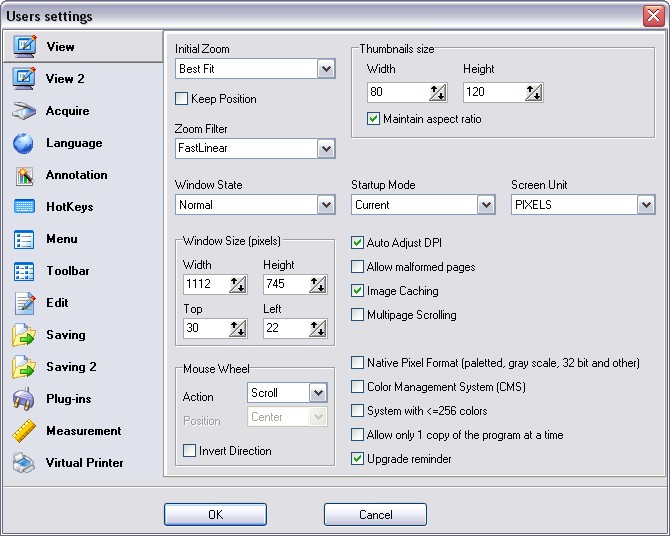
The Users settings window: zoom, thumbnail size, window state and image caching, with tabs for scanning, language, hotkeys, saving, plug-ins and the virtual printer.
What Users Say
Long-time users (from the developer's testimonials page)
Most of the reviews of Advanced TIFF Editor are on the developer's own testimonials page, so they lean positive, but several mention real limits.
"We have used Advanced Tiff Editor for around 10 years and have found it extremely useful. We manage tiff files all day long and this program is fantastic." — Tom J.
"I purchased your program to process Tif and pdf files. I was looking for a program that was able to Merge files and batch process pdf > tif files. I love the batch process feature." — William, who adds that after converting two or three files he bought the business license.
Wayne G. uses it for "Maintaining the scanned drawing files at a railroad museum" and names "The remove noise and cleanup pixel commands. Helps to reduce the size of the TIF files." as its most useful feature.
Crystal Mjelde uses it for "Merging documents with multiple TIFF pages as we convert from keyfile to SAP for our documents."
"I use your product to edit choral sheet music. I scan old copies of sheet music, and bit-edit it to clean it up - removing dirt and noise, markings singers have made on the music, sometimes replace lyrics with larger typeface." — Ed Spire
Harold Deloach, who uses it for tax forms and records: "Makes it easy to modify TIF and PDF forms."
The criticisms
Kevin Phillips' company bought a site license for the standard edition and loved it, but as scans grew to "100, 150, 200+ pages": "The standard version just can't handle that size of a file and we began getting errors frequently." The Plus edition worked well for them, though "It has some issues such as hangs or taking way too long for sending a large file via email or saving a copy of the file to the desktop."
Steve B., writing about the Plus edition: "When modifying a pdf that contains text, ATE converts the text to images when it is saved, which increases the size of the file and eliminates the ability to search the text, so I use a different editor that doesn’t convert the text." The developer replied that PDFs are converted to graphics on opening, and that the OCR text search still works.
JDA, adding scans to existing multipage files: "Cut and pasting of images can get a little tedious but it works."
Ratings on download sites
Independent ratings are few and mixed. Clubic shows an average of 3.6 out of 5 from 38 ratings. Free Download Manager shows 1.8 out of 5 from only 5 votes, too few to mean much. We didn't find an in-depth review by a technology magazine.
The pattern: people who process scans every day praise the batch processing, page tools and cleanup filters, and many have used it for years. The complaints are about very large files in the standard edition, slow saving of big files, and PDFs turning into images.
Comparisons
Advanced TIFF Editor vs Advanced TIFF Editor Plus
Advanced TIFF Editor Plus has every feature of the standard edition, but it loads only the current page into memory, so it copes with very large multipage files. Plus costs $65 personal and $99 business, $9 to $10 more than the standard edition. The developer also sells a separate, view-only Multipage TIFF Viewer.
Advanced TIFF Editor vs free viewers and PDF editors
Free image viewers can display multipage TIFFs, but they're built for looking, not for reordering, splitting or batch-cleaning pages. Full PDF editors keep text editable, which Advanced TIFF Editor doesn't, but they're weaker at fax-resolution TIFFs and per-page TIFF compression. Pick Advanced TIFF Editor when your documents start life as scans or faxes.
Editions and Pricing
| License | Advanced TIFF Editor | Plus edition | Who it covers |
|---|
| Personal | $56 | $65 | One computer, non-commercial home use |
| Business | $89 | $99 | One computer, commercial use |
| Virtual | $350 | $400 | Commercial use in a virtual environment |
| Site | $1,350 | $1,700 | Unlimited computers within a 20-mile radius |
| World-wide | $4,500 | $5,150 | All locations of one organization |
| 30-day license | $9.99 | — | Short projects, expires after 30 days |
All licenses except the 30-day one never expire and include a year of free updates. The order page gives a volume discount from three copies.
FAQs
Does Advanced TIFF Editor run on Windows 11?
Advanced TIFF Editor's official system list stops at Windows 10 and Windows Server 2012, and Windows 11 isn't named. It's a standard Windows desktop program with a 30-day trial, so the safe approach is to install the trial on your Windows 11 PC and test your own files before buying.
Is there a Mac version of Advanced TIFF Editor?
No. Advanced TIFF Editor is Windows-only.
Can I use the personal license of Advanced TIFF Editor at work?
No. The Advanced TIFF Editor personal license is for non-commercial use at home. Using it in a business, government or other organization needs the business license or higher.
How many computers does one Advanced TIFF Editor license cover?
Personal and business licenses of Advanced TIFF Editor activate on one computer. Site and world-wide licenses cover unlimited computers. For several users sharing one PC, the developer offers business-license buyers a version that activates per computer rather than per user.
What happens to Advanced TIFF Editor after the first year?
Advanced TIFF Editor keeps working: the license is permanent, and only the free updates end after one year. The developer sells upgrades for newer versions after that.
Will annotations I add in Advanced TIFF Editor show up in other programs?
Only if you choose a compatible format. Advanced TIFF Editor saves annotations in its own internal format by default, which keeps every property but isn't readable by other software. Switch the annotation format in the settings to the Wang/Kodak-compatible one, or merge annotations into the image, before sending files to someone else.
Can Advanced TIFF Editor be run from a script?
Partly. Advanced TIFF Editor has command-line parameters, including printing a file without a dialog, and its batch mode handles repeated conversions inside the program.
System Requirements
- Windows 2000 through Windows 10, or Windows Server 2003 through 2012 (as listed by the developer)
- Pentium 1000 MHz or faster processor
- 512 MB RAM
- About 41 MB download (58 MB with the virtual TIFF printer)
- Optional: a TWAIN or WIA scanner or camera
Conclusion
Advanced TIFF Editor isn't pretty, but it's a deep, actively updated tool for people whose work arrives as scans and faxes. The page tools, cleanup filters and batch mode are where it earns its $56, and users who've relied on it for a decade say so. Go for the Plus edition if your files run to hundreds of pages, use a real PDF editor if you need live text, and try the 30-day trial on your own documents first, especially on Windows 11.
Download Free TrialBuy Now