DataNumen Word Repair: Get the Text Back From a Word Document That Won't Open
DataNumen Word Repair is an $89.95 Windows tool that rebuilds corrupt Microsoft Word DOC and DOCX files and saves the recovered text, images, tables and formatting to a new document. It's for anyone stuck with "The file cannot be opened because there are problems with the contents" or "Word experienced an error trying to open the file" after Word's own Open and Repair has failed.
The thesis chapter, the contract draft, the report due tomorrow: Word just refuses it, or opens a page of gibberish. Before you start retyping, this is the kind of tool worth a free try.
Quick facts
- Version: 5.0, released November 16, 2023
- Developer: DataNumen, Inc. (the product was formerly called Advanced Word Repair)
- Platform: Windows, 32-bit and 64-bit, with Microsoft Word installed on the same PC
- Files: DOC and DOCX from Word 6.0 to 2021, Word for Office 365 and Microsoft 365, made on Windows or Mac
- Output: always a .doc file, whatever the source format
- Price: $89.95 for one user, one-time at checkout
- Trial: free demo that outputs the repaired document with demo text inserted into it
- Guarantee: 30 days
- What we checked: installer file version 5.00 (15.15 MB, digitally signed by DataNumen, Inc.) downloaded from the vendor, with a November 27, 2023 file date; the $89.95 order page price, with no auto-renewal shown. We didn't run a repair on a damaged document. Checked on November 8, 2026.
Before you buy
- Word must be installed. If DataNumen Word Repair can't find Word on the PC, it shows an error and stops. Close Word yourself before you start.
- Check the demo output. The demo writes a real repaired file with demo text mixed in, so you can see how much of your document and its layout comes back before you pay.
- Expect a .doc file. Even if you repair a DOCX, the fixed file is saved in the older .doc format. Open it and save it as DOCX if you need to.
- Upgrades and support run for one month. After that you need the Annual Support and Maintenance Plan or a paid upgrade.
- A refund needs a reason. Refunds run for 30 days, but you must explain why in detail, and DataNumen may ask for the original corrupt file. The company offers to sign an NDA if the document is confidential.
Download Free Trial Buy Now
Overview
DataNumen Word Repair leaves your damaged document alone. It scans the file, rebuilds what it can, and writes a new one next to it, so Damaged.docx becomes Damaged_fixed.doc. The window has four tabs, Repair, Batch Repair, Options and About, and most people never need more than the first.
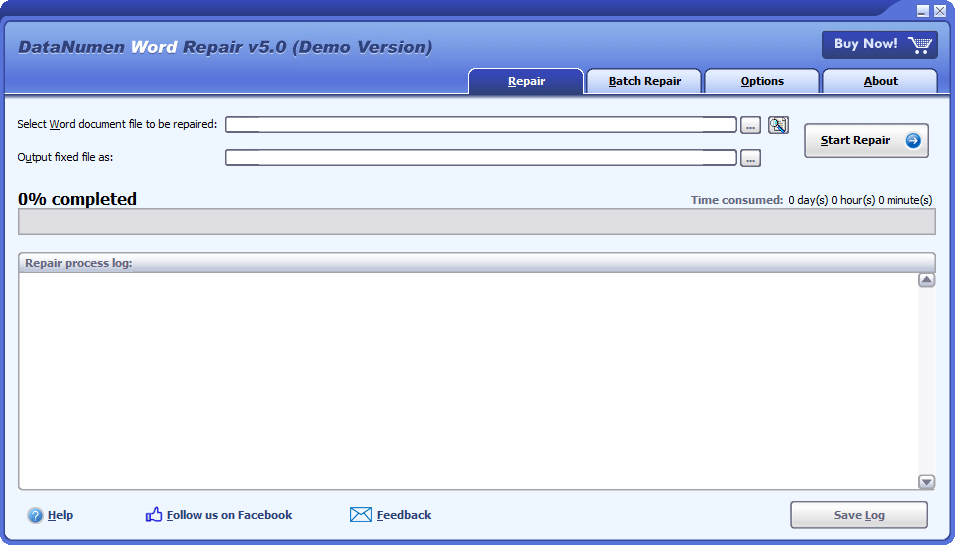
The Repair tab in the version 5.0 demo: the damaged document, the output file, progress and the repair log.
Features
Recovers text and the layout around it
DataNumen Word Repair brings back text, images, fonts, layouts and formatting, plus tables, bulleted and numbered lists, hyperlinks and bookmarks. That's the difference from Word's own "Recover Text from Any File", which gives you plain text and throws the rest away.
Old and new formats, Windows and Mac files
DataNumen Word Repair handles DOC and DOCX from Word 6.0 through 2021, Office 365 and Microsoft 365, and documents made in Word for Mac. The program itself runs only on Windows, so a Mac user copies the file to a PC, repairs it there and copies the result back.
Picture handling options
DataNumen Word Repair converts recovered pictures to bitmap format by default, and can also save every picture as a separate file. The second option is handy when the images matter more than the text, or when a picture won't sit right in the rebuilt document.
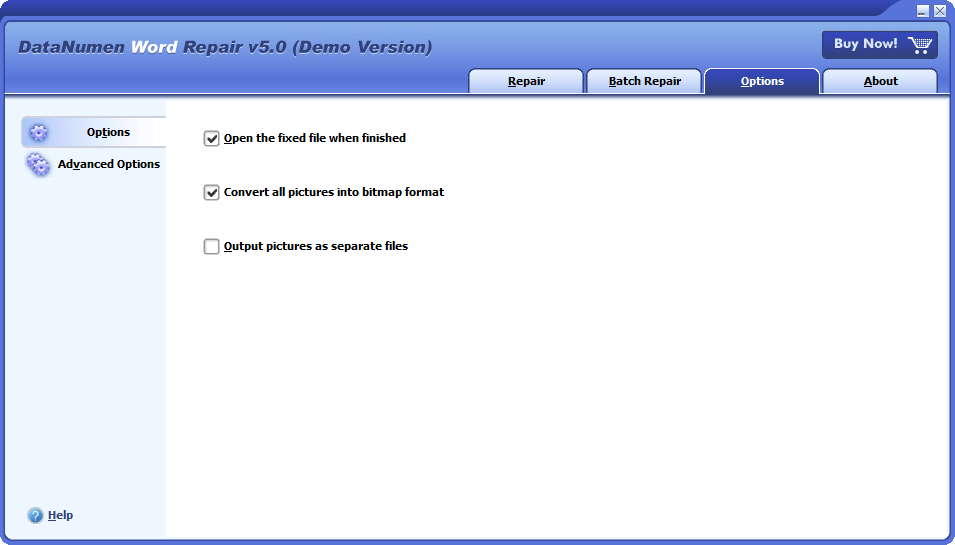
The Options tab: open the fixed file when finished, convert all pictures into bitmap format, and output pictures as separate files.
Recovery from Word's temporary files
DataNumen Word Repair can rebuild a document from the temporary files Word leaves behind. When Word crashed and the saved file is useless, search the drive for recent .tmp files and run them through the repair.
Batch repair for a folder of documents
DataNumen Word Repair's Batch Repair tab takes a list of files, added by hand or found with Search Files, and repairs them in one run with a status for each. It saves a lot of clicking after a USB stick or disk failure damages dozens of files at once.
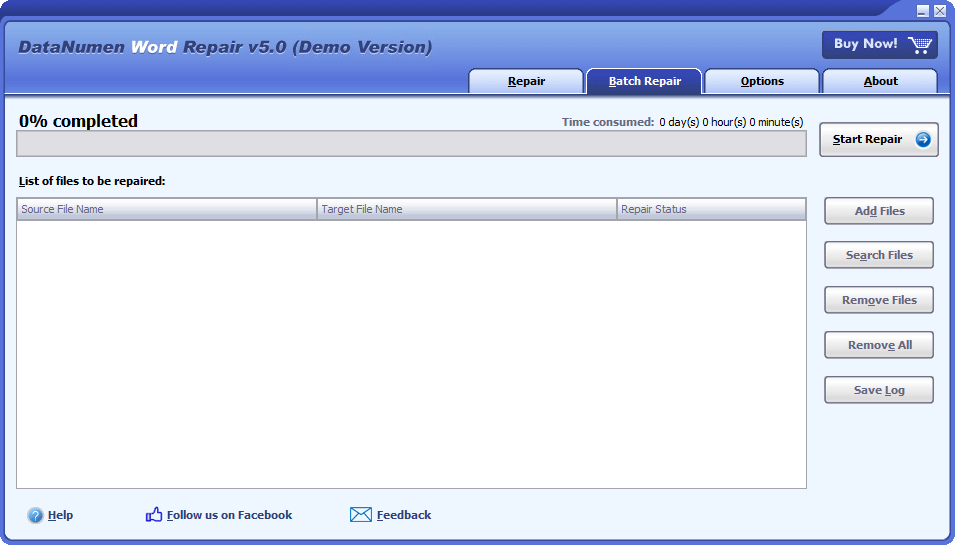
The Batch Repair tab with source, target and repair status columns.
Benefits
- Formatting saved, not just words. Rebuilding tables, numbered lists and headings by hand often takes longer than retyping the text.
- A real test before paying. The demo produces an actual output file, so you judge it on your own document.
- Reasonably priced for a one-off emergency. At $89.95 it costs less than DataNumen's database and email tools.
Real-World Uses
- A thesis on a USB stick that was pulled out mid-save. Word reports problems with the contents. Repair a copy and save the result as DOCX.
- A crashed session with no usable save. Find Word's temporary files from that session and repair those instead.
- A document full of pictures that shows red crosses. Repair it with "Output pictures as separate files" turned on and get the images back even if the layout doesn't survive.
- A shared drive with many damaged files after a disk fault. Search for them and run Batch Repair.
Who It's For, and Who Should Skip It
It suits students, writers, office staff and IT support who have a damaged Word document they can't easily recreate, and who have a Windows PC with Word.
Skip it if Word's Open and Repair, AutoRecover or "Recover Unsaved Documents" already got your work back, or if OneDrive or a backup has an earlier version. Skip it if you have no Windows PC with Word to run it on. If you also have damaged Excel, PowerPoint or Access files, DataNumen Office Repair covers them together.
Usage Guide
- Install the demo, then close Word and anything else that might have the file open.
- Copy the damaged document and work on the copy.
- On the Repair tab, type the path, browse for the file, or use the search button to find it.
- Check the output name (it ends in
_fixed.doc) and change the folder if you like.
- Click Start Repair and wait for the success message.
- Open the demo output and look past the demo text: are your paragraphs, tables and pictures there? If so, order the full version and repair the file again.
- Open the fixed file in Word and use Save As to keep it as DOCX.
Where it falls short
- Old output format. Saving everything as .doc means newer DOCX-only features may be simplified on the way through.
- Results depend on the damage. Even the independent test below that worked perfectly adds "it all depends on just how damaged your document really is".
- Few recent independent reviews. The one independent review we found dates from 2016 and an older version. Nearly everything newer is on the vendor's own site, and its 92.78% recovery figure is its own test.
What Users Say
DataNumen's product page shows 4.90 out of 5 from 1,630 votes, the vendor's own count, and publishes the customer testimonials below. The one independent review we found is from Downloadcrew.
Downloadcrew (version 2.5.1.0, updated February 14, 2016)
"The trial version displays everything it's recovered, in full, but you're not able to print or save it until you purchase a licence."
"DataNumen Word Repair is easy to use, worked perfectly with our test document, and displays whatever it recovers in full (no missing text, no "first x lines only"). That's probably why it's so expensive, but if you've lost something really important then we'd still try this tool first."
Testimonials on DataNumen's page
Paul B, Washington State, USA, December 18, 2024: "I had a thumb drive that had a lot of documents on it that became corrupt. Datanumen Word Repair was able to recover over 95% of them when many other applications I tried to use failed. Happy to be a paid up member. Thank you"
Noah Simon, France, September 8, 2021: "Your Word document recovery tool is amazing. It brings most of the contents back, together with the formatting."
Tomasz Warmuz, Technical Director, Landis+Gyr Poland, May 20, 2019: "Thanks a lot. Indeed, your MS Office file content recovery solution is the best I tested up to now."
Valentin Bogatu, physicist engineer, Romania, September 4, 2019: "I had a file word file that had errors to repair, your website repaired the word file in 6 minutes. This is unique and very good."
Mandy Clark, United States, September 16, 2015: "Oh my goodness, THANK YOU! I cannot believe you were able to fix it! I have literally tried everything else- this is amazing, and I am so grateful."
The pattern: people arrive after everything else has failed, and the ones quoted got most of their content back with formatting. Downloadcrew's note on price is the one criticism we found, and it was written when the trial showed the full result on screen. Today's demo writes the file with demo text in it instead, which is a fairer way to judge the formatting.
Comparisons
DataNumen Word Repair vs. Word's own recovery
Word's Open and Repair, AutoRecover and "Recover Unsaved Documents" are free and should come first. Word also keeps AutoRecover files (.asd) in your AppData folders. DataNumen Word Repair is for the file that all of those can't open.
DataNumen's own recovery test
The vendor's chart gives its tool an average recovery rate of 92.78%, against 67.78% for RecoveryFIX for Word, 67.22% for Kernel for Word, 59.11% for Recovery for Word, 50% for Stellar Phoenix Word Repair and 1.50% for the repair function built into Word. Those numbers come from DataNumen's own test, so treat them as a claim and let the demo on your file decide.
Editions and Pricing
There's one edition. The $89.95 price on the order page is for a single user, and DataNumen's own buy page lists lower per-license prices for larger orders:
| User licenses | Price per license (US$) |
|---|
| 1 | 89.95 |
| 2 - 9 | 69.95 |
| 10 - 24 | 49.95 |
| 25 - 49 | 39.95 |
| 50 - 99 | 29.95 |
| 100 - 199 | 19.95 |
| 200 - 499 | 16.95 |
| 500+ | 11.95 |
FAQs
Can DataNumen Word Repair fix a document from my Mac?
DataNumen Word Repair supports documents made in Word for Mac, but it only runs on Windows. Copy the file to a Windows PC with Word, repair it there, and copy the fixed file back.
Why does DataNumen Word Repair save my DOCX as a DOC file?
DataNumen Word Repair always writes the fixed file in .doc format, whatever the source was. Open it in Word and choose Save As, Word Document (.docx) to convert it back.
Word crashed before I saved. Can DataNumen Word Repair help?
Try Word first: File, Open, Recent, then Recover Unsaved Documents, or look for .asd files in your AppData folders. If those fail, DataNumen Word Repair can try to rebuild the document from Word's .tmp files.
Can DataNumen Word Repair recover a deleted Word document?
No. DataNumen Word Repair repairs damaged files you still have. For a deleted document, check the Recycle Bin, OneDrive or SharePoint recycle bin, or a backup, then use undelete software. Repair the recovered file afterwards if it's damaged.
What does the DataNumen Word Repair demo actually give me?
The DataNumen Word Repair demo runs the full repair and writes an output file, but inserts demo text into it. You can judge what comes back, but you can't use the file as is.
Do I get updates after buying DataNumen Word Repair?
Free upgrades last one month from purchase. After that, a new version of DataNumen Word Repair needs the Annual Support and Maintenance Plan or an upgrade fee.
System Requirements
- Windows, 32-bit or 64-bit
- Microsoft Word installed
- Intel or equivalent processor, x86 or x64
- 32 MB of memory minimum, 2 GB recommended
- 22 MB of disk space
Conclusion
Worth $89.95 when a Word document you can't recreate won't open and Word's own recovery has failed. The reason to buy is that it rebuilds formatting, tables and pictures, not just plain text, and the demo shows you the result on your own file first. The main reason not to is that you need a Windows PC with Word, and the output comes back as .doc. Independent reviews are few and old, so let the demo decide.
Download Free Trial Buy Now