DataNumen Zip Repair: Get the Files Out of a Broken Zip Archive
DataNumen Zip Repair is a $49.95 Windows tool that repairs corrupt Zip archives and self-extracting EXE files and extracts the files it recovers to a folder. It's for anyone stuck with "Unexpected end of archive", "invalid archive" or CRC errors on a Zip of photos, backups or downloads that can't simply be made again.
The free demo runs the same repair and lists every file it can recover, with names and sizes. You pay only to extract them, so you'll know first.
Quick facts
- Version: 4.0, released January 1, 2024
- Developer: DataNumen, Inc. (sold as Advanced Zip Repair in earlier years, often shortened to DZIPR)
- Platform: Windows (32-bit program)
- Files: Zip archives and self-extracting EXE files from WinZip, WinRAR, 7-Zip and other Zip apps
- Handles: CRC errors, archives and files over 4 GB, spanned, split and password-protected Zip files
- Price: $49.95 for one user, one-time, at checkout (the vendor's list price is $59.95)
- Trial: free demo that lists the recoverable files but doesn't extract them
- Guarantee: 30 days
- What we checked: installer file version 4.0 (14.2 MB, with a valid DataNumen, Inc. digital signature) downloaded from the vendor, with a January 1, 2024 file date; the $49.95 order page price, with no auto-renewal shown. We didn't repair a damaged archive ourselves. Checked on November 8, 2026.
Before you buy
- Try a free tool first. In TechSpot's test of corrupt-Zip tools, free DiskInternals Zip Repair and Zip2Fix recovered the same eight of nine files as DataNumen's archive tool. WinRAR's own repair got seven. If the free tools get everything you need, you don't need to pay.
- Read the demo's list. It shows each recoverable item's name, size and type. If your files aren't there, the full version won't extract them either: both use the same engine.
- Close other programs. Close anything that might modify the damaged Zip before the repair.
- Upgrades run for one month. After that a new version needs the Annual Support and Maintenance Plan or a paid upgrade fee.
- A refund needs a reason. Refunds run for 30 days, but you must explain why in detail, and DataNumen may ask for the original damaged file.
Download Free Trial Buy Now
Overview
A Zip archive keeps a "central directory" at its end, a table of contents listing every file inside. When a download stops early or a disk error hits that table, archivers like WinZip refuse the whole archive, even though most of the compressed files are still sitting there intact. DataNumen Zip Repair scans the archive for the files themselves, rebuilds what it can, and extracts them.
Unlike DataNumen's document tools, it doesn't write a new Zip. It extracts straight to a folder: Damaged.zip goes to Damaged_recovered, in two stages you can watch in the progress bar.
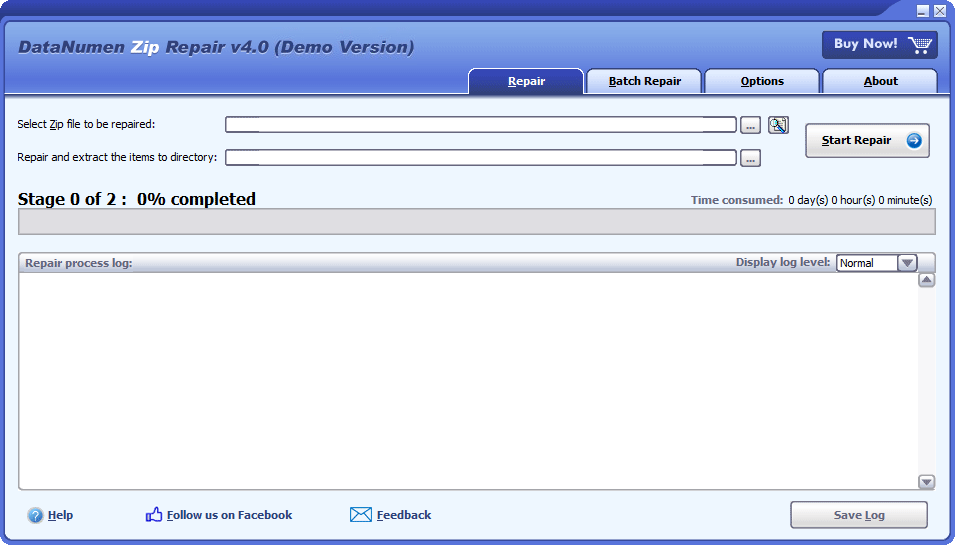
The Repair tab of the version 4.0 demo: the damaged Zip, the folder to extract to, a two-stage progress bar and the repair log with a log-level setting.
Features
Repairs Zip and self-extracting archives from any Zip app
DataNumen Zip Repair fixes every sub-type of Zip file and self-extracting EXE archives made by WinZip, WinRAR, 7-Zip and other Zip programs. A damaged installer that unpacks itself counts too.
Fixes CRC errors
DataNumen Zip Repair checks each file's data integrity and corrects wrong CRC values, the checksum error archivers report when a file inside doesn't match what the archive expects. One customer quoted below used it to extract an ISO image from a Zip that failed with a CRC error.
Large, split and encrypted archives
DataNumen Zip Repair handles Zip archives and individual files inside them larger than 4 GB, spanned Zip sets, split Zip files and password-protected archives. It can also repair a Zip stored in a disk image file.
Batch repair
DataNumen Zip Repair's Batch Repair tab takes a list of archives, added by hand or found with Search Files, and repairs them all in one run. One customer recovered about 1 GB of photos from a set of Zip files this way.
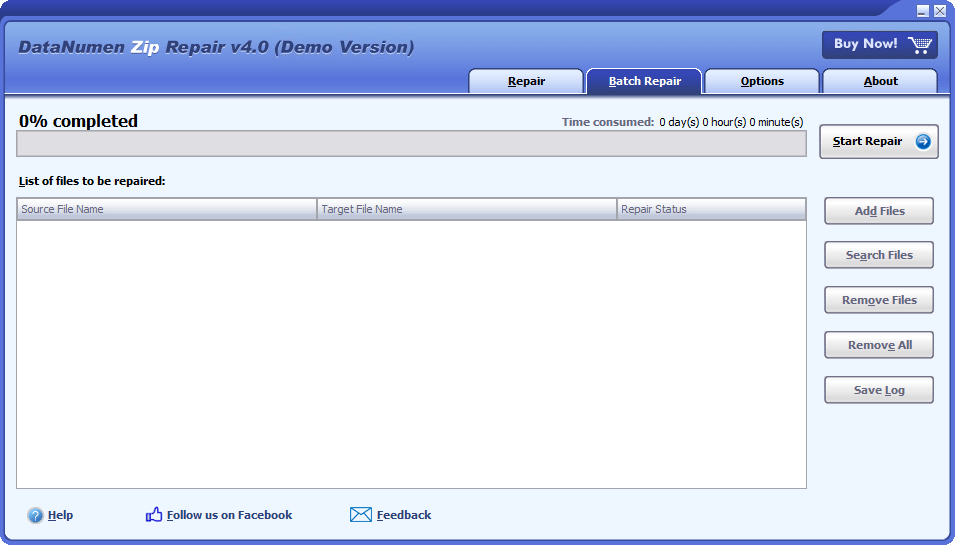
The Batch Repair tab: source and target names, repair status, and buttons to add, search for and remove files.
Simple extraction options
DataNumen Zip Repair can open the output folder when it's done and overwrite existing files without asking during extraction (on by default). Turn that off if you're extracting into a folder that already holds files you care about.
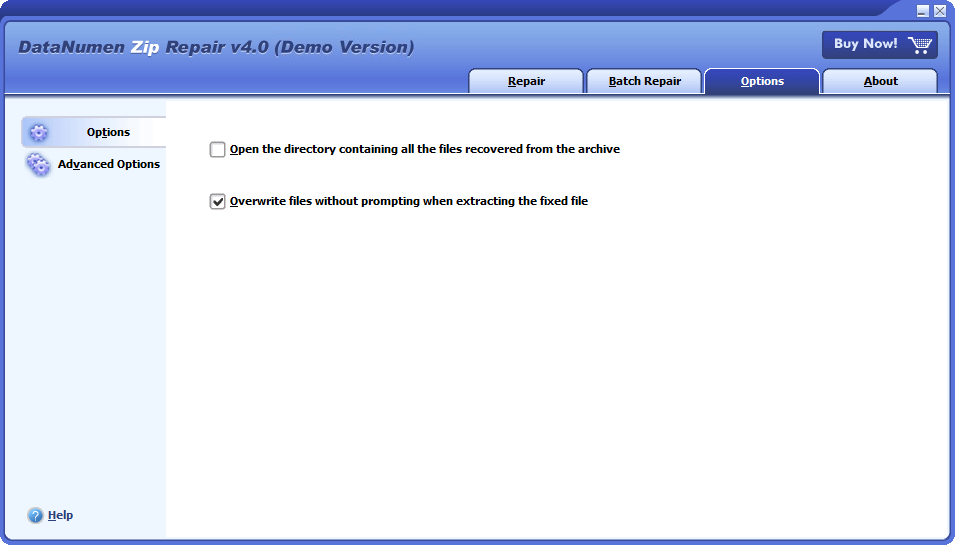
The Options tab, with "Overwrite files without prompting" ticked by default.
Benefits
- Most of the archive back, not nothing. A broken table of contents doesn't mean the files are gone, and this tool gets at them.
- A known answer before you pay. The demo's list shows exactly which files come out.
- Cheap for what it saves. At $49.95 it costs less than an hour of redoing lost work.
Real-World Uses
- An old photo archive won't open. Recover the pictures from a Zip made years ago on a now-failing disk.
- A backup Zip of an email archive is damaged. Get the archive back instead of losing a year of mail.
- A large download fails with a CRC error. Fix it rather than downloading many gigabytes again, when the source is slow or gone.
- A folder of damaged archives. Run them through Batch Repair overnight.
Who It's For, and Who Should Skip It
It suits Windows users with a Zip they can't replace, especially large, split or password-protected archives, and IT staff who deal with damaged archives often enough to want batch repair.
Skip it if you can download the file again, or if a free repair tool already got your files out. RAR, TAR and CAB archives need DataNumen's other tools (RAR Repair, TAR Repair, CAB Repair, or the Archive Repair suite), since this one does Zip only. Mac users need a Windows PC to run it.
Usage Guide
- Download and install the demo, then close any program that might change the damaged Zip.
- On the Repair tab, type the archive's path, browse to it, or use the find button to search the computer.
- Check the output folder (
_recovered by default) or choose another one.
- Click Start Repair and follow the two stages in the progress bar.
- Read the demo's list of recoverable items. If your files are there, order the full version.
- Repair again with the full version. When the message box appears, open the output folder and check the files.
Where it falls short
- Free tools can match it on simple damage. TechSpot found the paid archive tools gave "about the same level of service" as the freeware ones on its test file, and called DataNumen's interface "less polished".
- Nested archives. A customer reported trouble with Zip files that had themselves been zipped.
- No list of what failed. Another customer asked for a way to see which files weren't saved, so check the output against the demo's list yourself.
- Some files need a second try. One buyer's full version failed at first, and support had to suggest a procedure from the error log before it worked.
- Zip only, Windows only. No RAR or other formats, and no Mac version.
What Users Say
DataNumen Zip Repair has a long list of testimonials on its own product page, which shows 4.90 out of 5 from 1,642 votes (the vendor's own count). Independent reviews are rare, so the most useful outside source is TechSpot's hands-on test.
TechSpot's test
TechSpot, "How to Recover Data From a Corrupt ZIP File", July 23, 2018, after deleting parts of a nine-image test archive: "DataNumen Archive Repair (formerly Advanced Archive Repair) claimed to have recovered eight of the nine files with 100% accuracy but again the freeware version doesn't provide access to the files. Instead, they are locked behind a $49.95 license fee for DataNumen Zip Repair or as much as $200+ for DataNumen Archive Repair [...] That said, its interface seems less polished than DiskInternals or Zip2Fix, which are free and had the same success rate."
Customers on DataNumen's site
Treon S Verdery, North Bend, Oregon, June 25, 2026: "Thank you, it worked well. When I looked at one nonrescued file with notepad it had header information that included PNG, possibly that could be an area of further enhancement. Your software rescued more than 2000 files, Thank you! I found your .zip repair software on the Microsoft store app on my new laptop"
Chris Niggeler, Cleanscape Software International, Albuquerque: "I had a 800 MB zipfile with 97,00 created in Solaris that got an error in its "central dir". Once this happened, I could not access more than the first ~30,000, and the standard zipfix utilities that come as part of pkzipc and WinZip did _nothing_ to help. [...] I used Datanumen's DZIPR to recover 98% of the files in the archive!"
Bruce Jeffreson: "Just recovered about 1GB of photos from Zip files. Thought I was truly stuffed but DZIPR just ploughed through the lot in batch mode. I didn't lose a single photo. Very simple & fast to use, too."
Eric Karp: "Most of the time your just plain screwed if you download a zip file and it has a crc error, especially if the zip file only contains an ISO file. This product fixed the CRC error in my zip file and allowed me to extract the ISO file without flaws!"
Benjamin James Chapman, University of Delaware: "nothing could open a corrupt 10.2 GB archive. Out of skeptisim, I downloaded DZIPR, and found that it could repair my file, so I went ahead and ordered to remove the limitation of the trial version. I ran again, and while it repaired, not only did it recover some data, it recovered it ALL!"
The complaints, from the same page
Peter Brook: "Recovered all of my damaged *.zip files. The only problem was that it had trouble with *.zip files which themselves had been zipped. Otherwise 10 out of 10!"
Rana Ian: "3GB of photos were just saved! College graduation and girlfriend photos saved! Thank you. Feature suggestion: ability to list what files were not saved?"
Scott Snyder: "I downloaded the demo version of DZIPR and was encouraged by the recovery report so I invested the small sum and downloaded the full version. To my dismay, the full product failed to recover my file [...] The Tech Support reps requested the error logs from DZIPR and after careful review, suggested a procedure for me to try. It worked!"
The pattern: people use it on irreplaceable photo and email archives and large downloads, and most get their files back, often after other archivers failed. The weak spots are nested archives, an old-fashioned interface, and the fact that free tools can do as well on lighter damage.
Comparisons
DataNumen Zip Repair vs. DataNumen Archive Repair
Archive Repair is DataNumen's suite that adds RAR, TAR and CAB repair to Zip and self-extracting archives. Buy Zip Repair if Zip is all you deal with.
DataNumen's own recovery test
DataNumen's chart gives its tool an average recovery rate of 84.98%, against 82.56% for Zip Repair Pro, 79.99% for Recovery Toolbox for ZIP, 76.56% for ZipRecovery and 72.74% for WinRAR, with some rivals under 10%. That's the vendor's own test. TechSpot's independent one, above, found free tools on a par for its file, so try the free options and the demo on your own archive.
Editions and Pricing
There's one edition. The order page shows a weekly special price for every quantity, and $49.95 is what a single licence costs at checkout. Larger orders are priced per licence:
| User licenses | List price each (US$) | Special price each (US$) |
|---|
| 1 | 59.95 | 49.95 |
| 2 - 9 | 49.95 | 39.95 |
| 10 - 24 | 39.95 | 29.95 |
| 25 - 49 | 29.95 | 24.95 |
| 50 - 99 | 24.95 | 16.95 |
| 100 - 199 | 16.95 | 11.95 |
| 200 - 499 | 11.95 | 9.95 |
| 500+ | 9.95 | 6.95 |
FAQs
Can DataNumen Zip Repair fix a password-protected Zip?
DataNumen Zip Repair supports password-protected Zip archives. It repairs the archive, but it isn't a password cracker: you still need the password to use the files.
Does DataNumen Zip Repair repair RAR or 7z files?
No. DataNumen Zip Repair handles Zip and self-extracting Zip archives only. RAR has its own DataNumen tool, and the Archive Repair suite covers RAR, TAR and CAB as well.
Which Windows versions does DataNumen Zip Repair run on?
DataNumen lists Windows 95 through Windows 10 and Windows Server 2003 to 2019, 32-bit and 64-bit. A customer quoted above found it in the Microsoft Store on a new laptop.
How long does DataNumen Zip Repair take?
DataNumen Zip Repair's time depends on the archive's size, the number of items in it and how strongly each item is compressed. Bigger, more tightly packed archives take longer.
Can DataNumen Zip Repair fix a Zip made on a Mac or Linux?
DataNumen Zip Repair works on the Zip format whatever system made it, and customers have used it on archives from a Mac and from Solaris. The program itself runs on Windows.
Is DataNumen Zip Repair a subscription?
No. DataNumen Zip Repair is a one-time purchase with no auto-renewal at checkout. Free upgrades last one month, and later versions need the support plan or an upgrade fee.
System Requirements
- Windows
- Intel or equivalent processor, x86 or x64
- 16 MB of memory minimum, 1 GB recommended
- 19 MB of disk space
Conclusion
Worth $49.95 when a free repair tool has failed on a Zip you can't replace. The reason to buy is that it handles the hard cases (big, split, encrypted and self-extracting archives, CRC errors) and its demo shows exactly what you'll get before you pay. The main reason not to is that free tools can match it on lighter damage, so try them first. If they fall short, run the demo.
Download Free Trial Buy Now