DataNumen PDF Repair: Rebuild a PDF That Won't Open
DataNumen PDF Repair is a $149.95 Windows tool that rebuilds corrupt or damaged PDF files and saves the pages, text, images and fonts it recovers to a new PDF. It's for offices and individuals with PDFs that Acrobat or other readers refuse to open, after a failed download, a broken email attachment, a crash or a damaged disk.
The free demo runs the same repair and lets you look at the recovered document before you pay. It's the pricier end of DataNumen's range, so try the free fixes below first.
Quick facts
- Version: 4.0, released January 18, 2024
- Developer: DataNumen, Inc. (sold as Advanced PDF Repair in earlier years)
- Platform: Windows (32-bit program)
- Files: PDF versions 1.0 to 2.0, including files that break the PDF specification
- Recovers: pages, text, images, fonts and other PDF objects
- Price: $149.95 for one user, one-time, at checkout (the vendor's list price is $199.95)
- Trial: free demo that previews the recovered PDF but doesn't save it
- Guarantee: 30 days
- What we checked: installer file version 4.00 (14.66 MB, with a valid DataNumen, Inc. digital signature) downloaded from the vendor, with a January 18, 2024 file date; the $149.95 order page price, with no auto-renewal shown. We didn't repair a damaged PDF ourselves. Checked on November 8, 2026.
Before you buy
- Try the free fixes first. DataNumen itself lists them: update Acrobat Reader (an old reader can't open a newer PDF), use Help, Repair Acrobat Installation, open the file in another PDF reader, or open it in Google Drive or Dropbox and print or download a clean copy.
- Preview before you pay. If the demo can repair the file, a message box offers a "Show Recovered Document" preview. What you see there is what the full version saves.
- Close the PDF first. Close Adobe Reader and any other program that may have the file open before the repair.
- Upgrades run for one month. After that a new version needs the Annual Support and Maintenance Plan or a paid upgrade fee.
- A refund needs a reason. Refunds run for 30 days, but you must explain why in detail, and DataNumen may ask for the original damaged file. It offers to sign an NDA for confidential documents.
Download Free Trial Buy Now
Overview
A PDF is a set of objects (pages, fonts, images, text streams) tied together by a cross-reference table. When a download stops early or a disk error hits the file, readers often give up on the whole document even if most of the objects are intact. DataNumen PDF Repair scans the damaged file, collects the objects it can read, and writes a new, valid PDF from them.
You give it the damaged file and it writes the result beside it: Damaged.pdf becomes Damaged_fixed.pdf. The original is never changed.
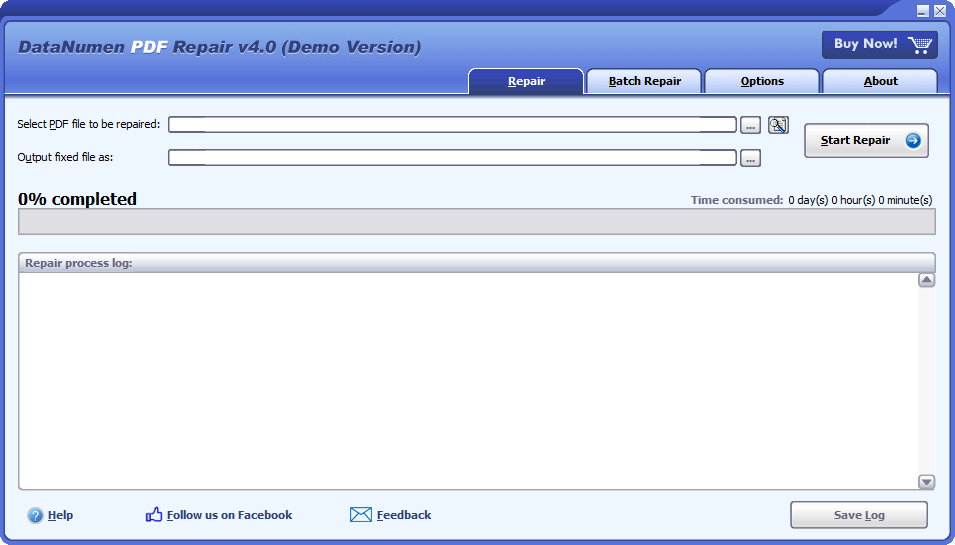
The Repair tab of the version 4.0 demo: the damaged PDF, the output file, a progress bar and the repair log.
Features
Repairs every PDF version
DataNumen PDF Repair handles PDF 1.0 through PDF 2.0, so a twenty-year-old scan and a file from current software both qualify. It also repairs files that don't follow the PDF specification, which some PDF generators produce.
Recovers pages, text, images and fonts
DataNumen PDF Repair brings back the document's pages with their text, images, fonts and other objects, and fixes corruption caused by format errors. How much returns depends on how much of the file survived: a truncated download loses whatever never arrived.
Batch repair for a folder of PDFs
DataNumen PDF Repair's Batch Repair tab takes a list of files, added by hand or found with Search Files, and repairs them all in one run with a status for each. It's the feature to use after a damaged USB stick or a failed recovery leaves dozens of unreadable PDFs.
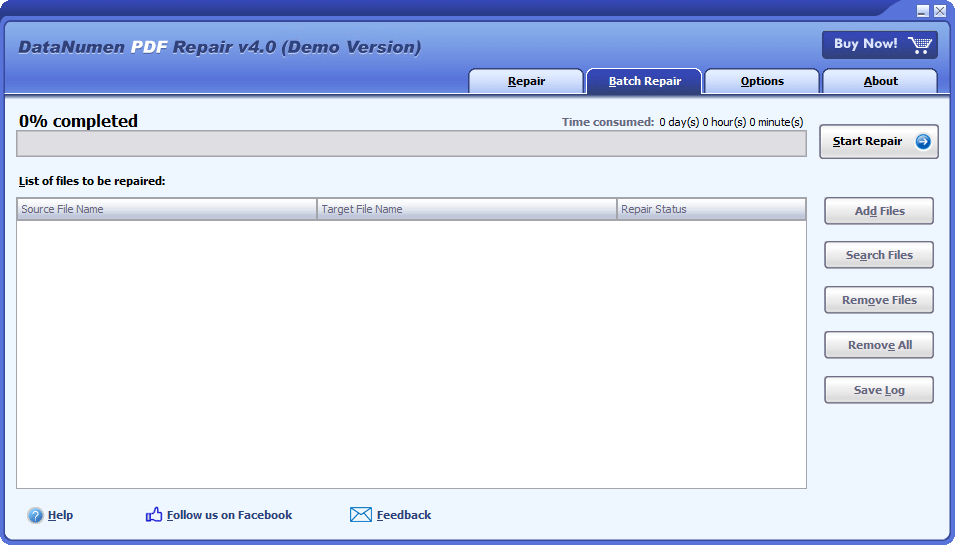
The Batch Repair tab: source and target file names, repair status, and buttons to add, search for and remove files.
Choose the output PDF version
DataNumen PDF Repair lets you set the PDF version of the fixed file (1.4 by default) and open it automatically when the repair finishes. A lower version helps when the repaired file has to open in old software.
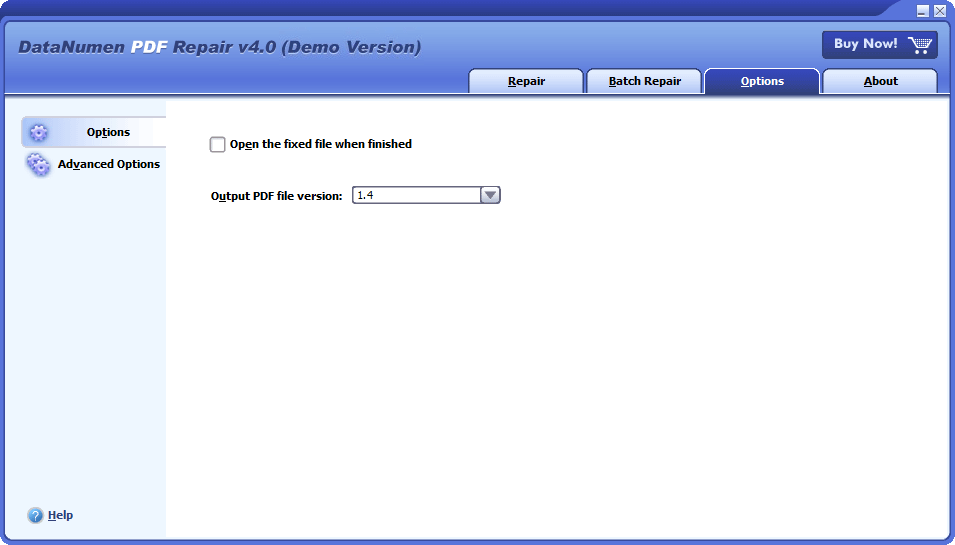
The Options tab, with "Open the fixed file when finished" and the output PDF version set to 1.4.
Benefits
- No need to ask for the file again. That matters when the sender is away, the source system is gone, or the file came from an automated service with no contact.
- Seconds for a typical file. One customer quoted below says each file took one to two seconds. DataNumen says a 10 MB PDF usually takes several minutes.
- Nothing to lose by trying. The original stays untouched and the preview is free.
Real-World Uses
- A broken email attachment. The sender is on holiday and the auto-reply is all you get. Repair the copy you have.
- PDFs from a recovered drive. Data recovery software brought the folder back, but some PDFs won't open. Run the whole folder through Batch Repair.
- A company manual library. Manuals stored only as PDFs on a shared drive have started failing. Repair them and re-save them as current versions.
- A download that stopped early. Get back the pages that did arrive while you look for a complete copy.
Who It's For, and Who Should Skip It
It suits businesses and heavy PDF users on Windows who regularly face damaged documents and can't simply download them again. For them, the batch tab and the preview earn the price.
Skip it if you've got one damaged PDF and a way to get a fresh copy: ask for it, or try the free fixes above. At $149.95, it's expensive for a one-off. Mac users need a Windows PC to run it. And if the PDF opens but is password-protected, that's not corruption, and this isn't the tool for it.
Usage Guide
- Download and install the demo, then close Adobe Reader and any other program using the file.
- On the Repair tab, type the PDF's path, browse to it, use the find button to search the computer, or drag the file into the box.
- Check the output name (
_fixed.pdf by default) and make sure the drive has room for it.
- Click Start Repair and watch the progress bar.
- If the repair works, the message box offers a preview of the recovered document. If it shows what you need, order the full version.
- Repair the file again with the full version and open the fixed PDF in Adobe Reader or any other PDF reader.
Where it falls short
- Not every file can be saved. A G2 reviewer whose company used it on a batch of damaged PDFs reported that some couldn't be repaired, and some that it reported as repaired still didn't open.
- The price. $149.95 is a lot next to DataNumen's own $49.95 to $89.95 tools, and a G2 reviewer called the cost "somewhat high for an individual".
- A dated interface. Another reviewer found the window "very flat and simple". It works, but it looks its age.
- Windows only. There's no macOS version, which a G2 reviewer also listed as the main drawback.
- Old help pages. The help file's FAQ still calls 3.0 the current version, while the download is 4.0.
What Users Say
Independent feedback is limited. DataNumen's product page shows 4.90 out of 5 from 1,649 votes (its own count). SaaSworthy shows 5 out of 5 from 4 ratings, all reviews imported from G2 in 2018.
A customer on DataNumen's site
Anthony Murawski, formerly an attorney for 10+ years at National Veterans' Legal Services Program, U.S. Consumer Product Safety Commission, etc.; independent medical researcher since 2010, Seattle, USA, August 7, 2022: "By pure coincidence, just before I upgraded to the latest version yesterday, I received two PDF files by email that I couldn't open. The person who sent them to me had gone on vacation, and sending her an email resulted in a vacation auto reply. The program opens in less than two seconds using Windows 10 on a computer that is seven years old. After that, you just browse to your PDF file, and it takes 1-2 seconds to repair a file. [...] I have repaired at least a dozen PDF files with this program, some of which were available from only one automated source with no contact info to request an undamaged file. [...] I have no financial conflict-of-interest with DataNumen either directly or indirectly."
G2 reviews (via SaaSworthy)
Robinson Alejandro S, November 5, 2018, "The best in PDF file recovery": "With this tool I can recover the largest amount of data from documents of all versions of Acrobat PDF, whether they are on my computer or on other damaged media such as CD-ROMs, floppy disks and Zip disks. The process is simple and the repair can be done by lot or individually." His dislike: "The cost is somewhat high for an individual, however, if the use of PDF documents is frequent I think it is worth the investment."
Yolimar M, October 18, 2018: "I like that the application recovers the pdf files correctly, since it preserves the format and characteristics of the source document, which makes it a reliable tool". Her dislike: "Once again the graphical interface of the program is very flat and simple, I consider that such an excellent program should shine with a good image and graphic interface striking and according to the new times."
The pattern: users like that it's quick, simple and keeps the layout, and they value the batch tab. The criticisms are the price for individuals, the old-fashioned look and the lack of a Mac version, plus the honest point that some badly damaged files can't be saved.
Comparisons
DataNumen PDF Repair vs. the free fixes
Updating or repairing Acrobat, trying another reader and opening the file through a cloud drive cost nothing and often work when the file is only slightly off. DataNumen PDF Repair is for when the file itself is damaged and every reader fails. Its preview tells you whether paying is worth it.
Editions and Pricing
There's one edition. The order page shows a weekly special price for every quantity, and $149.95 is what a single licence costs at checkout. Larger orders are priced per licence:
| User licenses | List price each (US$) | Special price each (US$) |
|---|
| 1 | 199.95 | 149.95 |
| 2 - 9 | 149.95 | 119.95 |
| 10 - 24 | 119.95 | 89.95 |
| 25 - 49 | 99.95 | 69.95 |
| 50 - 99 | 69.95 | 49.95 |
| 100 - 199 | 49.95 | 39.95 |
| 200 - 499 | 39.95 | 29.95 |
| 500+ | 29.95 | 19.95 |
FAQs
Can DataNumen PDF Repair fix a PDF on a Mac?
DataNumen PDF Repair runs only on Windows. Copy the damaged PDF to a Windows PC, repair it there, and copy the fixed file back to the Mac.
Will the full version of DataNumen PDF Repair recover more than the demo?
No. DataNumen PDF Repair's demo and full version use the same recovery engine, so the demo's preview is what the full version saves.
How long does DataNumen PDF Repair take?
DataNumen PDF Repair's time depends on the file size and the number of objects in it. The vendor says a 10 MB PDF usually takes several minutes.
My PDF won't open in Acrobat. Is it really corrupt?
Not always. An Acrobat Reader older than the PDF, or a damaged Acrobat installation, gives the same symptom. Update or repair Acrobat, or try another reader, before you buy DataNumen PDF Repair.
What if DataNumen PDF Repair can't fix my file?
DataNumen asks you to send its technical support the repair log, saved with the "Include System Information" option, so they can look at the case.
Is DataNumen PDF Repair a subscription?
No. DataNumen PDF Repair is a one-time purchase with no auto-renewal at checkout. Free upgrades last one month, and later versions need the support plan or an upgrade fee.
System Requirements
- Windows
- Intel or equivalent processor, x86 or x64
- 16 MB of memory minimum, 1 GB recommended
- 20 MB of disk space
Conclusion
Worth $149.95 for a business that handles damaged PDFs regularly, or for one irreplaceable document the free fixes couldn't open. The reason to buy is the free preview: you see your own recovered document before you pay, and batch repair handles a whole folder at once. The main reason not to is the price for a single file you could get again some other way. Try the free fixes, then the demo.
Download Free Trial Buy Now