DataNumen Excel Repair: Get the Data Back From a Workbook Excel Won't Open
DataNumen Excel Repair is an $89.95 Windows tool that rebuilds corrupt Excel XLS, XLW, XLSX and XLSM workbooks and saves your cells, formulas and formats to a new file. It's for anyone whose workbook fails with "Excel found unreadable content" or "This file is not in a recognizable format" after Excel's own repair has given up.
The file was fine yesterday. Then the PC crashed during a save, and now months of work won't open. Excel's built-in Open and Repair is free and worth trying first. This is what you reach for when it fails.
Quick facts
- Version: 4.52 installer dated December 22, 2025 (the product page still shows 4.5, released November 9, 2023)
- Developer: DataNumen, Inc.
- Platform: Windows, with Microsoft Excel installed on the same PC
- Files: XLS, XLW, XLSX and XLSM from Excel 3 to 2021, Office 365 and Microsoft 365
- Price: $89.95 for one user, one-time at checkout
- Trial: free demo that previews the recovered workbook but doesn't save the fixed file
- Guarantee: 30 days
- What we checked: installer file version 4.52 (15.02 MB, digitally signed by DataNumen, Inc.) downloaded from the vendor, with a December 22, 2025 file date; the $89.95 order page price, with no auto-renewal shown. We didn't run a repair on a damaged workbook. Checked on November 7, 2026.
Before you buy
- Preview first. Run the demo on your file. If it can repair it, a message box shows a preview of the recovered content, which tells you whether the full version is worth buying.
- Excel must be installed. The tool calls Excel during the repair and stops with an error if it can't find it. You'll see Excel open and close in the background, which is normal. Close Excel yourself before you start.
- Macros don't survive. For an XLSM file only the data comes back, and the fixed file is saved as XLSX. Conditional formatting isn't recovered either.
- Upgrades and support run for one month. After that you need the Annual Support and Maintenance Plan, a paid upgrade or a per-incident fee.
- A refund needs a reason. Refunds run for 30 days, but you must explain why in detail, and DataNumen may ask for the original corrupt file. Think about that if the workbook is confidential. The company offers to sign an NDA where needed.
Download Free Trial Buy Now
Overview
DataNumen sold this program as Advanced Excel Repair for many years. You give it the damaged workbook, it analyzes the file and fixes what it can in four stages, and it writes a new file beside the original: Damaged.xlsx becomes Damaged_fixed.xlsx.
Expect data first and looks second. Where a sheet's name can't be recovered but its data can, the data lands in a sheet called DNDefaultSheet plus a number.
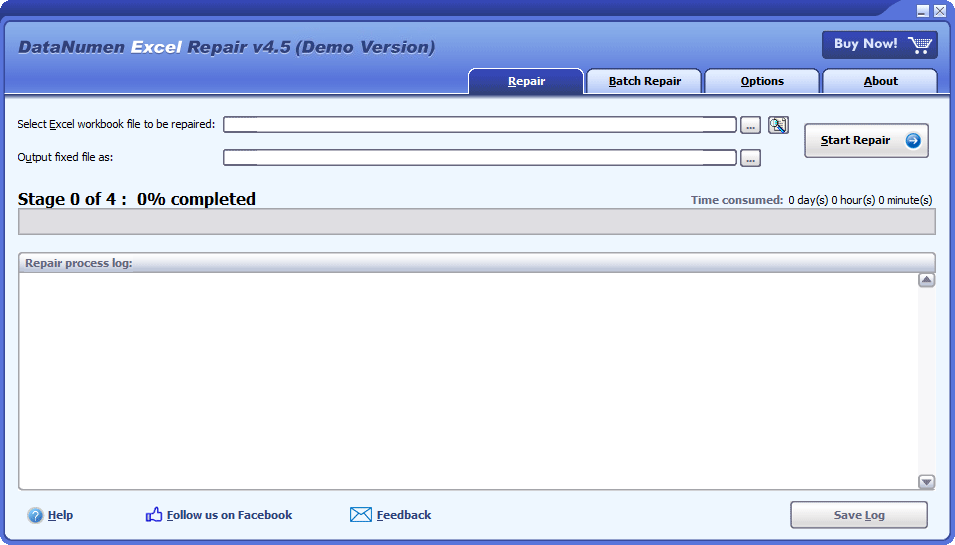
The Repair tab in the version 4.5 demo: source workbook, output file and the repair log.
Features
Repairs old and new workbook formats
DataNumen Excel Repair fixes XLS, XLW, XLSX and XLSM files from Excel 3 through 2021, Excel for Office 365 and Microsoft 365. That covers a decades-old budget sheet as well as last week's report, including workbooks made in Excel for Windows or Mac.
Recovers cells, formulas and formats
DataNumen Excel Repair brings back cell data, formulas (including shared and array-entered formulas), standard and custom cell formats, and worksheet names. How much returns depends on the damage: one customer got all the text back but lost formatting and about half the formulas.
Options for awkward formulas
DataNumen Excel Repair can convert an invalid formula into a text string, so you can see what the cell held and fix it by hand. Separate switches control array-entered and shared formula recovery for XLS files.
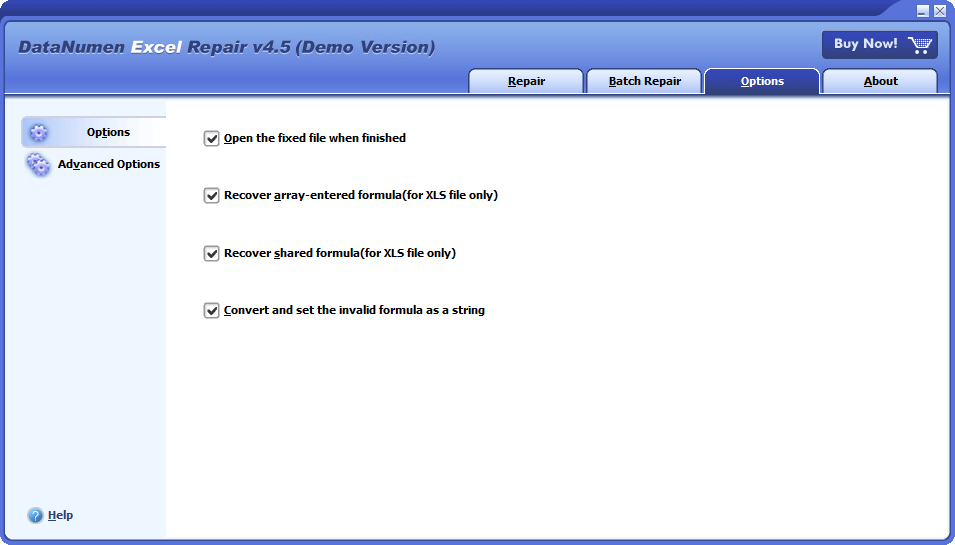
The Options tab, with switches for opening the fixed file and for array, shared and invalid formulas.
Batch repair for many workbooks
DataNumen Excel Repair has a Batch Repair tab: add files or search for them, then repair the whole list in one run with a status for each. It's useful when a failed disk has damaged a whole folder.
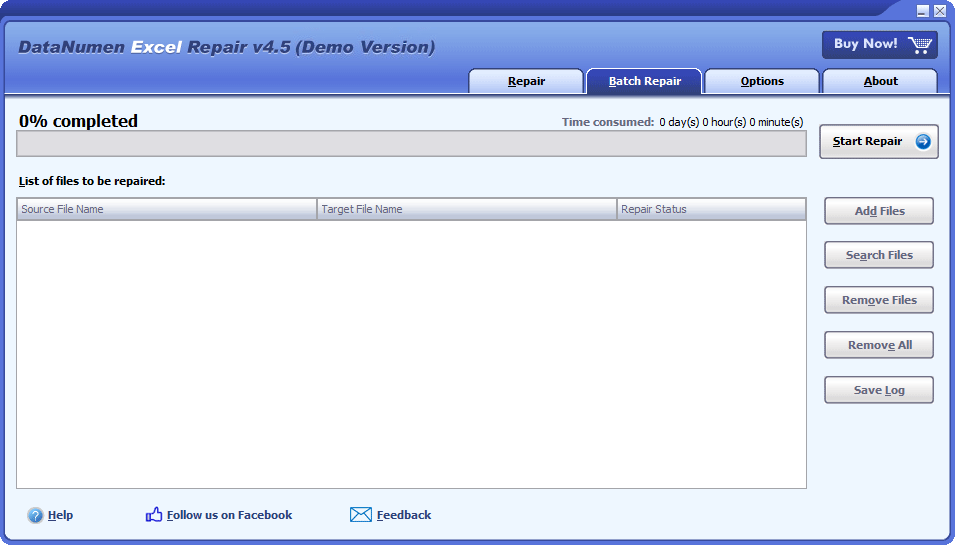
The Batch Repair tab with its file list and Add Files and Search Files buttons.
Benefits
- Hours of retyping saved. Getting the numbers back is usually the hard part, and formatting can be redone.
- Low risk to try. The repair writes a new file, and the preview costs nothing.
- No hex editing. The alternative, for a stubborn file, is fixing the binary by hand.
Real-World Uses
- A crash during save. The workbook won't open or copy. Repair it and rebuild the formatting from an older version.
- A file from a failing USB stick. Excel reports an unrecognizable format. Try the repair on a copy.
- A teacher's or researcher's long reference sheet. Get back the terms and cross-references you'd never want to retype.
- A folder of damaged reports. Run them all through Batch Repair.
Who It's For, and Who Should Skip It
It suits office staff, accountants and IT support who have a workbook with data they can't recreate, and who have a Windows PC with Excel.
Skip it if Excel's Open and Repair or Extract Data already got your data back, or if a recent backup exists. Skip it if your workbook's value lies in its macros, because they won't come back. A Mac-only user needs a Windows PC to run it. And if you've got Word, Access and Outlook files to repair too, look at DataNumen Office Repair.
Usage Guide
- Install the demo, then close Excel and other applications.
- On the Repair tab, browse to the damaged workbook, or drag it into the box.
- Check the output name, which is generated for you, and change the folder if you like.
- Click Start Repair and follow the stage progress. A hard file can sit for a long time before it appears to do anything, so give it time.
- Read the preview in the message box. If your data is there, order the full version.
- Repair the file with the full version, click OK to open the fixed file, and check every sheet, especially formulas that link sheets together.
Where it falls short
- Layout can be lost. A customer with a badly damaged file lost bold, colours and about half the formulas, mainly the ones linking sheets.
- It can look stuck. The same customer waited nearly an hour on the harder file before anything seemed to happen.
- Sheets may be split or renamed. Problem areas can end up on extra sheets, and lost names become
DNDefaultSheet.
- Few independent reviews. Almost all the published feedback is on the vendor's own site, and its 78.73% recovery figure is its own.
What Users Say
We found very little independent English feedback on this product, so everything quoted here comes from testimonials on DataNumen's product page. The page shows 4.90 out of 5 from 1,619 votes, which is the vendor's own count. Read these as customers the vendor chose to show.
Praise
Rick Fayter, database consultant, Ohio: "If your program did not work, my friend and I would have resorted to a manual fix using a hex or ASCII file viewer and hand edited the binary to fix the corruption. What a drag that have been. Well that did not happen. So I say nice job and you get my vote and future PR. Thanks again. Well worth the money."
E. Madsen, chief engineer, PIN Technology, New York: "DataNumen Excel Repair saved the day and recovered the data I needed from my corrupted file. It is extremely easy to use, it worked very well for my needs, and I highly recommend it!"
Kristi Rankin, teacher, Brownwood, Texas, August 13, 2014: "It worked beautifully! All my terms and my (probably overly complicated) cross-referencing data is now back!"
A mixed result
John Chapman, Melbourne, January 1, 2017: "The Excel repair tool was able to extract all the text data from 2 corrupted Excel files which were open and being saved when I had a PC crash. However, the tool could not retrieve everything with all the formatting (bold, colours etc) lost along with around half the formulaes (mainly the complicated ones that linked sheets togther). Where there were possible problems, the tool cut an existing worksheet into extra sheets so you knew where to check for losses - a great idea. Overall a terrific result as the data was the hardest part to restore from the original source."
The pattern: people are relieved to get the data back and find the tool simple. The honest limit is that a badly damaged workbook comes back as data, not as the polished file you remember.
Comparisons
DataNumen Excel Repair vs. Excel's Open and Repair
Open and Repair is free: in Excel, choose File, Open, Browse, select the file with a single click, and pick Open and Repair from the arrow beside Open. Try Repair, then Extract Data. DataNumen Excel Repair is for when both fail.
DataNumen's own recovery test
The vendor's chart gives its tool an average recovery rate of 78.73%, against 65.68% for Excel Recovery, 63.22% for Recovery Toolbox for Excel, 51.22% for ExcelFIX and 11.66% for Excel's built-in repair. That's a vendor claim from its own test, so use the demo on your own file to decide.
Editions and Pricing
There's one edition. The $89.95 price on the order page is for a single user, and DataNumen lists volume pricing on its own site for larger orders.
| User licenses | Price per license (US$) |
|---|
| 1 | 89.95 |
| 2 - 9 | 69.95 |
| 10 - 24 | 49.95 |
| 25 - 49 | 39.95 |
| 50 - 99 | 29.95 |
| 100 - 199 | 19.95 |
| 200 - 499 | 16.95 |
| 500+ | 11.95 |
FAQs
Does DataNumen Excel Repair need Excel installed?
DataNumen Excel Repair needs Excel on the same computer. If it doesn't find Excel, it shows an error and stops the recovery.
Can DataNumen Excel Repair repair a file from a Mac?
DataNumen Excel Repair supports workbooks made in Excel for Mac, but it runs only on Windows. Copy the file to a PC, repair it there, and copy the fixed file back.
Will DataNumen Excel Repair recover my macros?
DataNumen Excel Repair recovers the data from an XLSM file, not its macros, and saves the fixed file as XLSX.
Does DataNumen Excel Repair restore conditional formatting?
DataNumen Excel Repair doesn't recover conditional formatting at present. The vendor says it's on its to-do list.
Excel crashed before I saved. Can DataNumen Excel Repair help?
Start with Excel itself rather than DataNumen Excel Repair: choose File, Open, Recent, then Recover Unsaved Workbooks.
What are the DNDefaultSheet tabs in my repaired workbook?
DataNumen Excel Repair creates DNDefaultSheet tabs when it can recover a sheet's data but not its name. Rename them once you've checked the contents.
Nothing happens when I double-click my workbook. Is it corrupt?
Not always. Try the file on another PC with Excel before you buy DataNumen Excel Repair. If it opens there, the problem is your Excel install or an add-in, so try safe mode or repair Office.
System Requirements
- Windows
- Microsoft Excel installed
- Intel or equivalent processor, x86 or x64
- 32 MB of memory minimum, 1 GB recommended
- 21 MB of disk space
Conclusion
Worth $89.95 if the data in the workbook can't be recreated and Excel's own repair has failed. The reason to buy is the free preview: you see your own data before you pay. The main reason not to is a workbook that depends on macros, conditional formatting or heavy linking between sheets, since those are the parts most likely to be lost. Few independent reviews exist, so let the preview decide.
Download Free Trial Buy Now