DataNumen Outlook Repair: Rebuild a Corrupt PST When Scanpst Gives Up
DataNumen Outlook Repair is a $199.95 Windows tool that repairs corrupt Outlook PST and OST files and writes your mail, folders, calendar, contacts and attachments into a new, working PST. It's for people and IT staff whose mailbox won't open and whose Inbox Repair tool (scanpst.exe) has already failed.
You know the moment: Outlook says the file is "not a personal folders file", scanpst stops with an error, and years of mail sit in a file nothing will read. This tool scans that damaged file and builds a fresh one beside it, so the original stays as it was.
Quick facts
- Version: 10.2, released April 15, 2025
- Developer: DataNumen, Inc.
- Platform: Windows 95 to Windows 11 and Windows Server 2003 to 2019, 32-bit and 64-bit
- Files: PST and OST from Outlook 97 to 2021, Outlook for Office 365 and Microsoft 365
- Price: $199.95 for one user, one-time at checkout
- Trial: free demo with the same repair engine; recovered message bodies are replaced with demo text
- Guarantee: 30 days
- What we checked: installer file version 10.20 (22.26 MB, digitally signed by DataNumen, Inc.) downloaded from the vendor, with an April 15, 2025 file date; the $199.95 order page price, with no auto-renewal shown. We didn't run a repair on a damaged PST. Checked on November 7, 2026.
Before you buy
- Run the demo first. It uses the same engine as the full version and produces a fixed PST, so you can see which folders come back. Message bodies appear as demo text, and once you buy you repair the file again with the full version.
- Work on a copy. Close Outlook and every other Office app before you start.
- Upgrades and support run for one month. After that, new versions and support come through the Annual Support and Maintenance Plan, a paid upgrade or a per-incident fee. For a one-off rescue that won't matter.
- A refund needs a reason. DataNumen refunds within 30 days, but you must explain why in detail, and it may ask for the original corrupt file to verify the result. If the mailbox holds confidential mail, know that up front. The company offers to sign an NDA where needed.
Download Free Trial Buy Now
Overview
DataNumen sold this program for years as Advanced Outlook Repair. It reads the damaged file through a 12-stage scan, rebuilds the folder tree, and saves the result as yourfile_fixed.pst. Items it can place go back to their original folders. Items it finds without a home land in folders named Recovered_Group plus a number.
The interface is plain and dated, with four tabs: Repair, Batch Repair, Options and About. That's all you need. Pick a source file, leave both format boxes on Auto Determined, and press Start Repair.
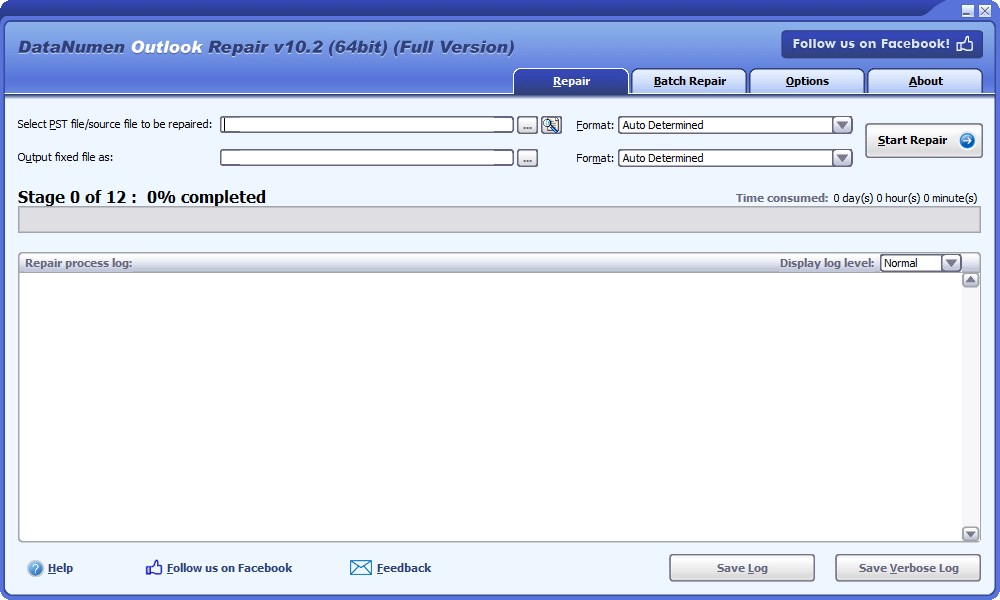
The Repair tab in version 10.2: source file, output file, format choices and the repair log.
Features
Full mailbox recovery, not just email
DataNumen Outlook Repair recovers messages, folders, posts, calendar items, appointments, meeting requests, contacts, distribution lists, tasks, task requests, journals and notes. Subject, body, sender, recipients and dates come back with each message, in plain text, RTF or HTML, along with attachments and embedded objects such as an Excel sheet inside an email.
Repairs what scanpst can't
DataNumen Outlook Repair targets the errors that stop Microsoft's Inbox Repair tool: "The file is not a personal folders file", "Errors have been detected in the file", the tool hanging, and items it can't recover. It also fixes the "Can't move the items" error, which has its own switch on the Options tab.
Deleted items come back too
DataNumen Outlook Repair can pull deleted mail, contacts, calendar entries and other items out of a PST, which helps when something was removed by mistake or wiped by a bad sync.
Oversized and password-protected files
DataNumen Outlook Repair opens PST files that hit the old 2 GB limit of the ANSI format, and it recovers password-protected PST files even when the password is lost, with both compressible and high encryption. You can also split the output into smaller PST files at a size you set.
Convert between old and new PST formats
DataNumen Outlook Repair writes the fixed file in either Outlook 97-2002 format or Outlook 2003 and later format, so it doubles as a converter when a very old mailbox has to move to a current Outlook.
Batch repair for a stack of files
DataNumen Outlook Repair has a Batch Repair tab where you add or search for many files and run them in one pass, with a status for each. That saves real time for a technician or an investigator with a folder of mailboxes.
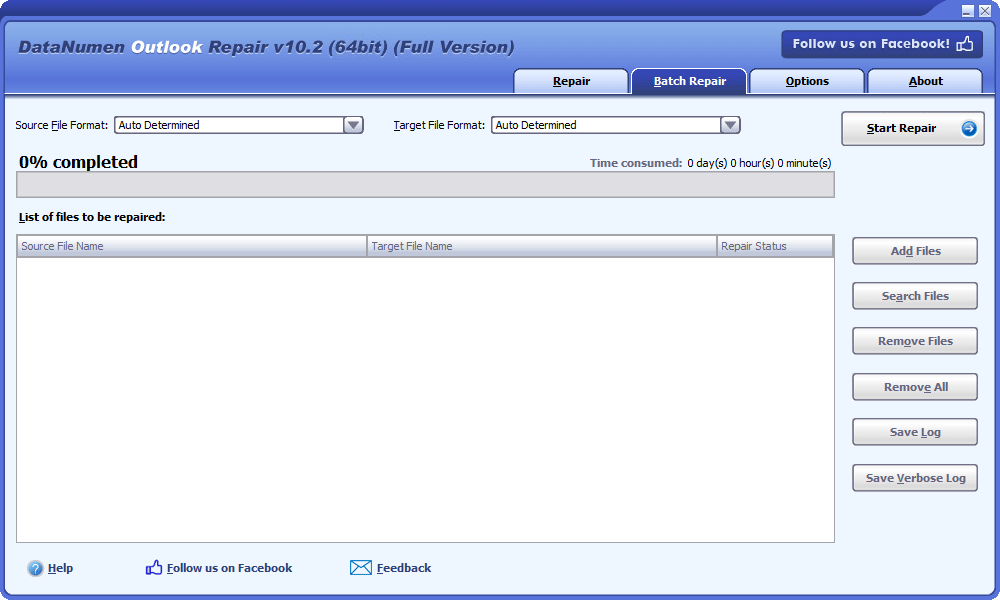
The Batch Repair tab: a file list with source, target and repair status columns.
Recovery from images and leftovers
DataNumen Outlook Repair can scan disk image files and backup files for Outlook data, and it can work from the temporary files Outlook leaves behind after a crash. That gives you a chance when the PST itself is gone.
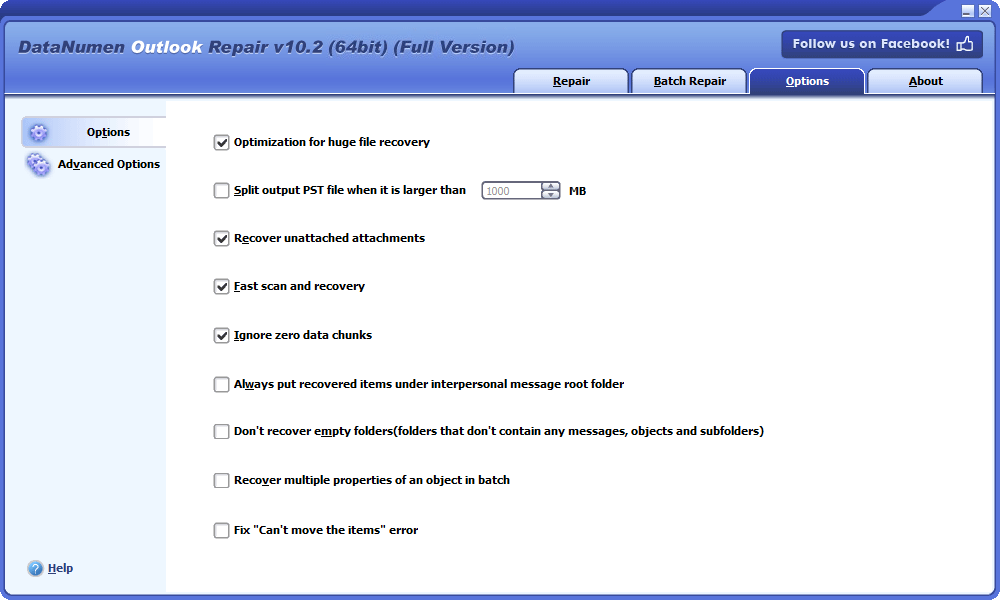
The Options tab, with switches for huge files, output splitting, fast scan and the "Can't move the items" fix.
Benefits
- Your original file stays untouched. The repair writes a new PST, so a failed attempt costs you time, not data.
- No Outlook expertise needed. The default settings are ready to go, and customers who aren't IT people describe finishing the repair themselves.
- You can judge the result before paying. The demo shows what the engine finds in your own file.
Real-World Uses
- The PC lost power. Outlook won't start and scanpst reports errors. Repair the PST, point Outlook at the fixed file, and carry on.
- A 15-year archive stopped opening. Rebuild it, split the output at a size you choose, and store the pieces safely.
- A sync tool wiped newer data. Use the deleted-item recovery to look for what was overwritten.
- A password nobody remembers. Recover a password-protected PST you have the right to open.
- A forensic or e-discovery job. Run a batch of PST files first, so later tools get clean input.
Who It's For, and Who Should Skip It
It suits home users with one irreplaceable mailbox, IT technicians who rescue PST files for clients, and investigators working through many files. At $199.95 it makes sense when the mail is worth far more than the software.
Skip it if your file has minor damage, because the free scanpst.exe already installed with Outlook may fix it. Skip it if you use Outlook for Mac, since OLM files aren't supported. If your mail lives on an Exchange or Microsoft 365 server, the server still holds a copy and a rebuilt local file may be all you need. And if the main job is converting OST files, DataNumen's own Exchange Recovery is built for that.
Usage Guide
- Download and install the demo, then close Outlook and other Office apps.
- On the Repair tab, type the path of the PST or use the browse or search buttons beside the box.
- Leave the source format on Auto Determined unless you know the Outlook version. Auto takes a little longer.
- Accept the output name, such as
Outlook_fixed.pst, or choose your own, and pick the output format if you need one.
- Click Start Repair and watch the staged progress bar and log.
- When the success message appears, open the fixed PST in Outlook and check your folders, including any named
Recovered_Group.
- Happy with what the demo found? Buy the full version and repair the file again to get the real message bodies.
Where it falls short
- Long runs can't be paused. A repair can only be stopped, and stopping means starting again. DataNumen estimates 2 to 3 hours for a 20 GB PST, and heavily damaged or complex files take longer.
- It doesn't use every core. One forensic user reports days of processing on a fast machine and says the software doesn't use all CPU cores.
- Recovery isn't always complete. Several happy customers still say "mostly" and "almost all", and some recovered items need cleaning up by hand.
- Windows only. PST files from a Mac or phone have to be repaired on a Windows PC, and there's no online repair service.
- Few independent reviews. Nearly all published feedback sits on the vendor's own site, and its 95.7% recovery figure comes from its own comparison.
What Users Say
Independent feedback on this tool is thin, so read the balance below with that in mind. DataNumen's product page shows 4.90 out of 5 from 1,632 votes. Those are the vendor's own numbers.
Independent site
SnapFiles lists a 5-star rating from a single user review. DenisSAW wrote on December 3, 2008: "I find this kit very useful to solve Outlook PST file related problems. It's great and easy to use."
Praise, from testimonials on DataNumen's site
Anne D., a retired IT professional in Brussels, wrote on September 19, 2026: "Several of my Outlook PST files were corrupted and Microsoft left me without any solution. The repair tool integrated in Outlook was capable of nothing (really nothing). The price I paid for the DataNumen tool is an investment I won't regret. I saved about 5000 emails with very few really lost messages (and without having to be an IT expert)."
Steve, an IT professional in Durban, on a PST of about 4.5 GB under Outlook 2007: "I installed and ran the tool which took over 2 hours to complete. The end result was a perfectly working Outlook which was much faster than before!"
Cavan McDonald, United Kingdom, June 2, 2020: "Sheer magic - fixed a file the scanpst.exe could not even recognise as an Outlook Mailbox."
Peter Jones, a home user in Adelaide, June 27, 2019: "My pst file grew from 1.9gb to 2.45gm with 'lost data' that had been recovered and thoughtfully placed into two 'recovered' folders (not just dumped in the in box) for me to browse."
Mark Humphrey, network manager at CB Richard Ellis in Toronto: "AOR has recovered most of the items from a very important 6GB PST file. My previous attempts with SCANPST had only recovered 500mb!"
Criticism and mixed results
Roberto, a computer forensics professional in Chile, wrote on March 8, 2024: "In a high performance machine with 32GB Ram and 2x 2TB of M.2 storage, this can require from one to three days non stop, depending on the case. Too bad DataNumen software does not use all machine cores to speed up things, but now they placed this idea into their request list."
Ahmed Qadeer, Naperville, Illinois, December 4, 2018: "My Outlook data file appears to be mostly fixed. I needed to inspect and delete a ton of entries but, I think, I recovered most of my data. I will never know what I have lost permanently!"
Brock Croome, an architect in North Vancouver, November 1, 2015: "Expensive but it did everything promised including the attachments So how much is that worth? Highly recommended!"
The recurring themes: people like that it works after scanpst fails, and that it's simple to run. The complaints are the price, the long run times on big jobs, and the odd leftover items to clean up.
Comparisons
DataNumen Outlook Repair vs. scanpst.exe
Scanpst is free and comes with Outlook, so try it first on a copy of the file. It handles minor corruption. DataNumen's tool is the next step when scanpst hangs, errors out or brings back too little, and it adds deleted-item recovery, password handling and batch work.
DataNumen's own recovery test
The vendor's chart gives its tool an average recovery rate of 95.70%, against 53.24% for DiskInternals Outlook Recovery, 19.82% for Recovery for Outlook, 1.81% for Stellar Phoenix Outlook PST Repair and 1.26% for scanpst. Treat that as a vendor claim: DataNumen ran the test itself. Your own demo run tells you more.
Outlook Repair vs. DataNumen Exchange Recovery
Both cost $199.95. Outlook Repair is mainly for PST files and can also repair an OST. Exchange Recovery is mainly for OST files and for converting OST to PST when the server is unavailable.
Editions and Pricing
There's one edition. The $199.95 price on the order page is for a single user, and DataNumen lists volume pricing on its own site for larger orders.
| User licenses | Price per license (US$) |
|---|
| 1 | 199.95 |
| 2 - 9 | 149.95 |
| 10 - 24 | 119.95 |
| 25 - 49 | 99.95 |
| 50 - 99 | 69.95 |
| 100 - 199 | 49.95 |
| 200 - 499 | 39.95 |
| 500+ | 29.95 |
FAQs
Can DataNumen Outlook Repair fix an OST file?
DataNumen Outlook Repair can repair OST files as well as PST files. For OST recovery and OST to PST conversion, DataNumen points you to Exchange Recovery, which is designed for that job.
Does DataNumen Outlook Repair work on Windows 11?
DataNumen Outlook Repair 10.2 supports 32-bit and 64-bit Windows 10 and 11. On a 64-bit system with more than 4 GB of memory, the vendor recommends running the 64-bit build with 64-bit Outlook, because it can then use all available memory.
Can DataNumen Outlook Repair handle Outlook for Mac files?
DataNumen Outlook Repair doesn't support Outlook for Mac, which stores data in OLM files.
How long does a PST repair take?
DataNumen estimates about 2 to 3 hours for a 20 GB PST with DataNumen Outlook Repair. Time grows with file size, the number of items, the damage and the speed of your PC. The Fast scan and recovery option helps when damage is light.
Can I recover mail deleted from a PST?
DataNumen Outlook Repair can recover deleted items. Try Ctrl+Z, the Deleted Items folder and, on Exchange accounts, Recover Deleted Items first, because those are free and quicker.
Do I need an email account set up in Outlook?
DataNumen recommends having an email account in Outlook when you use DataNumen Outlook Repair, even one you never send from.
Can I import mail from a demo-repaired PST?
A file from the DataNumen Outlook Repair demo holds demo text, not your real content, so run the full version before you import anything.
System Requirements
- Windows 95/98/ME/NT/2000/XP/Vista/7/8/8.1/10/11, or Windows Server 2003/2008/2012/2016/2019
- Intel or equivalent processor, x86 or x64
- 64 MB of memory minimum, 4 GB recommended
- 37 MB of disk space
Conclusion
Worth it if the mailbox matters and scanpst has failed. The one reason to buy is that you can test it on your own file first, so you see what comes back before you spend $199.95. The main reason not to is price: for minor damage, or for a mailbox still safe on a server, a free route will do. Few independent reviews exist, so trust your demo result over anyone's percentage, including the vendor's.
Download Free Trial Buy Now