Stellar Repair for PDF for Mac: Repair PDFs That Won't Open on Your Mac
Stellar Repair for PDF for Mac is a Mac app that repairs damaged PDF files and saves a working copy next to the original. At checkout it costs $29 as a one-time lifetime license. It suits Mac users with an important PDF that Preview or Acrobat refuses to open, as long as the Mac is an Intel model on macOS Big Sur 11 or earlier, which is what Stellar lists.
A PDF usually breaks for dull reasons: a download that stopped early, an attachment cut short by the mail server, a copy pulled from a failing USB stick. Preview just says the file couldn't be opened. This app reads what's left of the file, rebuilds its structure and shows you the result before you save anything.
Quick facts
- Version: 3.0.0.0, released August 2021
- Developer: Stellar, a data recovery and file repair company founded in 1993. Older versions were sold as Stellar Phoenix Repair for PDF for Mac
- Platform: 64-bit macOS up to Big Sur 11, on an Intel-compatible x64 processor (a separate Windows edition exists)
- Repairs: PDF versions 1.2 to 1.7, with no file size or page limit
- Price: $29 at checkout as a lifetime license. Stellar's own store sells a one-year license for $29.99
- Free trial: repairs your PDFs and shows the preview; saving the repaired files needs a license
- What we checked: the trial installer (StellarRepairforPDF.dmg.zip, 108 MB, dated August 26, 2021) on Stellar's download server, the spec sheet on the product page, and a checkout price of $29.00 with a lifetime term on November 18, 2026. We didn't run a repair on a Mac ourselves.
Before you buy
Check your Mac first. Stellar's spec sheet lists macOS Big Sur 11 and earlier and an Intel x64 processor, and version 3.0 hasn't been updated since 2021. Stellar's refund policy excludes systems that don't meet the minimum requirements, so on an Apple silicon Mac or macOS 12 and later, run the trial on your damaged file and only buy if the preview shows your pages.
Refunds otherwise run 30 days from a first purchase, but only if you used the trial before buying. The app can't open password-protected or restricted PDFs and doesn't bring back deleted files.
Download Free TrialBuy Now
Overview
The app does one thing, with three screens. You add PDFs with Add File or by dragging them onto the window, click Repair and watch each file's status change from Queued to Repairing to Repaired, then click any repaired file to open it in a preview window and press Save. Each saved file is a new PDF named Repaired_[file name] with the date, so the damaged original stays as it was.
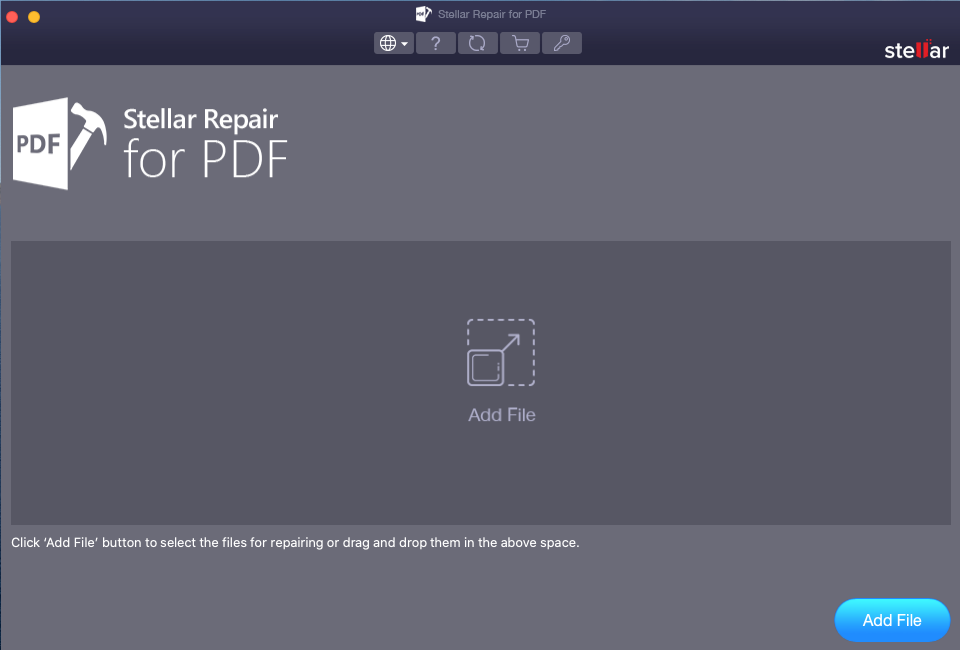
The start screen: click Add File or drop PDFs on the grey area. The toolbar holds language, help, update, buy and activation buttons.
Features
Rebuilds the whole document
Stellar Repair for PDF for Mac restores text, images, tables, charts, shapes, forms, headers and footers, page formatting, clip art and word art, and repairs the file's cross-reference table and page tree, the parts that break when a PDF is cut short. Fonts and metadata are kept as they were.
Keeps media, watermarks and signatures
Stellar Repair for PDF for Mac also recovers embedded audio and video clips, watermarks and digital signatures from a damaged file, which matters for signed contracts and training PDFs with media inside.
Batch repair
Stellar Repair for PDF for Mac repairs a whole list of PDFs in one run. Files it can't touch, such as password-protected ones, are marked as such in the list and skipped, and the rest carry on.
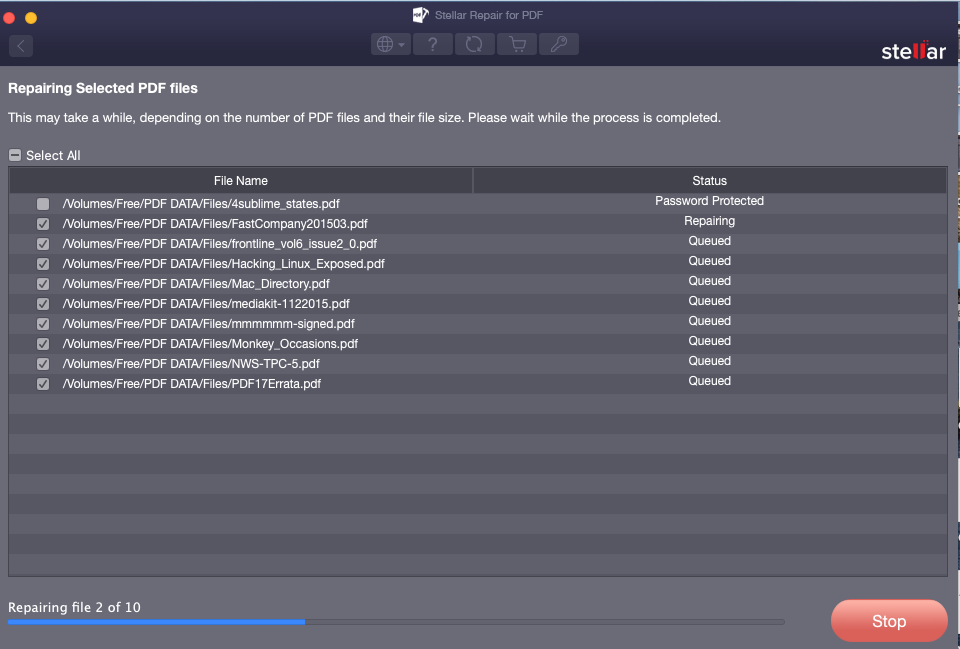
A batch of ten PDFs from an external volume: one is flagged Password Protected and left unticked, one is repairing, the rest are queued.
Preview before saving
Stellar Repair for PDF for Mac opens each repaired file in a preview window with page count, rotate and zoom, so you can see whether the content came back before you pay or save. The trial shows this preview too.
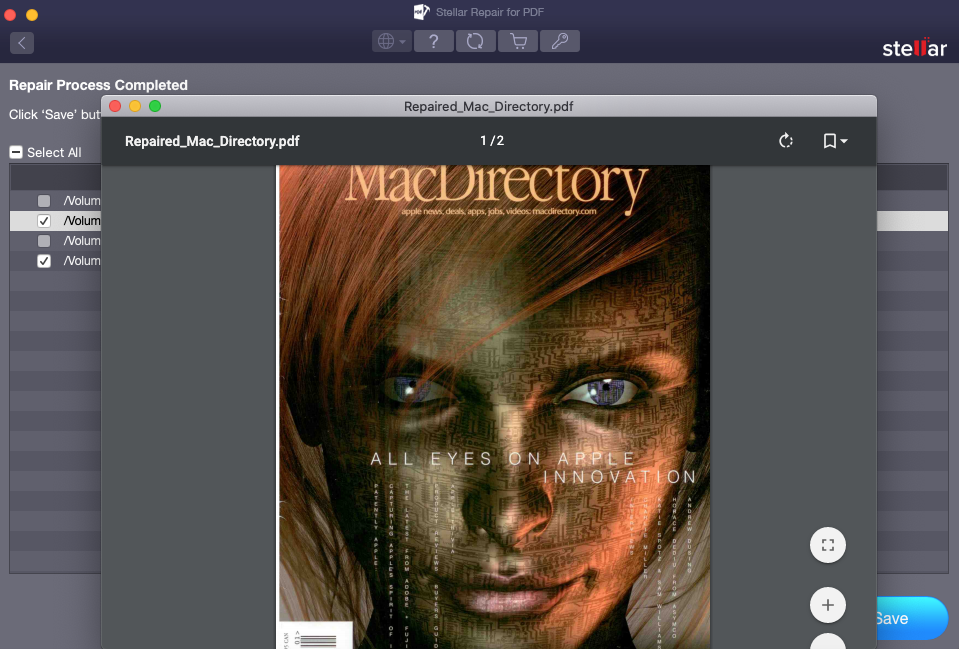
Preview of a repaired two-page magazine PDF, with rotate, bookmark and zoom controls.
Works on external media
Stellar Repair for PDF for Mac repairs PDFs on USB drives, memory cards, CDs and DVDs attached to the Mac, without copying them over first, and saves the repaired copies to any folder you choose.
Benefits
- One payment. $29 at checkout buys a lifetime license, cheaper over time than the vendor's yearly one.
- Private. Files are repaired on your own Mac; nothing is uploaded to a web service.
- Safe to try. The original is never overwritten, and the preview shows the outcome before you save.
- Quick to judge. A few minutes in the trial tells you whether your file can be saved at all.
Real-World Uses
- A signed contract that arrived as a broken attachment. Repair it now instead of waiting for the sender to resend.
- Scanned records copied off an old USB stick. A dozen files open blank in Preview; one batch repair recovers what's left in each.
- A course handbook with embedded videos that stops loading halfway. The repair rebuilds the page tree and keeps the media.
- An archive of PDFs on a backup drive that had errors. Point the app at the drive and repair them in place.
Who It's For, and Who Should Skip It
It suits people on Intel Macs running Big Sur or earlier, small offices and anyone who'd rather not upload a private document to an online repair site. A lifetime license for $29 is reasonable if PDFs break for you more than once.
Skip it if your Mac has an M-series chip or runs macOS 12 or later and the trial doesn't work on it: Stellar doesn't list support there and the app hasn't had an update since 2021. Skip it too if the PDF is password-protected (you need the password, not a repair tool), if the file was deleted (that's a data recovery job), or if you only need one file fixed once and are comfortable with a free online repair site. On a Windows PC, buy the Windows edition, which is a separate, newer program.
Usage Guide
- Download the trial, unzip the .dmg.zip, open the disk image and drag the app to Applications. Launch it from there.
- Click Add File, or drag the damaged PDFs onto the window. Untick any you don't want to repair.
- Click Repair. The status column shows each file's progress; password-protected files are flagged and skipped.
- When the run finishes, click a file name to open the preview, and page through it.
- To save, activate the app with your key (the key button in the toolbar), tick the files and click Save, then choose a folder. The repaired copies are named Repaired_[file name] with the date.
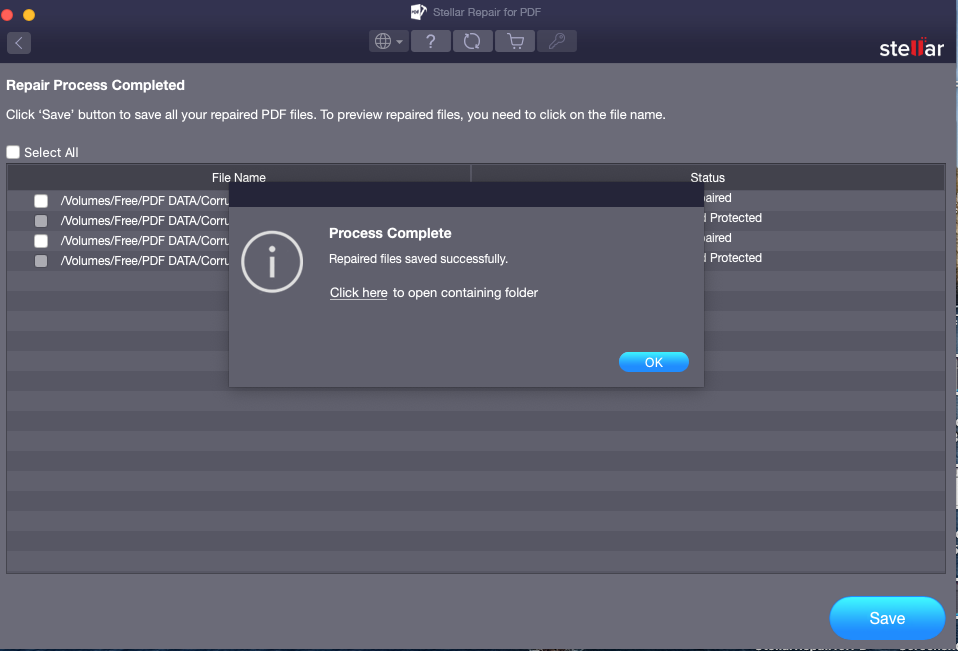
After Save: a Process Complete message with a link to open the folder holding the repaired files.
Where it falls short
- Old macOS support. The spec sheet stops at Big Sur 11 and lists an Intel x64 processor. Newer Macs are not on the list.
- No updates since 2021. Version 3.0.0.0 is the current Mac release, while the Windows edition had a release in October 2025.
- Locked files. A PDF with a password or any restriction can't be repaired.
- Heavily damaged files. If most of the data is gone, no repair brings it back; the preview will show blank or partial pages.
What Users Say
Hands-on reviews of the Mac edition are hard to find; nearly all coverage is of Stellar as a company or of the Windows edition.
Trustpilot (Stellar as a company)
Stellar scores 4.8 out of 5 from 5,609 reviews across all its products (November 18, 2026): 89% five-star and 4% one-star. LaurentK wrote that "the tool in addition is excellent and allowed me to recover most of my lost emails from damaged PST", and John Backer called a Stellar recovery tool "a game changer for me as I could lose many years of memories and data."
The criticism is blunt. Nick wrote "Do not purchase. Software is terrible and customer service worse," and Geetha Jawalkar said "the team was not helpful in recovering my deleted photos and videos." Neither of the reviews quoted here names the PDF repair app.
Recurring themes
People praise Stellar's support staff and simple, guided screens. The complaints come from buyers whose files still couldn't be saved after paying, which is what the trial preview is there to rule out: if your pages show in the preview, the paid version saves the same result.
Comparisons
Stellar Repair for PDF for Mac vs online PDF repair sites
Free online repair sites are fine for one file you don't mind uploading. Stellar Repair for PDF for Mac keeps the file on your Mac, repairs whole batches, and shows a preview first.
Mac edition vs Windows edition
The Windows edition, Stellar Repair for PDF, also costs $29 at checkout but had a new release in October 2025 and runs on Windows 8 to 11. If you have both a Mac and a PC and the Mac is on a recent macOS, the Windows edition is the safer buy.
Editions and Pricing
| Edition | Price | License | Where |
|---|
| Standard (Mac) | $29 | Lifetime, one Mac | Our Buy Now button |
| Standard (Mac) | $29.99 | One year, one Mac | Stellar's own store |
Prices checked on the order page on November 18, 2026. There's only one Mac edition; Stellar's File Repair Toolkit, which adds Word, Excel and PowerPoint repair, is Windows-only.
FAQs
Does Stellar Repair for PDF for Mac work on an M1, M2 or M3 Mac?
Stellar Repair for PDF for Mac lists an Intel-compatible x64 processor and macOS up to Big Sur 11, so Apple silicon Macs and newer macOS versions aren't officially supported. Try the free trial on your Mac before buying.
Can Stellar Repair for PDF for Mac tell me if my file is repairable before I pay?
Yes. Stellar Repair for PDF for Mac repairs the file in the free demo and shows the result in the preview. Saving it needs a license.
Is there a size or page limit?
No. Stellar Repair for PDF for Mac repairs PDFs of any size and page count.
Can Stellar Repair for PDF for Mac recover a PDF I deleted?
No. Stellar Repair for PDF for Mac repairs damaged files that you still have. A deleted PDF needs a data recovery program first; once recovered, a damaged copy can then be repaired.
Is the $29 license a subscription?
No. At checkout, Stellar Repair for PDF for Mac is sold as a lifetime license for $29. Stellar's own store sells a one-year license for $29.99.
What languages does Stellar Repair for PDF for Mac support?
Stellar Repair for PDF for Mac runs in English, German, French, Italian, Spanish, Japanese and Korean, switchable from the globe button in the toolbar.
System Requirements
- macOS Big Sur 11 or earlier, 64-bit
- Intel-compatible x64 processor
- 4 GB RAM minimum, 8 GB recommended
- 250 MB of free disk space for installation
Conclusion
Stellar Repair for PDF for Mac is worth $29 if you're on an Intel Mac with Big Sur or earlier and a PDF you need won't open. The one reason to buy it: a lifetime license for a private, batch PDF repair tool with a real preview.
The main reason not to: it hasn't been updated since 2021 and isn't listed for newer Macs or macOS versions. Run the trial on your own file first; if the preview shows your pages, buy it.
Download Free TrialBuy Now