Stellar Password Recovery for Outlook: Open a PST File When You've Forgotten Its Password
Stellar Password Recovery for Outlook is a Windows app that opens a password-protected Outlook data file (.pst) when nobody remembers the password. It generates six passwords that Outlook accepts for that file, so you can open it or import it into another profile. At checkout it costs $29 as a one-time lifetime license. It's for anyone who set a PST password years ago, inherited a colleague's archive, or found an old locked backup.
Outlook lets you put a password on a PST file, and then never reminds you of it. When you move to a new PC or Microsoft 365, the old archive asks for that password and Outlook offers no reset. This is the narrow problem the app solves.
Quick facts
- Version: 9.0.0.0, released spring 2025
- Developer: Stellar, a data recovery and email tools company founded in 1993. Older versions were called Stellar Phoenix Outlook Password Recovery
- Platform: 64-bit Windows 11, 10, 8.1 and 8
- Works with: PST files from Microsoft 365 and Outlook 2024, 2021, 2019, 2016, 2013, 2010 and 2007
- Price: $29 at checkout as a lifetime license. Stellar's own store sells a one-year license at $29
- What it gives you: six working passwords for the file, not the original one
- What we checked: the installer (version 9.0.0.0, 11.7 MB, signed by Stellar Information Technology Private Limited) downloaded from Stellar's server, and a checkout price of $29.00 with a lifetime term on November 18, 2026. We didn't open a locked PST file ourselves.
Before you buy
This tool is for the password on a PST data file. It doesn't recover the password of your Outlook.com, Microsoft 365 or Exchange email account; for that you reset it with your mail provider.
Stellar's refunds run 30 days from a first purchase, and only if you used the trial before buying, so install it and add your PST file before you pay. A damaged PST file needs a repair tool, not this one.
Download Free TrialBuy Now
Overview
The program is small (under 12 MB) and has one main screen. You drag a PST file onto it or click Add PST, select the file in the list and click Find Password. A panel on the right fills with six short passwords. Type any of them when Outlook asks for the file's password, and it opens.
Why six, and why not the original? Outlook doesn't store the PST password itself, only a short checksum of it, so many different strings pass Outlook's check. The app works out strings that match that checksum. That's also why it doesn't need a long dictionary or brute-force run.
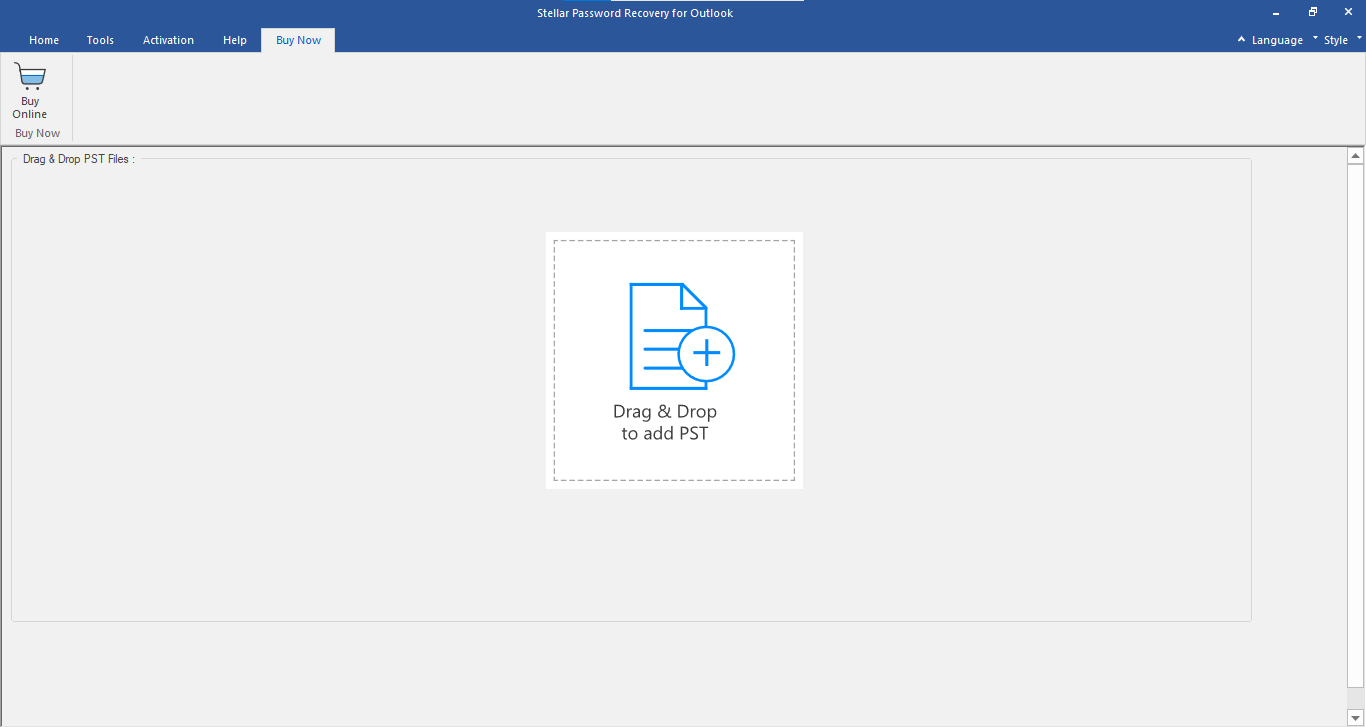
The start screen: drag a PST file onto the box, or use the Home tab.
Features
Six working passwords per file
Stellar Password Recovery for Outlook lists six passwords that open the selected PST file. Any one of them works in Outlook's password prompt, whatever length or characters the forgotten password had.
Find PST searches the drive for you
Stellar Password Recovery for Outlook has a Find PST button that searches a drive or folder and lists every PST file it finds, with size, date and path. Useful when the archive is buried in an old user profile.
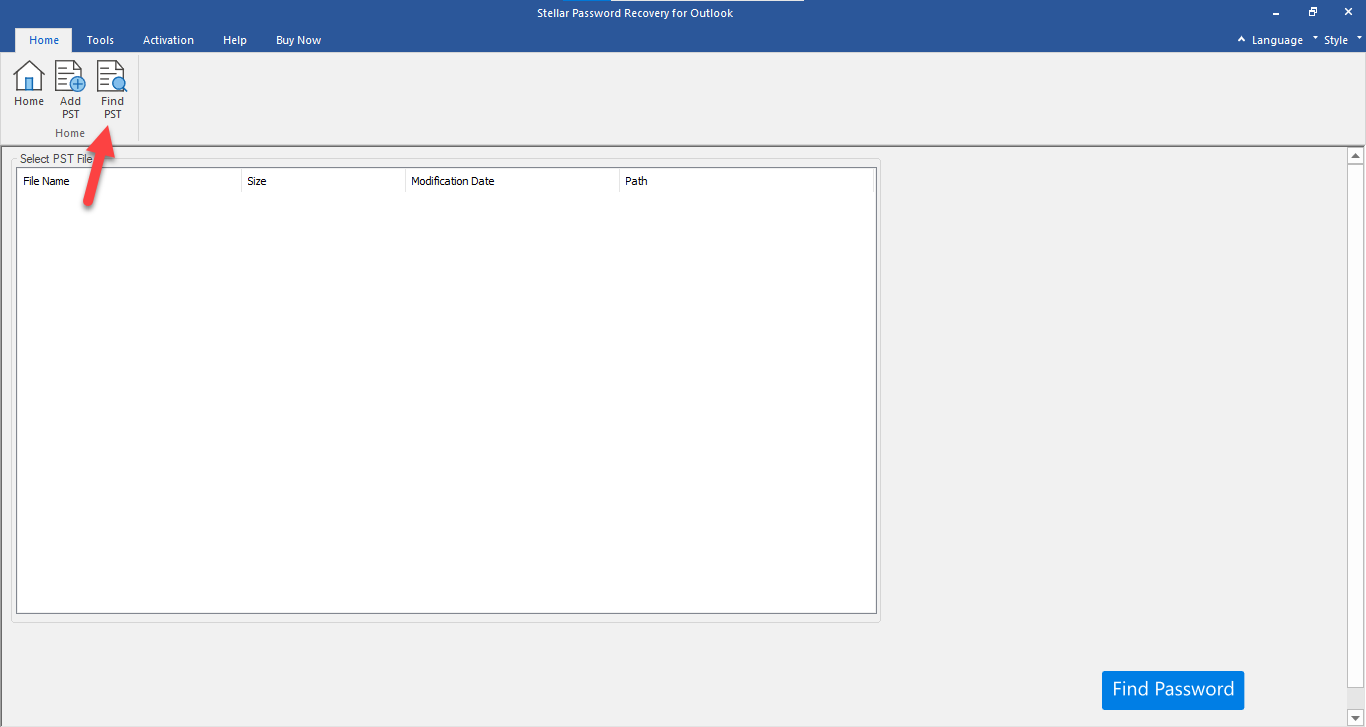
The Home tab, with the Find PST button that searches for PST files.
Several PST files in one list
Stellar Password Recovery for Outlook keeps many PST files in one list, so an IT person clearing out a batch of old archives can work down it file by file without reloading the app.
Current Outlook versions
Stellar Password Recovery for Outlook handles PST files made by Microsoft 365 and Outlook 2024 back to 2007, and runs in English, German, French, Italian, Spanish and Japanese.
Benefits
- Quick. It works from the file's checksum, so there's no dictionary or brute-force run to wait through.
- Cheap for what it saves. $29 once, against years of email locked in an archive.
- The file isn't changed. The app reads the PST and shows passwords; your data stays as it is.
- No Outlook profile needed. It works on the PST file directly.
Real-World Uses
- A departed employee's archive. Legal or HR needs the mail in a locked PST nobody has the password for.
- Your own old backup. You protected an archive.pst in 2012 and the password is long gone.
- A move to Microsoft 365. Old local archives must be imported into the new mailbox, and one of them asks for a password.
- A box of old drives. Find PST lists every archive on a disk, and you open the locked ones.
Who It's For, and Who Should Skip It
It suits home users and IT staff who need into a password-protected PST file on Windows. For $29 it's a simple, single-purpose tool.
Skip it if you've forgotten your email account password (reset it with Microsoft or your provider), if the PST is damaged rather than locked (use a PST repair tool), or if you're on a Mac with an Outlook for Mac .olm file, which this app doesn't open. If you also need PST repair, merging and duplicate removal, Stellar's Toolkit for Outlook includes this tool along with those.
Usage Guide
- Download the installer, run it, and launch Stellar Password Recovery for Outlook.
- Drag the PST file onto the window, or click Add PST. If you don't know where it is, click Find PST and pick a drive or folder to search.
- Select the file in the list and click Find Password.
- Copy one of the six passwords from the right-hand panel.
- In Outlook, open or import the PST file (File, Open & Export) and enter that password when asked. To remove the password for good, change it in the data file's settings in Outlook.
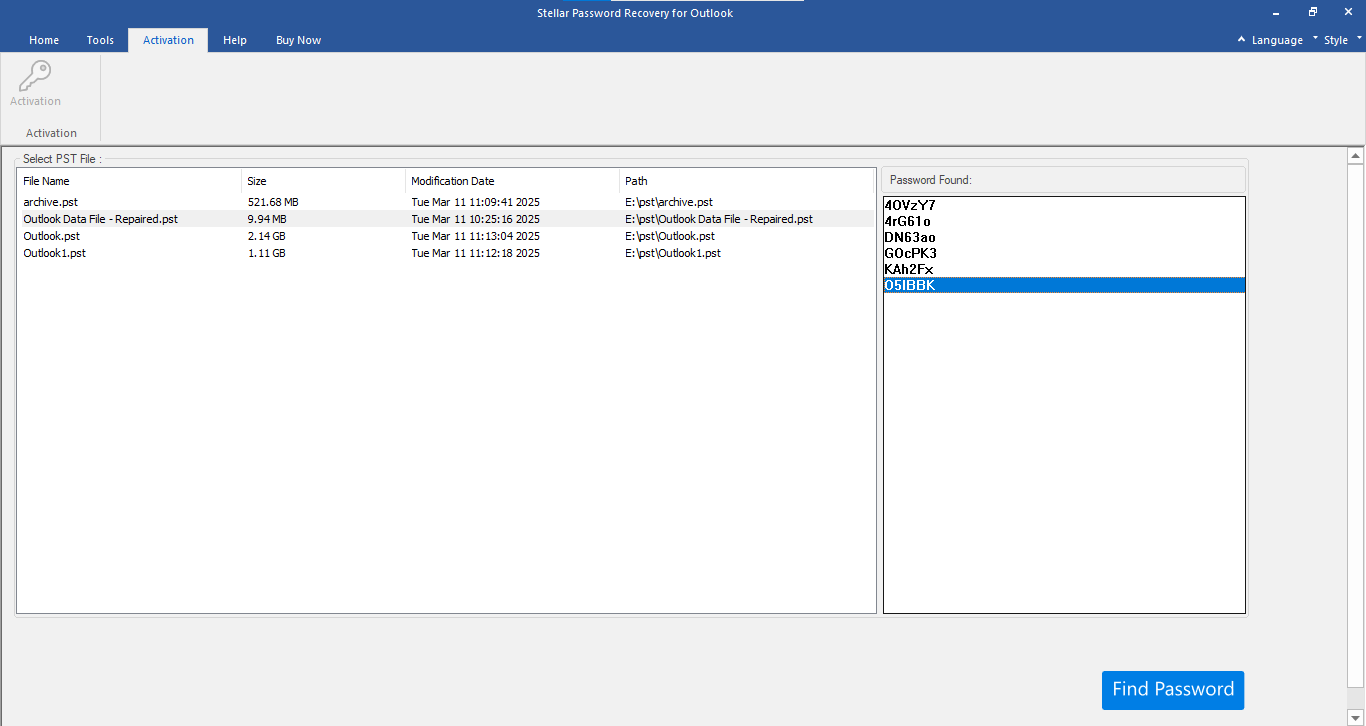
Four PST files in the list and six passwords found for the selected one, in the Password Found panel.
Where it falls short
- No original password. If you need to know the actual password (to reuse it elsewhere, for instance), this app can't tell you.
- PST files only. It doesn't handle OST files, OLM files or account passwords.
- Thin documentation. The user guide doesn't explain what the trial shows before you buy.
- Few independent reviews. There's little hands-on coverage outside Stellar's own pages.
What Users Say
G2
G2 lists a single review, 4.5 out of 5, from a small-business IT user who found the program easy to use. Their complaints were that it can't be updated until it's registered and that the help file looked dated.
Trustpilot (Stellar as a company)
Stellar scores 4.8 out of 5 from 5,609 reviews across all its products (November 18, 2026), with 89% five-star and 4% one-star. LaurentK wrote that "the tool in addition is excellent and allowed me to recover most of my lost emails from damaged PST", and John Backer said a Stellar recovery tool was "a game changer for me as I could lose many years of memories and data."
On the negative side, Nick wrote "Do not purchase. Software is terrible and customer service worse," and Geetha Jawalkar said "the team was not helpful in recovering my deleted photos and videos." None of these name the password tool.
Recurring themes
Users like how simple Stellar's tools are and the support staff. Complaints are mostly about other Stellar products failing on badly damaged data, which doesn't apply to a password tool in the same way: either Outlook accepts the generated password or it doesn't.
Comparisons
Stellar Password Recovery for Outlook vs Stellar Toolkit for Outlook
The Toolkit for Outlook bundles this password tool with PST repair, PST merging, duplicate removal and PST compacting. It costs several times more. Buy the toolkit only if you need those other jobs done too.
vs free PST password tools
Free utilities that compute PST checksum passwords exist, but most haven't been updated in years. Stellar's tool is code-signed, current (version 9, 2025) and comes with vendor support.
Editions and Pricing
| Edition | Price | License | Where |
|---|
| Standard | $29 | Lifetime, one PC | Our Buy Now button |
| Standard | $29 | One year, one PC | Stellar's own store |
Prices checked on the order page on November 18, 2026. Same price, so the lifetime license is the better deal.
FAQs
Will Stellar Password Recovery for Outlook show me my old password?
No. Stellar Password Recovery for Outlook generates passwords that Outlook accepts for that PST file, not the exact password you set. Any of the six opens the file.
Can it recover my Outlook.com or Microsoft 365 account password?
No. Stellar Password Recovery for Outlook works on PST data files on your PC. Account passwords are reset through Microsoft or your mail provider.
Does it work with PST files from Outlook 2024 and Microsoft 365?
Yes. Stellar Password Recovery for Outlook supports PST files from Microsoft 365 and Outlook 2024, 2021, 2019, 2016, 2013, 2010 and 2007.
Does it need Outlook installed?
No. Stellar Password Recovery for Outlook reads the PST file directly. You need Outlook later to open the file with the password it gives you.
Is the $29 license a subscription?
No. At checkout, Stellar Password Recovery for Outlook is sold as a lifetime license for $29. Stellar's own store sells a one-year license for the same price.
Does it work on OST files?
No. OST files are offline caches tied to an account and have no separate password. Stellar Password Recovery for Outlook works on PST files only.
System Requirements
- 64-bit Windows 11, 10, 8.1 or 8
- Intel-compatible x64 processor
- 4 GB RAM minimum, 8 GB recommended
- 250 MB of free disk space
Conclusion
Stellar Password Recovery for Outlook is worth $29 if you have a locked PST file and need the mail inside. The one reason to buy it: it opens the locked file without a brute-force wait, on a lifetime license.
The main reason not to: it does nothing for email account passwords, damaged PST files or Mac OLM archives. Make sure your problem is a password-protected PST, try it, and buy.
Download Free TrialBuy Now