EaseUS Key Finder: Get Your Windows and Office Keys Back Before You Reinstall
EaseUS Key Finder is a Windows utility that reads the product keys of Windows, Office, Adobe and other installed programs, plus your saved browser, Wi-Fi and Windows Credentials passwords, even from a dead PC's drive. It costs $29.95 a year for one PC ($49.95 for a lifetime license), and the free trial shows what it finds but hides the full keys.
The moment you need it is usually a bad one: a new SSD, a reinstall, or a laptop that won't boot, and the sticker with the Office key faded years ago. Key Finder pulls the keys out of the registry so you can write them down before you wipe anything.
Quick facts
- Version: 4.1.6
- Developer: EaseUS (Chengdu Yiwo Tech Development Co., Ltd.)
- Platform: Windows 11, 10, 8.1, 8, 7 and Windows Server; a portable version runs without installing
- Finds: Windows, Windows Server, SQL Server, Office, Adobe and other program keys; browser, Wi-Fi and Windows Credentials passwords
- Price: $29.95 a year, $39.95 for 2 years, $49.95 lifetime (one PC); Business $199 (99 PCs) and $399 (199 PCs)
- Trial: free; lists everything it finds but you need a license to see and save the full keys and passwords
- Guarantee: 30 days, for technical problems support can't fix
- What we checked: the plan prices on EaseUS's order page on November 27, 2026 ($29.95 1-year, $39.95 2-year, $49.95 lifetime, $199 and $399 Business, in USD, the same as EaseUS's 2025 list prices), and the trial limits in EaseUS's online help. We didn't run it on a PC with lost keys.
Download Free TrialBuy Now
Overview
EaseUS Key Finder opens to a sidebar with two groups. Register Key holds Windows and Applications, the product keys read from the registry. Password holds Internet & Network (logins saved in your browsers), WLAN (saved Wi-Fi keys) and Windows Credentials. A third group, More, scans an external drive taken from another PC. Every list has Copy, Print and Save buttons, and Save writes a PDF you can keep with your backups.
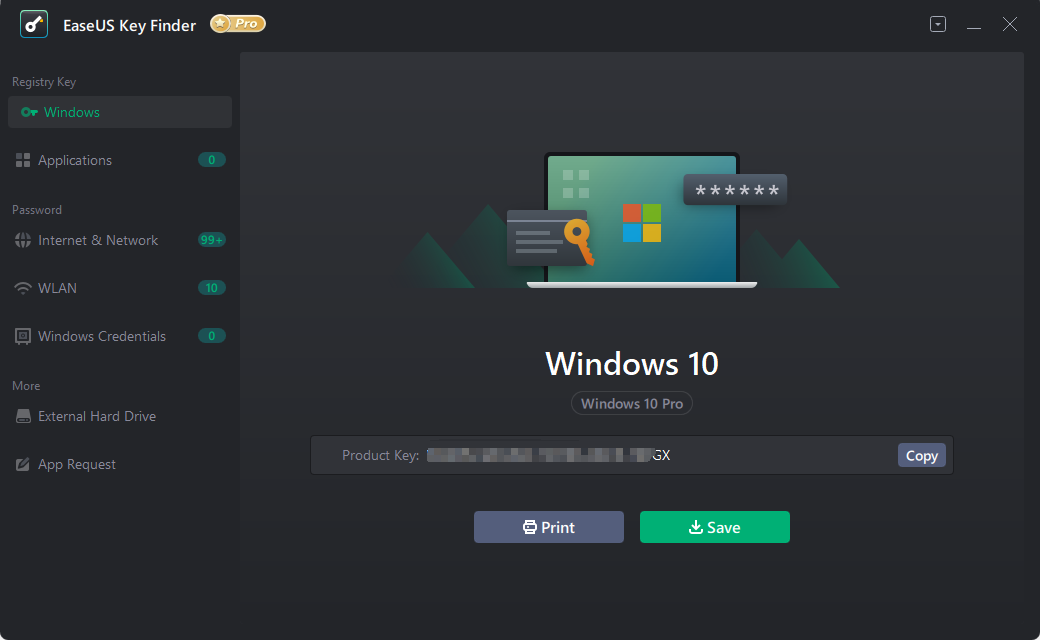
The Windows view in the Pro version: the edition (Windows 10 Pro), its product key (blurred by EaseUS) and the Print and Save buttons.
Features
Windows and Windows Server keys
EaseUS Key Finder shows the installed Windows edition and its product key for Windows 7 through 11 and Windows Server, so you can reactivate after a reinstall or move a retail license to a new PC. It also reads SQL Server keys.
Office, Adobe and thousands of other programs
EaseUS Key Finder scans installed applications and lists each one with its key. EaseUS names Microsoft Office (2003 to 2013 and 2016 MSI installs), Adobe CS2 to CS6, SQL Server and Autodesk, and claims support for more than 10,000 programs. If yours isn't found, the App Request page sends EaseUS a request to add it.
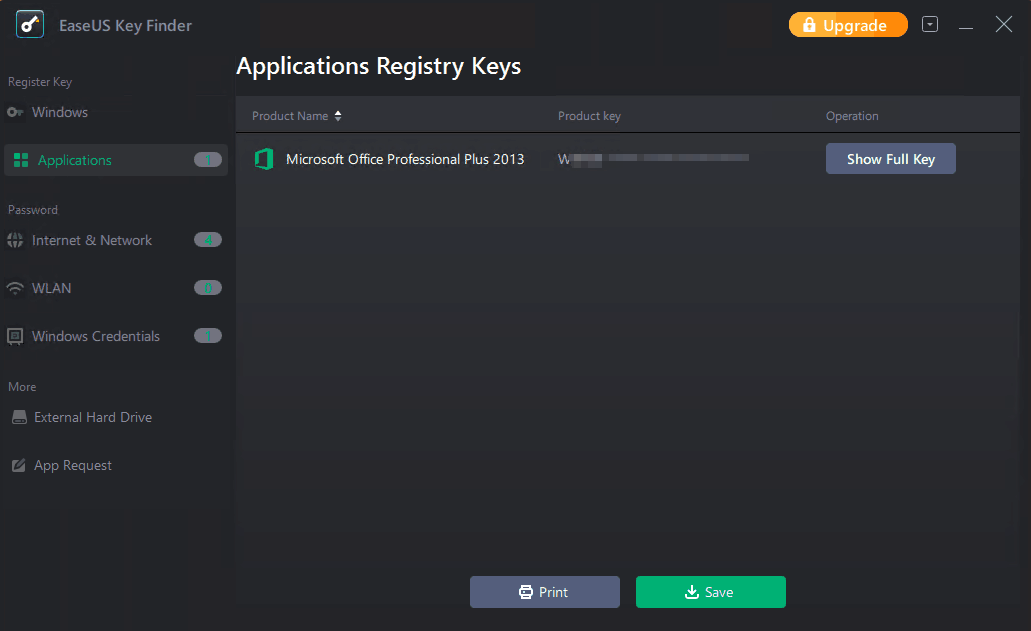
The trial's Applications Registry Keys list: Office Professional Plus 2013 is found, but the key is hidden behind a Show Full Key button and an Upgrade prompt.
Saved browser, Wi-Fi and Windows passwords
EaseUS Key Finder lists the user names and passwords saved in Chrome, Edge, Firefox and Internet Explorer, the keys of every Wi-Fi network the PC has joined, and the network logins stored in Windows Credentials. Viewing the browser and credential passwords asks for a security check of your Windows account first.
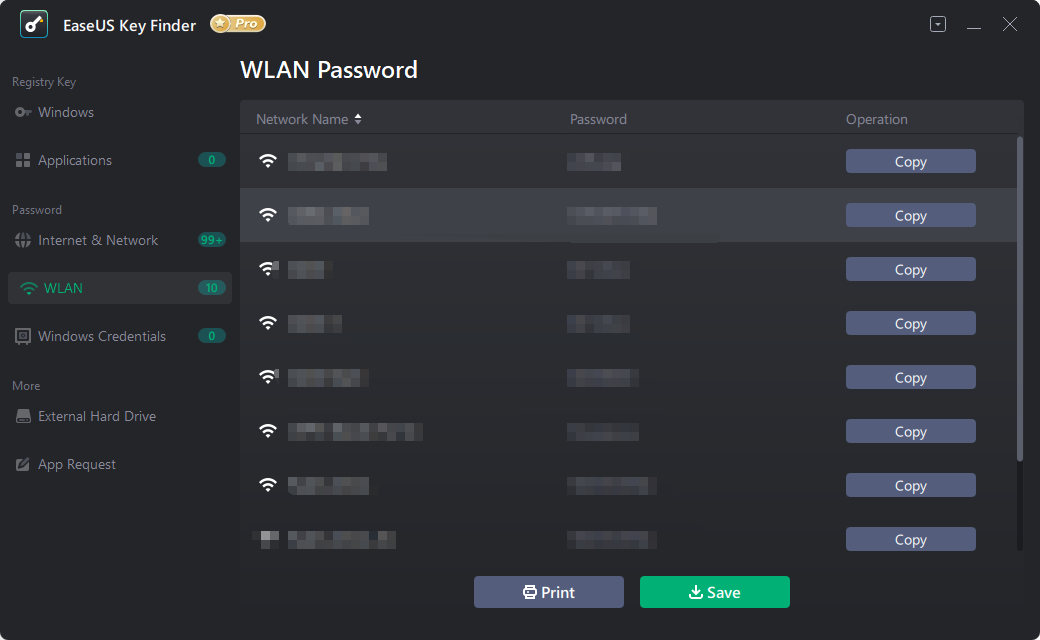
The WLAN Password view: each saved network with its password (blurred) and a Copy button.
Keys from a dead or unbootable drive
EaseUS Key Finder can read keys from a Windows installation that no longer starts. Connect the old system drive to a working PC, pick the drive and the Microsoft account, and scan; the Windows and application keys and saved passwords on that drive appear in the same lists.
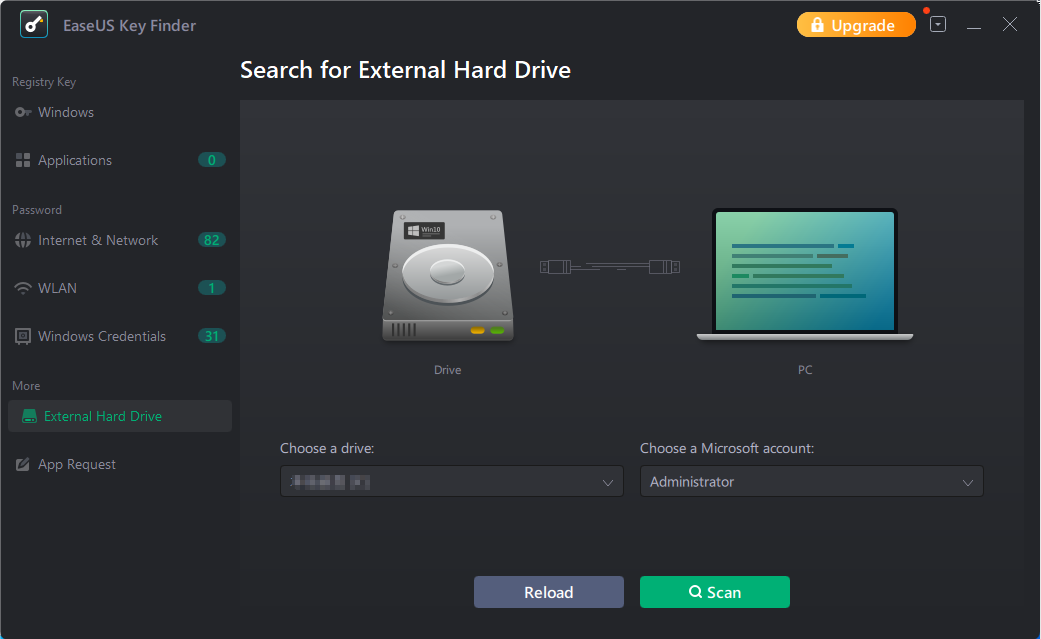
Search for External Hard Drive: choose the connected drive and the Microsoft account, then Scan.
Portable version
EaseUS Key Finder also comes as a portable program you run from a USB stick without installing, which is handy when you don't want to install anything on the PC you're rescuing keys from.
Real-World Uses
- Before a clean install: save a PDF of the Windows and Office keys, then format the drive knowing you can reactivate.
- A laptop that won't boot: pull its drive, plug it into another PC with a USB adapter and read the keys of the old installation.
- A new guest on the Wi-Fi: look up the password of the network your PC joined years ago.
- Inventory for a small office: a Business license covers up to 99 or 199 PCs, so one person can record every machine's keys.
Who It's For, and Who Should Skip It
EaseUS Key Finder suits home users and small offices with older perpetual licenses: Office 2010 or 2013 bought on a disc, Adobe CS6, a retail Windows key. Those keys live only on the PC and on a sticker that may be gone.
Skip it if your software is tied to an account. Microsoft 365, Adobe Creative Cloud and most modern Windows 10 and 11 PCs activate through your Microsoft or Adobe account or a digital license, so there's no key to lose. Also note that it only finds keys stored on a PC: it can't recover a license you never activated or one the vendor has revoked. Mac users need a different tool, since it's Windows only.
Usage Guide
- Download the trial from EaseUS and install it, or run the portable version.
- Open it; it scans straight away and shows counts next to Windows, Applications, Internet & Network, WLAN and Windows Credentials.
- Click a category to see the items. In the trial the keys are partly hidden.
- To see the full keys, click Upgrade in the top-right corner and enter your license code.
- Use Save to export each list to PDF, or Copy to paste a single key.
- For a dead PC, connect its drive, open External Hard Drive, pick the drive and account, and click Scan.
Before you buy
- Run the trial first. It shows exactly which programs it detects on your PC, so you'll know whether your key is there before paying.
- The 1-year and 2-year plans renew automatically. If you only need the keys once, the $49.95 lifetime license avoids a renewal you might forget to cancel.
- EaseUS refunds only on technical grounds. The 30-day guarantee covers a fault support can't fix; changing your mind doesn't qualify.
Where it falls short
- The free version is a preview. FileHorse lists "Limited Free Version Features" among its cons: the demo shows only the first characters of each key and won't save them.
- Office support stops at 2016 MSI installs in EaseUS's own list. Click-to-Run Office 2019, 2021 and Microsoft 365 installs store only the last characters of the key, as with any key finder.
- Free tools cover the basics. Windows can show saved Wi-Fi passwords itself, and free key finders read Windows keys; you're paying for the application list, the dead-drive scan and the PDF export.
- A subscription for a one-off job. Most people need a key finder once or twice; a yearly plan is the wrong shape for that.
What Users Say
EaseUS Key Finder doesn't have many long independent reviews; most of what's out there are download-site write-ups and store ratings.
FileHorse (editor's review, user rating 8.0/10 from 27 ratings)
FileHorse's review describes EaseUS Key Finder as "designed to retrieve and display Product IDs and CD keys." Its pros are "Comprehensive Key Retrieval," "User-Friendly Interface," "Supports Multiple Software," "Quick and Efficient Scanning" and "Recovers WiFi Passwords." Its cons are "Limited Free Version Features," "No Cross-Platform Support," "Dependent on System Access," "Does Not Recover Lost Licenses" and "No Cloud Backup Option."
Ashampoo store (4.2/5 from 338 customer reviews)
Ashampoo also sells EaseUS Key Finder, and its buyers rate it 4.2 out of 5 from 338 reviews, with 22 one-star and 14 two-star ratings among them. The written reviews are short and mostly praise its speed and ease of use; most are translated from German, so we don't quote them here.
EaseUS on Trustpilot (company-wide)
EaseUS as a company scores 4.9 out of 5 on Trustpilot from 39,773 reviews, almost all about its data recovery and backup products. One buyer, Avanish Kumar, wrote on November 25, 2026 that "the pricing is on the higher side only", a complaint that applies here too when a yearly plan is used for a one-time job.
The themes: people like that it finds keys quickly and is easy to use; the complaints are about the limited trial, the price, and that it can't conjure a key that was never stored on the PC.
Comparisons
EaseUS Key Finder vs free key finders
Free tools such as Belarc Advisor or a one-line command can show the Windows key, and Windows shows Wi-Fi passwords in its own settings. EaseUS Key Finder earns its price when you need Office and Adobe keys, browser passwords and the dead-drive scan in one place, with a PDF to keep.
EaseUS Key Finder vs XenArmor All-In-One Key Finder Pro
XenArmor covers a wider list of password stores (email clients, chat and more), while EaseUS Key Finder keeps to product keys, browsers, Wi-Fi and Windows Credentials with a simpler interface. Pick XenArmor for password audits, EaseUS for a quick key backup before a reinstall.
Editions and Pricing
| Plan | Price | Term | PCs |
|---|
| Pro 1-Year | $29.95 | Auto-renews yearly | 1 |
| Pro 2-Year | $39.95 | Auto-renews every 2 years | 1 |
| Pro Lifetime | $49.95 | One-time, lifetime upgrades | 1 |
| Business | $199 | One-time, lifetime upgrades | Up to 99 |
| Business | $399 | One-time, lifetime upgrades | Up to 199 |
The Buy Now buttons on this page open EaseUS's plan page, where you choose any of these plans.
FAQs
Can EaseUS Key Finder find my Windows 11 key if it came with the PC?
EaseUS Key Finder shows the key Windows has stored. On many new PCs that's a generic key, because activation comes from a digital license tied to the hardware or your Microsoft account; in that case you don't need the key to reinstall on the same PC.
Does EaseUS Key Finder work for Microsoft 365?
EaseUS Key Finder isn't useful for Microsoft 365, which is activated by signing in to your Microsoft account rather than by a product key. It's meant for older perpetual Office versions.
Is there a Mac version of EaseUS Key Finder?
No. EaseUS Key Finder runs on Windows 7 to 11 and Windows Server only.
What happens when the EaseUS Key Finder subscription ends?
The 1-year and 2-year plans renew automatically until you cancel. If you cancel, the program returns to the trial's limits, so save your keys to PDF while the license is active.
Is it safe to let a key finder read my passwords?
EaseUS Key Finder works offline on your own PC and asks for a Windows account check before showing browser and credential passwords. Treat the exported PDF like a password list: store it encrypted or offline, not in an email.
Can one EaseUS Key Finder Pro license be used on several PCs?
No. A Pro license covers one computer. For several machines, the Business licenses cover up to 99 or 199 PCs.
System Requirements
- Windows 11, 10, 8.1, 8 or 7, or Windows Server
- 4 GB of RAM
- Internet connection for the web installer and activation
Conclusion
EaseUS Key Finder is worth it if you're about to reinstall or replace a PC that carries older, key-based licenses such as Office 2013 or Adobe CS6, or if a dead drive holds keys you can't find anywhere else. The dead-drive scan and the PDF export are the reasons to pay. It's not worth it for account-based software like Microsoft 365, and for a one-off rescue the $49.95 lifetime license makes more sense than a renewing subscription. Run the free trial first: if your program shows up in the list, the key is there.
Download Free TrialBuy Now