DataNumen PowerPoint Recovery: Rescue the Slides From a PPTX That Won't Open
DataNumen PowerPoint Recovery is an $89.95 Windows tool that repairs corrupt PowerPoint PPTX files and saves the slides, masters, notes, themes and embedded media to a new presentation. It's for the moment PowerPoint says it "found a problem with content" or can't read the file at all, and its own repair has already failed.
The deck is due in an hour, it lived on a USB stick that got pulled out mid-save, and now it won't open. Before paying for anything, try PowerPoint's free tricks below. This tool is the next step when they fail.
Quick facts
- Version: 3.0, released November 29, 2023
- Developer: DataNumen, Inc.
- Platform: Windows, with PowerPoint installed on the same PC
- Files: PPTX from PowerPoint 2007 to 2021 and Microsoft 365. Old PPT files aren't supported
- Price: $89.95 for one user, one-time, with no auto-renewal on the order page
- Trial: free demo that repairs the file and shows a report of the recoverable items, but doesn't save the fixed PPTX
- Guarantee: 30 days
- What we checked: installer file version 3.00 (14.85 MB, digitally signed by DataNumen, Inc.) downloaded from the vendor, with a November 29, 2023 file date; the $89.95 order page price. We didn't run a repair on a damaged presentation. Checked on November 8, 2026.
Before you buy
- Check the file extension. If your file is a .ppt from PowerPoint 97-2003, this tool can't repair it.
- PowerPoint must be installed. The vendor lists PowerPoint 2007 or later on the same PC as a requirement.
- Read the demo report. It lists every item it can recover, so you know what you're paying for before you order.
- Upgrades and support run for one month. After that you need the Annual Support and Maintenance Plan or a paid upgrade.
- A refund needs a reason. Refunds run for 30 days, but you must explain why in detail, and DataNumen may ask for the original corrupt file to verify it. The company offers to sign an NDA where needed.
Download Free Trial Buy Now
Overview
A PPTX file is really a ZIP archive of XML parts and media files, and corruption usually breaks a few of those parts while the rest survive. DataNumen PowerPoint Recovery scans the file in six stages, salvages what it can, and writes it to xxxx_fixed.pptx beside the original: Damaged.pptx becomes Damaged_fixed.pptx. The damaged file itself isn't changed.
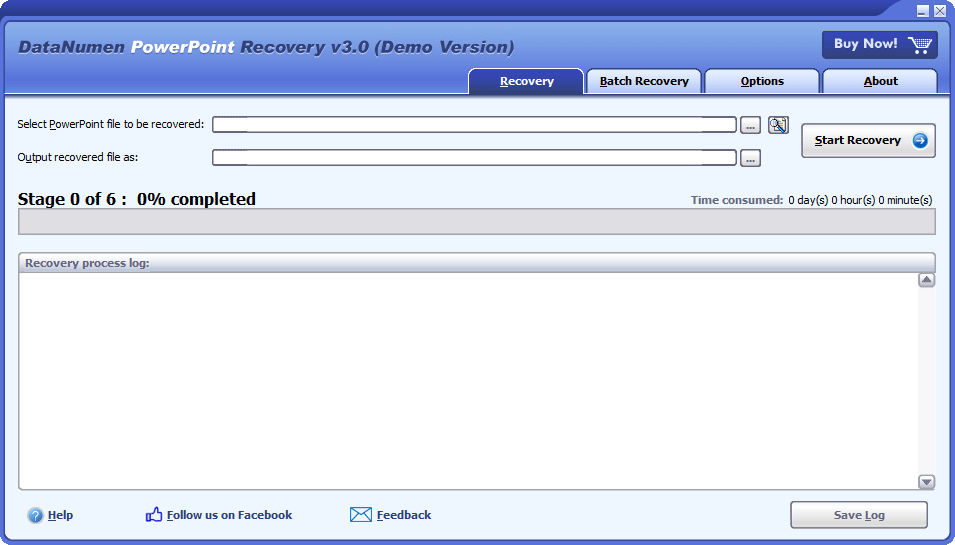
The Recovery tab in the version 3.0 demo: source PPTX, output file, the six-stage progress bar and the log.
Features
Recovers the structure, not just the slides
DataNumen PowerPoint Recovery brings back slide masters, layouts, slides, notes masters, speaker notes, handout masters and themes. Getting the master back matters, because it carries the template your slides were built on.
Puts embedded media back in place
DataNumen PowerPoint Recovery recovers pictures, 3D models, video and audio and puts them back into the repaired presentation. It can't save them to a separate folder.
Batch recovery for many presentations
DataNumen PowerPoint Recovery has a Batch Recovery tab: add files or search a drive for them, then repair the whole list with a status for each one.
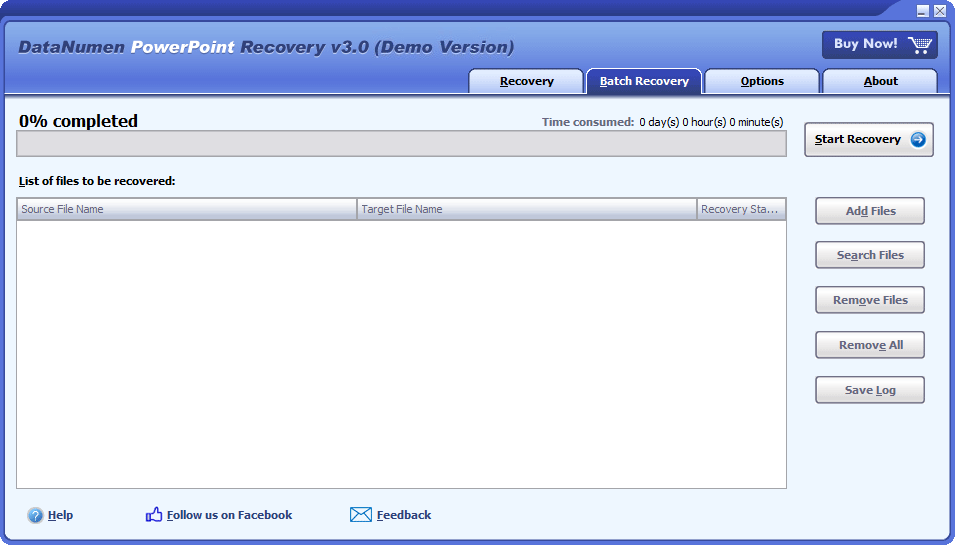
The Batch Recovery tab, with Add Files, Search Files and a recovery status column.
Opens the result for you
DataNumen PowerPoint Recovery has an option to open the fixed file as soon as it finishes, so you can check the slides straight away.
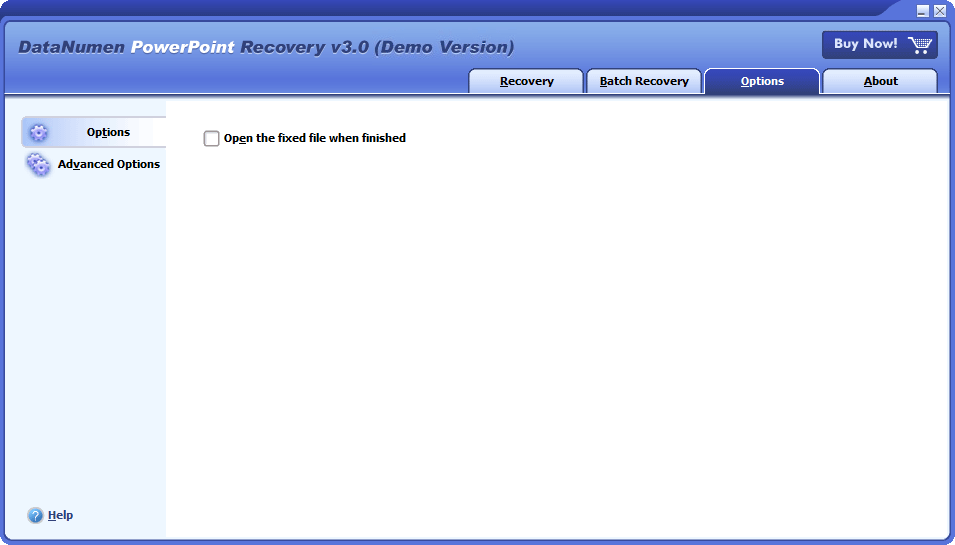
The Options tab, with "Open the fixed file when finished".
Benefits
- Less rebuilding. Getting the master, layouts and media back saves more time than the slide text alone.
- Safe to try. The demo runs the full repair and shows what's recoverable, and the original file is never modified.
- Cheap next to the time it saves. At $89.95, it costs less than a couple of hours of redoing a designed deck.
Real-World Uses
- A presentation on a pulled USB stick. The file won't open in PowerPoint. Copy it to the hard drive and run the repair on the copy.
- A crash while saving a large deck full of video. Recover the slides and the embedded media together.
- A teacher's or trainer's course material. A year of lecture decks on a failing drive: run them through Batch Recovery.
- A file from a Mac user. Repair it on a Windows PC and send the fixed PPTX back.
Who It's For, and Who Should Skip It
It suits office workers, teachers, designers and IT support staff with a PPTX they can't afford to rebuild, and a Windows PC with PowerPoint.
Skip it if your file is an old .ppt, which it doesn't support. Skip it if PowerPoint's Open and Repair, safe mode or Reuse Slides already got your slides back, or if you have a recent copy in OneDrive or a backup. A Mac-only user needs access to a Windows PC. And if you also repair Word, Excel, Access and Outlook files, DataNumen Office Repair bundles this tool with four others.
Usage Guide
- Install the demo, and close PowerPoint and any program that might modify the file.
- On the Recovery tab, type the file name, browse to it, or use the search button to find PPTX files on the PC.
- Check the output name (
xxxx_fixed.pptx) and change the folder if you like.
- Click Start Recovery and follow the progress bar.
- When the demo finishes, click Show Repair Report and read which items are recoverable.
- If what you need is listed, order the full version, repair the file again and open the fixed presentation in PowerPoint.
Try these free fixes first
- Copy the file to your local drive. PowerPoint sometimes can't load a file from a network or external drive that it can open from a local disk.
- Use Open and Repair. In PowerPoint, choose File, Open, select the file, click the arrow beside Open and pick Open and Repair.
- Start PowerPoint in safe mode. Type
powerpnt.exe /safe in the Start search box and open the file from there.
- Reuse the slides. In a new blank presentation, use New Slide, Reuse Slides and browse to the damaged file. Tick Keep source formatting and insert all slides.
- Look for temporary and AutoRecover files. PowerPoint's PPT####.tmp files and the AutoRecover folder (shown under File, Options, Save) may hold a recent copy. Rename it to .pptx and open it.
Where it falls short
- PPTX only. The vendor dropped .ppt support on the grounds that few people still use it, which doesn't help if your archive is full of old decks.
- Media can't be exported separately. If you only want the photos and videos out of a broken deck, the tool can only put them back into the repaired presentation.
- Time depends on the deck. The vendor says recovery time grows with the number of slides, masters and layouts and with the file size.
- Few independent reviews. We found ratings but no detailed independent tests.
What Users Say
Independent feedback on DataNumen PowerPoint Recovery is limited, and we found no detailed user reviews to quote. Here is what the rating sites show.
Ratings
- Free Download Manager: 3.9 out of 5 from 43 votes, the largest independent rating we found.
- DataNumen's product page: 4.90 out of 5 from 1,631 votes, collected by the vendor itself.
Softpedia
Softpedia's editor describes DataNumen PowerPoint Recovery as a simple application with a basic feature set and a batch mode for many files. We read the review through a summarizer, as the site blocks direct access.
The gap between the vendor's 4.90 and Free Download Manager's 3.9 is worth noticing. With so little independent detail, the free demo report on your own file is the best review you'll get.
Comparisons
DataNumen PowerPoint Recovery vs. PowerPoint's own repair
PowerPoint's Open and Repair, safe mode and Reuse Slides cost nothing and sometimes work. DataNumen PowerPoint Recovery is for files they can't open at all, and it can bring back the masters and media that Reuse Slides may lose.
DataNumen PowerPoint Recovery vs. DataNumen Office Repair
DataNumen Office Repair ($499.95) includes this same tool plus Access, Excel, Outlook and Word repair. Buy the suite only if you'll use several of them. For presentations alone, this $89.95 tool is the right buy.
Editions and Pricing
There's one edition. Volume licenses are cheaper per user, as listed on DataNumen's order page:
| User licenses | Price per license (US$) |
|---|
| 1 | 89.95 |
| 2 - 9 | 69.95 |
| 10 - 24 | 49.95 |
| 25 - 49 | 39.95 |
| 50 - 99 | 29.95 |
| 100 - 199 | 19.95 |
| 200 - 499 | 16.95 |
| 500+ | 11.95 |
FAQs
Can DataNumen PowerPoint Recovery repair a PowerPoint file from a Mac?
Yes. DataNumen PowerPoint Recovery runs on Windows, so copy the presentation from the Mac to a PC, repair it there and copy the fixed file back.
Does DataNumen PowerPoint Recovery work on Windows 11?
Yes. DataNumen lists support for Windows from 95 through 11 and Windows Server 2003 to 2019, in 32-bit and 64-bit.
Will DataNumen PowerPoint Recovery restore my slide master and template?
Yes. DataNumen PowerPoint Recovery recovers slide masters, layouts and themes as well as the slides themselves.
Is DataNumen PowerPoint Recovery a subscription?
No. DataNumen PowerPoint Recovery is a one-time purchase. Free upgrades and support last one month, then you can buy the Annual Support and Maintenance Plan or pay for an upgrade.
How fast do I get DataNumen PowerPoint Recovery after ordering?
DataNumen sends an order confirmation, then an email with the download link for the full version within about 15 minutes.
What should I send DataNumen if the repair fails?
Save the repair log with the "Include System Information" option ticked and send it to DataNumen's technical support with your question.
System Requirements
- Windows 95 through 11, or Windows Server 2003 to 2019, 32-bit or 64-bit
- Microsoft PowerPoint 2007 or later installed
- Intel or equivalent processor, x86 or x64
- 32 MB of memory minimum, 2 GB recommended
- 21 MB of disk space
Conclusion
Worth $89.95 if a PPTX you can't rebuild won't open and PowerPoint's own fixes have failed. The reason to buy is the demo report: you see exactly which slides, masters and media are recoverable before you pay. The main reason not to is an old .ppt file, which it can't handle, and independent reviews are thin, so let the demo decide.
Download Free Trial Buy Now