Outlook won't open its data file after a power cut, a virus or a failed disk, and years of mail, contacts and calendar entries are stuck inside it. Or the Exchange account tied to your OST file is gone and you can't reach the mail you synced. Inbox Repair Tool for Outlook is built for exactly these situations: it reads a damaged PST or OST file and saves what it can recover into a new PST file.
Quick facts
- Handles: damaged PST and OST files, plus OST-to-PST conversion
- Platforms: Windows 98, Me, NT 4.0, 2000, XP, Vista and Windows 7
- Price: $45.90 including VAT for the full version, listed as a reduced price from $95.90
- Trial: a trial version is available to download, and it lets you analyze a damaged file and preview the recoverable items before you buy
- License: lifetime, with updates to the latest version of the program
- Languages: English, German, Italian and Russian
Key features
Recover mail from a damaged PST or OST file
The program uses a multi-pass recovery approach. It first scans the damaged file for headers and signatures that point to your data. It then matches them against the file indexes and shows the result on a preview page. Last, it saves the recoverable data to an output file. It recovers messages, contacts, calendar entries and notes.
Your original file stays untouched
The tool keeps the original file intact and unchanged and writes the recovered data to a new, compacted PST. If the recovery falls short, you can still try another method on the source file.
Turn an OST file into a usable PST
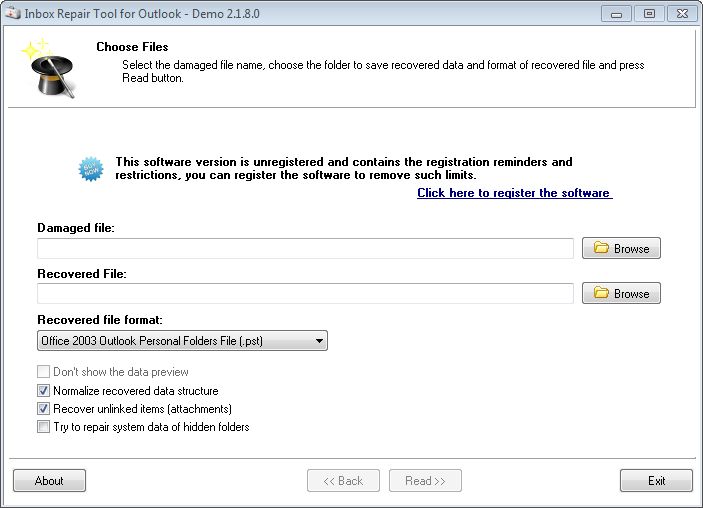
You can save the contents of an OST file to the newer PST format (Outlook 2003 and later) or to the older PST format. You choose an input file, an output file and a couple of options, then start the process.
Open files over 4 GB, including password-protected and encrypted ones
It supports PST files over 4 GB, recovers from password-protected PST files, removes password protection from damaged files and recovers data from encrypted PST files.
Preview before you save
The program reads and previews the contents of PST and OST files, so you can look through items and check what is recoverable. You can also use it as a simple PST viewer.
Output that needs no extra compacting
Every file it generates is already compacted and defragmented, so you don't need to run the Compact command in Outlook afterwards.
Who it's for
It suits you if Outlook refuses to open a PST, if an OST file is orphaned after an Exchange account was removed, or if you need to move a PST between Outlook versions. The wizard-style interface is meant for people with no data recovery experience.
The vendor also sells two cheaper single-purpose editions: one for PST files only and one for OST files only. This edition covers both formats.
Pros and cons
Pros
- Handles both PST and OST in one program
- Never modifies the damaged source file
- Supports files over 4 GB and password-protected files
- Trial lets you preview recoverable data before paying
- Lifetime license with updates; the vendor offers a refund if your file can't be recovered even partly
- Modest hardware needs: 1.0 GHz processor, 512 MB RAM (1 GB recommended)
Cons
- Supported files are PST/OST from Outlook 97-2010 (32-bit only) and Exchange 5.0 to 2003, so files from newer versions may not be covered
- The listed operating systems stop at Windows 7
- It doesn't connect to or analyze data stored in a live Exchange mailbox; it works on files on your disk
FAQs
Does it work on files larger than 4 GB?
Yes. The vendor lists support for PST files over 4 GB.
Will it change my damaged file?
No. The original stays unchanged, and recovered data goes to a new output file.
What is the difference between this edition and the PST-only or OST-only ones?
This edition recovers both OST and PST files. The other two each handle only one format and cost less.
Can I try it before paying?
Yes. Install the trial, run it on your damaged file and look at the items it can recover before you buy a license.
Do I need Outlook installed?
The listing says it needs a free Microsoft CDO component or an Outlook installation.
System requirements
- Operating system: Windows 98, Me, NT 4.0, 2000, XP, Vista, Windows 7
- Hardware: 1.0 GHz processor or higher, 512 MB RAM (1 GB recommended), enough free disk space for the recovered file
- Supported formats: PST or OST files from Outlook 97-2010 (32-bit only) or MS Exchange 5.0, 5.5, 2000-2003
- Also needed: Microsoft CDO or an Outlook installation