You pulled a file off a flash drive, or the drive got formatted, and now the photos you needed are gone. Before you pay for anything, it makes sense to try a free tool that scans the drive directly. Freeware USB Data Recovery Software from 9DataRecovery is built for that job.
Quick facts
- Version: 2.2.1.3
- Platforms: Windows, including Windows 11, 10, 8, 7, Vista and XP
- Price: Free
- Recovers from: formatted or corrupted USB drives
Key features
Three search modes for different levels of damage
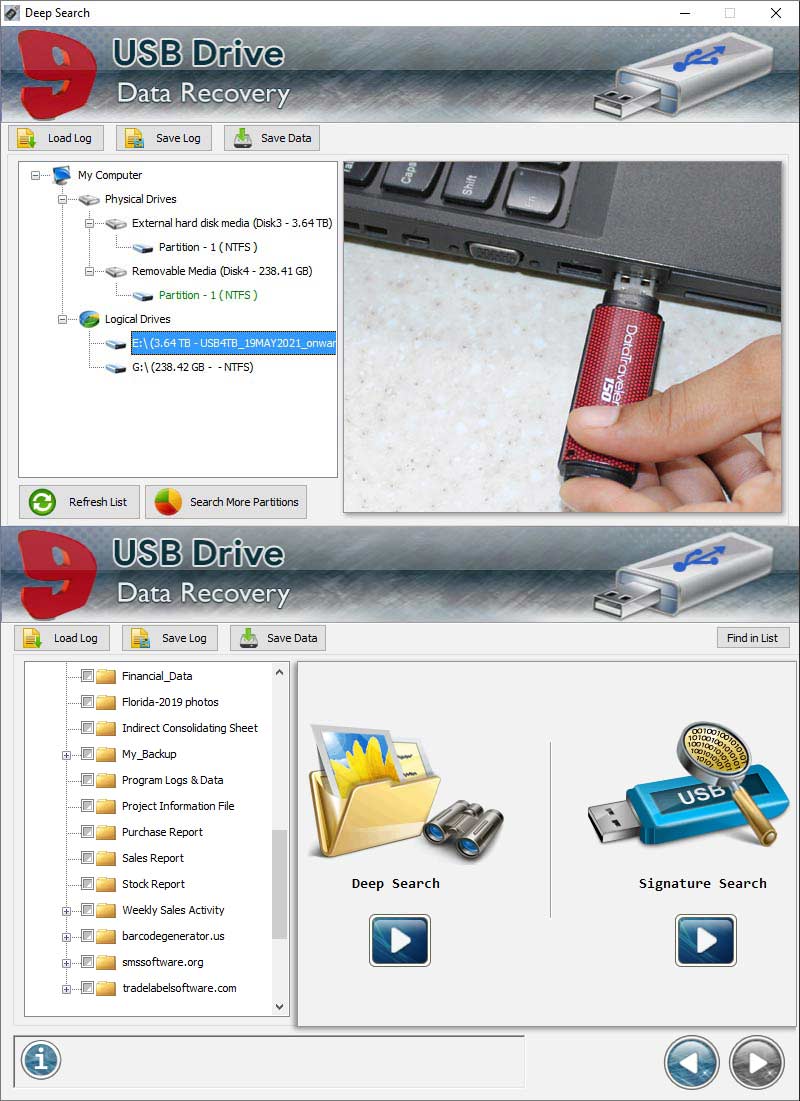
You pick Basic Search, Deep Search or Signature Search. Basic Search is the quick option: select the drive, click next, and choose where to save the results.
Scan only the sectors you choose
Deep Search lets you set a start and end sector with a slider or by typing values. That helps when you only want to scan part of a large drive.
Find files by type
Signature Search looks for files by extension, such as JPEG, DOCX, MP3, BMP, GIF, HTML and PDF. Other recoverable formats include 3GP, CDR, PNG, PPT and PSD.
Save a log and resume later
The Save Log button stores your scan results as a log file. Load Log brings them back so you can carry on from where you stopped.
Look for more partitions and file systems
A Search More Partitions button checks for further partitions on the connected drive. The file system options are FAT16, FAT32, NTFS and Unknown.
Who it's for
It suits you if you have lost files from a USB stick and want a free first attempt at getting them back. It supports drives of all sizes, from 2GB to 32GB and larger. The vendor's page also lists support for brands such as Sony, Samsung, Kingston and SanDisk.
Pros and cons
Pros
- Free to use.
- Three scan modes, from quick to sector-level.
- Log files let you pause and resume a recovery.
- Works with several file types and file systems.
Cons
- Windows only.
- File system choices are limited to FAT16, FAT32, NTFS and Unknown.
- You must save recovered files to a different drive from the one you scanned, or they may be overwritten.
FAQs
Can it recover files from a formatted USB drive?
Yes. The vendor says it recovers data from formatted and corrupted USB drives.
Where should I save recovered files?
Use a different location or drive from the one you are recovering from. Saving to the original drive can overwrite the data.
Can I continue a scan later?
Yes. Save the log file, then use Load Log to pick up where you left off.
Which file types can it find?
It finds common formats such as JPEG, DOCX, MP3, BMP, GIF, HTML and PDF. It also handles 3GP, CDR, PNG, PPT and PSD.
System requirements
It runs on Windows, including Windows 11, Windows 10, Windows 8, Windows 7, Vista and XP. You need a USB drive connected to the PC.