You deleted a folder of holiday photos, or a memory card started throwing errors, and now you need the pictures and clips back without paying for a recovery suite. Free Deleted Photos/Videos Recovery Tool from 9DataRecovery is built for that one job.
Quick facts
- Platform: Windows
- Price: Free
- Version listed: 2.2.0.1
- Focus: photos, videos and audio files
Key features
Separate Photo Search and Video Search modes
You pick Photo Search or Video Search and the tool scans for that type of file, so you aren't sorting through unrelated results.
Recovery of common image and video formats
It handles JPEG, JPG, PNG, GIF, BMP and TIF images. On the video side it lists WebM, MPEG4, 3GPP, MOV and WMV. It also recovers audio files and raw digital image files.
Works on hard disks and removable media
You can scan hard disks, USB drives and flash media. The vendor says it also covers formatted or corrupted disks and 4K hard drives.
Control over what gets scanned and where it is saved
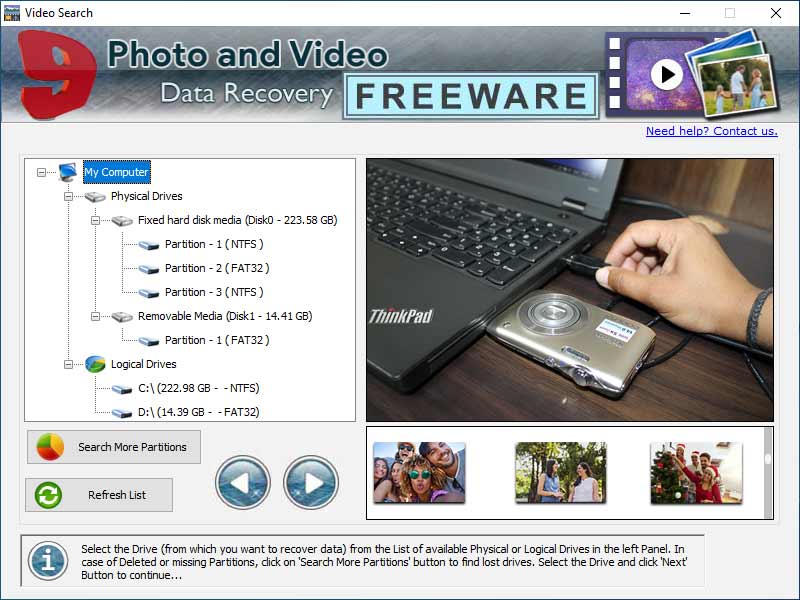
You choose a drive and partition, set a recovery range, and browse to the folder where recovered files go. A stop button ends a scan early, and you can open the output folder to watch files appear.
Who it's for
It suits you if you have a single, specific loss, such as deleted camera photos, a wiped SD card or a damaged USB stick. It also suits you if you want a simple graphical tool with few settings.
Pros and cons
Pros
- Free to download
- Simple interface with a short workflow
- Covers photos, videos and audio
- Real-time view of recovered files
Cons
- Windows only
- Focused on media files, not documents or general data
- No detailed system requirements are published
FAQs
How do I recover files with it?
Connect the drive, choose the drive and partition, and select Photo Search or Video Search. Set the recovery range, pick a save folder, click Next and wait for the scan to finish.
Can it recover from a memory card or USB drive?
Yes. The vendor lists flash removable media, USB drives and hard disks.
Can I stop a scan?
Yes, the stop search button ends it.
Where should I save recovered files?
Save them to a different drive from the one you are scanning, so the recovery doesn't overwrite lost data.
System requirements
It runs on Windows. The listing covers Windows 11, 10, 8, 7, Vista and XP.